

Standby and TV
English screenshots coming: some of the pictures below still show the receiver and the web interface in Romanian. The rows, keys and steps described on this page are the English ones.
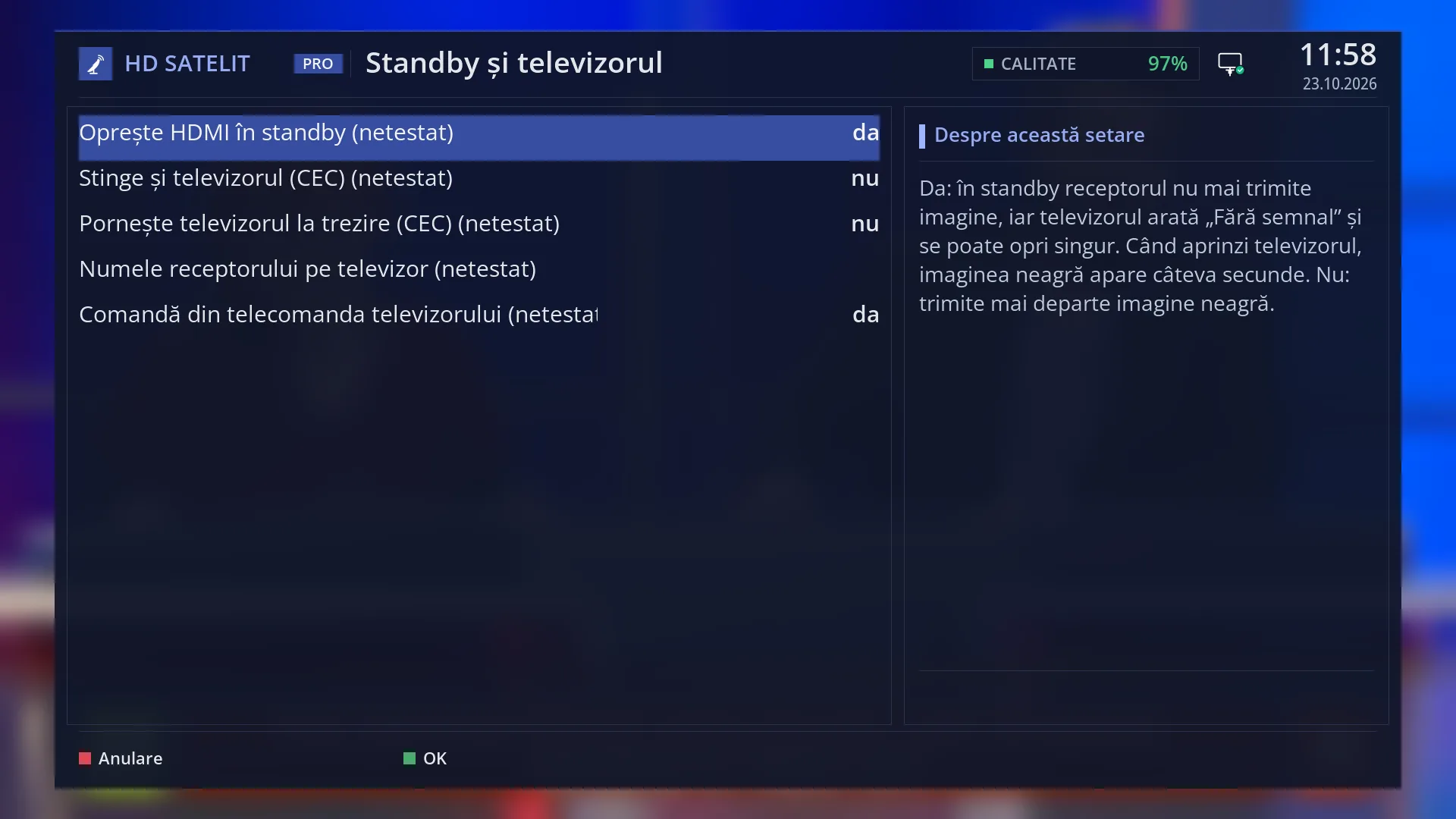
- 1 Turning off the HDMI picture in standby.
- 2 Turning the TV off and on through CEC.
- 3 The name the TV shows. Empty means the receiver model.
- 4 The TV keys control the receiver.
- 5 Explanation of the selected row.
- 6 RED closes without saving, GREEN saves.
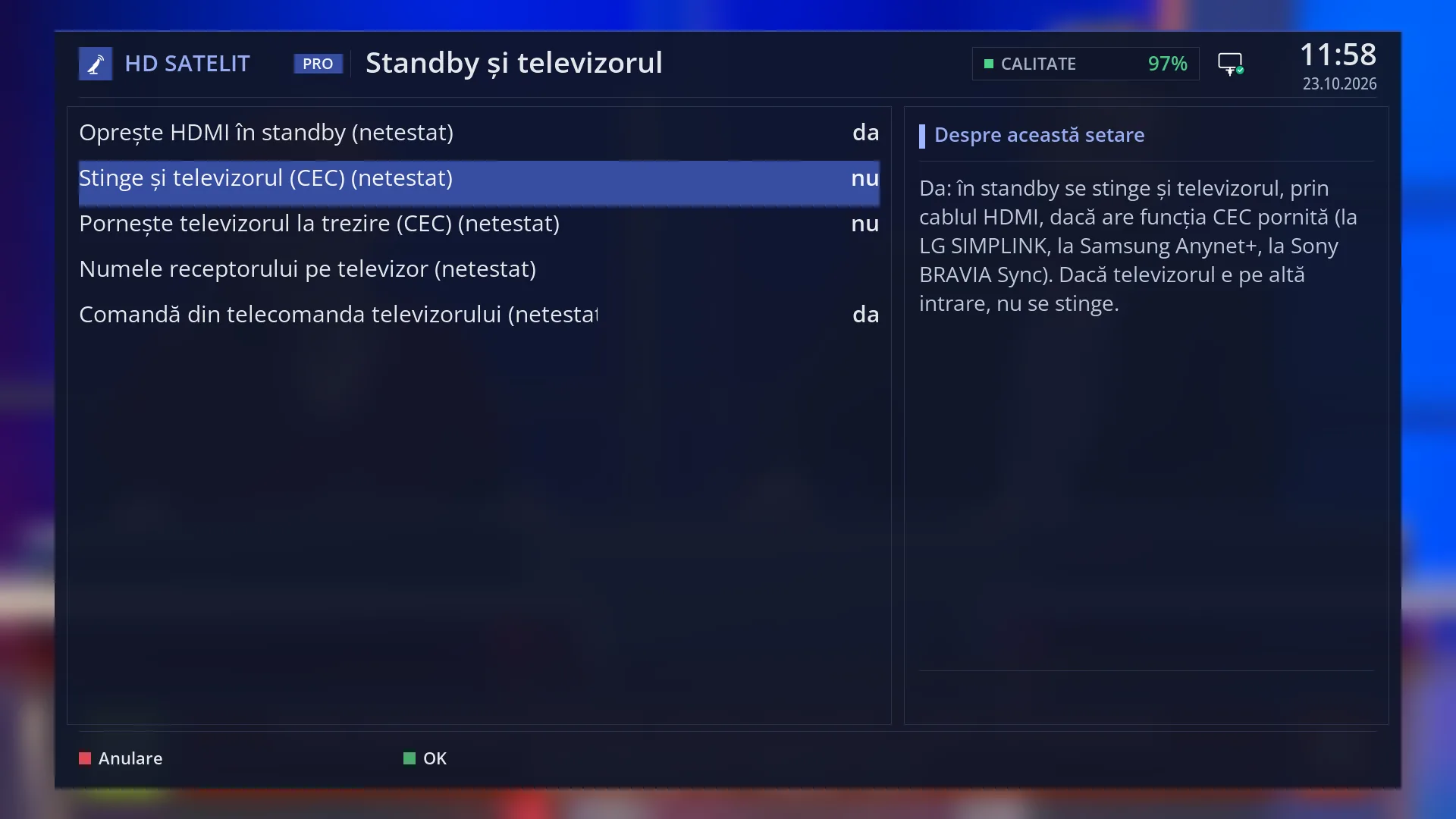
- 1 Yes: the TV turns off together with the receiver (CEC).
- 2 Explanation of the selected row.
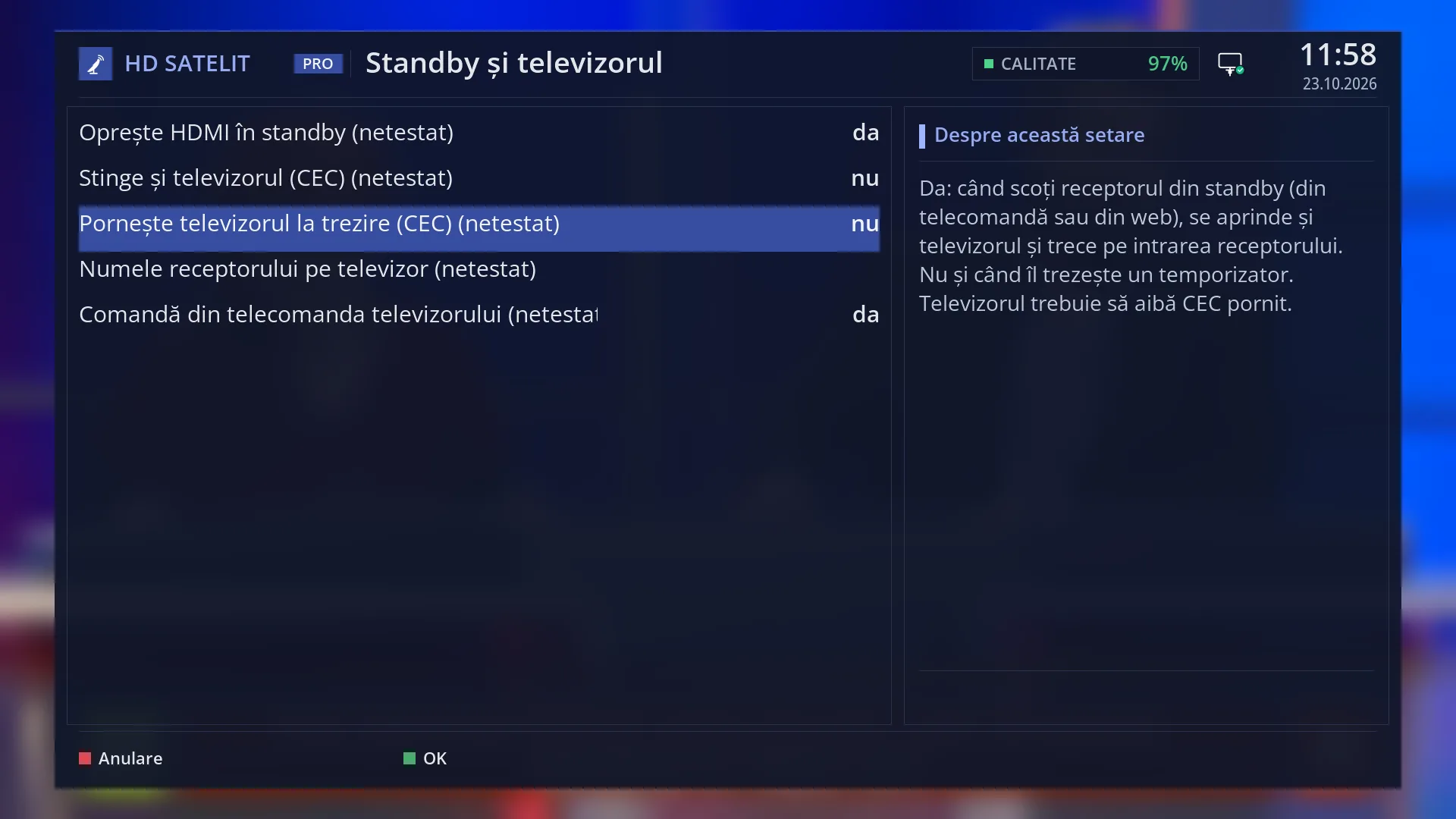
- 1 Selected row: “Turn on the TV on wake-up (CEC) (NOT TESTED): no”.
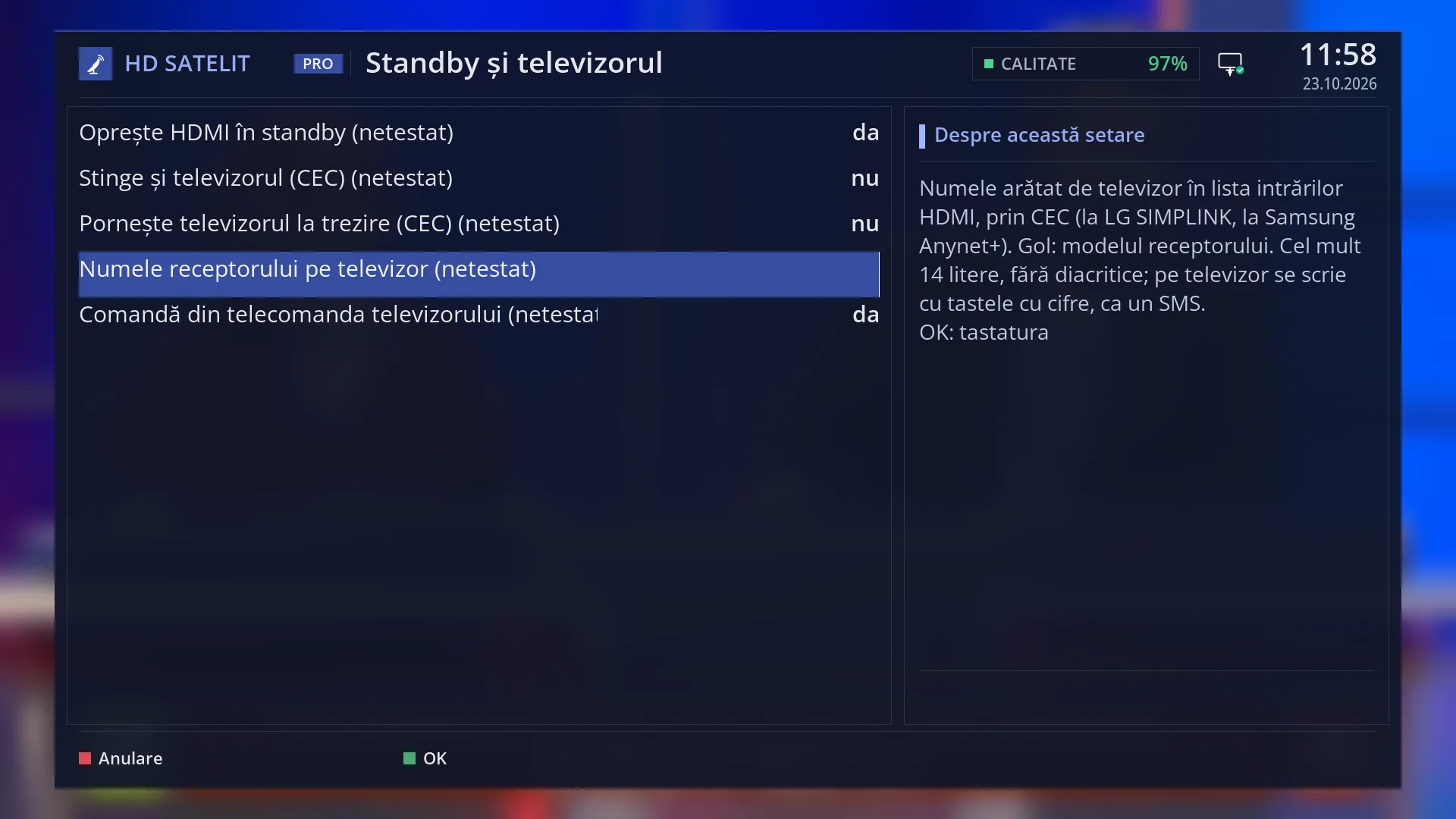
- 1 Empty: the TV receives the receiver model.
- 2 The explanation and “OK: keyboard”.
- 1 The TV keys control the receiver. OK held down: “More keys”.
- 2 Explanation of the selected row.
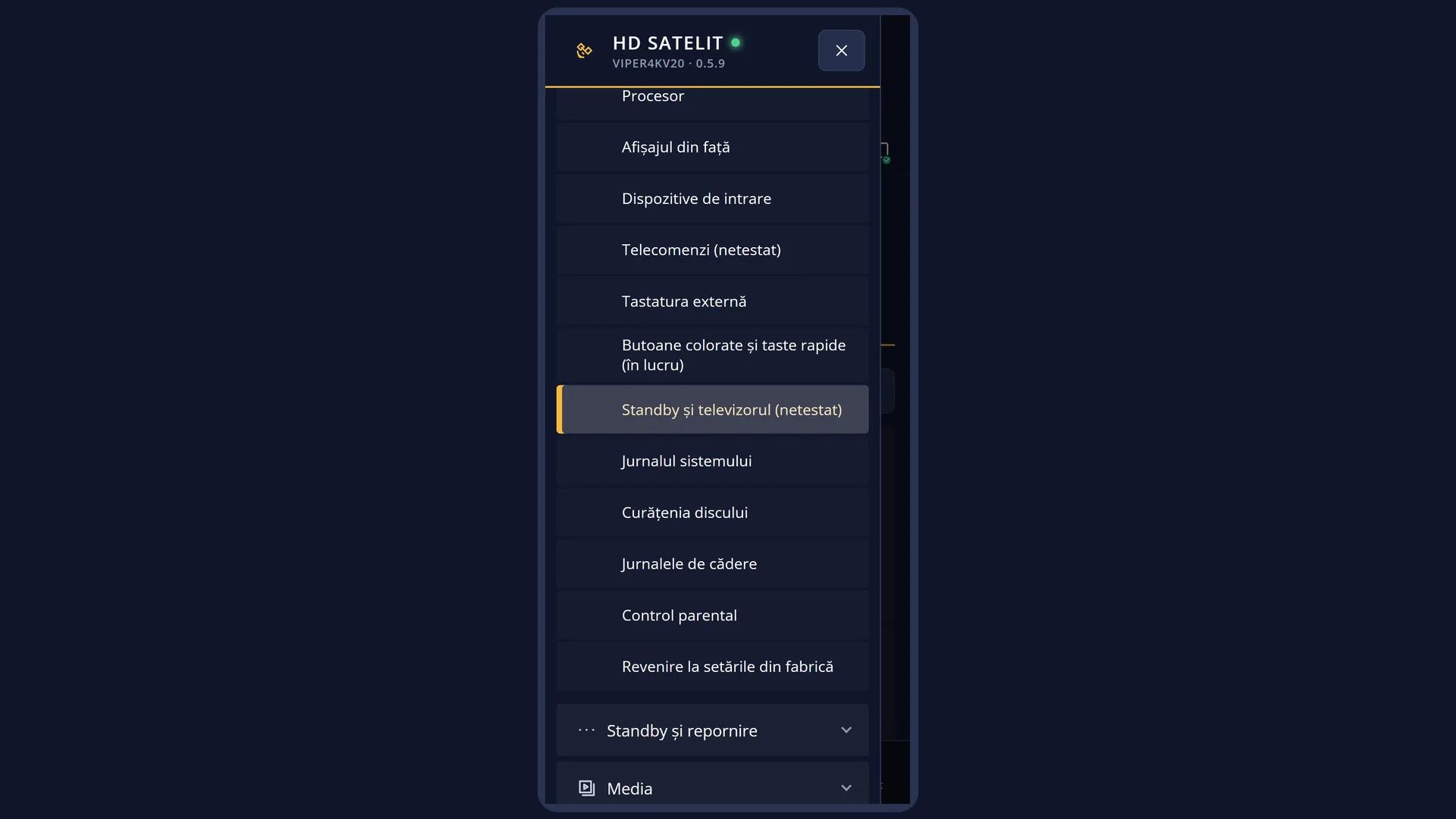
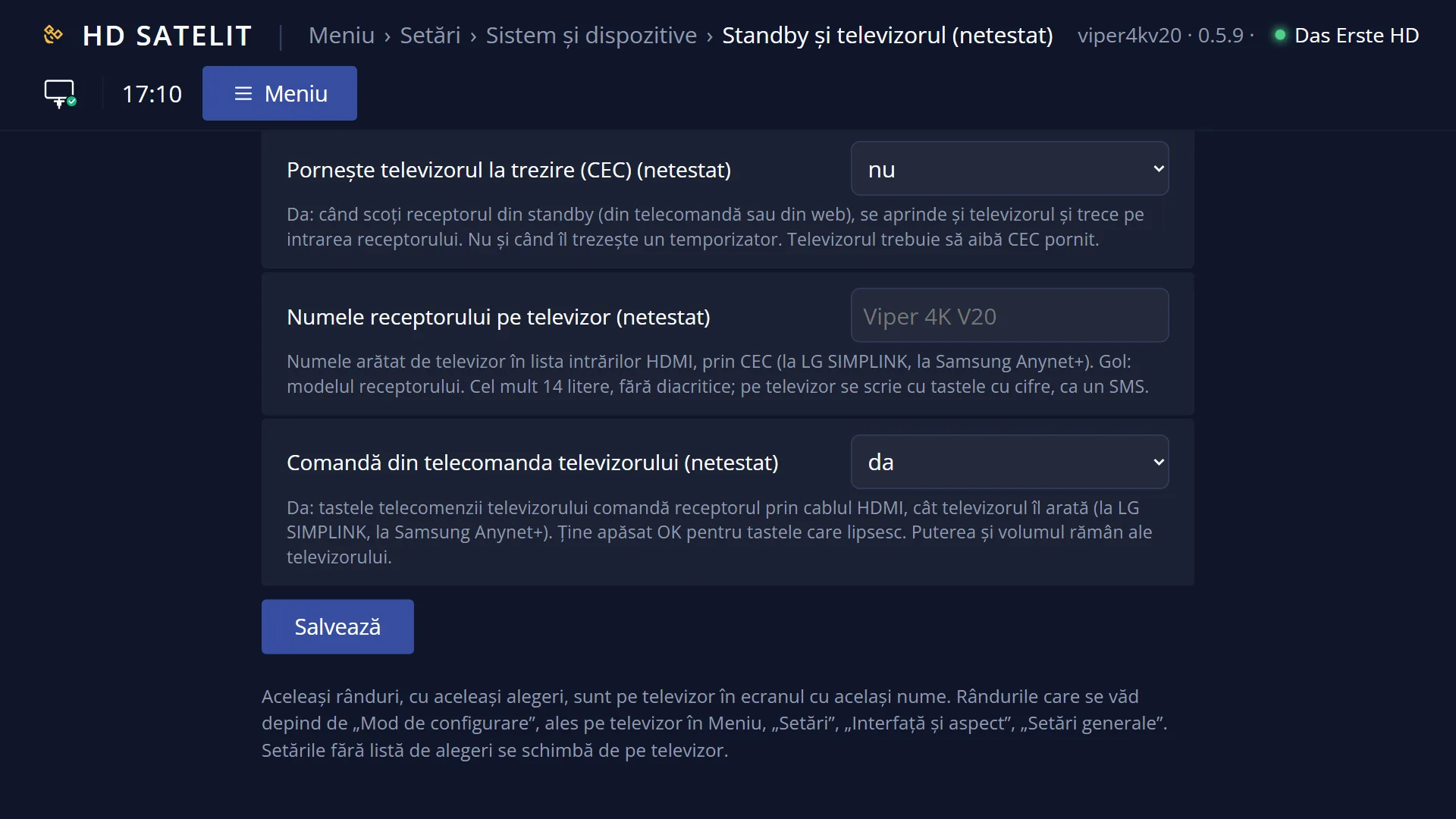
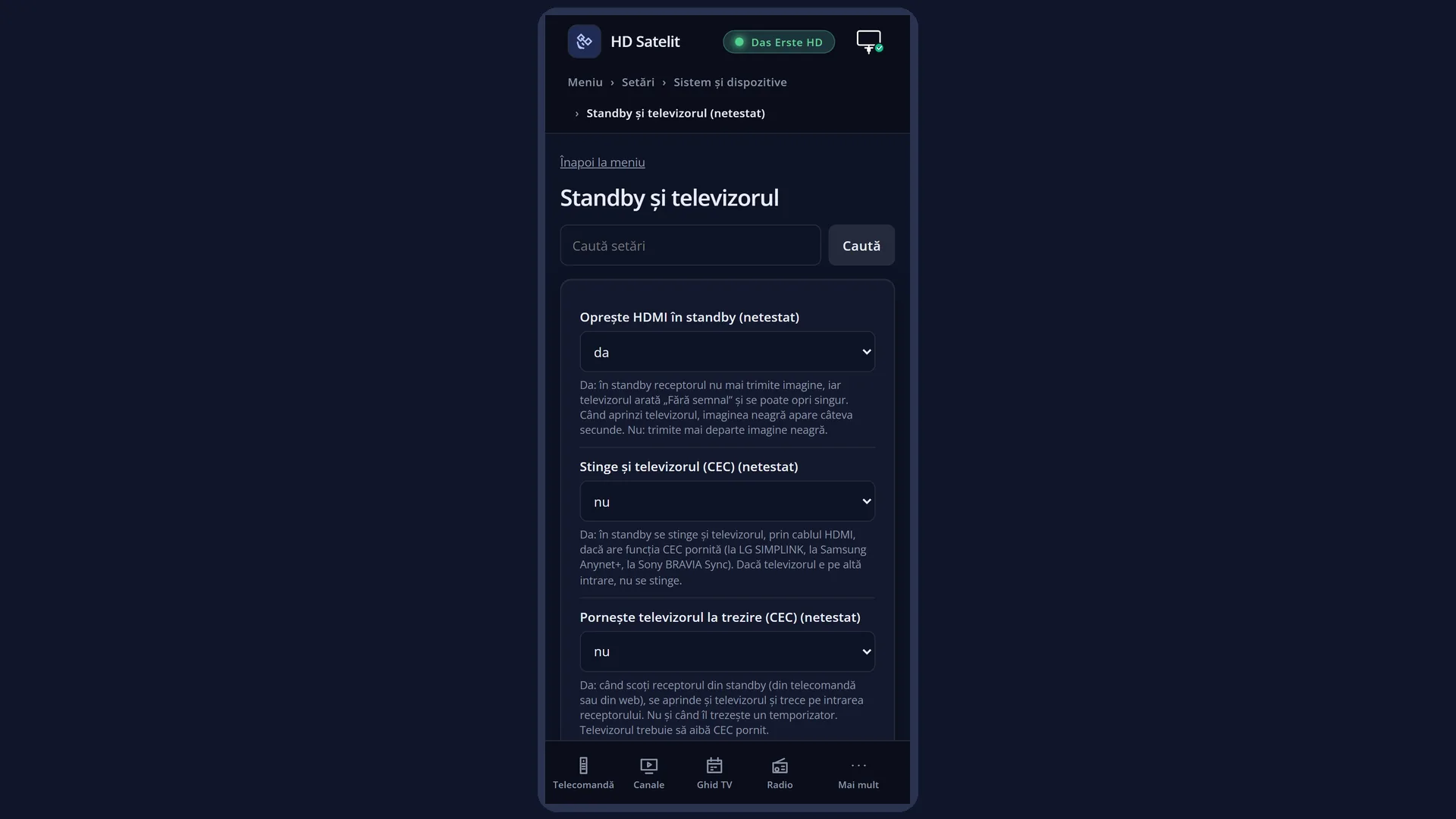
What it is for
The “Standby and TV” screen sets what happens to the TV when the receiver goes into standby or wakes up, and how the two work together over the HDMI cable.
By default, the receiver stops sending a picture over HDMI in standby, so the TV shows “No signal” and may switch itself off after its own timeout.
With CEC (the function that lets devices connected by HDMI control each other), the receiver can turn off the TV when it goes into standby and turn it on when it wakes up. These two rows are off by default.
Also through CEC, the receiver tells the TV its name, which the TV shows in its list of HDMI inputs, and the keys on the TV remote can control the receiver.
On LG the CEC function is called SIMPLINK, on Samsung Anynet+, and on Sony BRAVIA Sync. You have to turn it on in the TV menu.
How to get here
Path: Main menu > Settings > System & Devices > Standby and TV.
Keys on the remote: MENU 6, then UP (System & Devices is the last row in Settings, with no number) and OK, then 9.
In the menu the row shows as “Standby and TV (not tested)”: the screen is ready but has not yet been tried on the receiver.
From any menu: the TTX key (labelled TEXT on screen) opens “Search settings”. Type “cec” or “standby”.
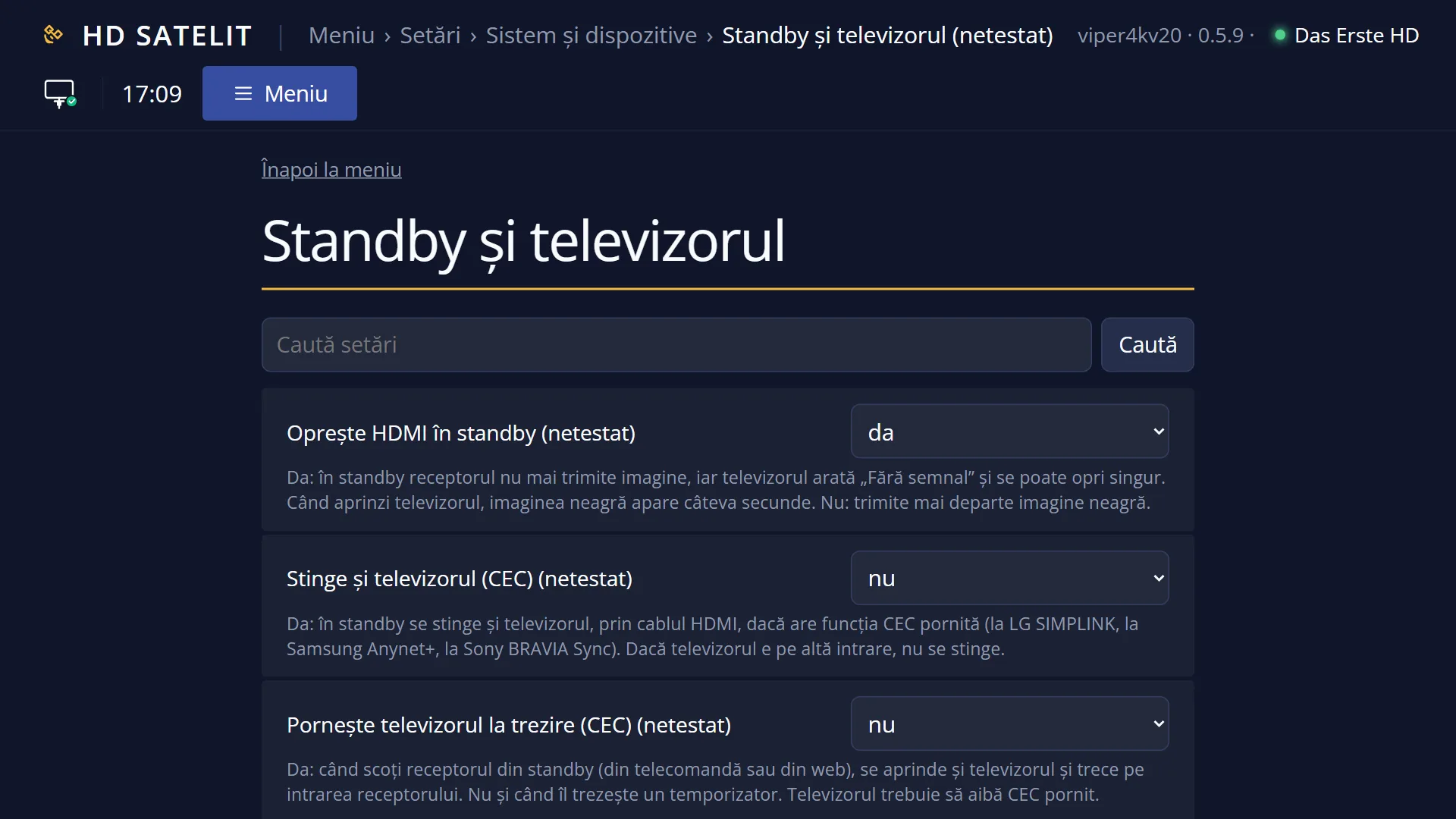
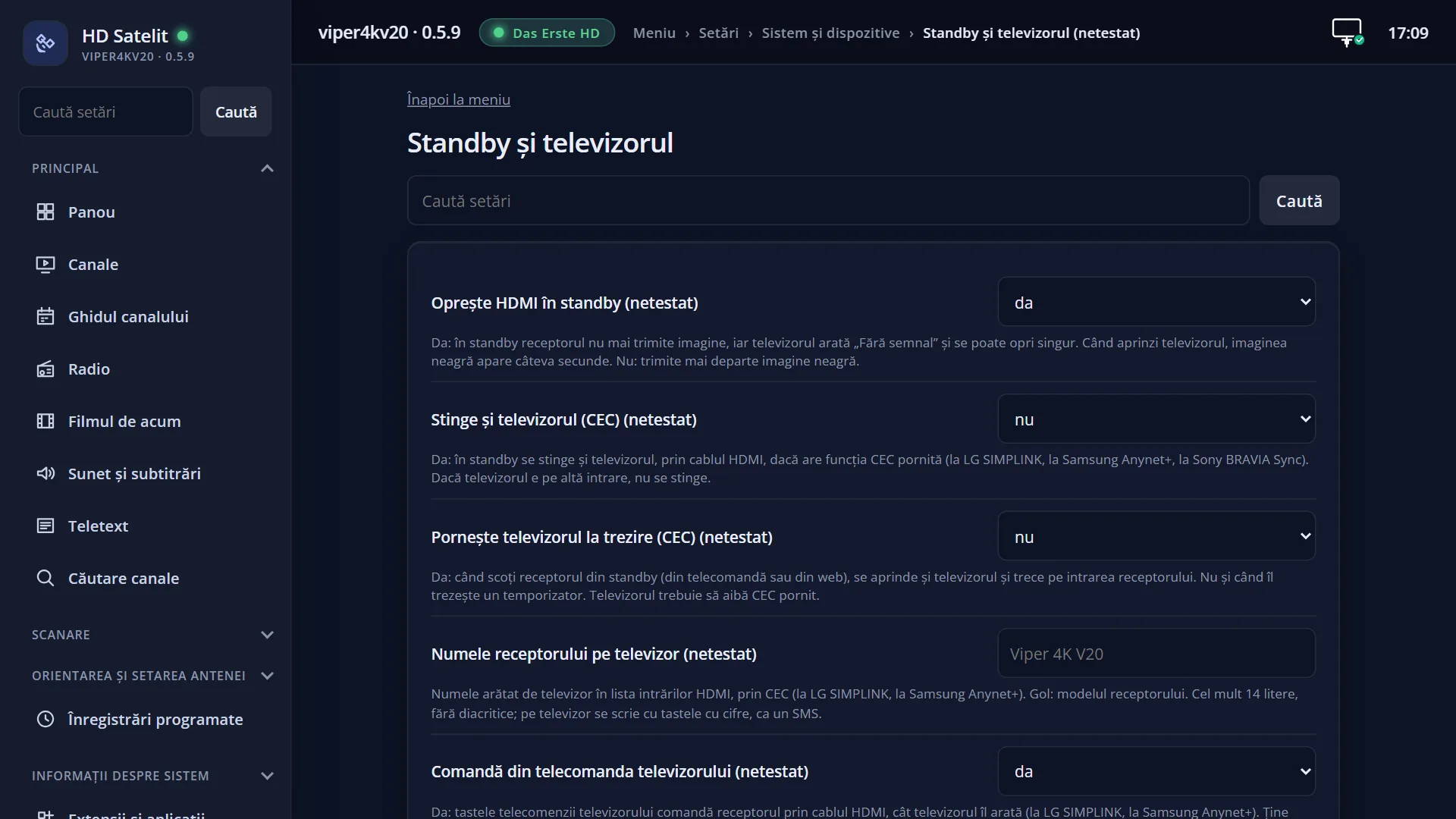
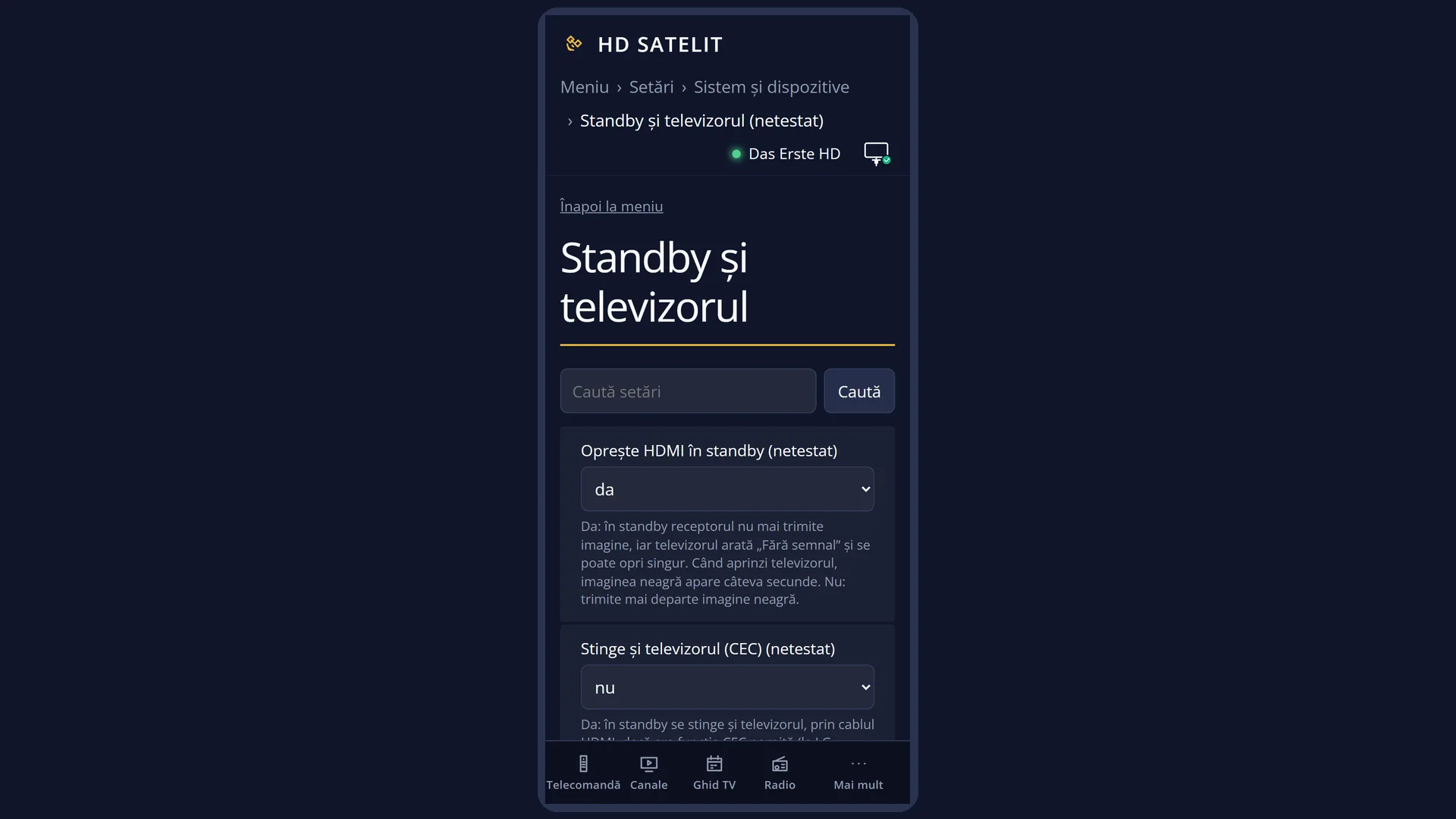
In the web interface: the rows are on the page /setari?id=hds_standby_tv. On the main page, under the “Standby Mode” row, you can see the status of the HDMI output and of CEC, and /telecomanda-tv shows the table of TV remote keys.
What you see on the screen
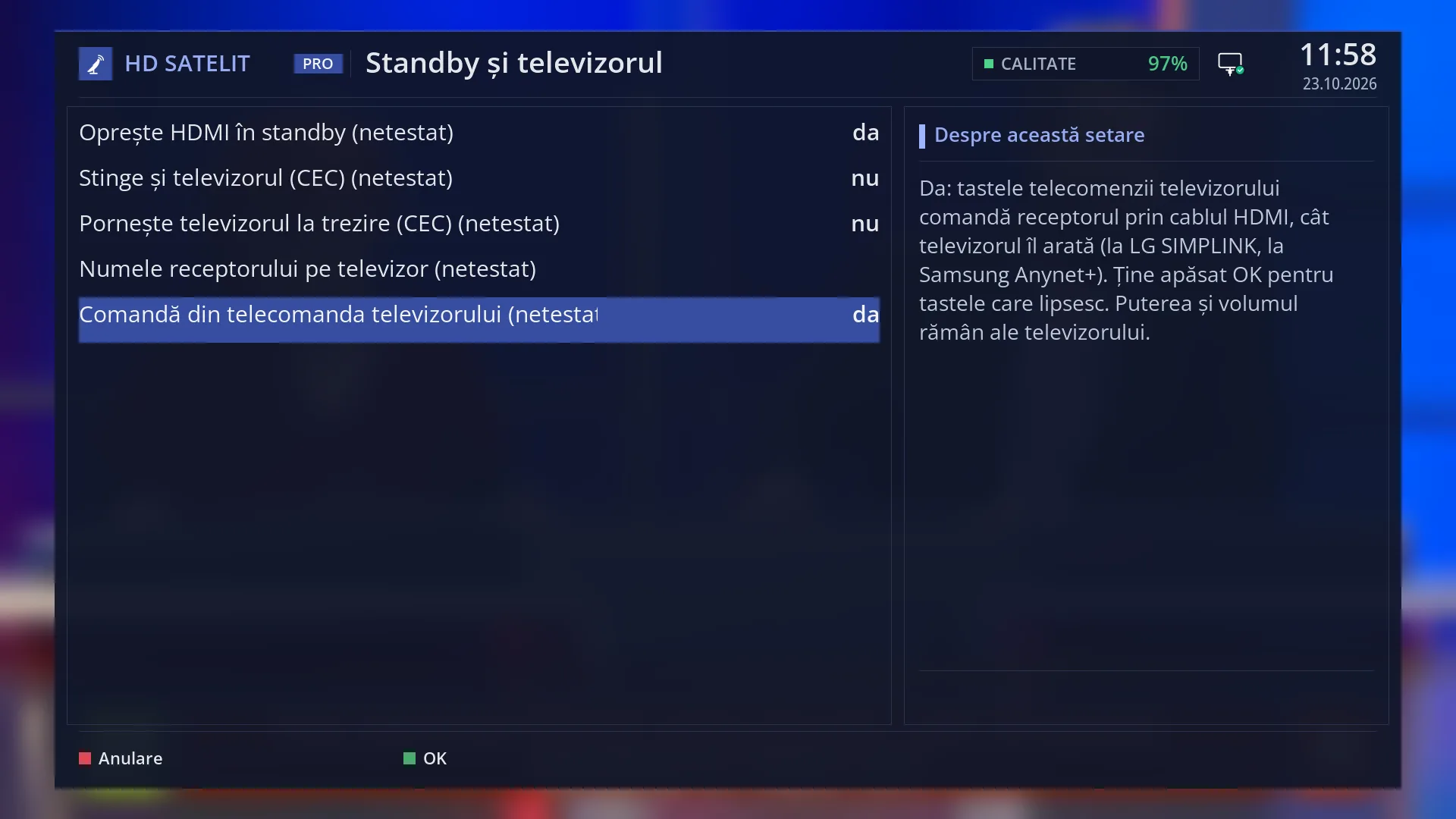
At the top, the screen title: “Standby and TV”.
On the left, five rows, each with “(NOT TESTED)” next to the name: “Turn off HDMI in standby”, “Also turn off the TV (CEC)”, “Turn on the TV on wake-up (CEC)”, “Receiver name on the TV” and “Control from the TV remote”.
The value of each row is on its right. For “Receiver name on the TV” the right side stays empty until you type a name: in that case the TV receives the receiver model.
On the right, the “About this setting” box explains the row the cursor is on. On the name row it also shows “OK: keyboard”.
At the bottom, the colour keys: RED “Cancel” and GREEN “OK”.
Rows and settings
| Row | Values | Default | What it does |
|---|---|---|---|
| Turn off HDMI in standby | yes, no | yes | Yes: in standby the receiver stops sending a picture, the TV shows “No signal” and may switch itself off. If the TV turns the output back on by itself when you switch it on, the receiver turns it off again, and a black picture appears for a few seconds. No: in standby the receiver keeps sending a black picture. Set it to No if your TV behaves oddly without a signal (for example it jumps to another input) and you prefer a black picture. |
| Also turn off the TV (CEC) | yes, no | no | Yes: when the receiver goes into standby, it also turns off the TV over the HDMI cable, if CEC is on on the TV. If the TV is on another input (for example you are watching another device), it does not turn off. When you want to turn everything off with a single press of the receiver's power key. |
| Turn on the TV on wake-up (CEC) | yes, no | no | Yes: when you bring the receiver out of standby (with the remote or from the web), the TV also turns on and switches to the receiver's input. This does not happen when a timer wakes the receiver, for example for a recording. When you want the TV to turn on by itself on the right input when the receiver starts. |
| Receiver name on the TV | empty (the receiver model), a name you type, up to 14 letters, without diacritics | empty: the TV sees the model without the brand, for example “Viper 4K V20” | The name the TV shows in its list of HDMI inputs, received through CEC. Diacritics are removed and the name is cut to 14 letters. When you have several devices on HDMI and want to recognise the receiver easily, for example “Living room”. |
| Control from the TV remote | yes, no | yes | Yes: while the TV shows the receiver, the keys on the TV remote control the receiver over the HDMI cable, on all screens. Hold down OK on the TV remote to open the “More keys” panel, with the receiver keys that the TV remote lacks. Power and volume stay with the TV. No: the TV keys no longer reach the receiver. Set it to No if the TV keys do unwanted things on the receiver. |
Keys
| UP / DOWN | Moves the cursor to another row. Its explanation appears on the right. |
| LEFT / RIGHT | Switches between yes and no on the rows with a choice. |
| OK | On the “Receiver name on the TV” row it opens the on-screen keyboard. On the other rows it does nothing. |
| Digits 0-9 | On the name row you type the letters directly, as in a text message. |
| GREEN (OK) | Saves all rows and closes the screen. |
| RED (Cancel) or EXIT | Closes without saving. If you have changed something, it first asks “Really close without saving settings?”. |
Step by step
The receiver also turns the TV off and on
- Turn on CEC in the TV menu (SIMPLINK on LG, Anynet+ on Samsung, BRAVIA Sync on Sony).
- On the receiver, press MENU 6, UP, OK, then 9.
- On “Also turn off the TV (CEC)” and on “Turn on the TV on wake-up (CEC)”, press RIGHT so that “yes” appears.
- Press GREEN. To test it, put the receiver into standby: the TV should turn off.
Give the receiver a name on the TV
- Open the screen (MENU 6, UP, OK, 9) and use DOWN to go to “Receiver name on the TV”.
- Press OK and type the name with the on-screen keyboard, for example “Living room”, without diacritics.
- Press GREEN. The receiver sends the new name to the TV, which shows it in its list of HDMI inputs.
Problems and solutions
The TV does not turn off together with the receiver.
First check that CEC is on on the TV and that the “Also turn off the TV (CEC)” row is set to yes. The TV only turns off if it was actually on the receiver's input.
The TV does not turn on when I switch on the receiver.
Set “Turn on the TV on wake-up (CEC)” to yes and turn on CEC on the TV. When a timer wakes the receiver (a recording), the TV stays off on purpose.
In standby, the TV shows “No signal”.
This is normal with “Turn off HDMI in standby” set to yes. If you want a black picture instead of “No signal”, set the row to no.
Some keys on the TV remote do not work on the receiver.
Hold down OK on the TV remote: “More keys” opens, with the receiver keys that the TV remote does not have. The table of all keys is on the web page /telecomanda-tv.
The name I typed appears cut short or without diacritics.
TVs receive at most 14 letters through CEC, without diacritics. Choose a short name.
The CEC rows do not appear at all.
They only appear on receivers that have CEC on the HDMI output. On the Amiko Viper 4K V20 they are all there.
Related topics
- System & Devices (the menu it opens from)
- Standby Mode
- Remote controls
- Matching web page: /setari?id=hds_standby_tv. HDMI and CEC status on the main page, under “Standby Mode”. The TV keys at /telecomanda-tv.
Differences between receivers
“Turn off HDMI in standby” only appears on receivers that can turn off the HDMI output, and the CEC rows only on those that have CEC. The Amiko Viper 4K V20, currently the only receiver, has them all.