

Reset to Factory Defaults
English screenshots coming: some of the pictures below still show the receiver and the web interface in Romanian. The rows, keys and steps described on this page are the English ones.
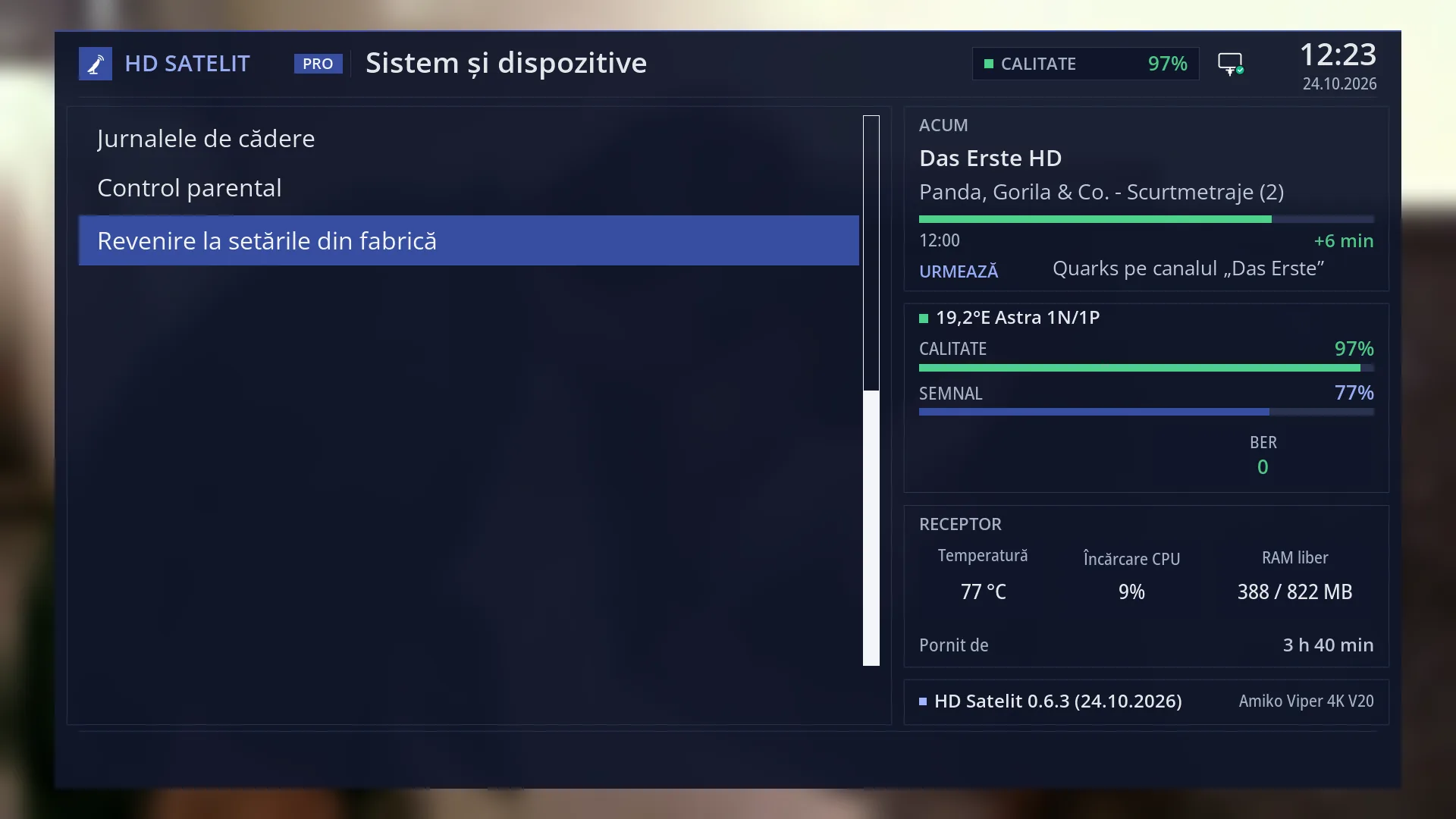
- 1 The cursor has stayed on the reset row. Nothing has changed.
What it is for
Resetting to factory defaults deletes all the receiver's settings and puts it back as it was when the image first started: no channels, no favourites, factory settings. After the reset, the HD Satelit setup wizard starts, as on first start-up.
Use it when the receiver is in such a muddle that you no longer know what you changed, or when you give it to someone else.
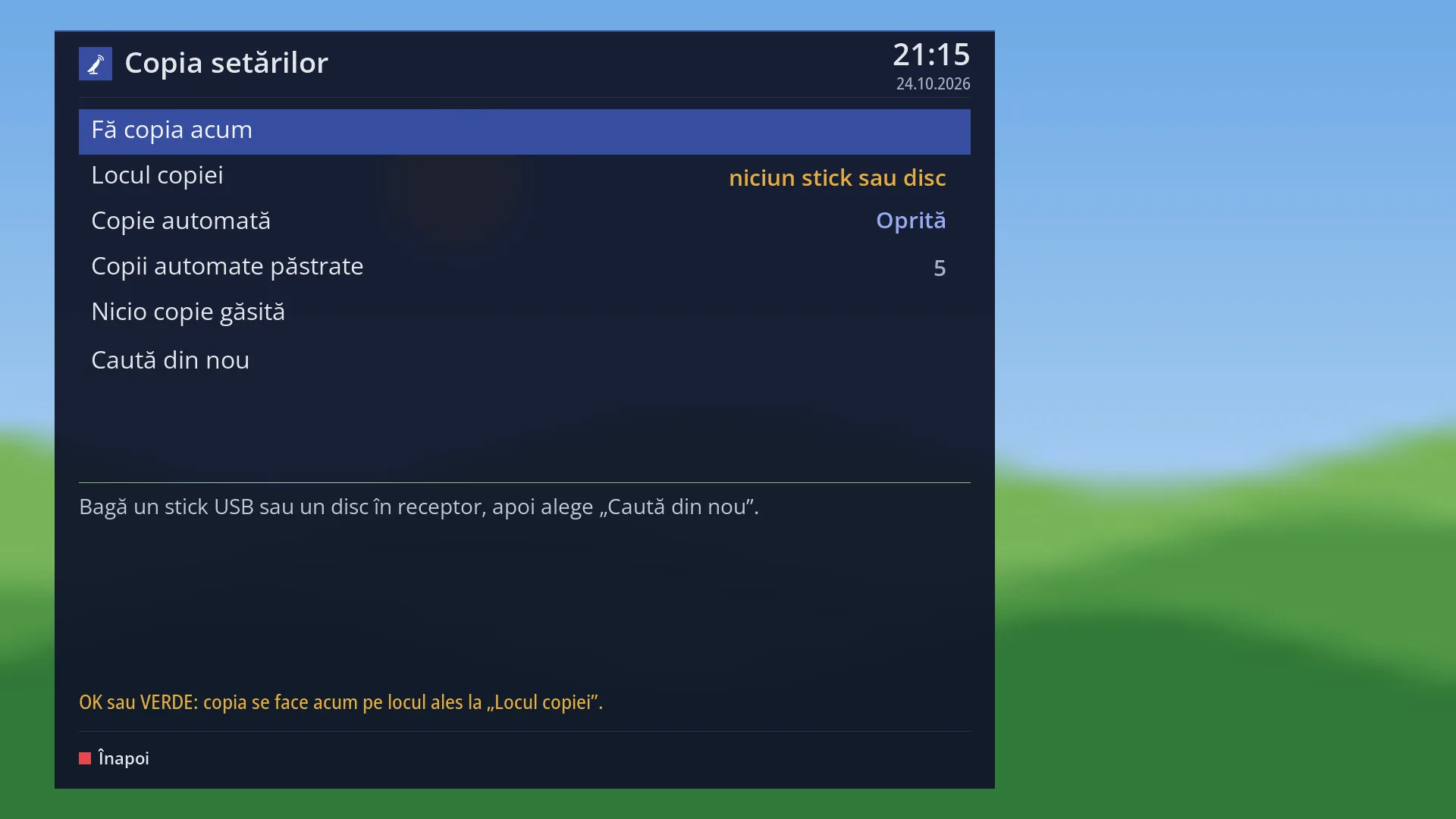
Before you do it, make a copy of the settings on a USB stick (Settings copy). That way you can put them back if you change your mind. Recordings on the disk or USB stick are not lost.
To free up space without losing anything, use Disk space cleanup. The same reset, with an extra tick box and an extra confirmation, is in the web interface, on the /resetare-fabrica page.
How to get here
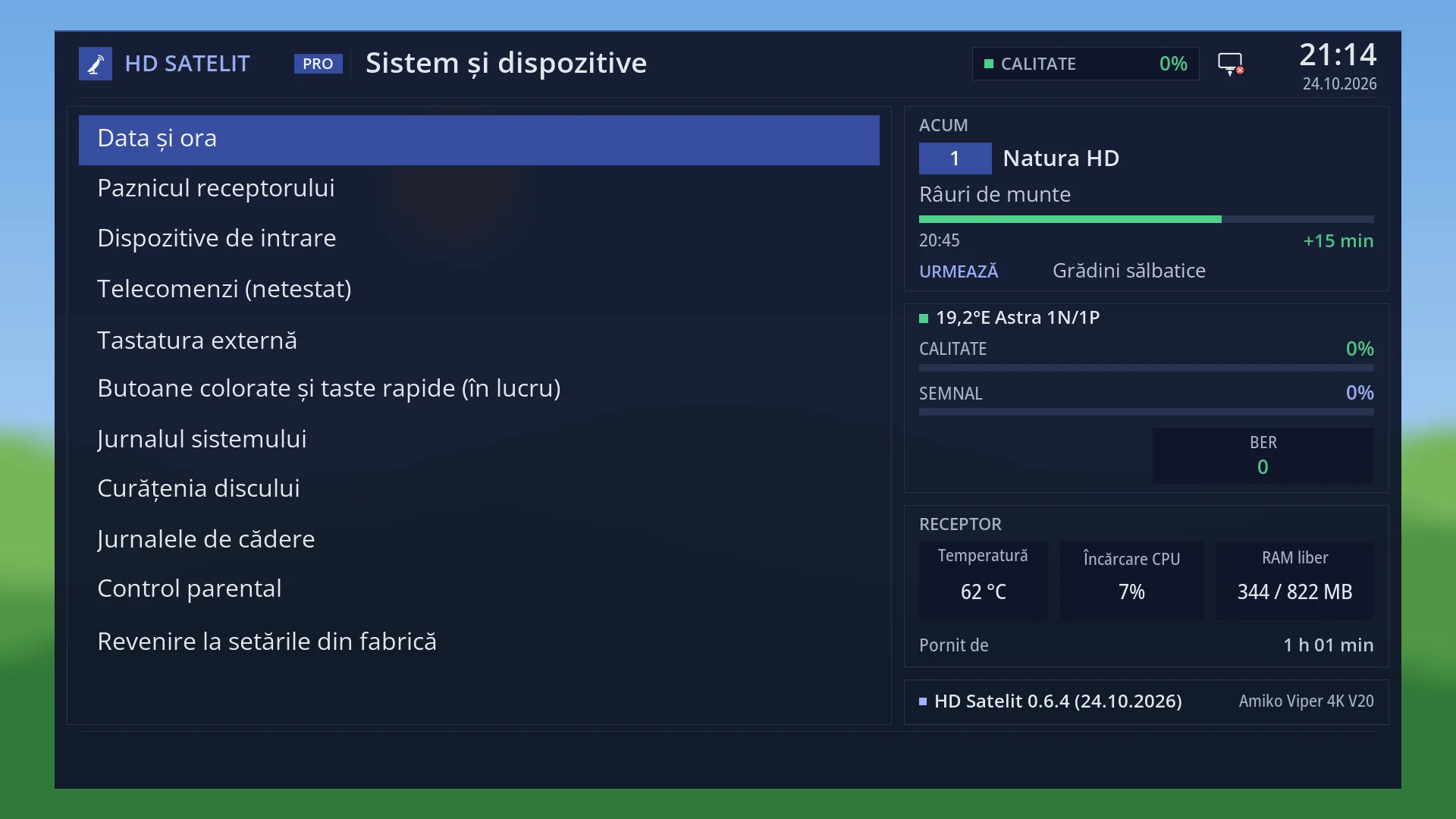
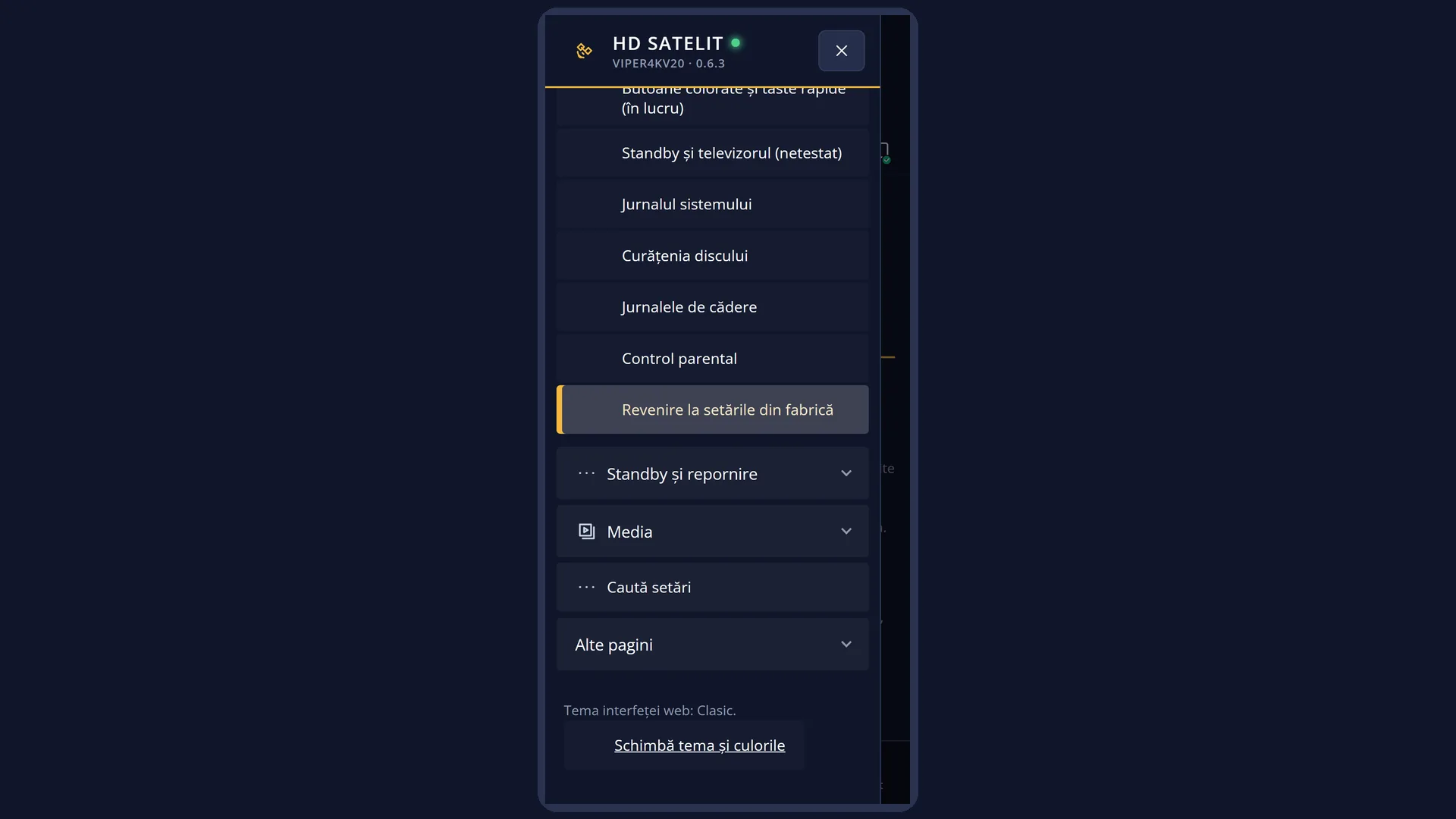
Path: Main menu > Settings > System & Devices > Reset to Factory Defaults (the last row).
Keys on the TV: MENU 6 UP UP UP OK UP OK (in “System & Devices”, UP on the first row takes you to the last row; OK opens the question).
In the web interface: the /resetare-fabrica page.
What you see on the screen
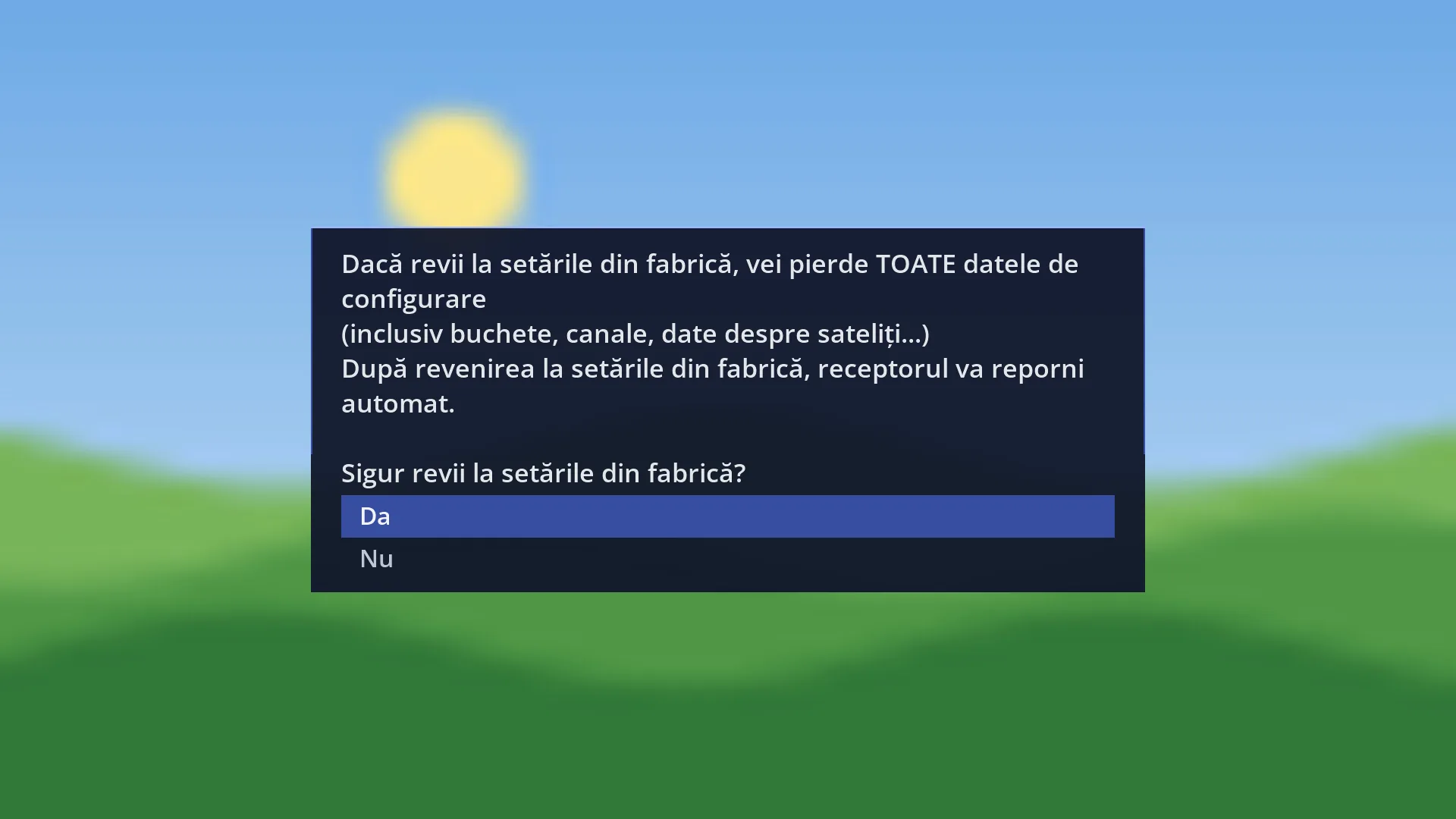
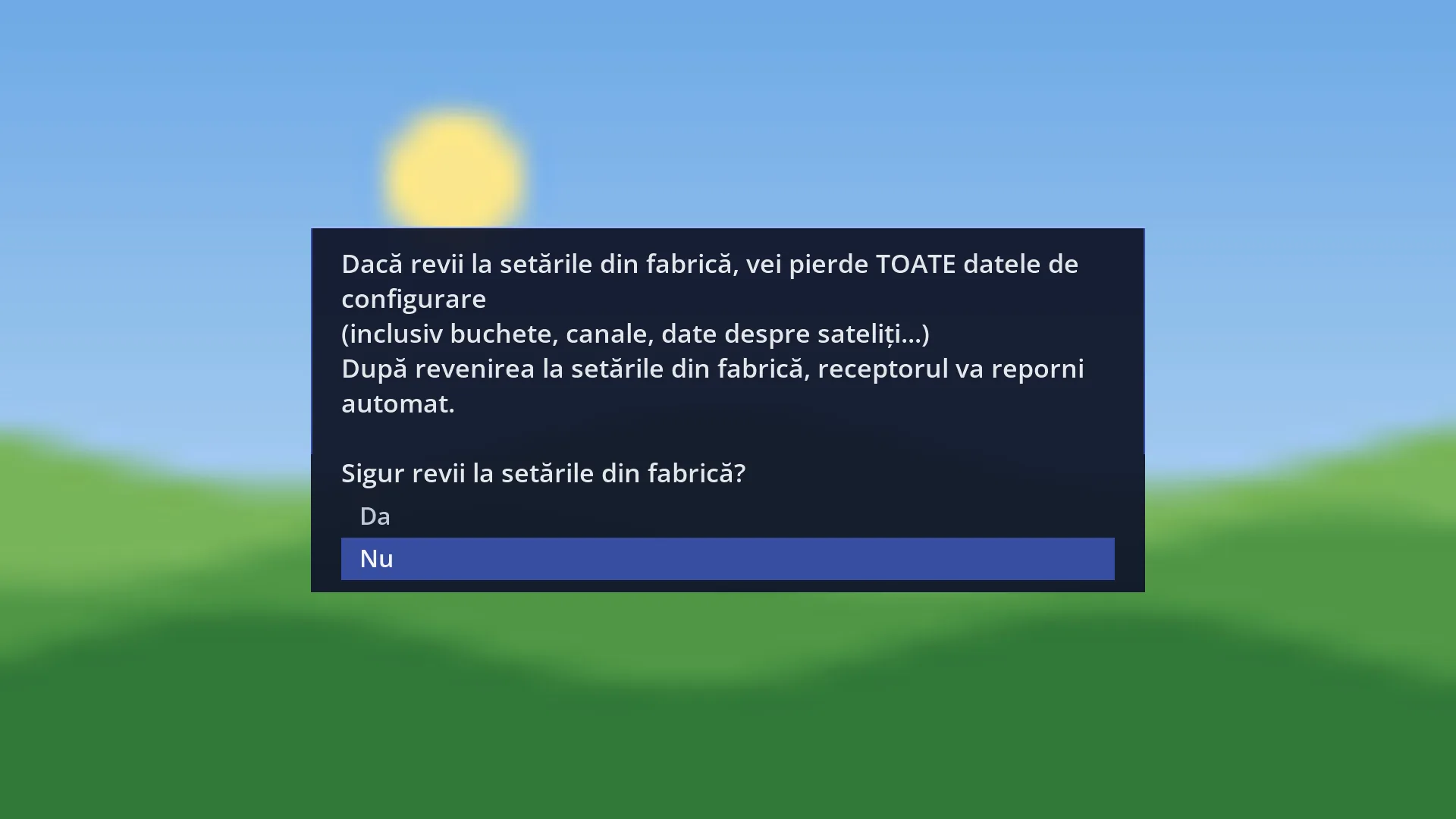
No screen opens. Instead you get a window with a question and a question mark icon: “If you go back to factory settings, you will lose ALL configuration data (including bouquets, channels, satellite data...) After going back to factory settings, the receiver will restart automatically. Really go back to factory settings?”
Below the text are the two answers: “Yes” and “No”. WARNING: when the window opens, the cursor is on “Yes”, so pressing OK straight away starts the reset.
After “Yes”, the screen goes blank for a few seconds, then the interface starts again with the HD Satelit setup wizard. Only the interface restarts: the receiver does not switch off, even though the question says it restarts.
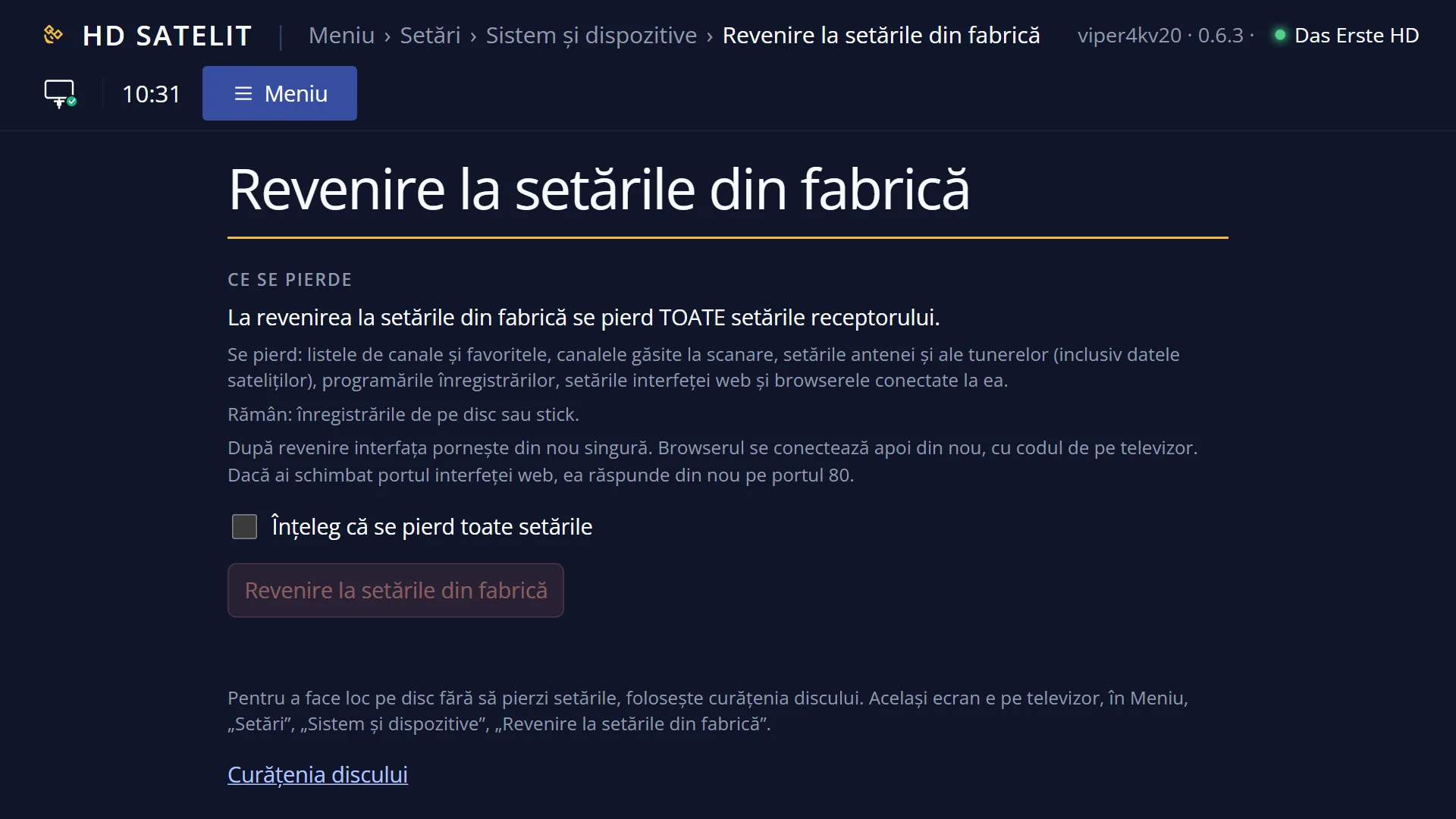
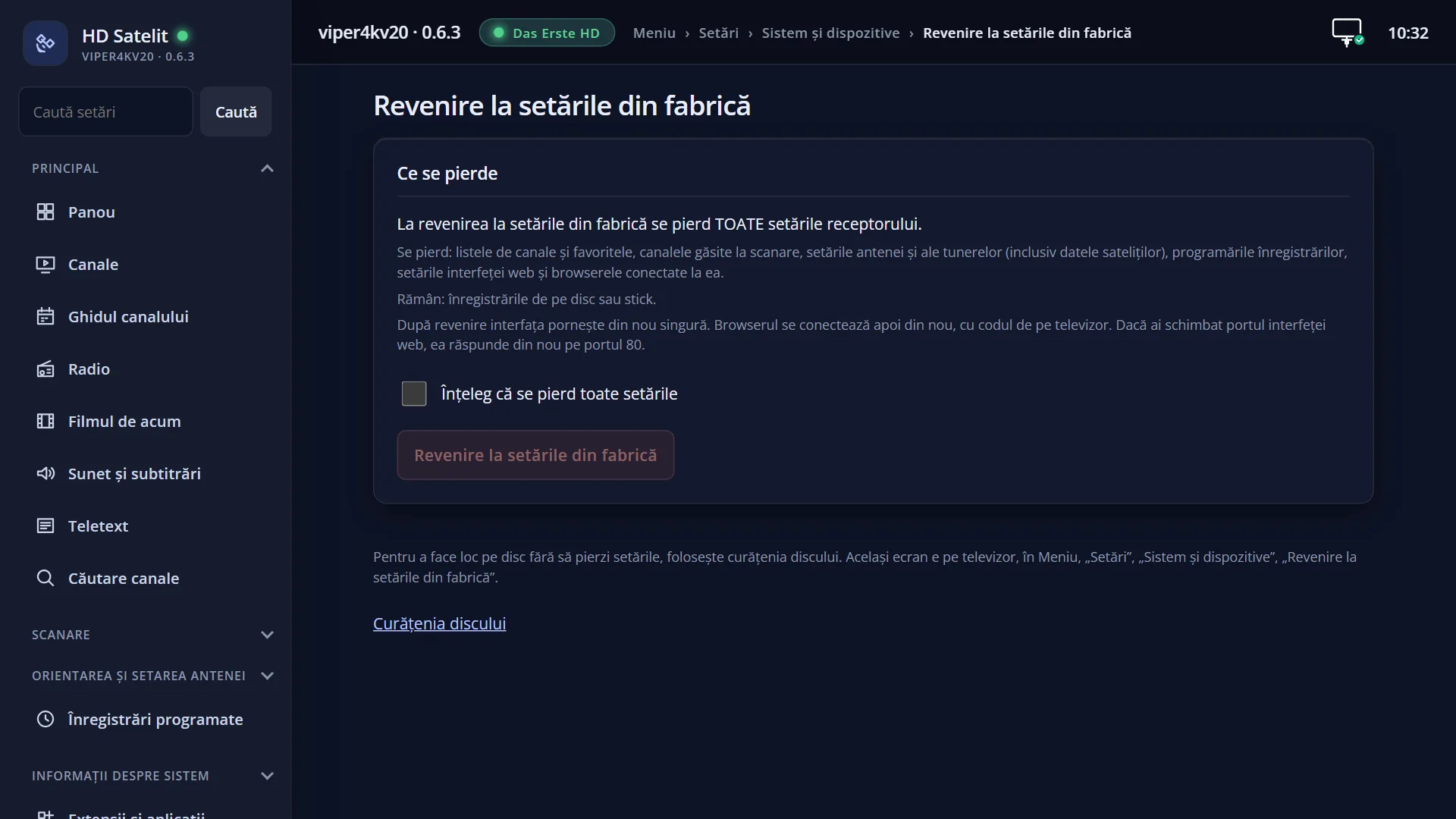
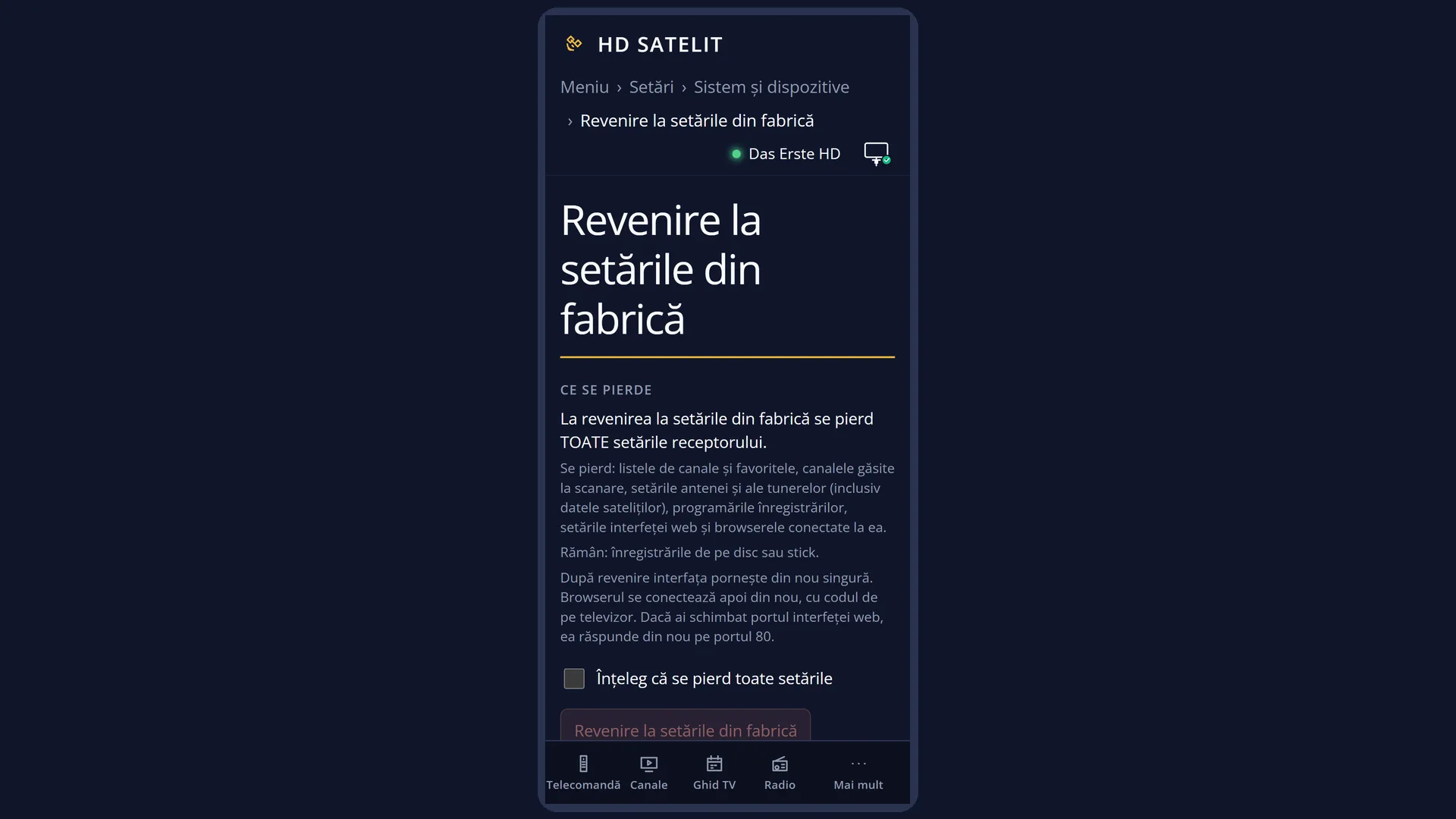
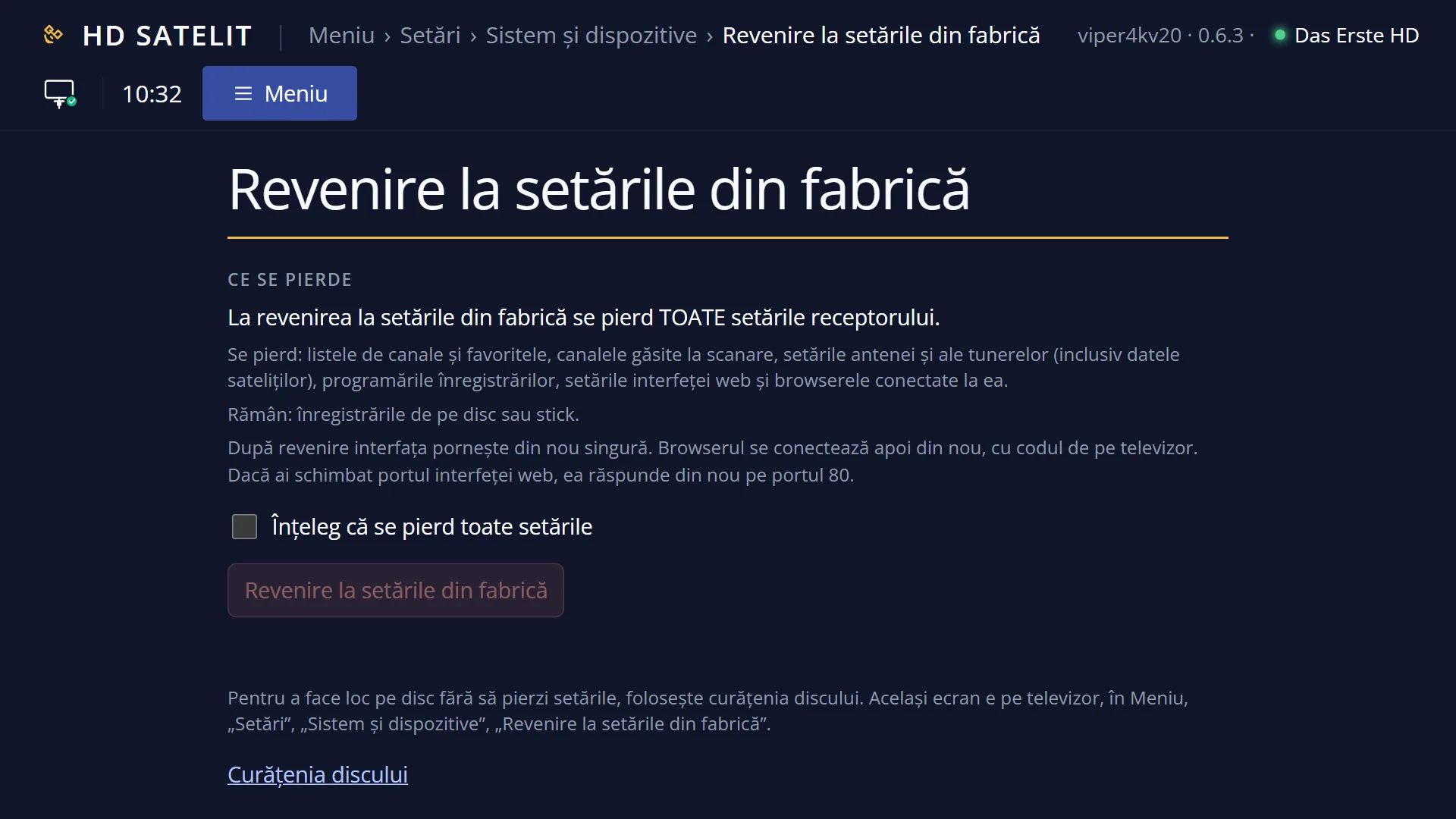
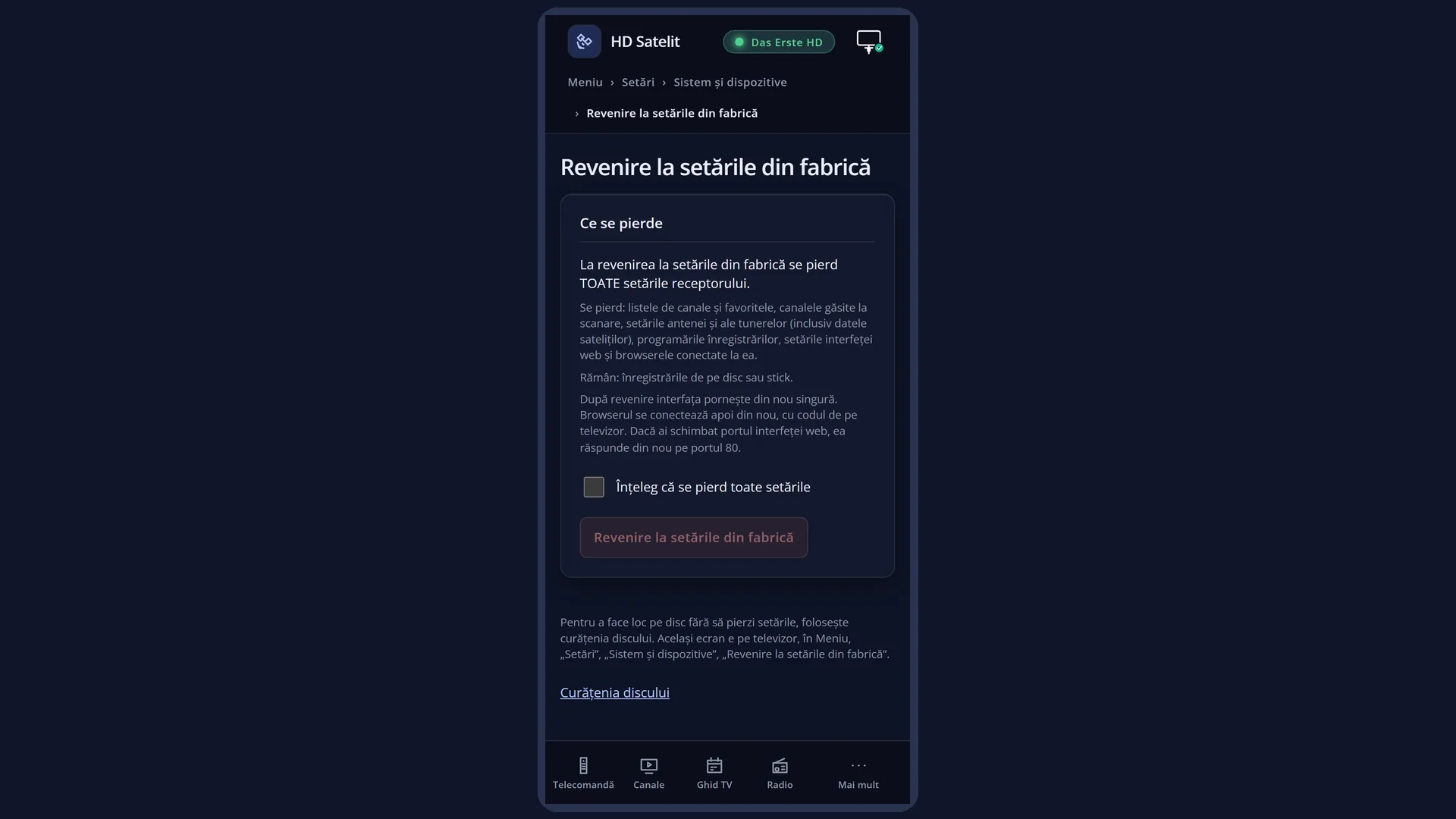
In the web interface, the page has the “What is lost” box, showing what is lost and what stays, the “I understand that all settings are lost” tick box and the “Return to factory settings” button, which you can only press after ticking the box. If a recording is in progress, the page tells you it will stop.
Rows and settings
| Row | Values | Default | What it does |
|---|---|---|---|
| The question | Yes, No | Yes (the cursor is on “Yes” when the window opens) | With “Yes” and OK, the reset starts at once, with no further question. With “No” and OK, or with EXIT, the window closes and nothing changes. Only choose “Yes” after you have read what is lost and made a copy of the settings. |
| What is lost | all the receiver's settings | Everything the receiver keeps in its settings is lost: the channel lists and favourites, the channels found by scanning, the dish and tuner settings (and the positions of a motorised dish), recording timers, all values chosen in the menus (language, picture, sound, subtitles, theme), the parental lock code, internet sources you added, the per-channel equaliser, web browser favourites, plugin settings, web interface settings and the browsers connected to it, and the settings copy kept for safe mode. | |
| What stays | recordings, settings copies on a USB stick or disk, installed plugins, Image version, The logs, Network connection | Recordings on the disk or USB stick stay, and so do settings copies saved on a USB stick or disk (you can put them back from Settings copy). Installed plugins stay installed, but without their settings. The image version with its updates and the logs also stay. The system's network settings (the receiver's address and the Wi-Fi network) are not stored with the other settings, so they stay. If you changed the web interface port, it answers on port 80 again. | |
| What happens after “Yes” | The receiver first stops writing to the channel database, then deletes the settings, replaces them with the factory values and closes the interface without saving anything it had in memory. The interface starts again by itself within a few seconds, as on first start-up: with the HD Satelit setup wizard and no channels. A recording in progress stops. The question on the TV does not warn you about this. | ||
| Resetting from the web interface | the “I understand that all settings are lost” tick box, the “Really go back to factory settings?” confirmation | box not ticked | You can only press the button with the box ticked. After the button, a box appears with the question, what is lost, what stays and, if relevant, that the recording in progress will stop. The reset only starts with “Yes, go back to factory settings”. The page waits for the interface to restart and reloads by itself. The browser then connects again, with the code shown on the TV. |
Keys
| UP / DOWN | Move between “Yes” and “No”. The window opens with the cursor on “Yes”. |
| LEFT / RIGHT | LEFT goes to “Yes”, RIGHT to “No”. |
| OK | Does what is under the cursor: with “Yes” it starts the reset, with “No” it closes the window. |
| EXIT | Closes the window without changing anything, the same as “No”. |
Step by step
First make a copy of the settings
- Put a USB stick in the receiver.
- Press MENU 6 8 3 (Settings > Software & Firmware > Settings copy) and make a copy on the USB stick.
- Keep the USB stick safe: after the reset you can put the settings back from it.
Reset to factory defaults
- Press MENU 6 UP UP UP OK, then UP: the cursor lands on “Reset to Factory Defaults”.
- Press OK and read the question.
- The cursor is on “Yes”: press OK to start.
- Wait a few seconds. The interface starts again with the HD Satelit setup wizard. Follow its steps, then run a scan or put the settings copy back.
You change your mind at the question
- Press EXIT, or DOWN to “No” and OK.
- The window closes and nothing changes.
Reset from your phone or computer
- Open the receiver's web interface (for example http://192.168.1.50) and go to /resetare-fabrica.
- Read the “What is lost” box, tick “I understand that all settings are lost” and press “Return to factory settings”.
- In the confirmation box, press “Yes, go back to factory settings”.
- The page reloads by itself after the interface restarts. Connect the browser again with the code shown on the TV.
Problems and solutions
I pressed OK at the question by mistake.
The cursor was on “Yes”, so the reset has been done and cannot be undone. If you have a settings copy on a USB stick, put it back from Settings copy. Otherwise go through the wizard and run a scan.
After the reset I have no channels at all.
This is normal: the channel lists have been deleted. Run a scan, choose a ready-made channel list or put back a settings copy.
The web interface no longer recognises my phone or computer.
The connected browsers were deleted along with the settings. Connect the browser again with the code shown on the TV. If you had changed the port, the web interface answers on port 80 again.
A recording stopped during the reset.
The reset stops recordings in progress. Next time, wait for the recording to finish. The web page tells you if one is in progress.
My plugins work, but they have lost their settings.
Plugins stay installed, but their settings were stored with the other settings. Set them again or put back a settings copy.
I only wanted to free up memory.
That is what Disk space cleanup is for. It does not touch settings or channels.
The receiver behaves just as strangely after the reset.
The problem does not come from the settings. Look in Crash logs and on the /mod-sigur web page. If necessary, install the image again from a USB stick.