

Safe mode
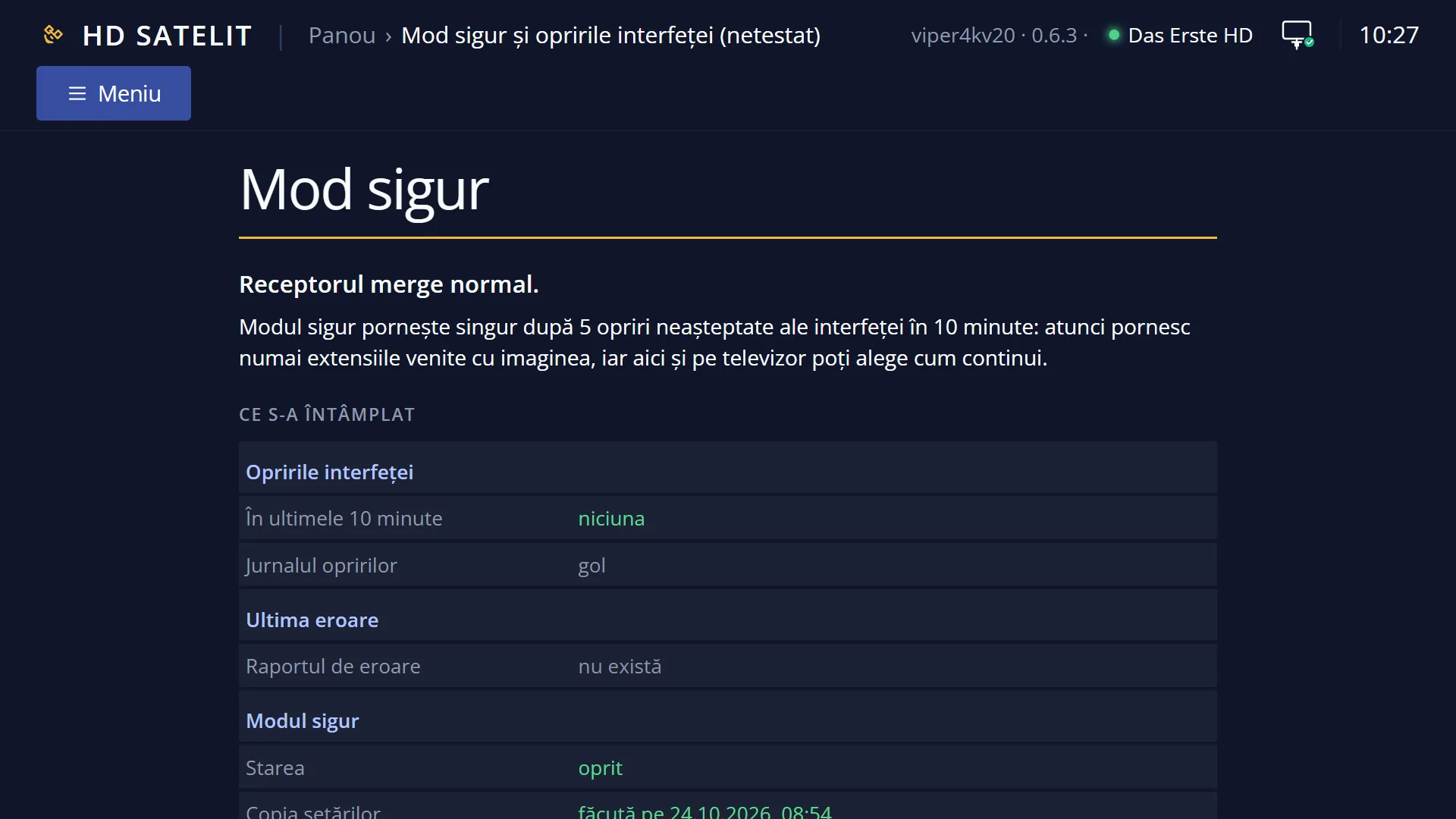
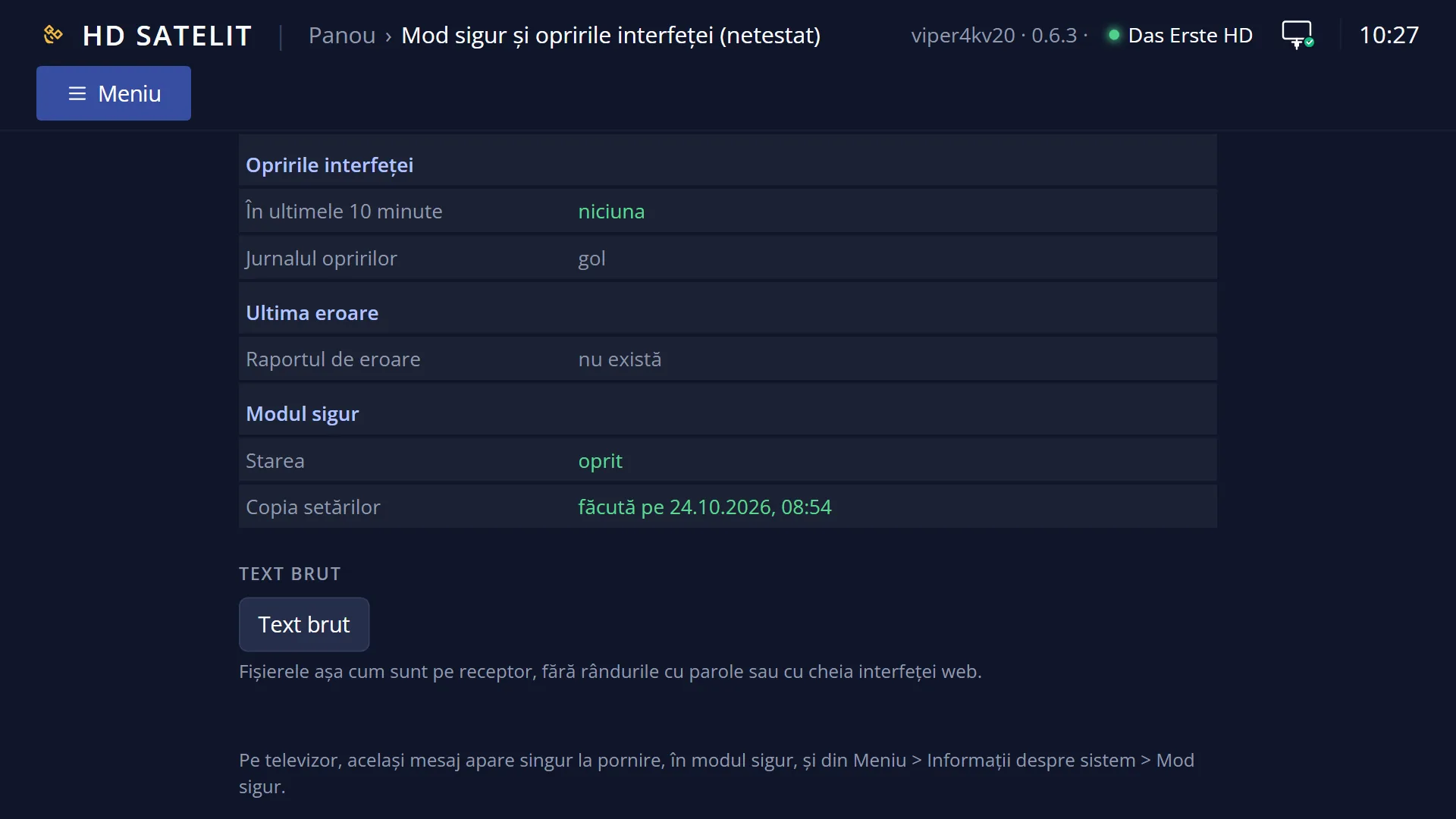
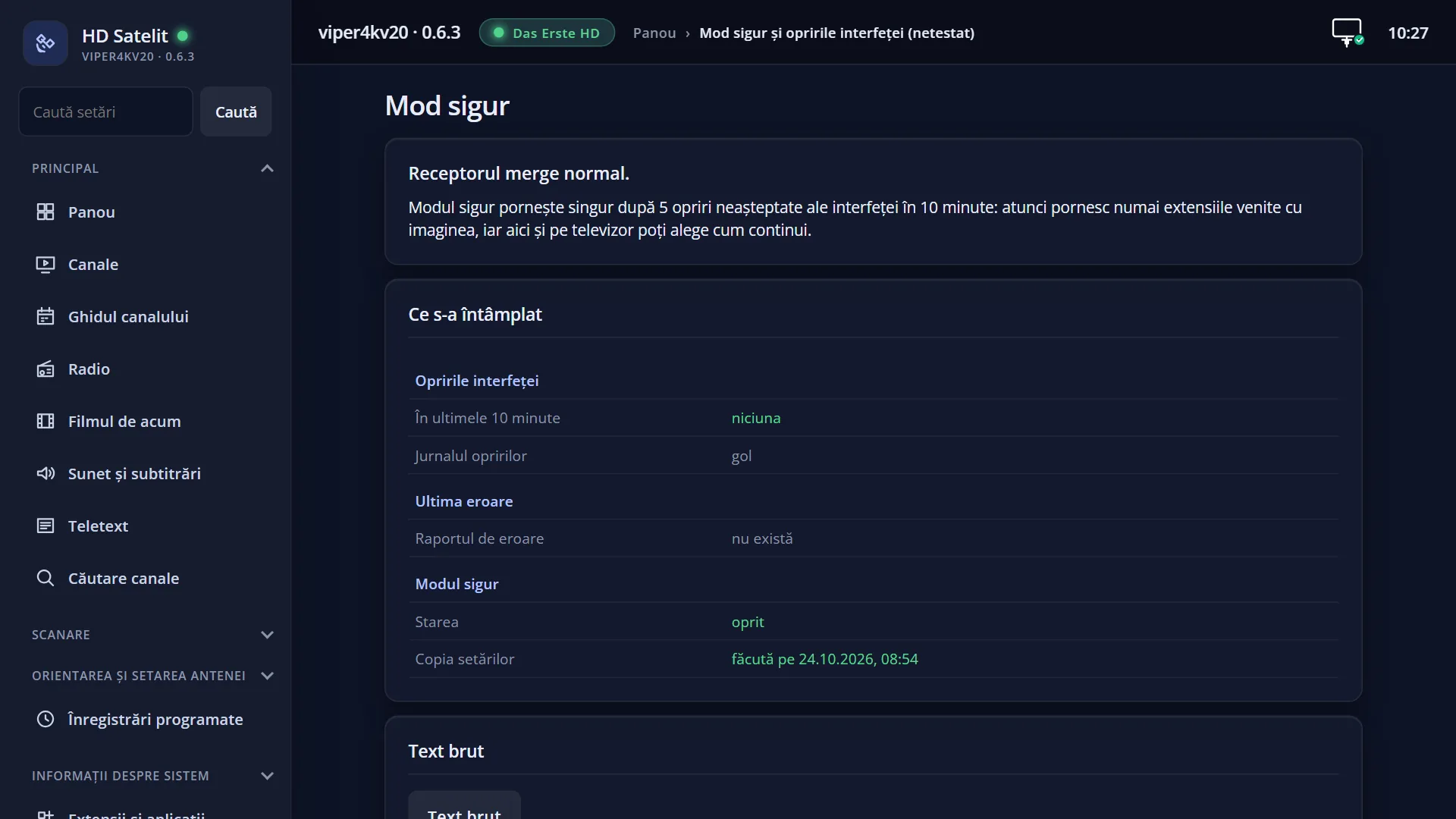
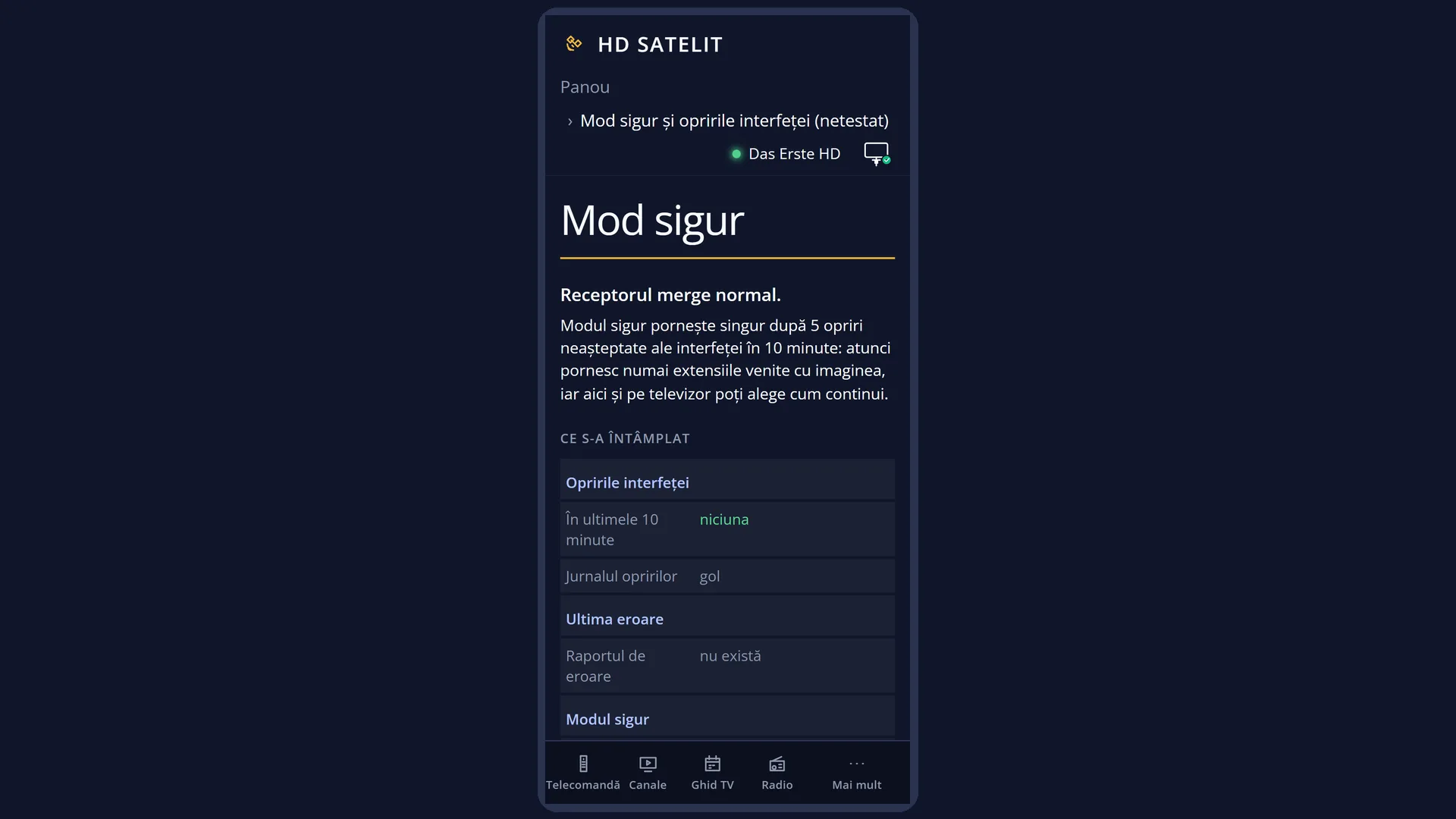
Screenshots are being added: so far 0 from the receiver and 6 from the web interface; the aim is at least 5 of each, with arrows and frames, and, where a setting changes what you see, a before and after comparison.
English screenshots coming: some of the pictures below still show the receiver and the web interface in Romanian. The rows, keys and steps described on this page are the English ones.
What it is for
Safe mode starts the interface without the things you have added to the image. The receiver starts like this by itself when the interface has stopped unexpectedly 5 times in 10 minutes. This is usually caused by an extension you installed or by a setting that gets in its way. This way you have a working receiver again and can find out what happened.
In safe mode only the extensions that came with the image start. The ones you installed stay on the receiver, they just do not load. Fonts you downloaded and skin changes you made by hand, outside the menus, do not load either. The theme, colours and display you chose in the image's menus stay. Channels, recordings and settings stay unchanged.
The first screen tells you what happened and gives you three choices: “Start normally”, “Put back the previous settings” and “See what happened”. The same choices are in the web interface, on the /mod-sigur page.
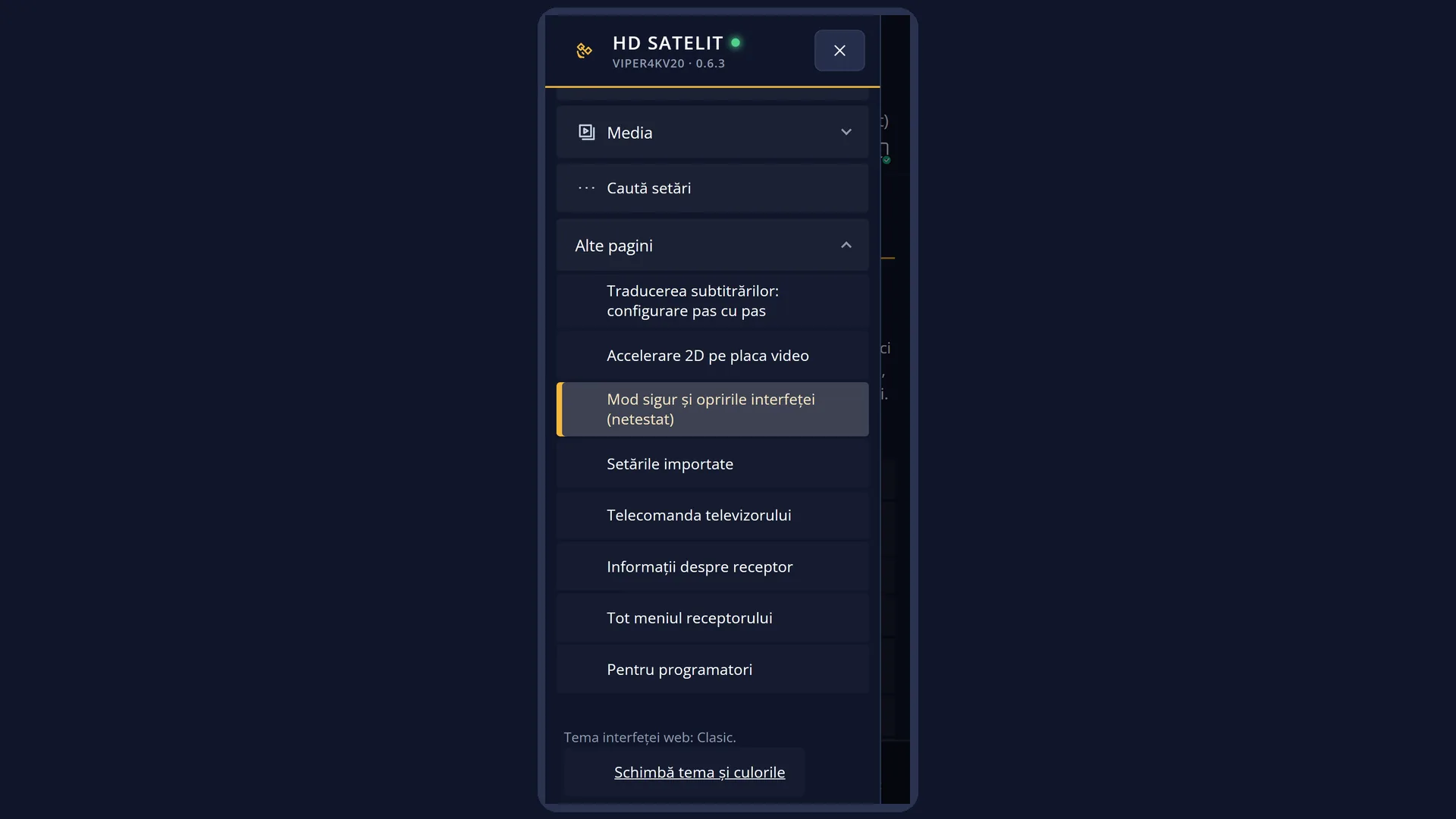
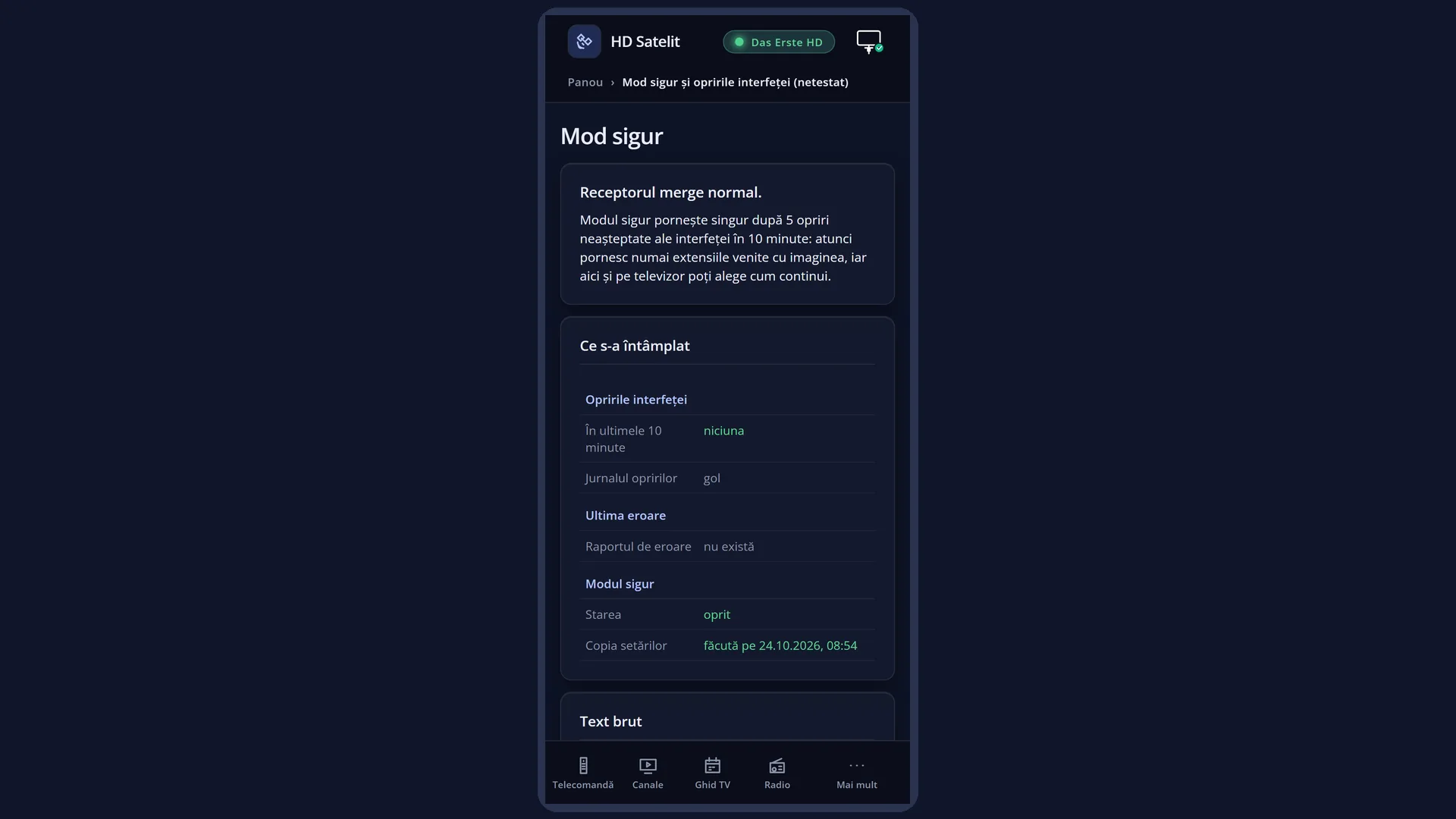
You do not open this screen yourself: it appears by itself. While the interface is running in safe mode, you can open it again from the menu. Outside safe mode, the /mod-sigur web page shows the interface stops and the last error, so you can see whether the receiver has had problems.
How to get here
By itself: after the fifth unexpected stop of the interface in 10 minutes, the receiver waits half a minute and starts the interface in safe mode, with this screen first.
Path, only while the interface is running in safe mode: Main menu > System Information > Safe mode (the first row; the other rows of the menu then move down by one).
Keys while watching TV, only in safe mode: MENU 4 1.
In the web interface: the /mod-sigur page, at any time. The choices appear there only while the interface is running in safe mode.
What you see on the screen
The screen fills the whole TV. At the top is the title “Safe mode” with a yellow line under it.
The message: “The receiver crashed several times while starting. It has started in safe mode.”
Below it is what happened, in one to three sentences: how many unexpected stops there were (“The interface stopped unexpectedly 5 times in the last 10 minutes.”), whether the previous settings were put back automatically, and which extensions are stopped (“The extensions you installed are now stopped, not deleted: …”, with the first names and “and more” with how many others there are). When you have no extensions of your own: “There was no extension installed by you on the receiver.”
The list of the three choices. The choice under the cursor has the yellow bar. “Put back the previous settings” is grey when it cannot be chosen.
Below the list is the description of the choice under the cursor. After OK, the response also appears here (for example “On restart all extensions will start. The interface is restarting.”).
At the bottom is the note: “The arrows choose, OK confirms. EXIT: stay in safe mode; the screen opens again from Menu > System Information > Safe mode.” and the address of the web page, for example “The same choices are also in the web interface: http://192.168.1.50/mod-sigur”.
“See what happened” opens the second screen, also filling the whole TV: the rows in three groups (“Interface stops”, “Last error”, “Safe mode”), with the label on the left and the value on the right, in colour: green is fine, yellow needs attention, red is an error, grey means it does not exist. At the bottom are the note with the keys and the BLUE key “Raw text”.
While safe mode is running, the extensions screen, the fonts screen and the panel in the web interface also say so in one sentence (for example “Safe mode: 2 extensions installed by you are now stopped, not deleted.”).
Rows and settings
| Row | Values | Default | What it does |
|---|---|---|---|
| Start normally | the choice under the cursor when the screen opens | Restarts the interface with all extensions, as before. The screen shows “On restart all extensions will start. The interface is restarting.”, and after one and a half seconds the interface starts again, without safe mode. The stop counter is cleared. If the error happens again 5 times in 10 minutes, the receiver goes back into safe mode by itself. When you have found out what happened and want to try again, or when you have removed the extension that was causing the trouble. | |
| Put back the previous settings | available (with the date of the copy), grey: there is no copy yet, grey: the settings have already been put back automatically | The receiver keeps a copy of the settings with which the interface last started and ran for at least 10 minutes without any unexpected stop (the copy is made only outside safe mode). This choice puts back all the settings from that copy, restarts the interface and leaves safe mode. Your current settings are not lost: they are kept in a copy. The web interface token stays the current one. The description gives the date of the copy: “Put back the settings from …, saved after 10 minutes of running without a crash, then restart the interface.” When there is no copy, OK says “Not possible yet: there is no copy of the settings.”; when the settings have already been put back automatically, “No longer needed: the previous settings are already put back.” When the problems started after you changed something in the settings. | |
| See what happened | Opens the “What happened” screen: the last error in short, the recent stops and the stopped extensions. It changes nothing. Before the other two choices, to find out which extension or which screen caused the trouble. | ||
| Interface stops (in “What happened”) | none, one unexpected stop, several unexpected stops | The first row says how many unexpected stops there were “In the last 10 minutes” (or “Since leaving safe mode”). Below it are the latest events, newest first, each with the day and time: the stops with their type (for example “error in the Python code of the interface”, “crash in the interface program”, “stopped responding and was stopped by the receiver watchdog”, “stopped by the system: out of memory”), starting and leaving safe mode, and settings put back. Under a stop, the location of the error may appear in smaller text. | |
| Last error (in “What happened”) | When, Screen, Error, Location, Extension, Last extension in the log | From the last error report: when it happened, the screen that was open at the time, the error, its location and, above all, the extension in which it occurred (with “installed by you, stopped now” or “part of the image”). For a crash without a Python error, the extension that last wrote to the log, just before the crash, is shown. When there is no report: “Error report: none”. | |
| Safe mode (in “What happened”) | Status: on now, Status: starts when the interface restarts, Status: off | The safe mode status, the stopped extensions (how many there are and the name of each, one per row), “Settings copy” (with its date or “not made yet”), “Put back automatically”, when it applies, and “On restart”, when you have already made a choice that is waiting for the interface to restart. | |
| Raw text (in “What happened”) | Stop log, Error report (last two), Stop counter | The files as they are on the receiver, for whoever looks after the receiver: the stop log, the last lines of at most two error reports and the stop counter since the receiver started. Lines with passwords or with the web interface token are not shown. The title says which file you are viewing and “(1/3)”. | |
| Settings put back automatically (second stage) | If the interface stops unexpectedly 3 times in safe mode as well, the receiver puts back the previous settings by itself, only once, and stays in safe mode. The explanation on the first screen then says “Safe mode stopped too, so the receiver put the previous settings back by itself.” |
Keys
| UP / DOWN | On the first screen: moves the cursor between the three choices; the description below changes. In “What happened”: scrolls one page at a time. |
| LEFT / RIGHT | On the first screen: the same as UP and DOWN. In the raw text in “What happened”: go to the previous or next file. |
| OK | On the first screen: carries out the choice under the cursor; on a grey row it says why it is not possible. In “What happened”: switches between the short rows and the raw text. |
| BLUE | In “What happened”: “Raw text” or, to go back, “In short”. |
| EXIT | On the first screen: closes it and you stay in safe mode, watching TV. In “What happened”: back to the choices. |
| RED | In “What happened”: back to the choices, like EXIT. |
Step by step
Find out what caused the interface trouble
- On the safe mode screen, press DOWN twice to reach “See what happened”, then press OK.
- Look at the “Last error” group: the “Extension” row (or “Last extension in the log”) tells you the extension in which the error occurred.
- If you want to send the details to someone, press BLUE for the raw text and LEFT / RIGHT to move between files.
- Press EXIT to go back to the choices.
Leave safe mode and start as usual
- On the safe mode screen, leave the cursor on “Start normally” and press OK.
- The screen shows “On restart all extensions will start. The interface is restarting.” and the interface starts again within a few seconds.
- If a recording is in progress or starts soon, the receiver asks you whether to restart. If you answer “No”, you stay in safe mode and can choose again later.
- If the problem came from one of your extensions, remove it after startup from Plugins & Applications.
Put back the previous settings
- On the safe mode screen, press DOWN to reach “Put back the previous settings”.
- Read the date in the description: these are the settings from that time.
- Press OK. The interface restarts with the settings from the copy, without safe mode; your current settings are kept in a copy.
Choose from your phone
- Open the receiver's web interface (for example http://192.168.1.50) and go to /mod-sigur.
- In the “What you can do” box, press the button for your choice, for example “Start normally”.
- The page tells you what happens next and reloads by itself after the interface restarts.
Problems and solutions
The receiver started in safe mode by itself.
The interface stopped unexpectedly 5 times in 10 minutes. Choose “See what happened” to find out where. If you recently installed an extension, choose “Start normally” and remove the extension. If the problems started after a change of settings, choose “Put back the previous settings”.
“Put back the previous settings” is grey.
There is no copy of the settings yet (the receiver makes it by itself after 10 minutes of running without any unexpected stop), or the settings have already been put back automatically. Pressing OK on the grey row tells you which reason applies.
I chose “Start normally” and after a short time the receiver went back into safe mode.
The error happened again 5 times in 10 minutes. In “What happened”, look at the extension under “Last error”; after “Start normally”, remove it as soon as possible from Plugins & Applications. If it is not one of your extensions, try “Put back the previous settings”.
The screen says “The interface did not restart, so the choice was not made.”
A recording was in progress or about to start, and you answered “No” when asked about the restart. The receiver stays in safe mode; choose again after the recording or answer “Yes” to the question.
My extensions have disappeared from the list.
In safe mode they are only stopped, not deleted. They come back after “Start normally”.
The fonts I downloaded are not showing.
They do not load in safe mode. They stay on the receiver and come back after you leave safe mode.
I pressed EXIT and the safe mode screen disappeared.
You are still in safe mode. The screen opens again with MENU 4 1 (System Information > Safe mode) or from the /mod-sigur web page.
I want to leave safe mode without choosing anything.
Restart the whole receiver (Power & Restart > Restart Box): the stop counter and safe mode are cleared on restart. Restarting only the interface is not enough.
The /mod-sigur page says “The receiver is running normally.”
The interface is not in safe mode, so there is nothing for you to choose. The “What happened” and “Raw text” boxes still show the recent stops and the last error.
Related topics
- System Information
- Crash logs
- Receiver watchdog
- Plugins & Applications
- Settings copy
- Restart Box
- Reset to Factory Defaults
- Matching web page: /mod-sigur.