

Receiver watchdog
English screenshots coming: some of the pictures below still show the receiver and the web interface in Romanian. The rows, keys and steps described on this page are the English ones.
What it is for
The receiver watchdog is a program that always runs alongside the interface (the menus, the channels, everything you see on the TV) and keeps an eye on it. If the interface stops responding completely, the watchdog restarts it by itself within a few seconds, so you do not have to unplug the receiver. The receiver does not switch off: only the interface starts again.
The watchdog does not restart anything while the interface is busy with a long task. During a channel scan, while the channel tracks are being read or while the dish is rotating, it waits for the task to finish, even if the interface stays silent for longer than usual.
Two safeguards always stay on, whatever you set here: the board watchdog, which restarts the whole receiver if it freezes completely, and the receiver restart that happens when the interface stays stuck on one of the receiver's devices (for example the tuner) for about a minute.
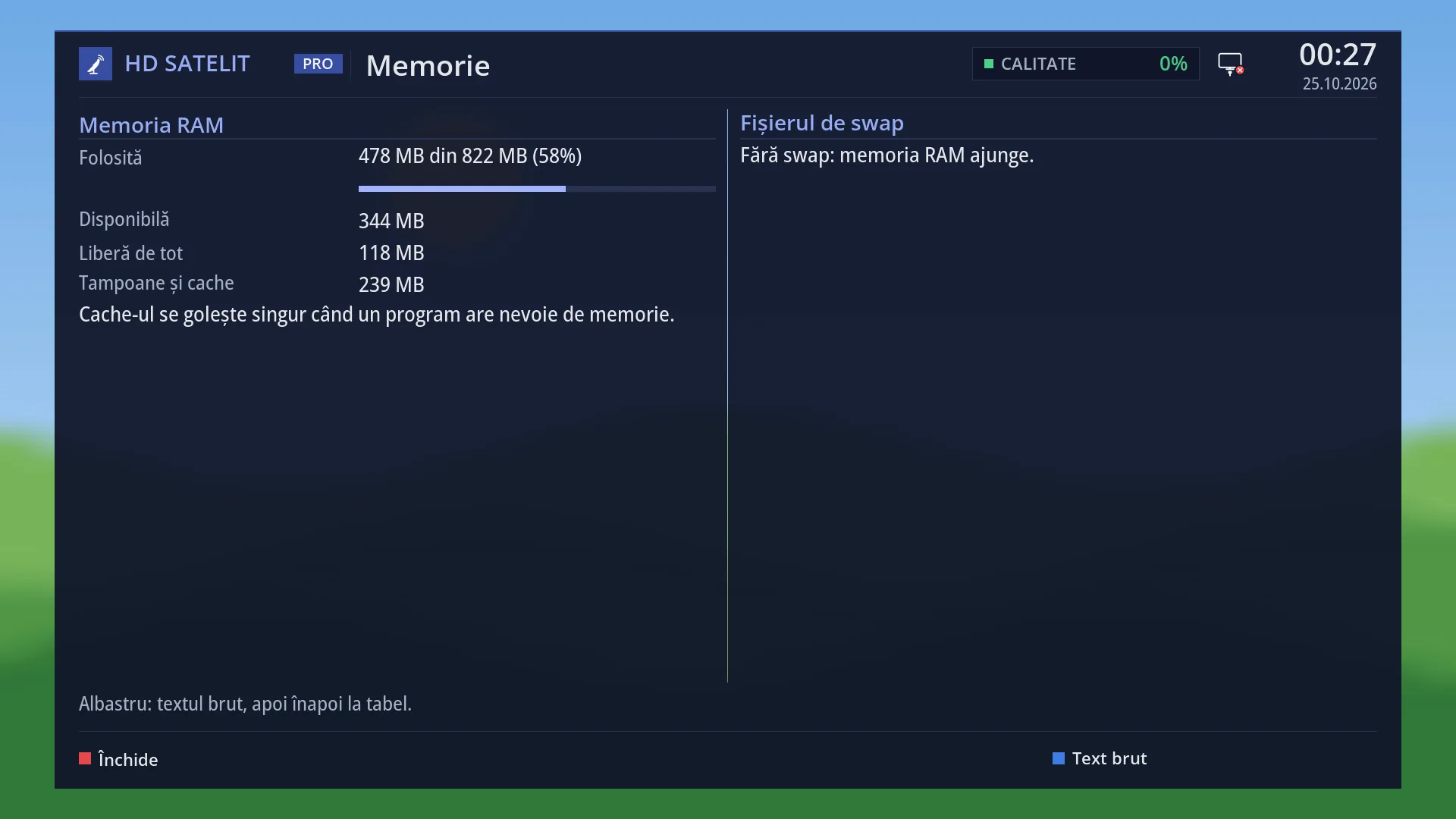
This screen also holds the decoder memory setting. When the memory the video decoder needs runs short, the receiver frees it by itself in standby, with a restart you do not see. No message about memory appears on the screen.
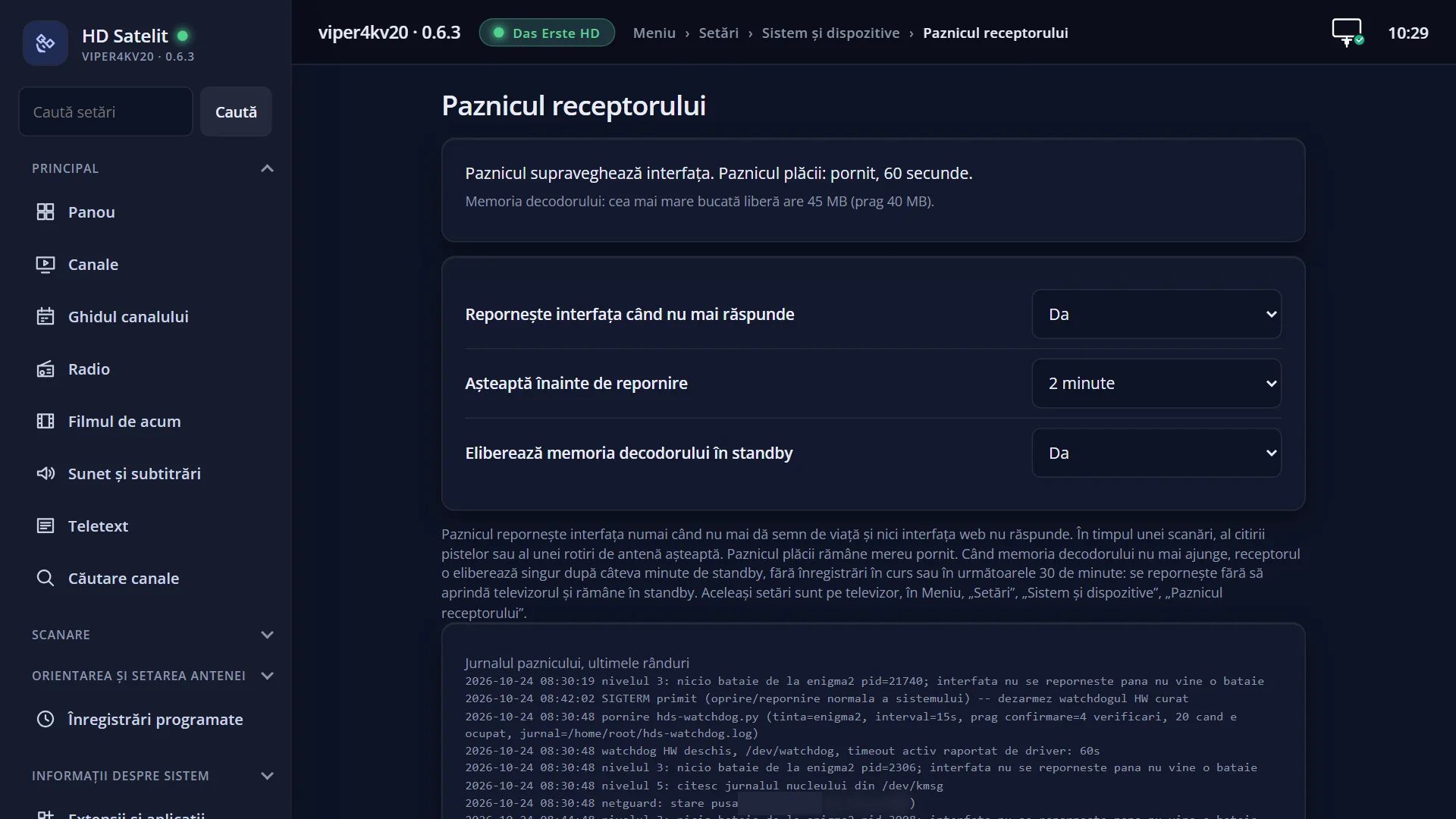
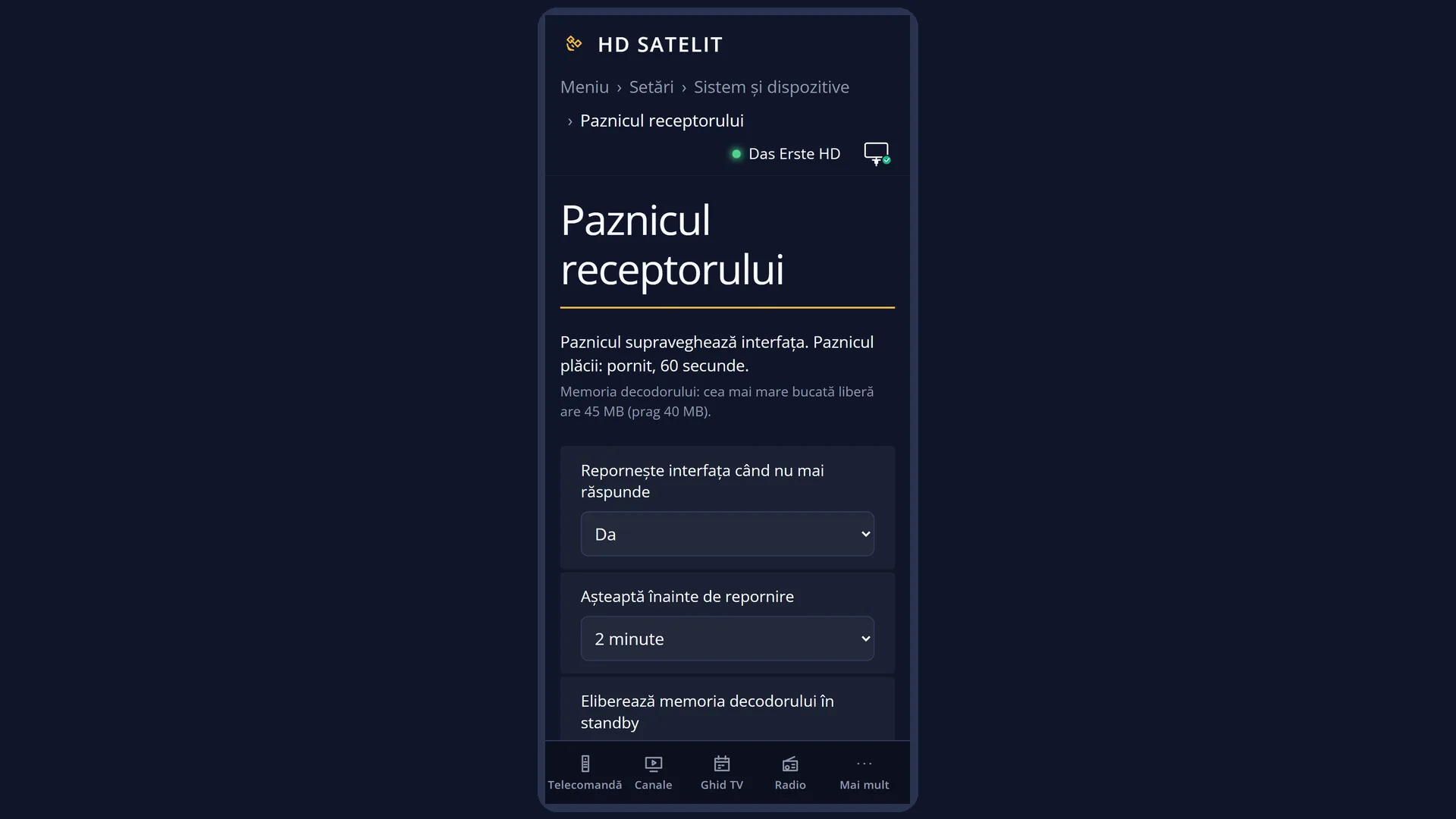
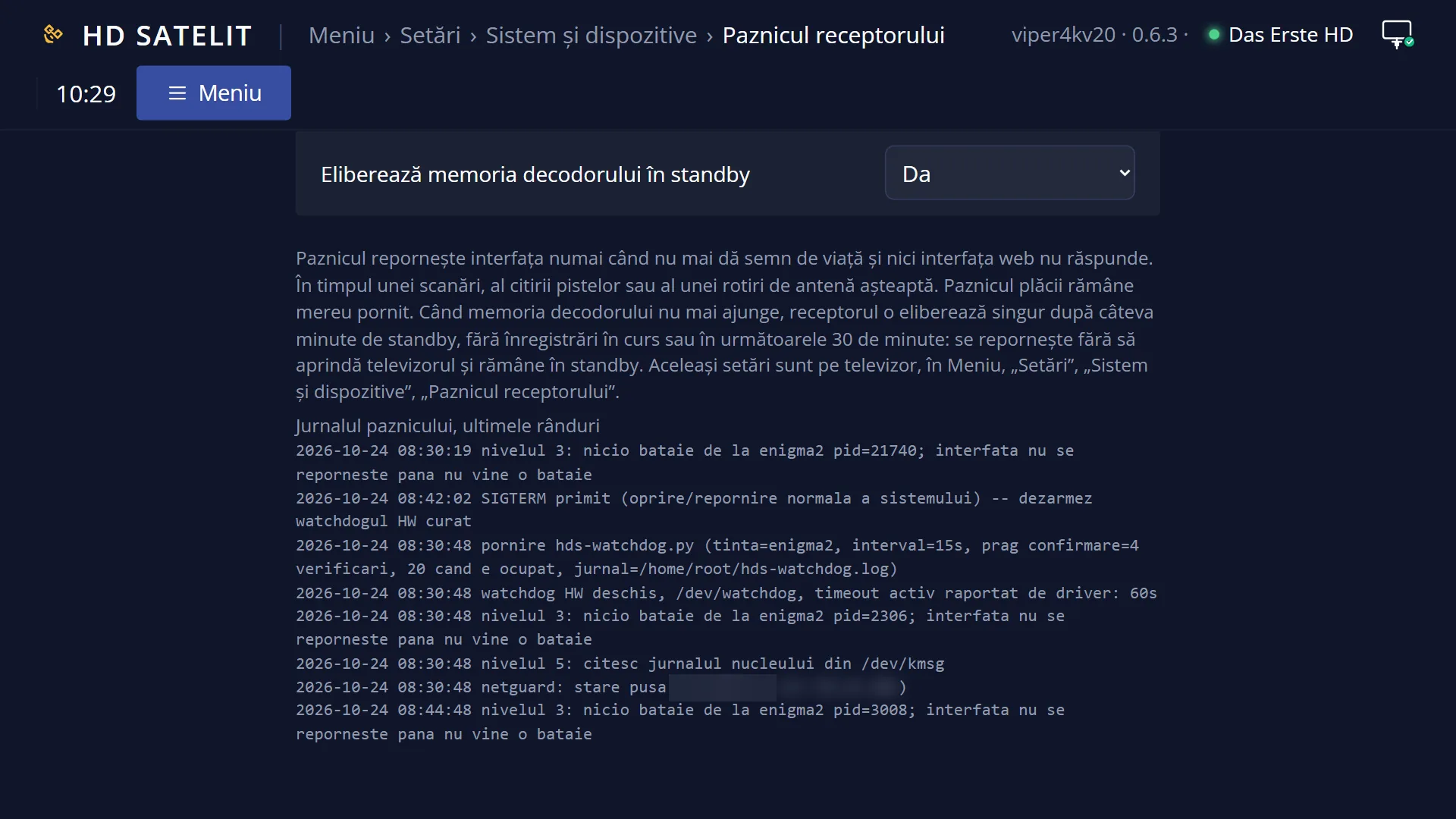
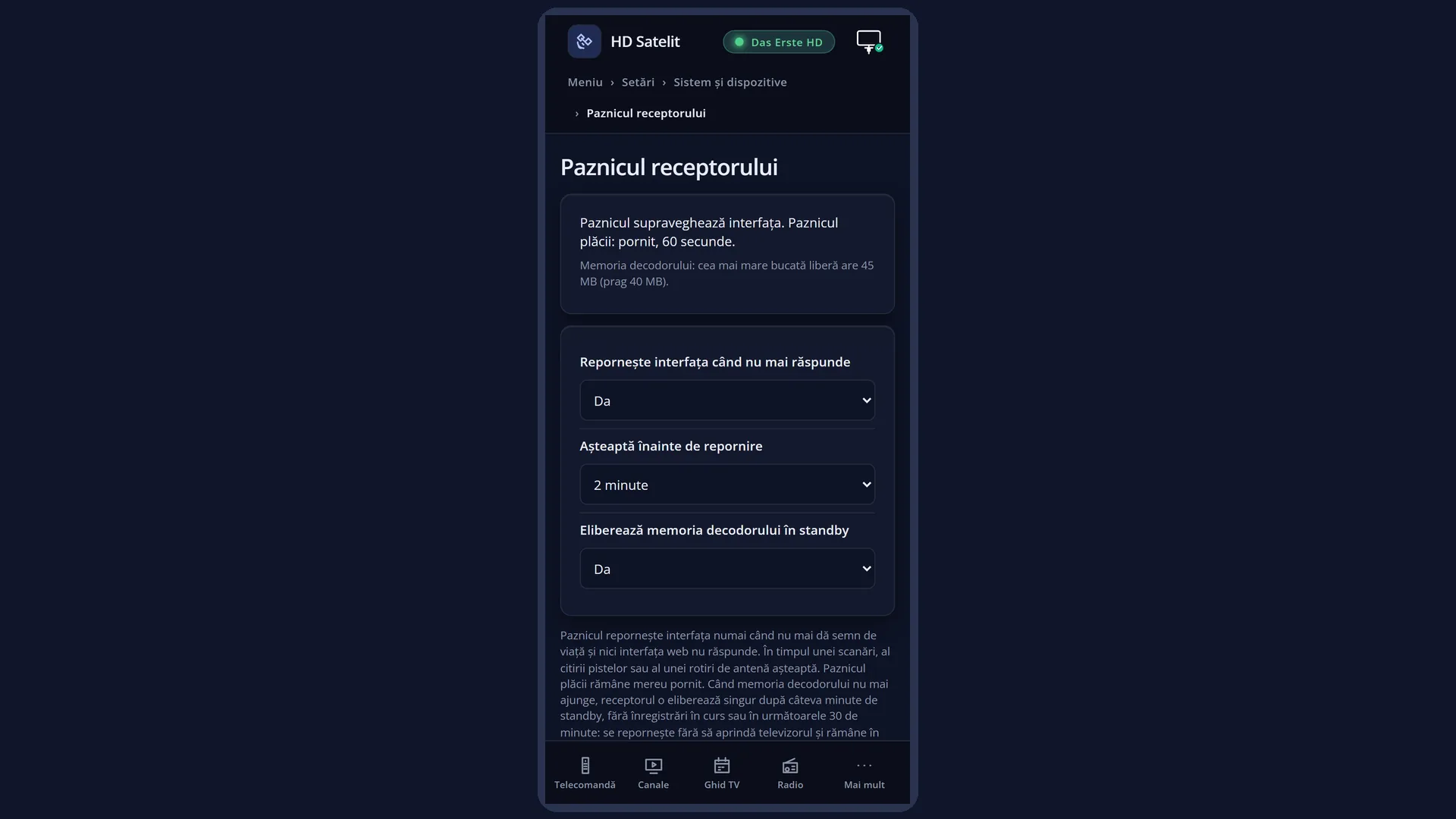
The screen also shows what the watchdog is doing now, how much memory the decoder has and the last lines of the watchdog's log. The same settings and the same status are in the web interface, on the /paznic page.
How to get here
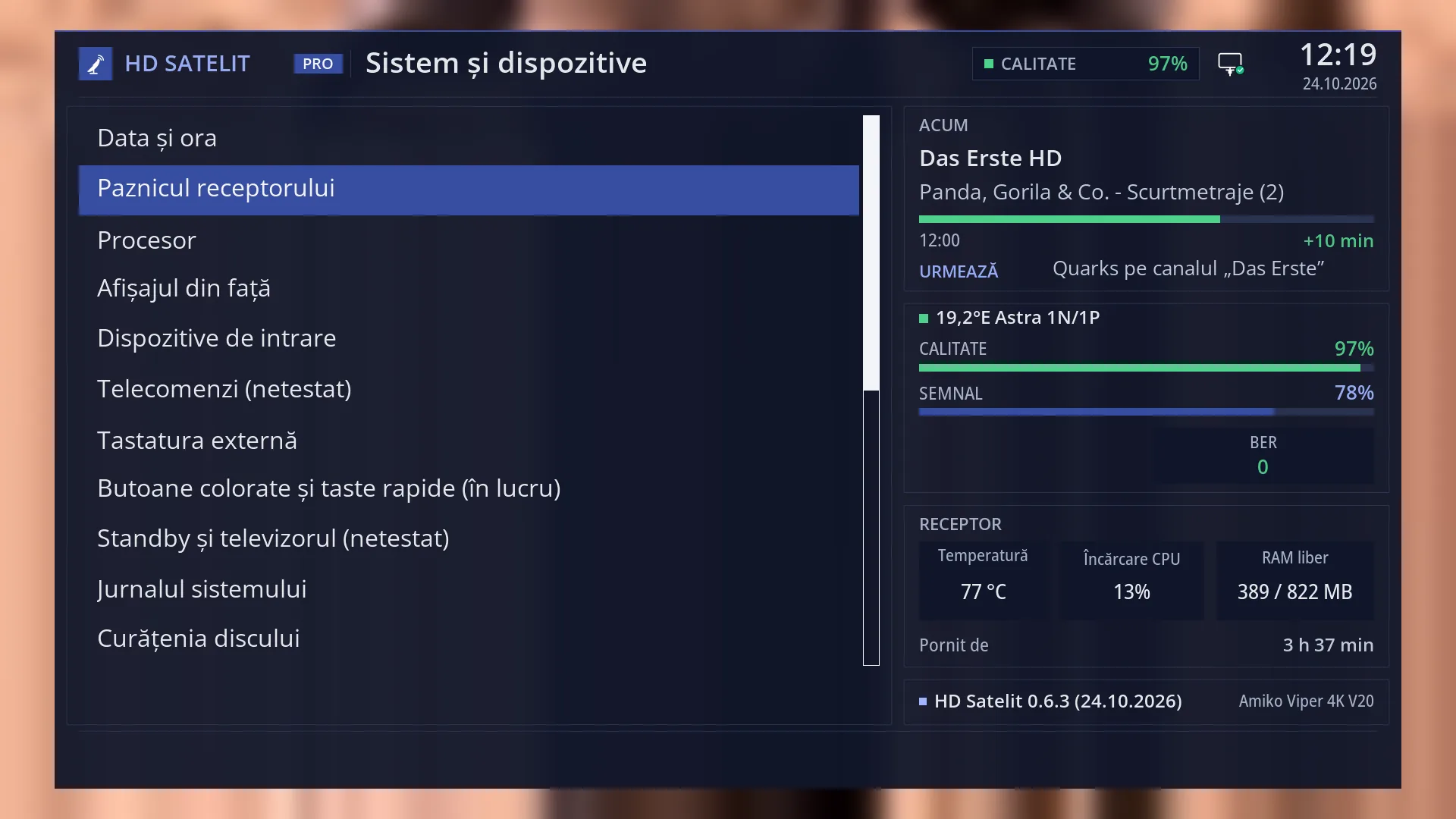
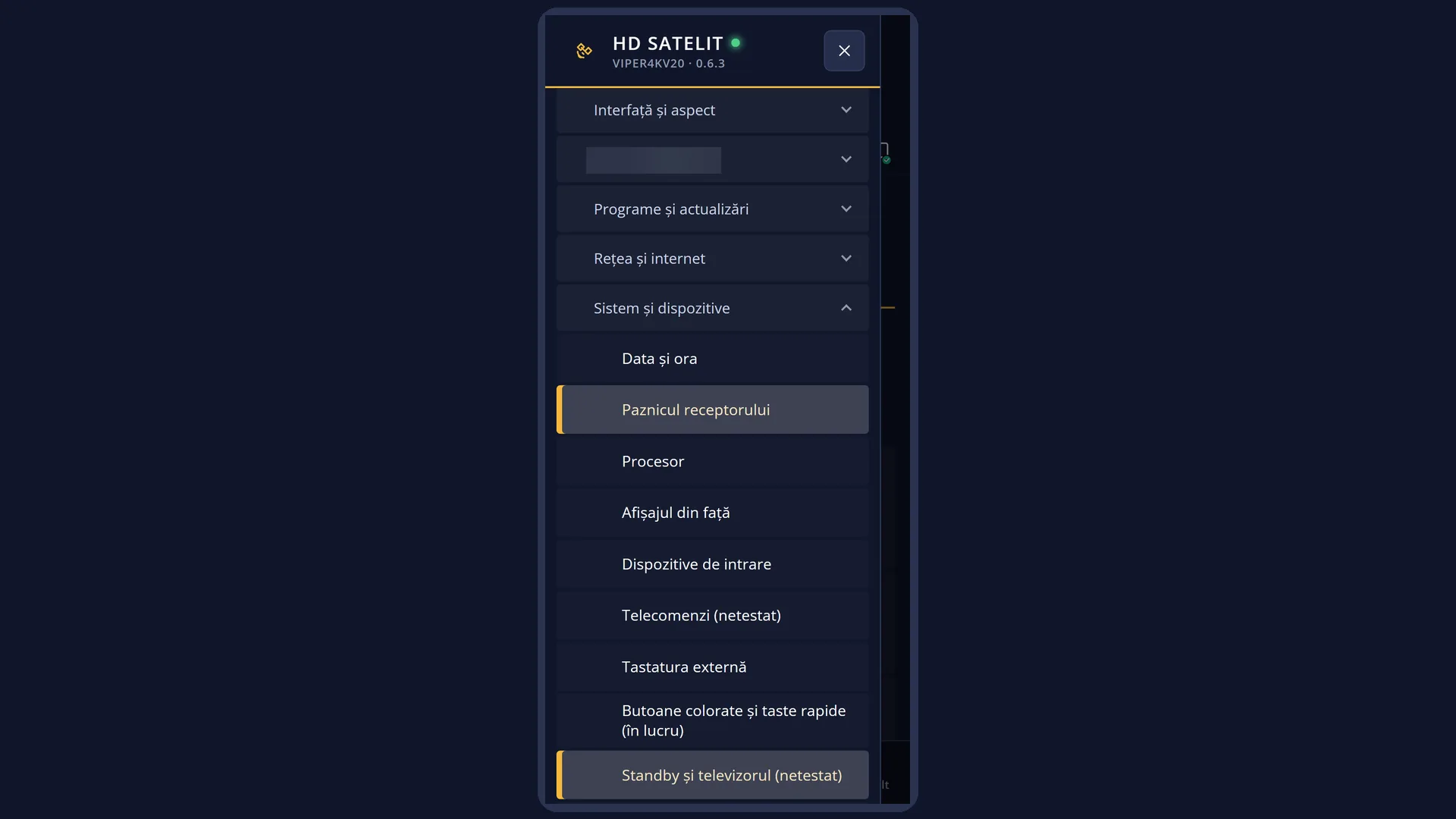
Path: Main menu > Settings > System & Devices > Receiver watchdog (the second row).
Keys on the remote: MENU 6 UP OK 2.
With “Search settings” (MENU 9): type “paznic”.
In the web interface: the /paznic page.
What you see on the screen
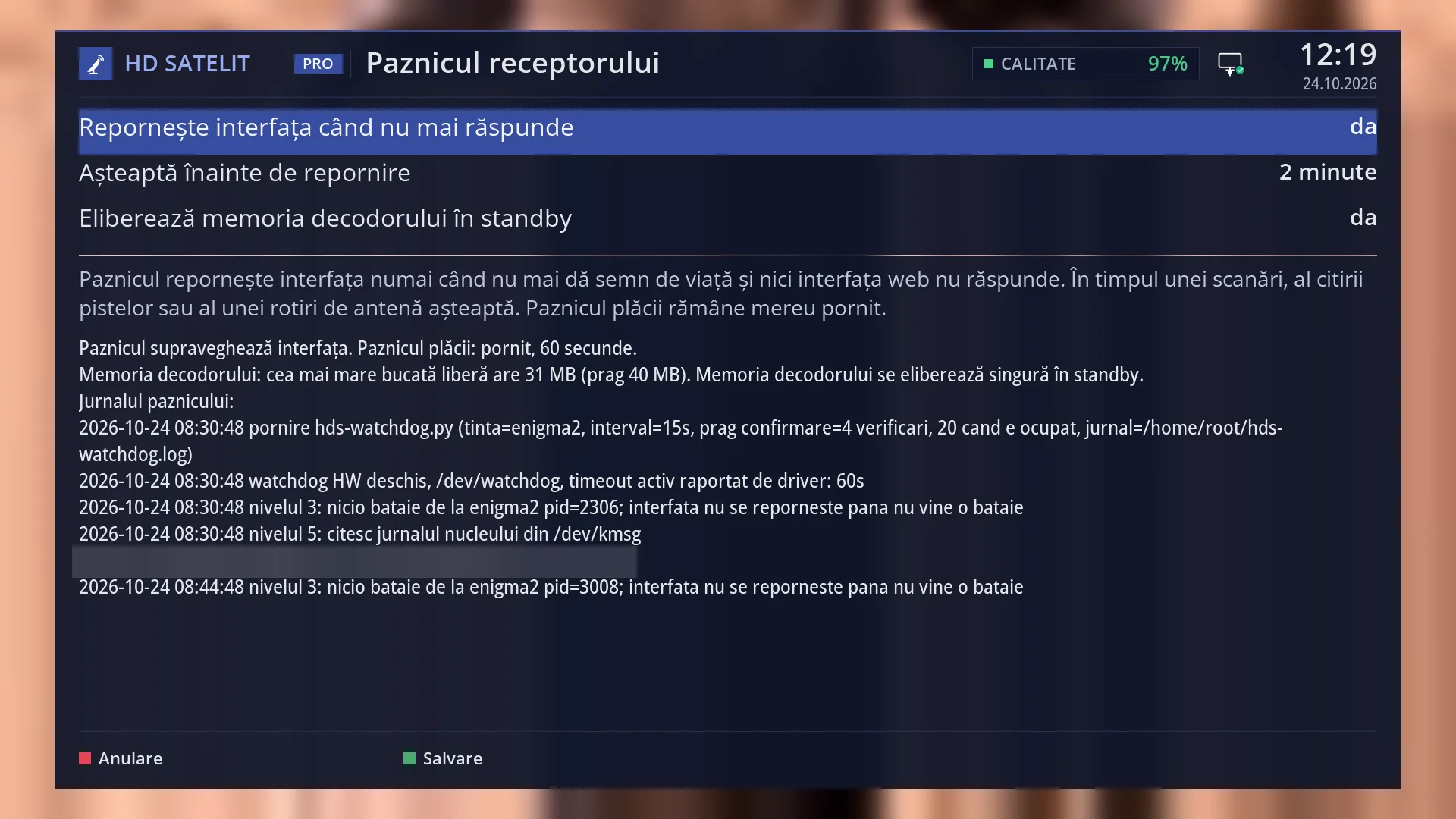
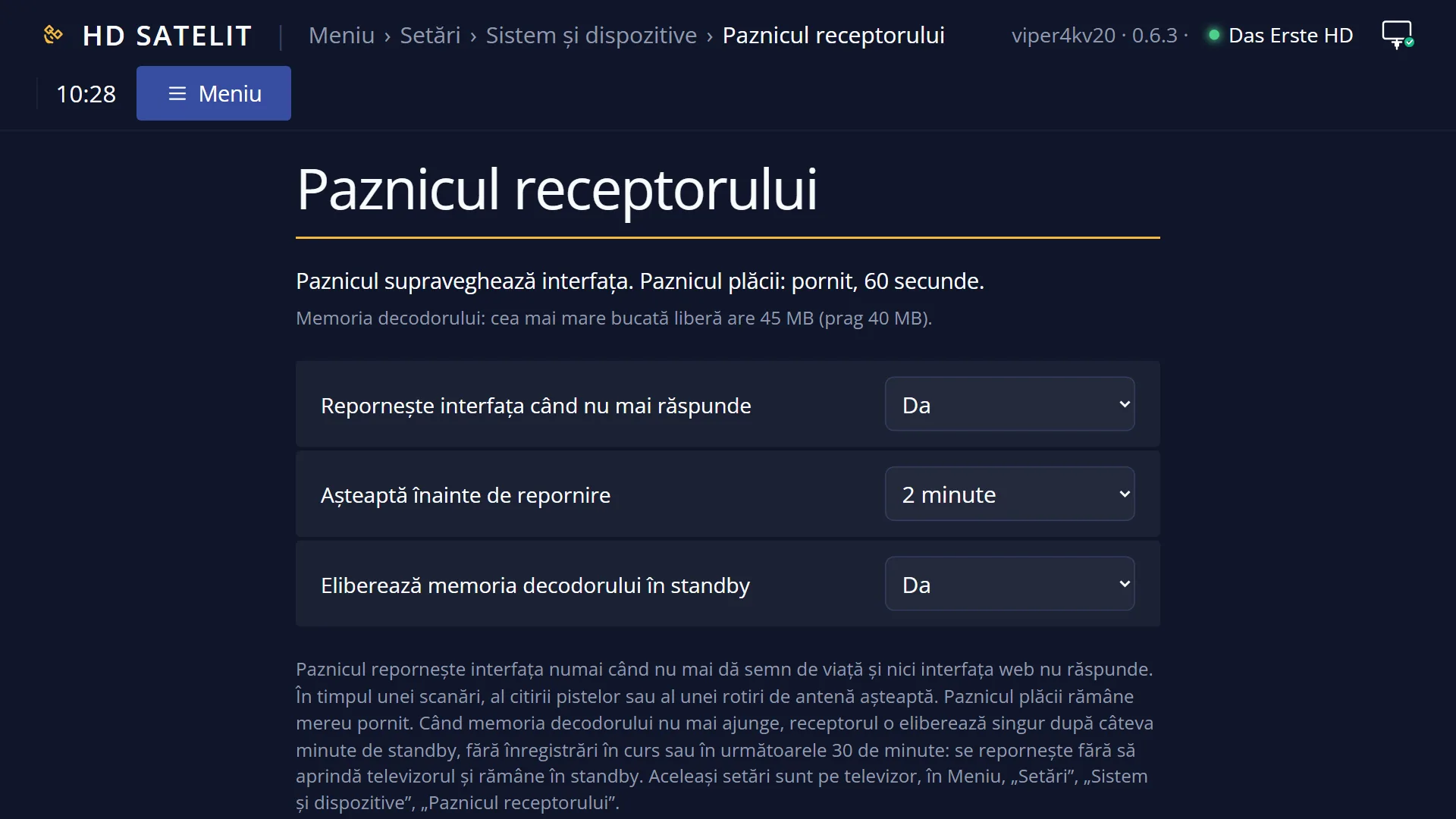
At the top, the title “Receiver watchdog” and the time. With the Pro theme you also see the logo, the signal quality of the current channel and the date at the top of the screen.
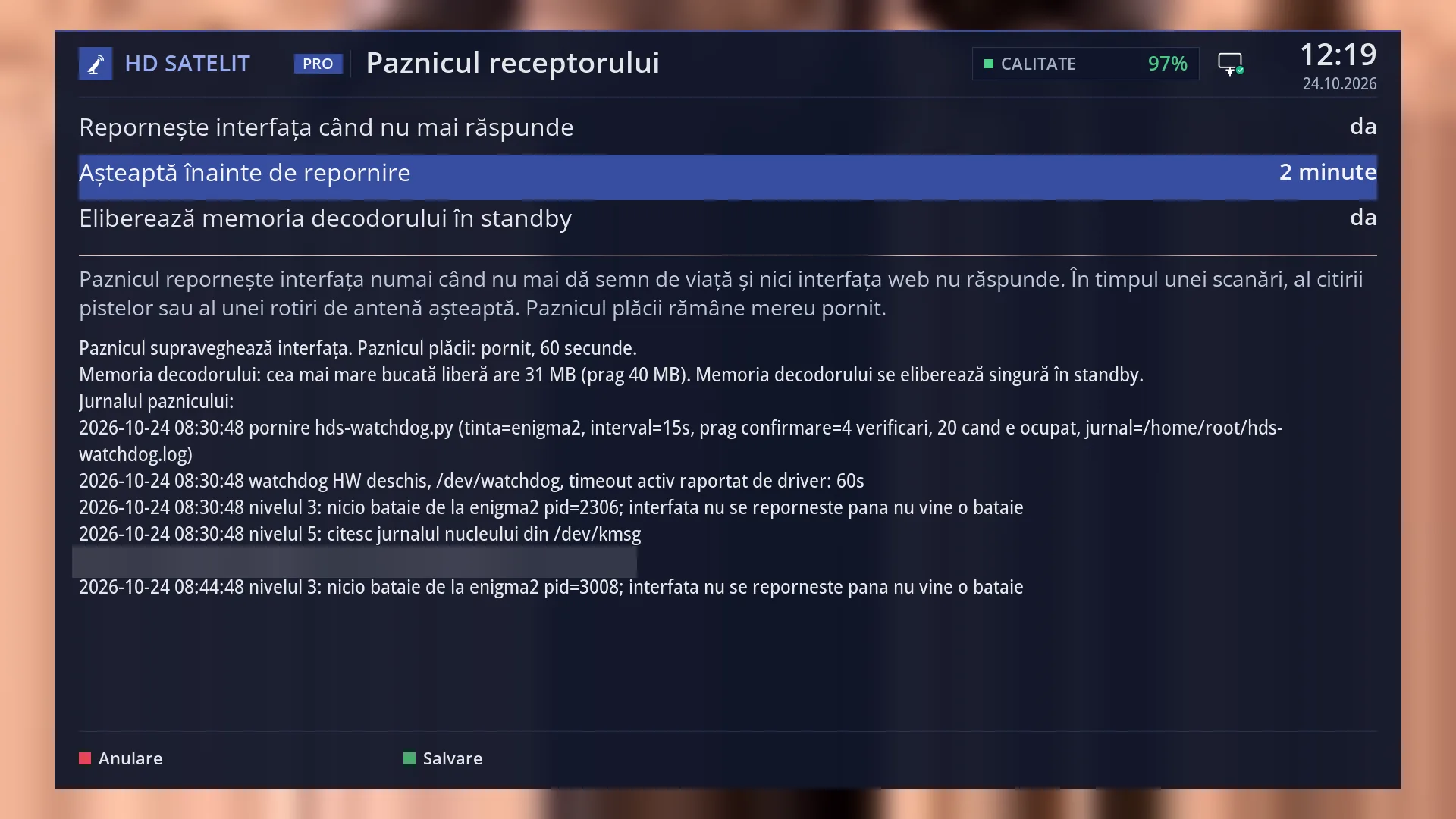
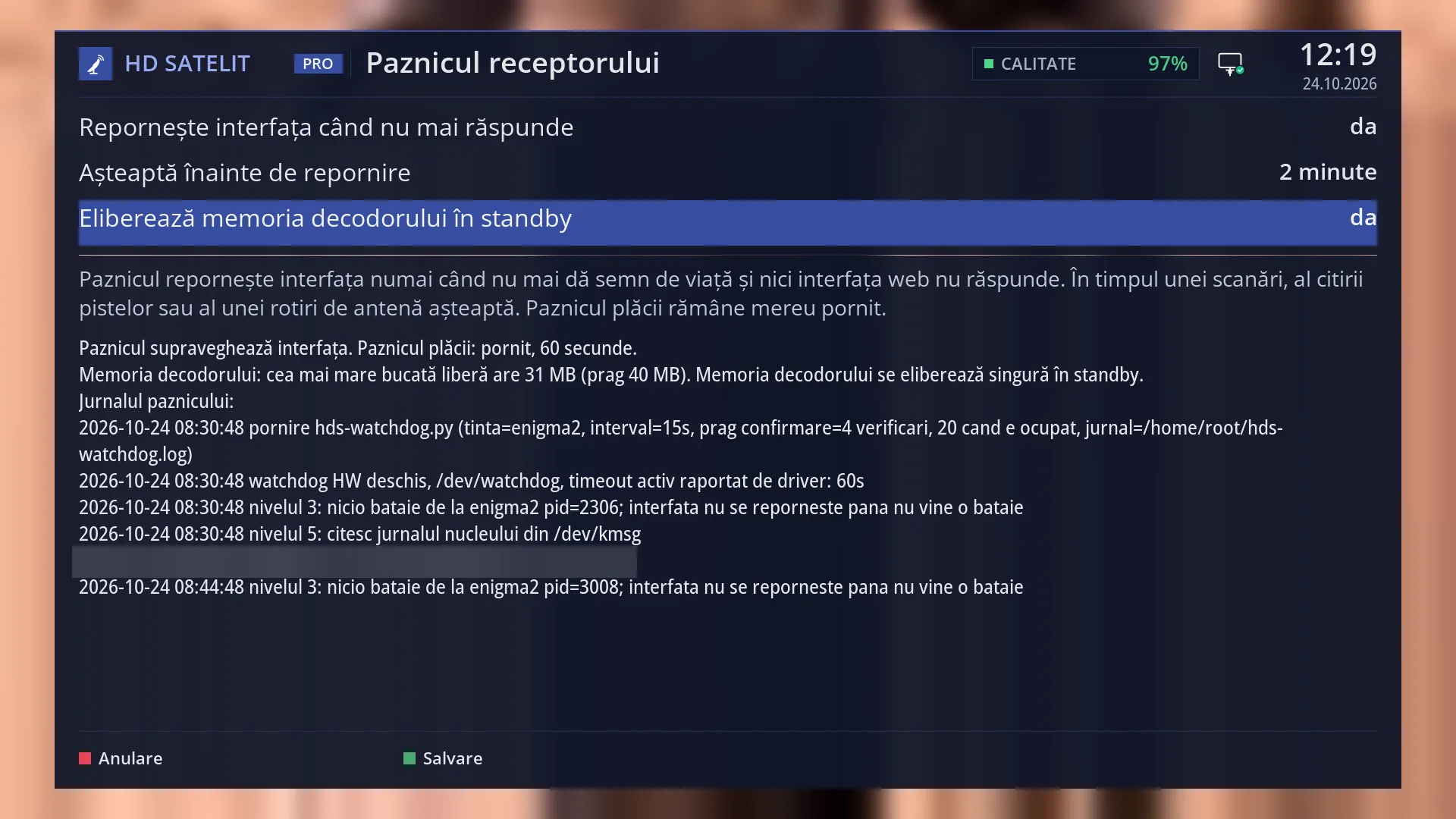
The list of settings, with three rows: “Restart the interface when it stops responding”, “Wait before restarting” and “Free the decoder memory in standby”. The value of each row is on the right. The second row only appears when the first one is “yes”.
Below a line, the watchdog's explanation: “The watchdog restarts the interface only when it gives no sign of life and the web interface does not answer either. During a scan, the reading of the tracks or a dish rotation it waits. The board watchdog always stays on.”
Underneath, the watchdog status, read again every 3 seconds, on separate rows: first, only when it is missing, the information about the memory for films and for the picture of radio stations; then what the watchdog is doing now, for example “The watchdog is watching the interface. Board watchdog: on, 60 seconds.”; then the decoder memory, for example “Decoder memory: the largest free block has 62 MB (limit 40 MB).”.
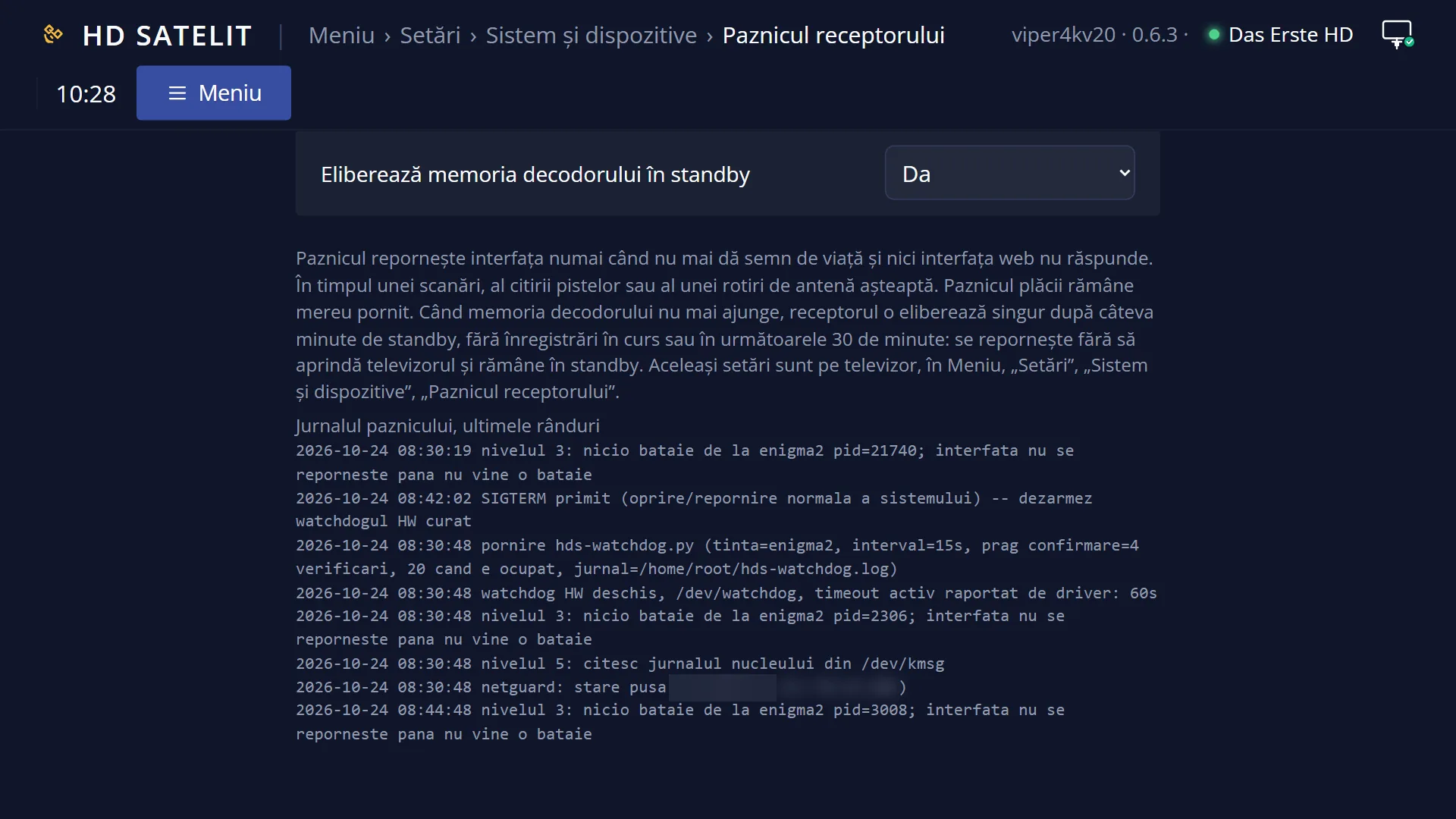
After the watchdog has restarted the interface, two more rows appear: “Interface restarts since the receiver started: 1.” and “Last:” with the day and time.
At the end, “The watchdog's log:” and its last six lines. The lines are written in technical language, without Romanian diacritics, each with the date and time. A line that is too long continues on the next line.
At the bottom, the colour keys: RED “Cancel”, GREEN “Save”.
Rows and settings
| Row | Values | Default | What it does |
|---|---|---|---|
| Restart the interface when it stops responding | yes, no | yes | With “yes”, the watchdog restarts the interface when all three of these are true: the interface has given no sign of life for longer than the time in the next row, it is not busy with a scan, reading tracks or rotating the dish, and the web interface does not respond either. If the web interface still responds, the interface is not stuck, only busy, and the watchdog does not restart it. Also with “yes”, when the video decoder runs out of memory and the TV channel you are watching has no picture any more, the watchdog restarts the whole receiver: only on a TV channel, with no recording running or starting soon, no scan running, and at most once an hour. With “no”, the watchdog only watches and writes to the log, and the “Wait before restarting” row disappears. The board watchdog and the receiver restart when the interface gets stuck stay on even with “no”. Usually never. Set “no” only when you want to see a freeze as it is, without the interface restarting by itself. |
| Wait before restarting | a minute, 2 minutes, 5 minutes | 2 minutes | How long the interface must stay silent, with no sign of life, before the watchdog restarts it. The interface gives a sign of life every 10 seconds and the watchdog checks every 15 seconds, so the restart comes at most 15 seconds after the chosen time. While a scan, track reading or dish rotation is running, the time does not count: the watchdog waits for it to finish. The row only appears when “Restart the interface when it stops responding” is “yes”. “5 minutes” if the interface restarts by itself while you are using something that keeps it busy for a long time; “a minute” if you want a freeze to clear more quickly. |
| Free the decoder memory in standby | yes, no | yes | The video decoder needs a large block of memory, all in one piece. Each time the interface restarts, part of this memory is lost, and it only comes back when the receiver restarts. When the largest free block drops below 40 MB, or when films and the picture of radio stations can no longer start, with “yes” the receiver restarts by itself while it is in standby and frees the memory. The restart only happens when all of these are true: the receiver has been in standby without interruption for at least 5 minutes, it has been running for at least two hours since it was switched on, no recording is running and none starts in the next 30 minutes, there is no restart question on the screen, no scan, dish rotation, settings copy or update is running, and the receiver's clock is set. It happens at most once per receiver start and at most once every 6 hours. The TV does not switch on, the receiver stays in standby after the restart and no message appears on the screen; the restart is only written to the watchdog's log. With “no”, the memory is only freed when you restart the receiver yourself. Leave it on “yes”. Set “no” only if you never want the receiver to restart by itself in standby; then, when films or the picture of radio stations no longer start, you restart it yourself. |
| Watchdog status (information row) | The watchdog is watching the interface., The interface is busy with: … The watchdog is waiting for it to finish., The interface stopped sending signs of life, but the web interface answers. The watchdog does not restart it., The interface stopped responding. The watchdog restarted it., Restarting the interface is turned off in the settings. The board watchdog stays on., The watchdog is waiting for the first sign of life from the interface., The watchdog is not running now (no new status for over a minute). | What the watchdog is doing now. “Watching” is the normal status. “The interface is busy with” says what is keeping it busy (the channel scan, reading the channel tracks or rotating the dish). “The web interface responds” means the interface is only busy, not stuck. “Restarted it” shows that the watchdog has just restarted the interface. “Turned off in the settings” appears when the first row is “no”. “First sign of life” appears briefly after start-up. “Not running now” means the watchdog has not written any status for over a minute. After the status itself comes “Board watchdog: on, 60 seconds.”: the board restarts the receiver if it gets no signal from the watchdog for 60 seconds. | |
| Decoder memory (information row) | the largest free block, in MB, the threshold: 40 MB | “Decoder memory: the largest free block has 62 MB (limit 40 MB).” As long as the number is above the threshold, everything works. Below the threshold, the row also says what happens next: “The decoder memory is freed by itself in standby.” (with the setting above on “yes”) or “The decoder memory is freed when the receiver restarts.” (with “no”). In standby the number is higher than with the TV on, because the decoder then releases its memory. The same value is on the Memory Status screen in System Information and on the /paznic page. | |
| Films and the picture of radio stations (information row) | “Films and the picture of radio stations cannot start now; TV channels work.” | It appears first in the status, and only when the memory that films and the picture of radio stations need to start is missing. TV channels keep working. The row ends with one of the two sentences about freeing the memory, depending on the setting above. No message appears anywhere else on the screen. | |
| The watchdog's log | the last 6 lines on the TV, the last 8 lines on the /paznic page | What the watchdog saw and did, one line each with the date and time: its start, the waits during scans, each restart of the interface or of the receiver with the reason, and the memory for films and the radio picture when it goes missing and when it comes back. The lines are written for whoever looks after the receiver, without Romanian diacritics. The log shortens itself when it grows too long and is not deleted on restart. |
Keys
| UP / DOWN | Moves the cursor to the row above or below. From the last row, DOWN takes you to the first. |
| LEFT / RIGHT | Changes the value of the selected row. On the first row, “no” hides the “Wait before restarting” row and “yes” brings it back. |
| GREEN | Save: keeps all three settings and closes the screen. |
| OK | Same as GREEN: saves and closes the screen. |
| RED | Cancel: closes the screen without keeping your changes. |
| EXIT | Same as RED: closes without keeping the changes. |
Step by step
Check whether the watchdog has restarted anything
- Press MENU 6 UP OK 2.
- Read the status below the explanation. The “Interface restarts since the receiver started” row only appears if the watchdog has restarted the interface since the receiver was switched on, and “Last” tells you when.
- In “The watchdog's log” you see the last lines, with the date and time. A receiver restart for memory writes a line that starts with “repornesc receptorul”.
- Leave with EXIT; nothing changes.
Give the interface more time before a restart
- Press MENU 6 UP OK 2.
- Press DOWN to go to “Wait before restarting”.
- Press RIGHT until “5 minutes” appears.
- Press GREEN. The watchdog uses the new time within 15 seconds.
Stop the automatic restart in standby
- Press MENU 6 UP OK 2.
- Press DOWN until you reach “Free the decoder memory in standby”.
- Press LEFT: the value changes to “no”.
- Press GREEN. From now on the decoder memory is only freed when you restart the receiver yourself.
Change the settings from your phone
- Open the receiver's web interface (for example http://192.168.1.50) and go to /paznic.
- Choose the value in the list next to the setting. It is saved straight away, with no other button.
- At the bottom of the page you see “Saved. The watchdog uses the setting from the next check (at most 15 seconds).”
Problems and solutions
The interface restarted by itself while I was watching TV.
The watchdog decided that the interface was stuck: it gave no sign of life and the web interface did not respond either. Look at the “Interface restarts” row on the screen and at the watchdog's log. If it happens often when you use a particular function, set “Wait before restarting” to “5 minutes”. If the interface crashed (rather than got stuck), you will find its trace in Crash logs.
The interface froze and did not restart by itself.
First check that “Restart the interface when it stops responding” is “yes”; with “no” nothing restarts it. If the web interface still responds, the watchdog considers the interface busy, not stuck, and does not restart it: restart it yourself from the web interface, on the /alimentare page. Also wait for the chosen time (up to 5 minutes) and for any scan or dish rotation to finish.
Films or the picture of radio stations no longer start, but TV channels work.
The decoder memory has run out. On the screen you see the row “Films and the picture of radio stations cannot start now”. With “Free the decoder memory in standby” on “yes”, leave the receiver in standby: after at least 5 minutes it restarts by itself and everything works again. If you do not want to wait, restart the receiver yourself from Power & Restart.
The receiver was in standby and I can see in the log that it restarted.
That is the decoder memory being freed, done on purpose in standby, without switching the TV on. The log line shows the memory level and the threshold. If you do not want this, set “Free the decoder memory in standby” to “no”.
The status says “The watchdog is not running now”.
The watchdog has not written any status for over a minute. Restart the receiver from Power & Restart > Restart Box. The settings here stay as you saved them.
The “Wait before restarting” row is missing.
The first row is set to “no”. Set it to “yes” with LEFT or RIGHT and the row appears again.
I changed a setting, left the screen and the change was not kept.
EXIT and RED close without saving. Leave with GREEN (or OK) to keep the change.
Related topics
- Memory Status (the decoder memory in the system information)
- Crash logs
- System Log Viewer
- Safe mode (after frequent unexpected shutdowns)
- Restart Interface
- Restart Box
- Standby Mode
- Software update (after an update, with the memory below the threshold, the whole receiver restarts)
- System & Devices
- Channel scan
- Dish rotation
- Matching web page: /paznic.