

Sleep Timer
Screenshots are being added: so far 2 from the receiver and 6 from the web interface; the aim is at least 5 of each, with arrows and frames, and, where a setting changes what you see, a before and after comparison.
English screenshots coming: some of the pictures below still show the receiver and the web interface in Romanian. The rows, keys and steps described on this page are the English ones.
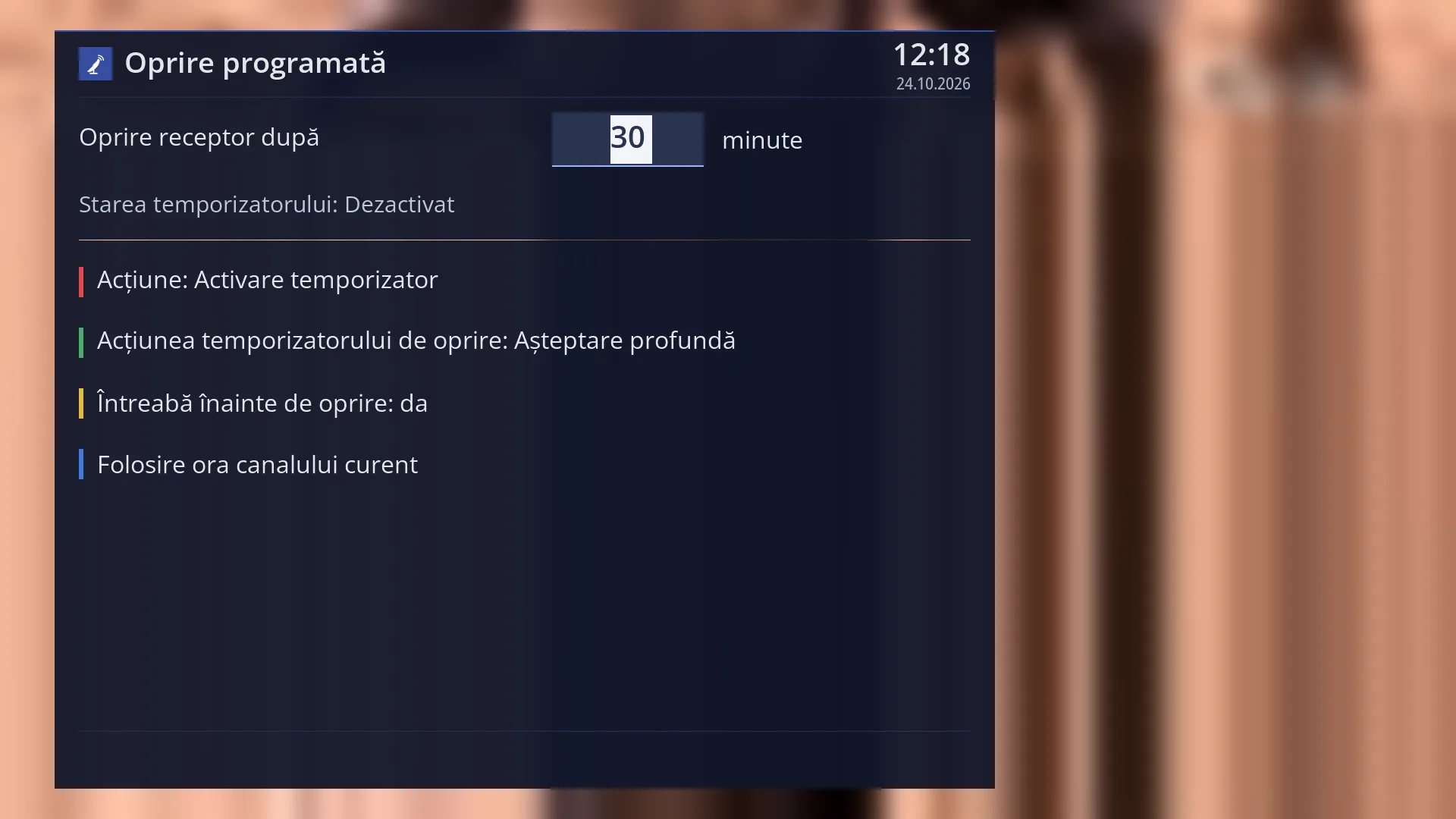
- 1 The screen title.
- 2 The minutes: you enter with the digit keys after how long the action happens.
- 3 Whether a timer is running now.
- 4 RED: what OK does, start or stop.
- 5 GREEN: switch off completely or standby.
- 6 YELLOW: ask first or not.
- 7 BLUE: the minutes until the end of the programme.
What it is for
“Sleep Timer” switches the receiver off by itself after a number of minutes that you choose. If you fall asleep during a film, the receiver does not keep running all night.
Instead of switching it off completely, it can just put it in standby (GREEN key). It then still makes the scheduled recordings and wakes up quickly.
By default the receiver asks first: at the set time a question appears, and if you do not answer within 20 seconds, the action is carried out.
With the BLUE key, the minutes are filled in automatically up to the end of the current programme (or of the film you are playing from the disk), plus two minutes.
The timer only lasts while the receiver is running: restarting the interface or the receiver deletes it. The minutes you entered are still offered next time, though.
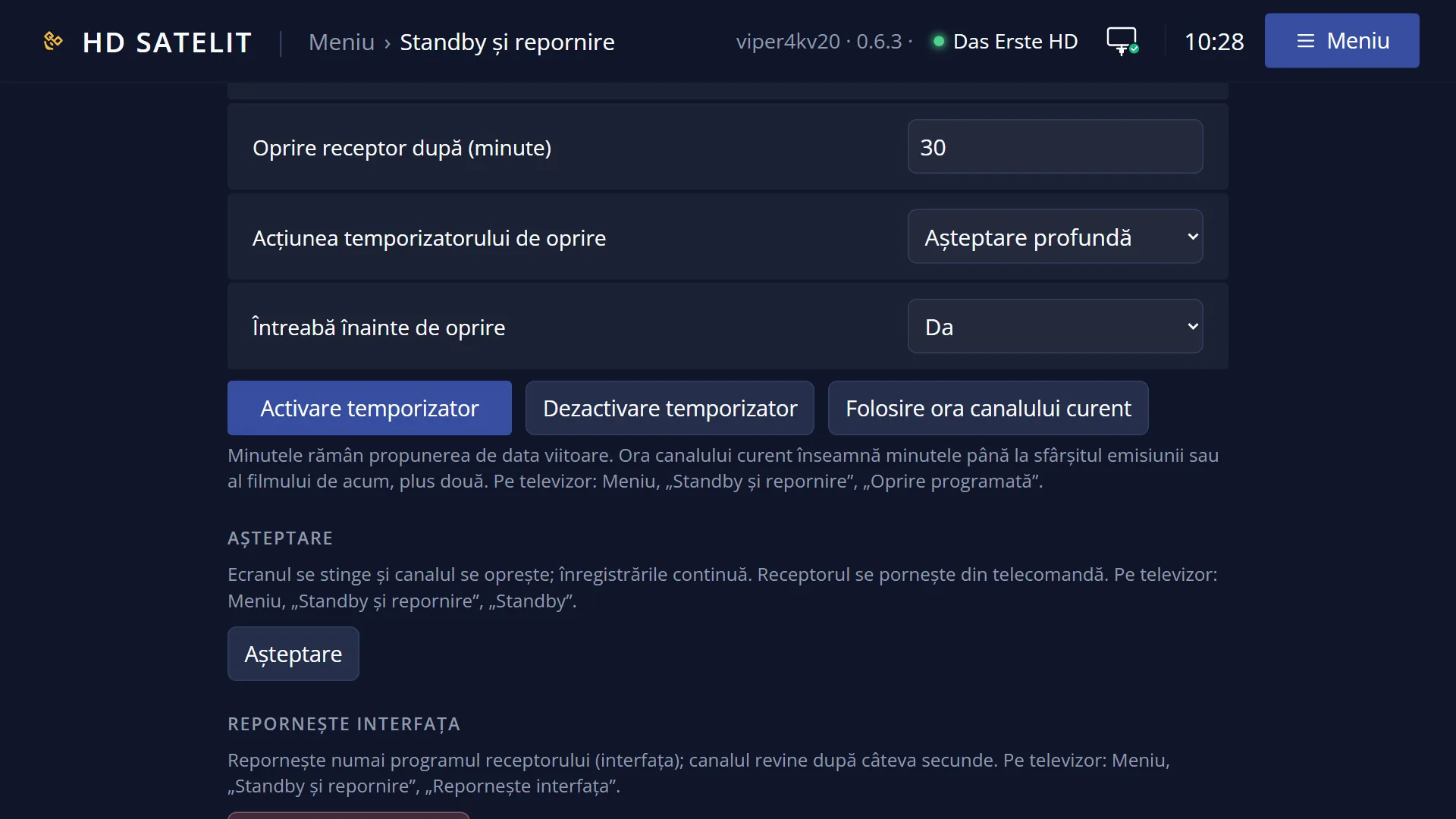
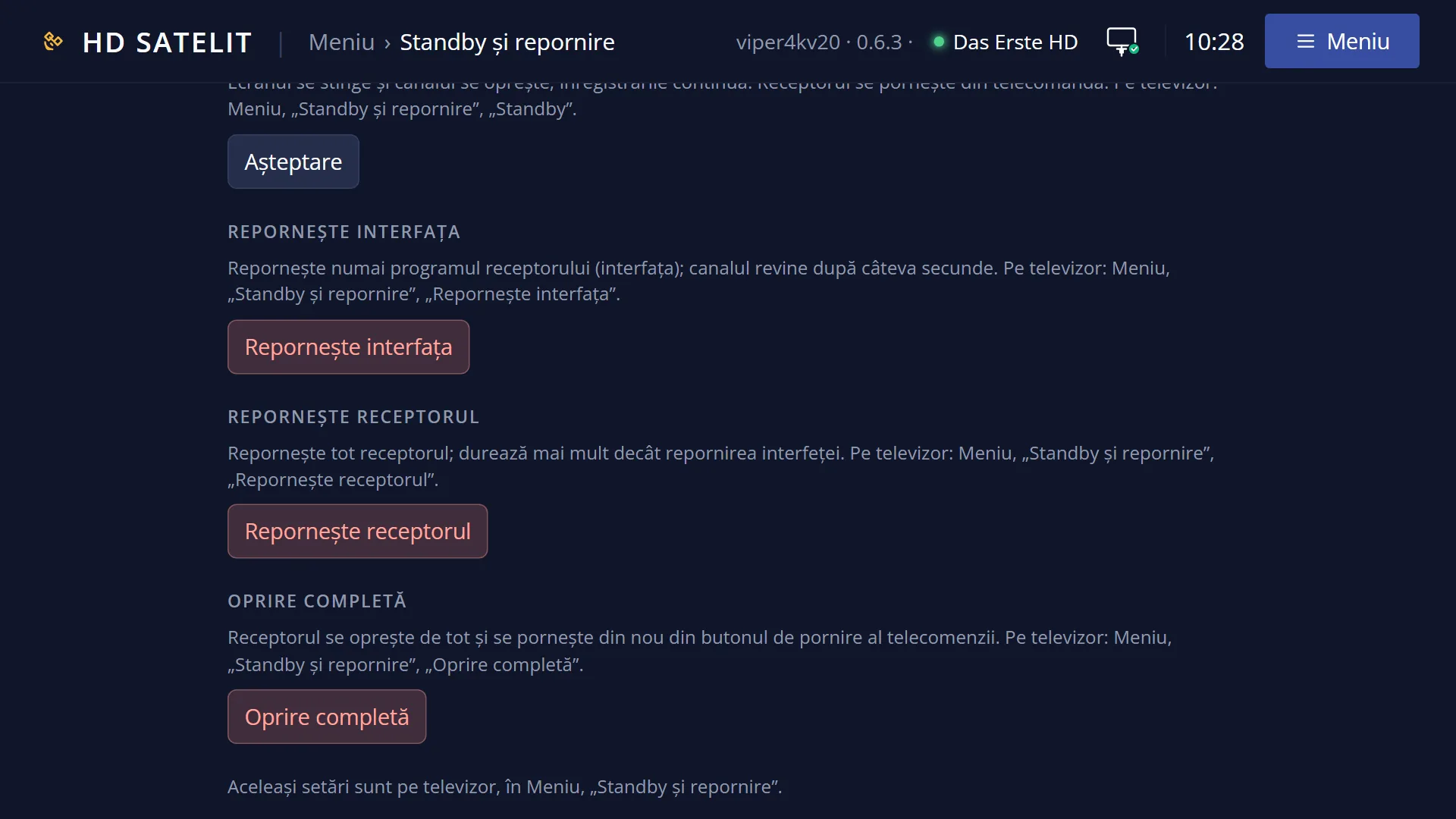
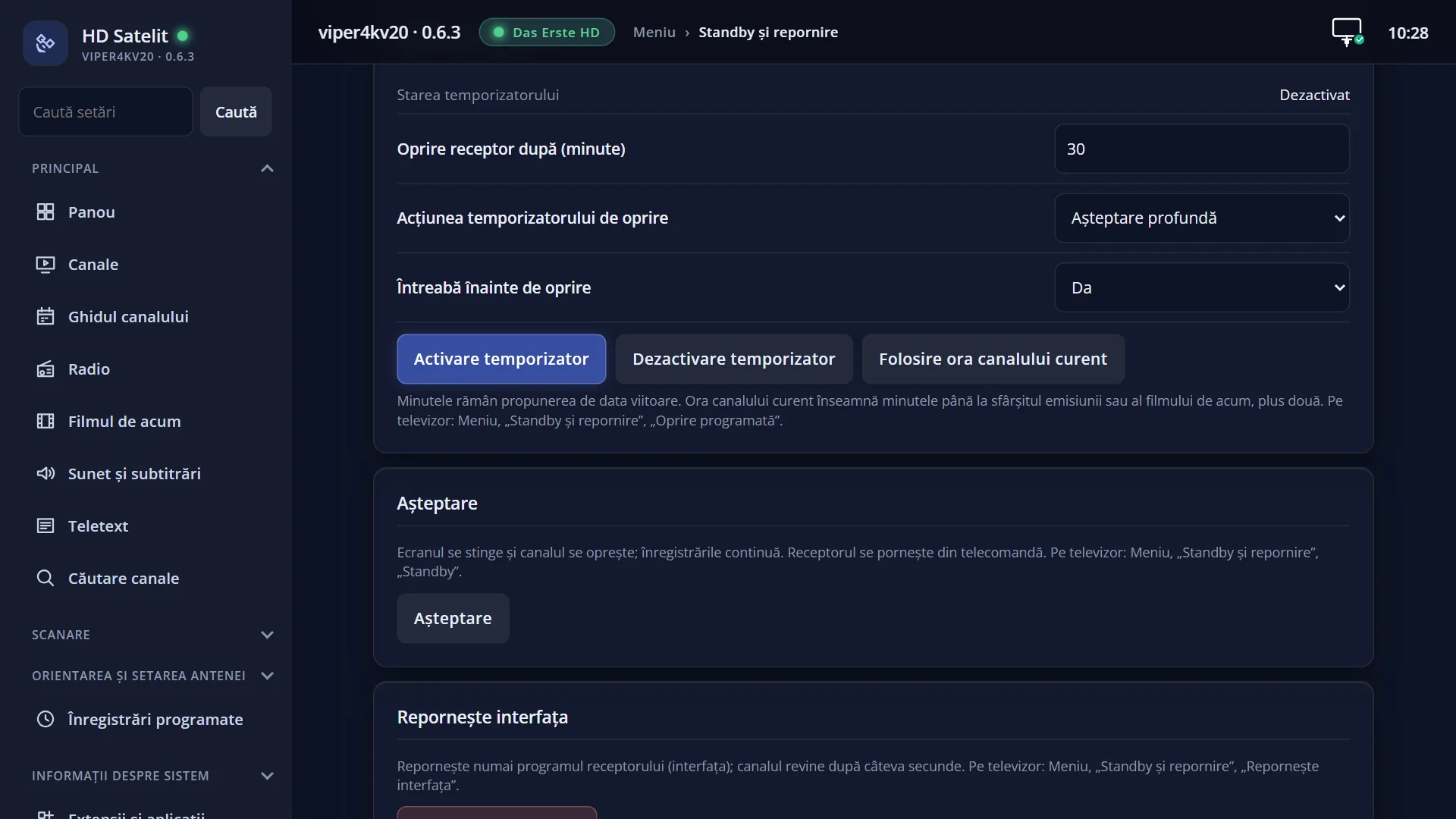
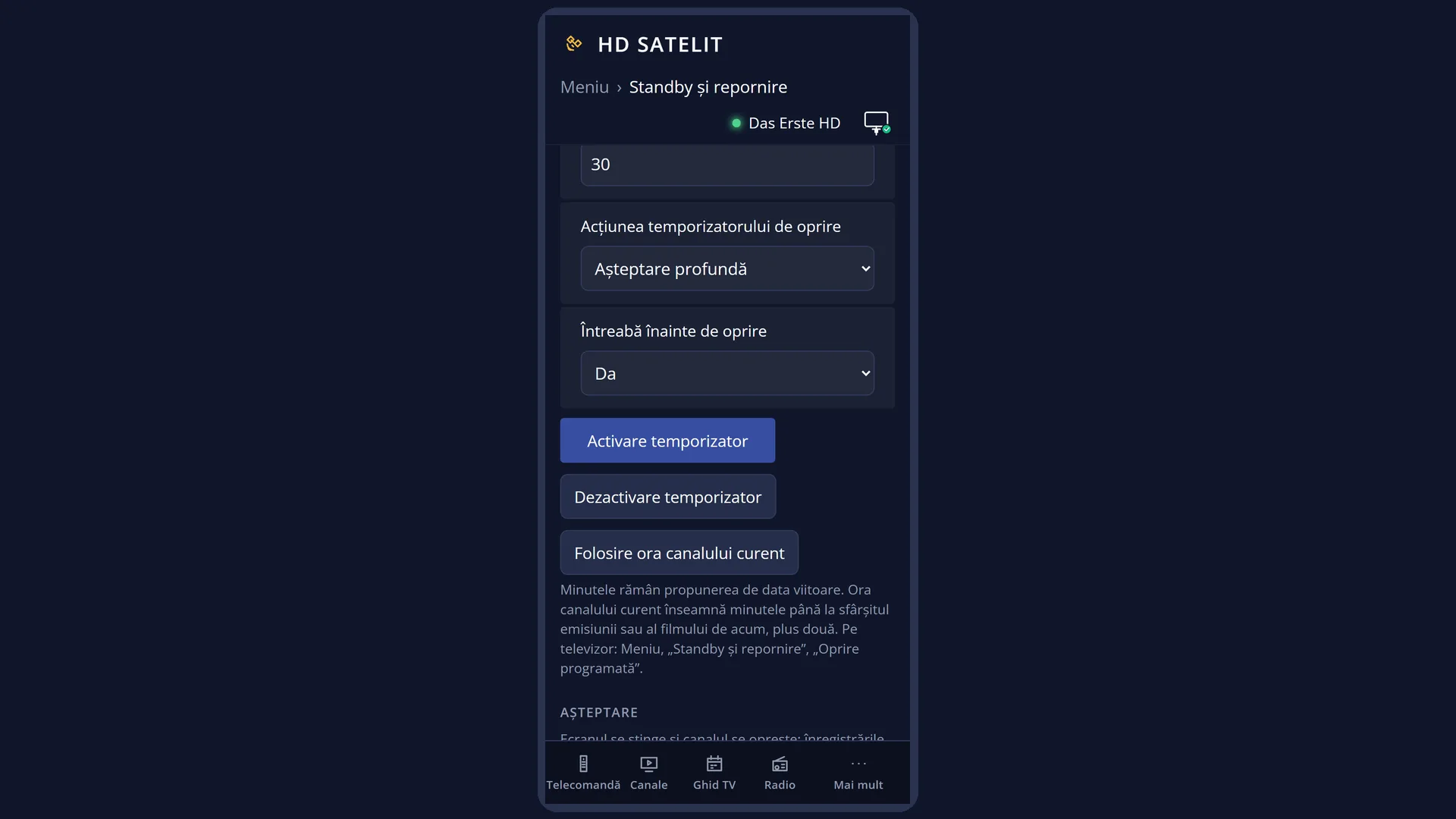
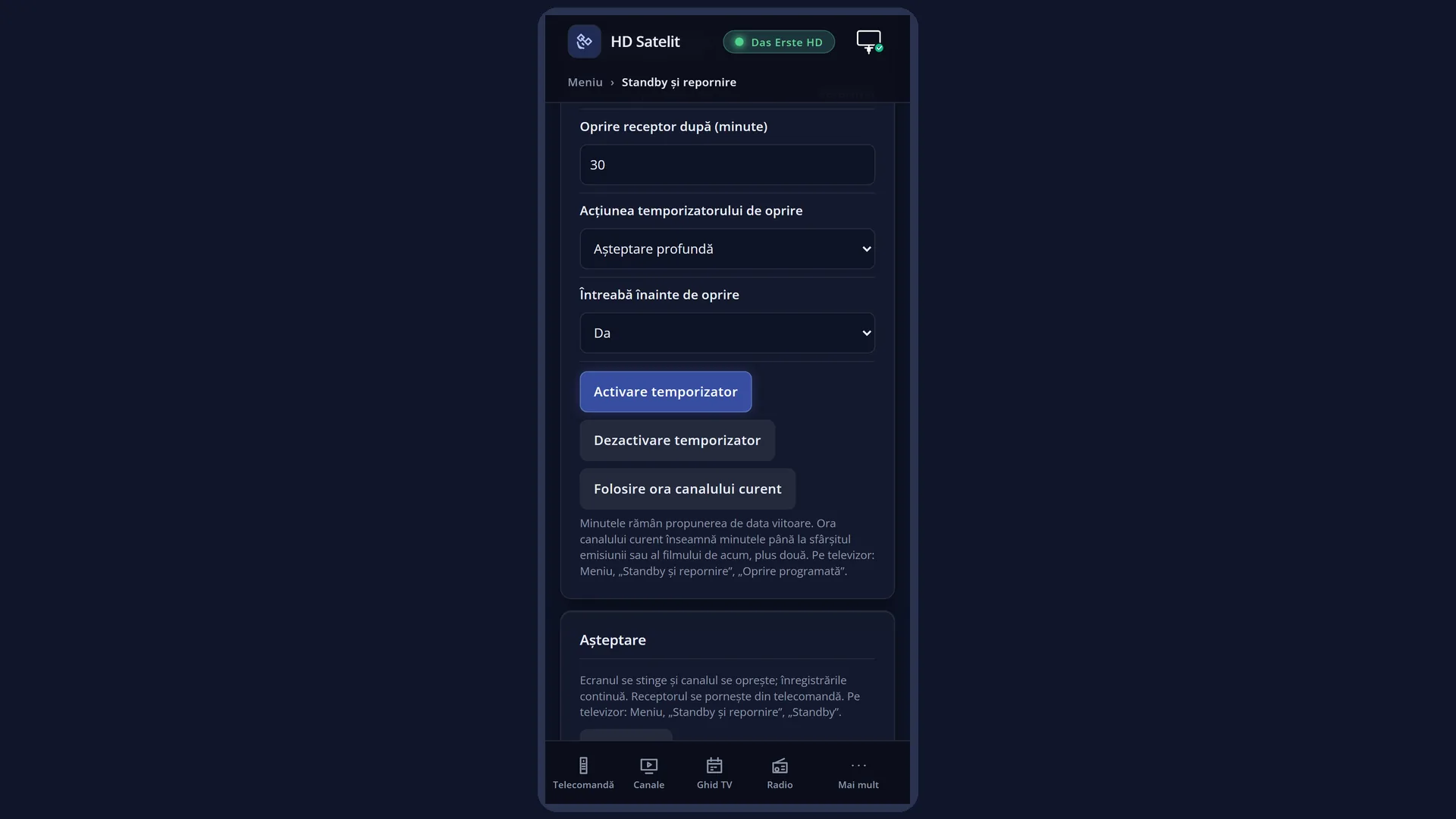
You can also set the same timer from the web interface, on the /alimentare page, in the “Sleep Timer” box.
How to get here
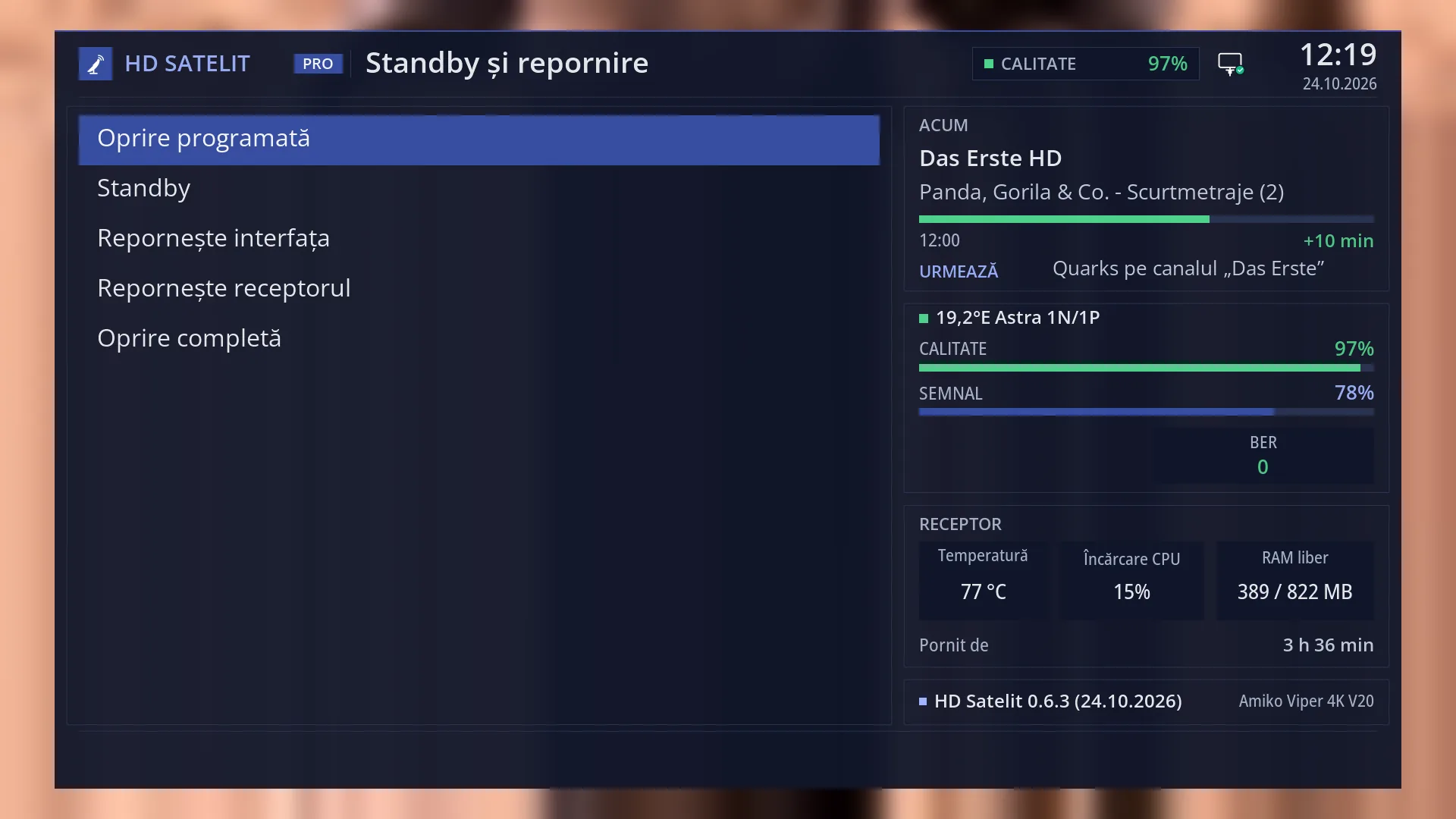
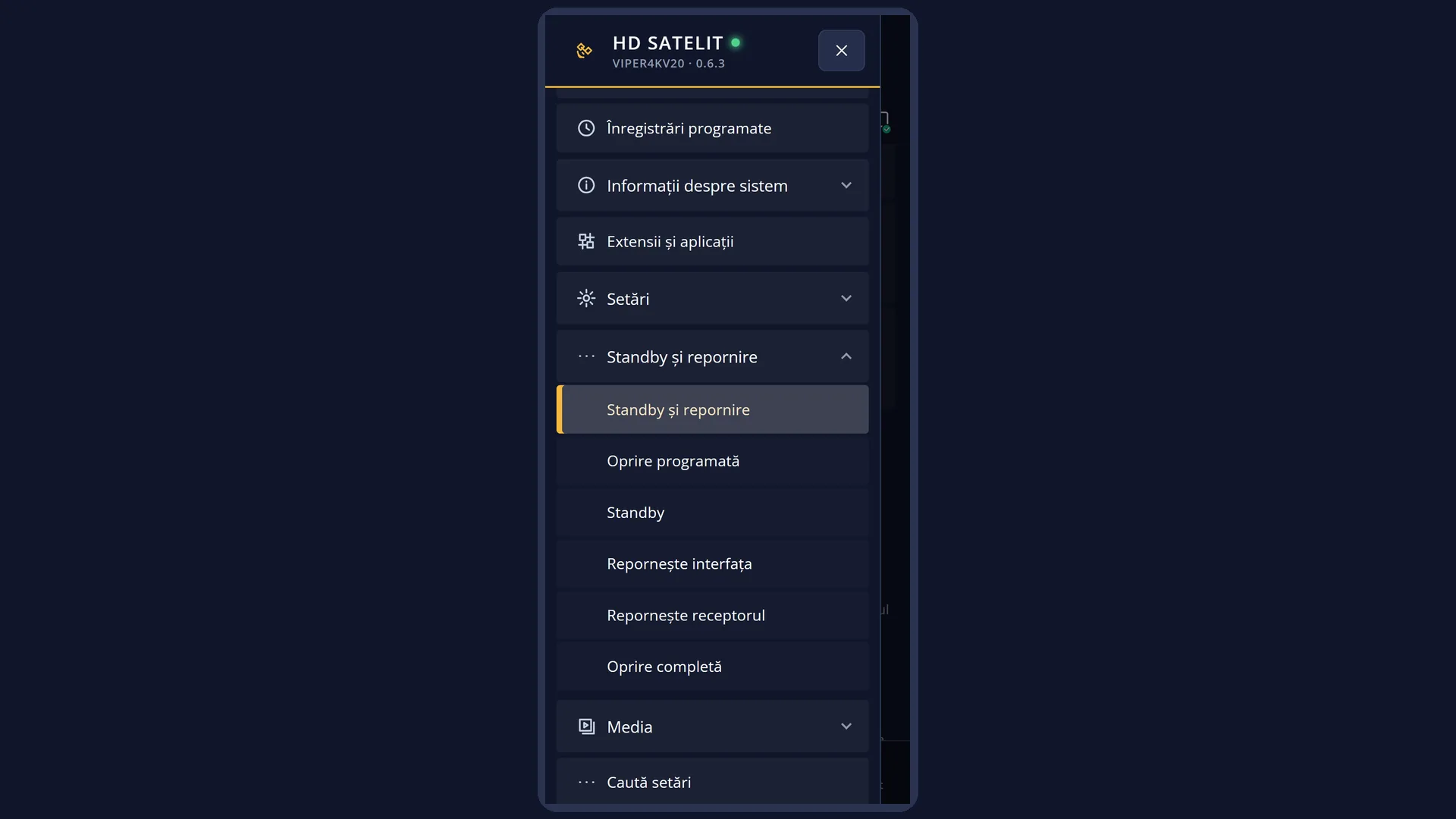
Path: Main menu > Power & Restart > Sleep Timer.
Keys while watching TV: MENU 7 1.
In the web interface: the /alimentare?f=somn page (the “Sleep Timer” box comes first).
What you see on the screen
At the top, the title “Sleep Timer”, the clock and the date.
The minutes row: “Shutdown receiver after”, the box with the number and the word “minutes”. When you open the screen, the whole number is highlighted: the first digit you press replaces it.
With no timer running, the number is the one you used last time (30 by default). With the timer running, the number shows the minutes left until shutdown.
Below it, “Timer status:” with “Enabled” or “Disabled”.
Below the line there are four rows, each with a stripe in the colour of the key that changes it: red “Action: Enable timer” (or “Disable timer”), green “The action of the sleep timer: Deep Standby” (or “Standby”), yellow “Ask before turning off: yes” (or “no”) and blue “Use time of currently running service”.
“Deep Standby” means switching off completely, the same as the “Deep Standby (Power Off)” row in the menu. “Standby” means standby.
After OK a short message appears: “The sleep timer has been activated.” or “The sleep timer has been disabled.”.
Rows and settings
| Row | Values | Default | What it does |
|---|---|---|---|
| Shutdown receiver after ... minutes | a whole number of minutes | 30 | After how many minutes the action is carried out. The minutes are counted from OK, not from when you open the screen. The number you start with OK is offered again next time. 0 means now: the action happens immediately. Every time you set the timer. |
| Timer status | Enabled, Disabled | Disabled | Shows whether a timer is running now. It is read when you open the screen. You cannot change it directly: OK changes it, with the action in the red row. |
| Action (RED) | Enable timer, Disable timer | Enable timer | What OK does: it starts the timer with the minutes entered, or stops the running timer. RED switches between the two. When the timer is already running, “Enable timer” starts it again from the minutes in the box. RED, then OK, when you want to stop a running timer. |
| The action of the sleep timer (GREEN) | Deep Standby, Standby | Deep Standby | Deep Standby: the receiver switches off completely, as with “Deep Standby (Power Off)”. You switch it on again with POWER. Standby: the receiver goes into standby, as with “Standby Mode”, still makes the scheduled recordings and wakes up quickly. Choose Standby when you have scheduled recordings or want the receiver to be ready quickly. |
| Ask before turning off (YELLOW) | yes, no | yes | yes: at the set time the question “A sleep timer wants to shut down your receiver. Shutdown now?” appears (with Standby: “A sleep timer wants to set your receiver to standby. Do that now?”), with Yes selected. If you do not answer within 20 seconds, the action is carried out. No or EXIT cancels it, and the timer ends. no: the action is carried out straight away, without a question. Set it to “no” if you do not want to see the question. |
| Use time of currently running service (BLUE) | Puts in the box the minutes until the end of the current programme, according to the programme guide, plus 2. For a film from the disk, the minutes until the end of the film, plus 2. When the programme has no data in the guide, the number does not change. When you want to watch until the end of the programme or film. |
Keys
| 0 ... 9 | Enter the minutes. The first digit replaces the highlighted number; the next ones are added at the cursor position. |
| LEFT / RIGHT | Moves the cursor within the number, so you can change a single digit. |
| < (next to 0) | Deletes the digit to the left of the cursor. Right after opening, while the number is highlighted, it deletes the whole number. |
| > (next to 0) | Deletes the digit under the cursor. |
| RED | Switches the red row between “Enable timer” and “Disable timer”. |
| GREEN | Switches the action between “Deep Standby” (switch off completely) and “Standby” (standby). |
| YELLOW | Switches “Ask before turning off” between yes and no. |
| BLUE | Fills in the minutes until the end of the current programme or film, plus 2. |
| OK | Carries out the action in the red row: starts the timer (the minutes, the action and the question setting are remembered) or stops it. On the message that appears, OK takes you to live TV and EXIT back to the menu. |
| EXIT | Closes the screen without changing anything: green and yellow go back to how they were, and the timer stays as it was. |
| USB keyboard | The digits enter the minutes; Home and End move the cursor to the start or the end, Backspace and Delete delete. |
Step by step
The receiver switches itself off in an hour
- Press MENU 7 1.
- Type 6 0: the highlighted number is replaced with 60.
- If you only want standby, press GREEN until it shows “Standby”.
- Press OK. “The sleep timer has been activated.” appears; OK takes you to live TV.
You watch until the end of the programme
- Press MENU 7 1.
- Press BLUE: the box shows the minutes until the end of the programme, plus 2.
- Press OK.
You stop the running timer
- Press MENU 7 1. The status shows “Enabled” and the number shows the minutes left.
- Press RED: the red row shows “Action: Disable timer”.
- Press OK. “The sleep timer has been disabled.” appears.
You set it from your phone
- Open the receiver's web interface and go to /alimentare?f=somn.
- Enter the minutes, choose the action and whether it asks first.
- Press “Enable timer”. In the “The receiver now” box you see “Enabled” and the shutdown time.
Problems and solutions
The receiver did not switch off at the set time.
The shutdown (and the question before it) only appears when you are watching live TV or a film, with no menu open. With a menu open it waits until you close it, and with the receiver in standby, until you wake it up. Restarting the interface or the receiver deletes the timer: set it again.
The shutdown question appeared and the receiver switched off before I answered.
The question waits 20 seconds, with Yes selected, then carries out the action. To stop it switching off, press EXIT or choose No. To stop the question appearing at all, set “Ask before turning off” to no.
“Recording(s) are in progress or coming up in few seconds!” appears with “Really shutdown now?”.
At the set time a recording is running or one starts in less than 6 minutes. No keeps the receiver on. If you leave the question on the screen, the receiver switches itself off after the recording ends.
BLUE does not change the number.
The current programme has no data in the programme guide. Enter the minutes with the digit keys.
I pressed GREEN or YELLOW, then EXIT, and the choice was not kept.
The choices are only remembered with OK, when the timer is started.
The receiver switched off completely, but I only wanted standby.
The default action is “Deep Standby”, which means switching off completely. Next time press GREEN until it shows “Standby”, then OK.
I deleted all the digits.
Enter a number before OK, or press EXIT and open the screen again.
Related topics
- Power & Restart
- Standby Mode
- Deep Standby (Power Off)
- Scheduled recordings
- Channel guide
- Matching web page: /alimentare?f=somn.