

Memory Status
English screenshots coming: some of the pictures below still show the receiver and the web interface in Romanian. The rows, keys and steps described on this page are the English ones.
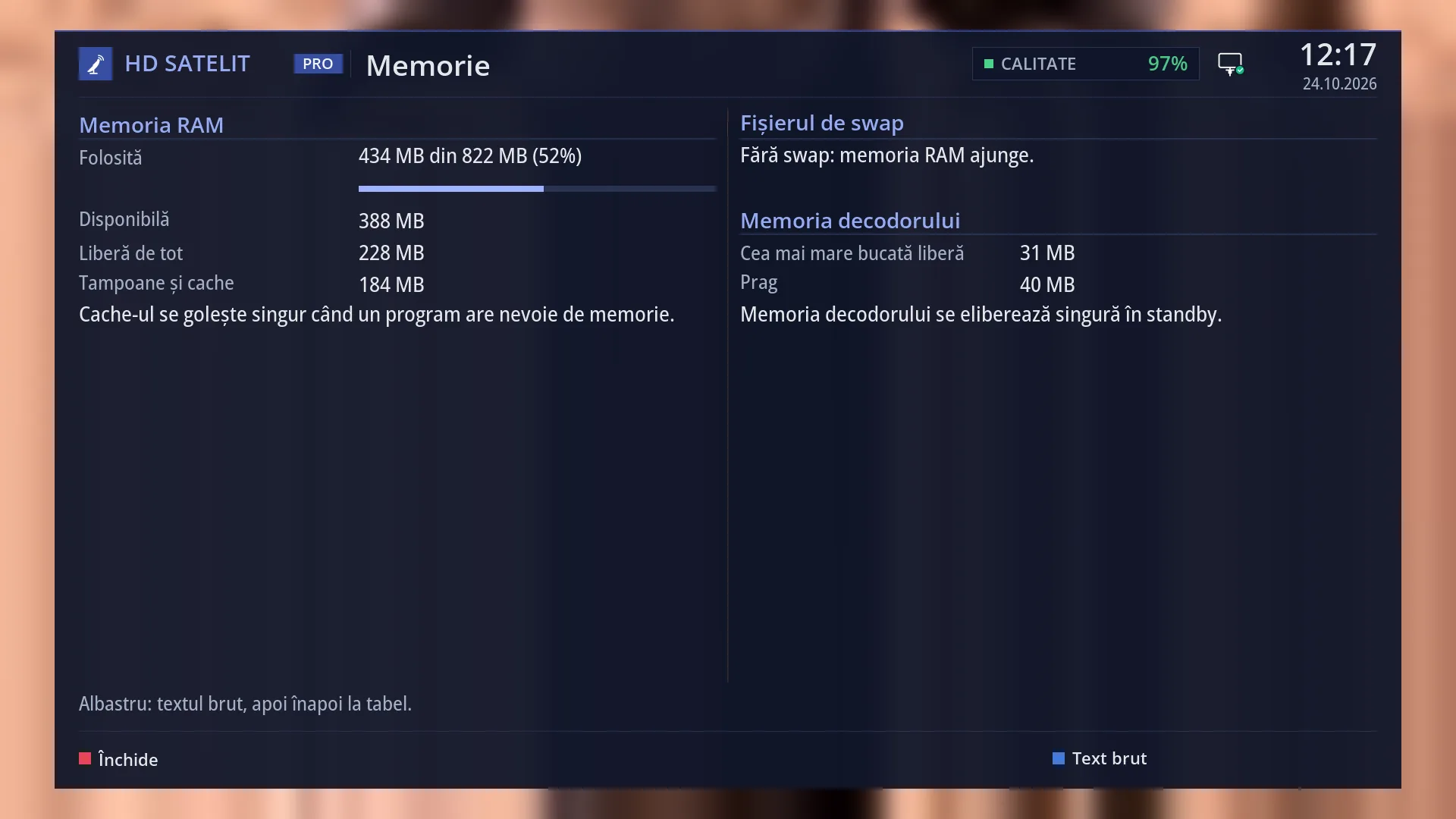
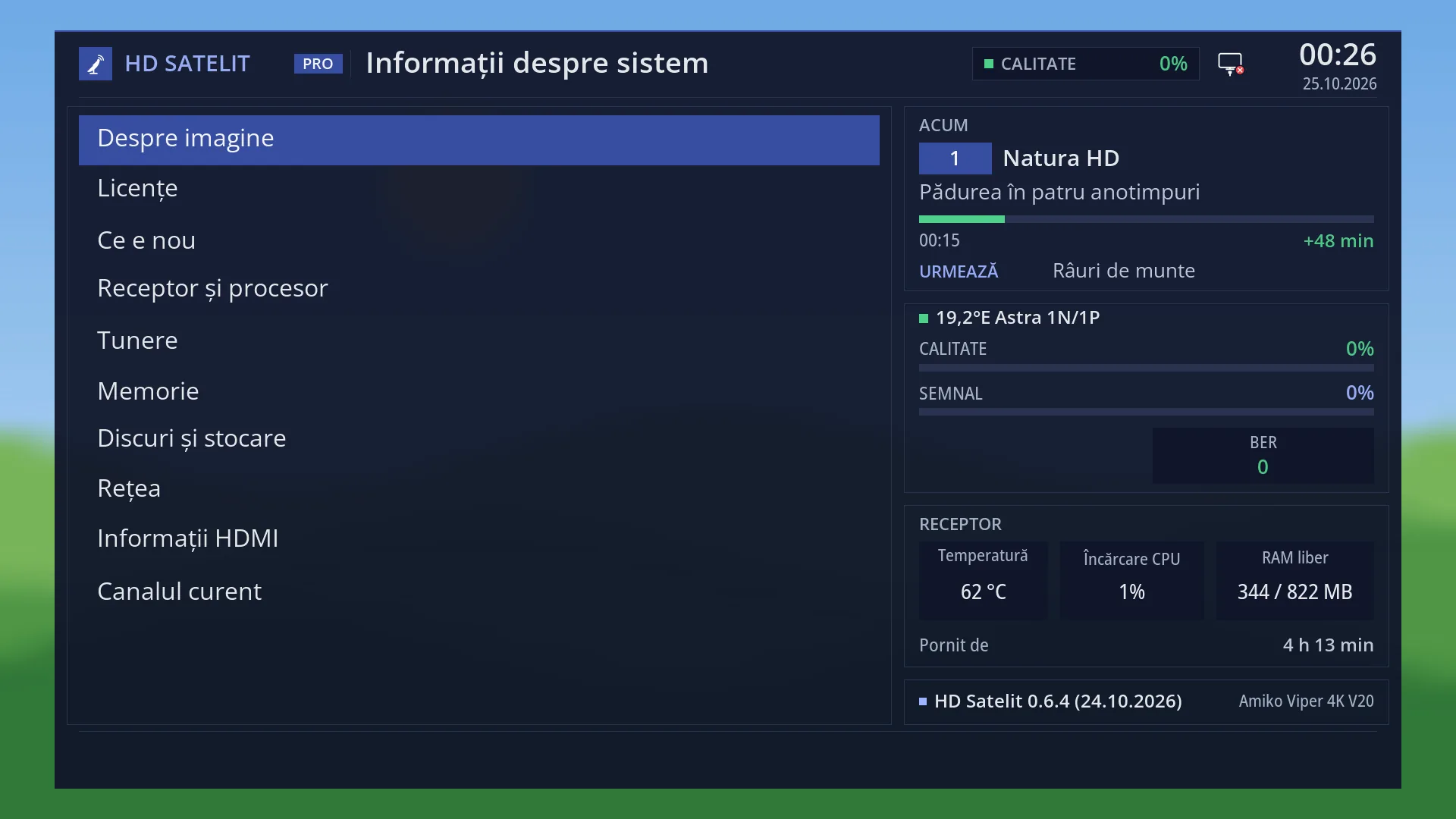
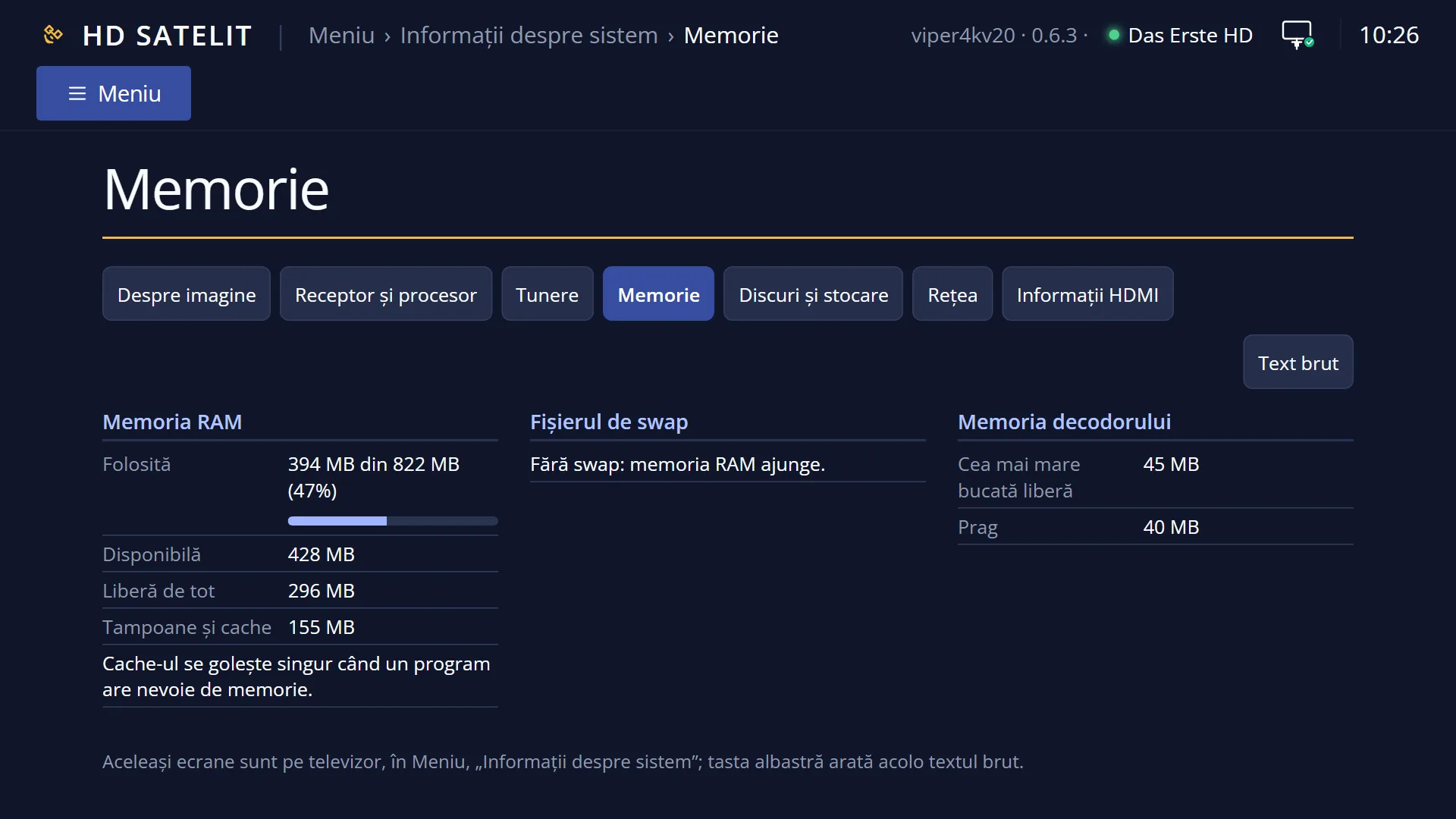
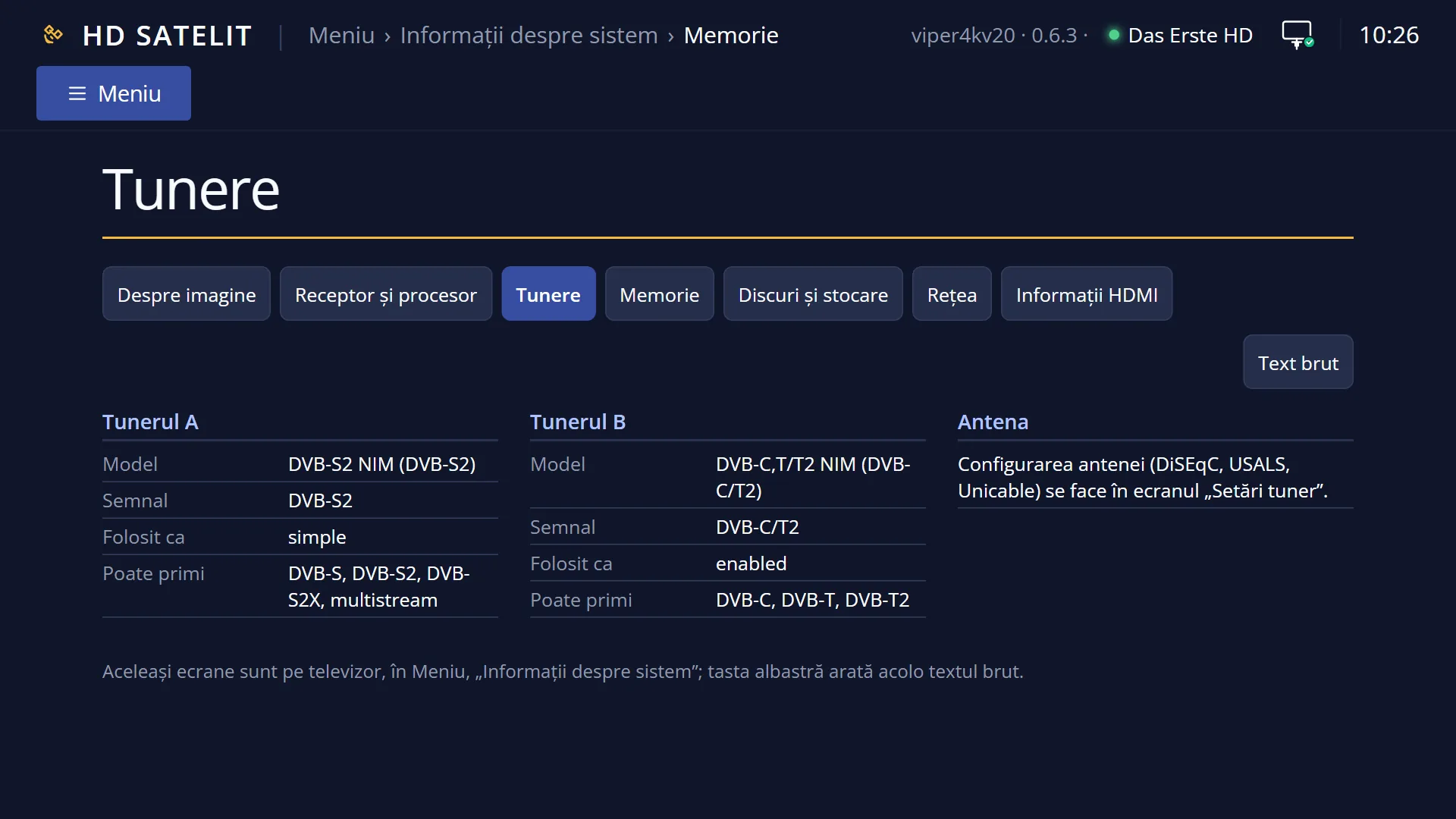
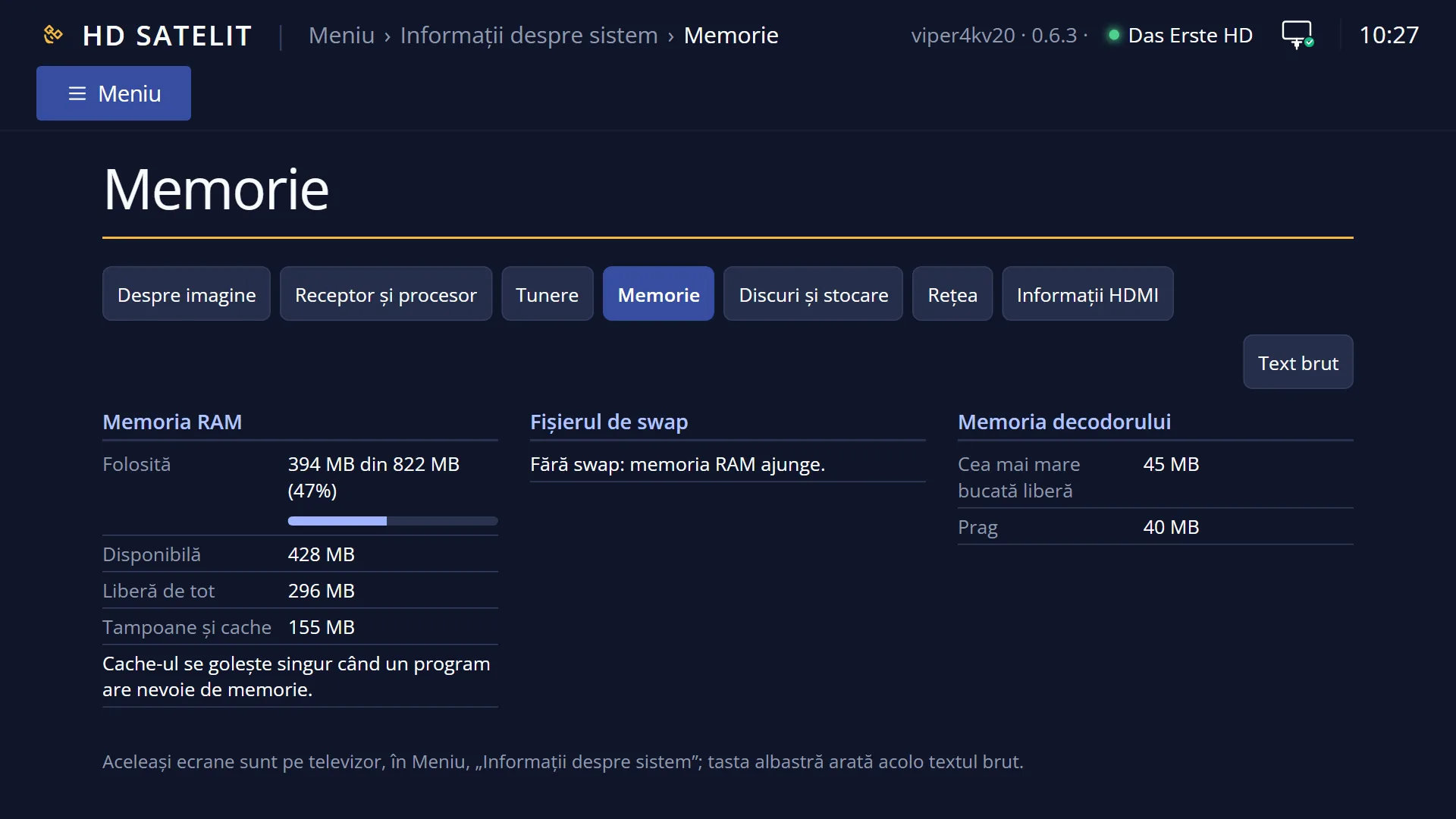
- 1 RAM used, out of the total, with the bar.
- 2 Available (the number that matters), completely free, cache.
- 3 The swap file, if you have one.
- 4 The decoder memory, for films and the radio station picture.
- 5 The largest free single block.
- 6 The limit: below it the receiver frees the memory by itself, in standby.
- 7 BLUE: the raw text.
What it is for
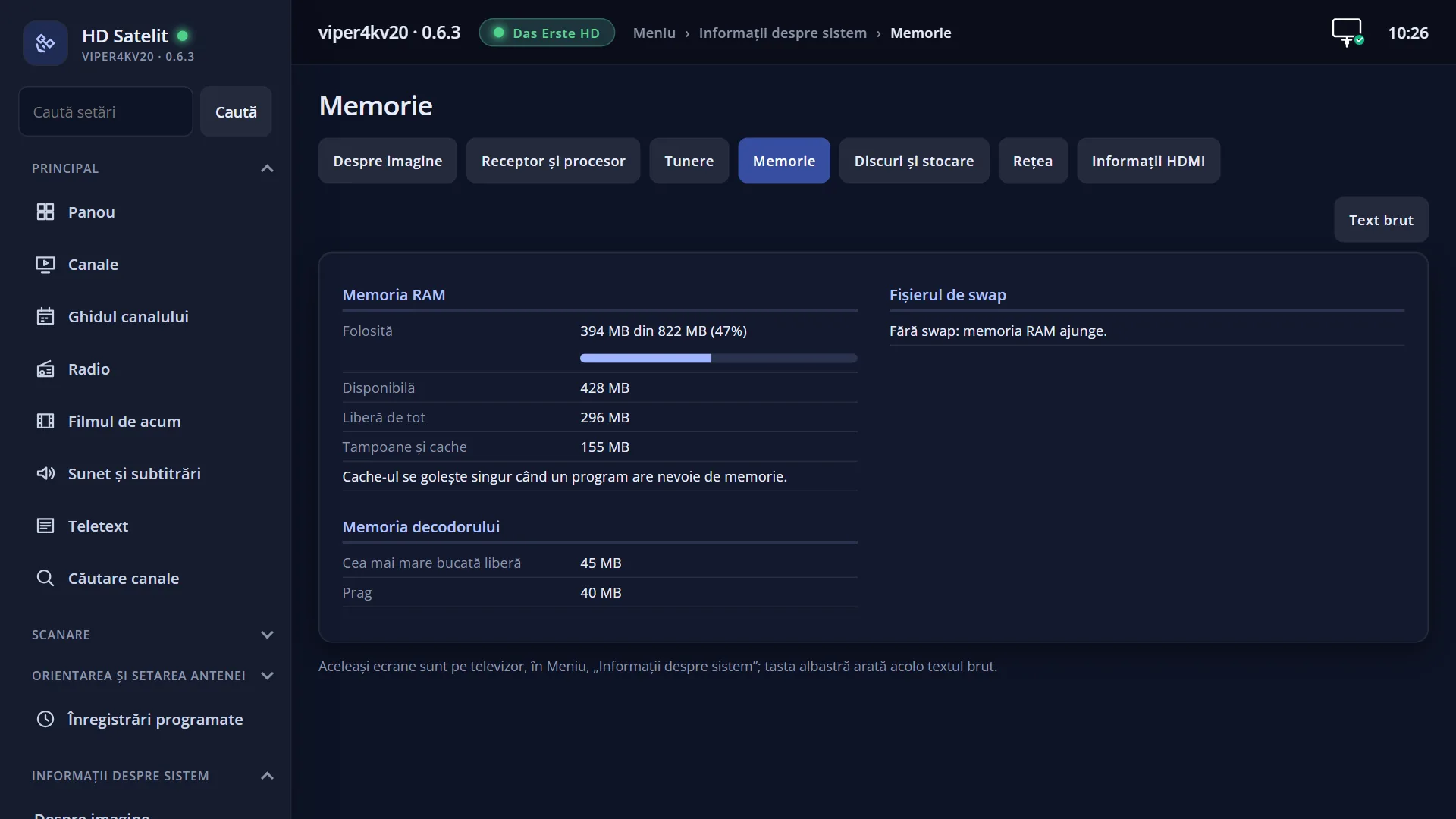
“Memory Status” shows three things: the receiver's RAM (how much is in use and how much is still available), the swap file, if you have one, and the decoder memory. The decoder memory is the block of memory that films and the radio station picture need.
The decoder memory is the most important part of this screen. Each time the interface restarts, the receiver loses a little of it. When there is not enough left, films and the radio station picture no longer start (TV channels keep working). Restarting the interface does not bring it back. Only restarting the receiver does.
The receiver takes care of this by itself. When the decoder memory drops below the limit, it restarts by itself in standby, out of sight, with no message on screen and without turning on the TV. You do not need to do anything. This screen only shows you the state of the memory.
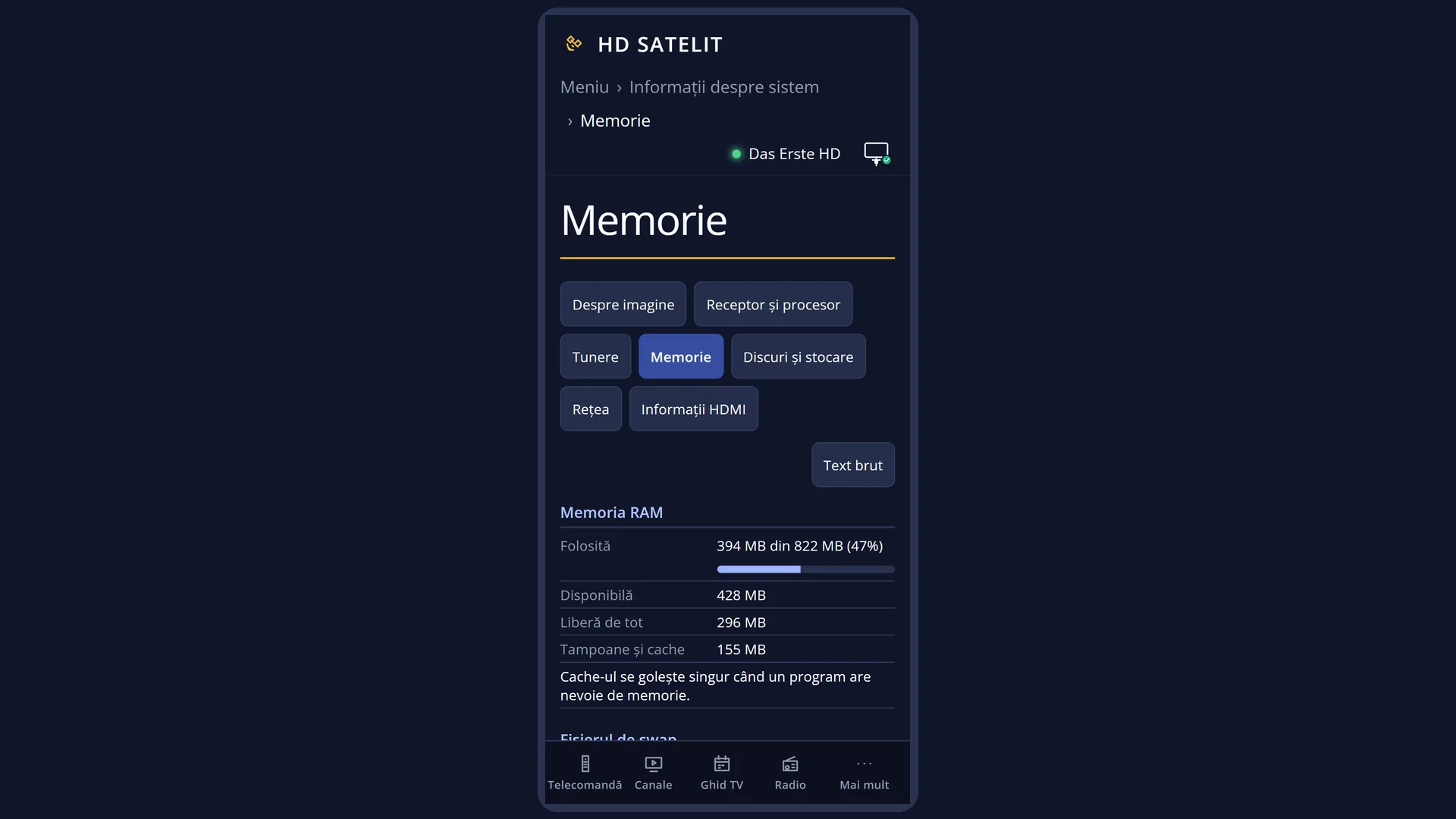
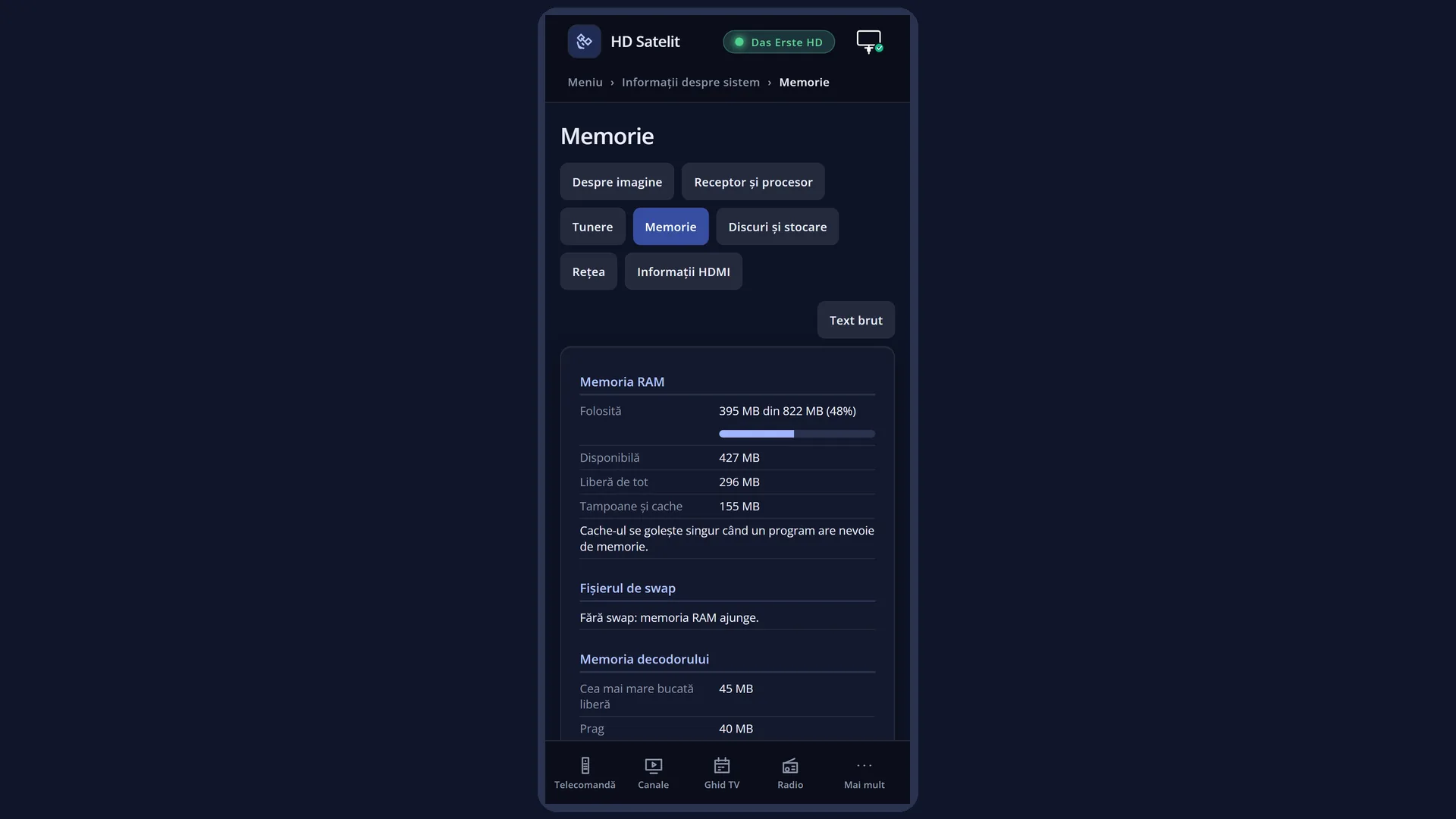
The same rows are also in the web interface, on the /informatii/memorie page, which refreshes every five seconds.
How to get here
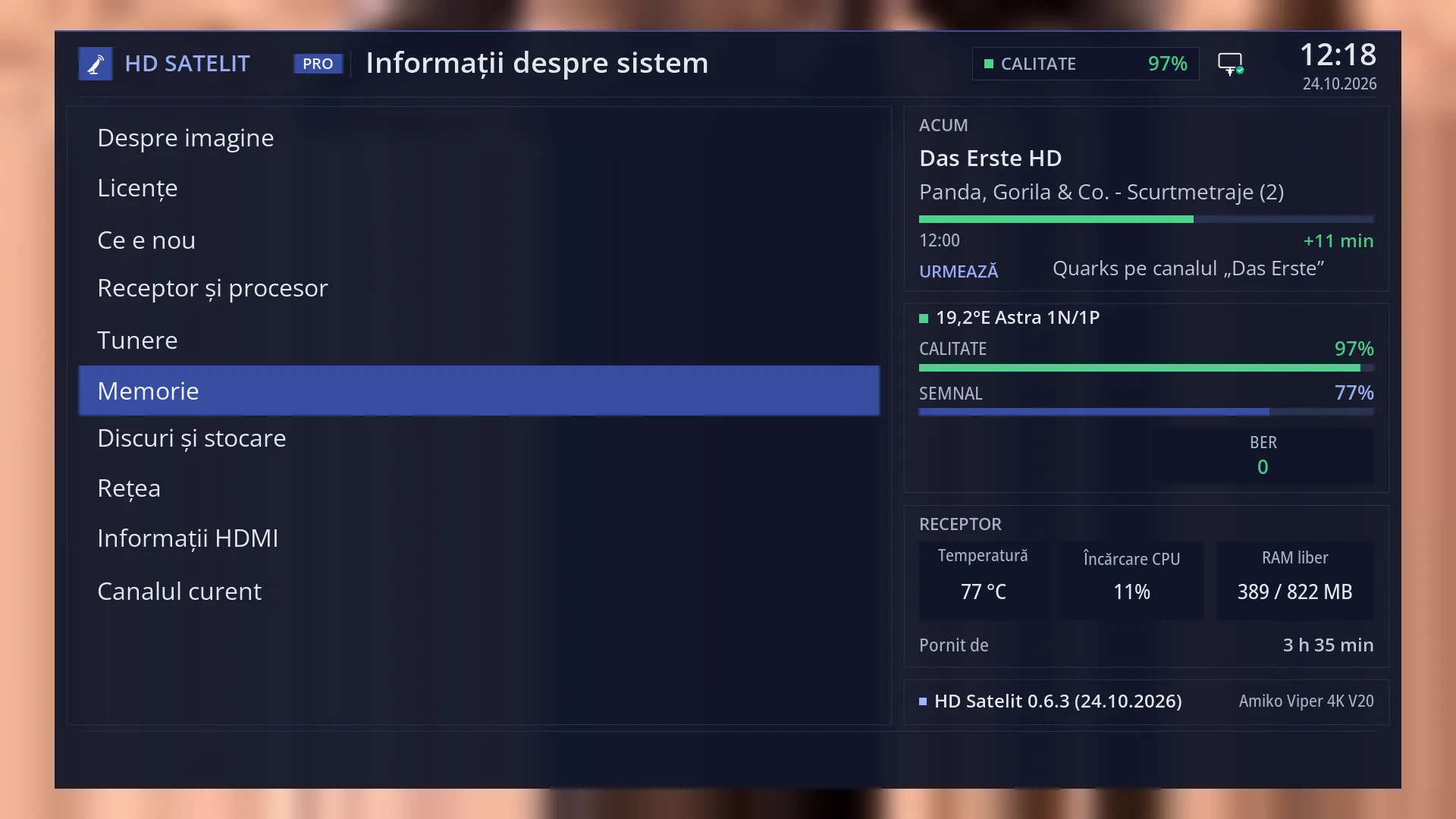
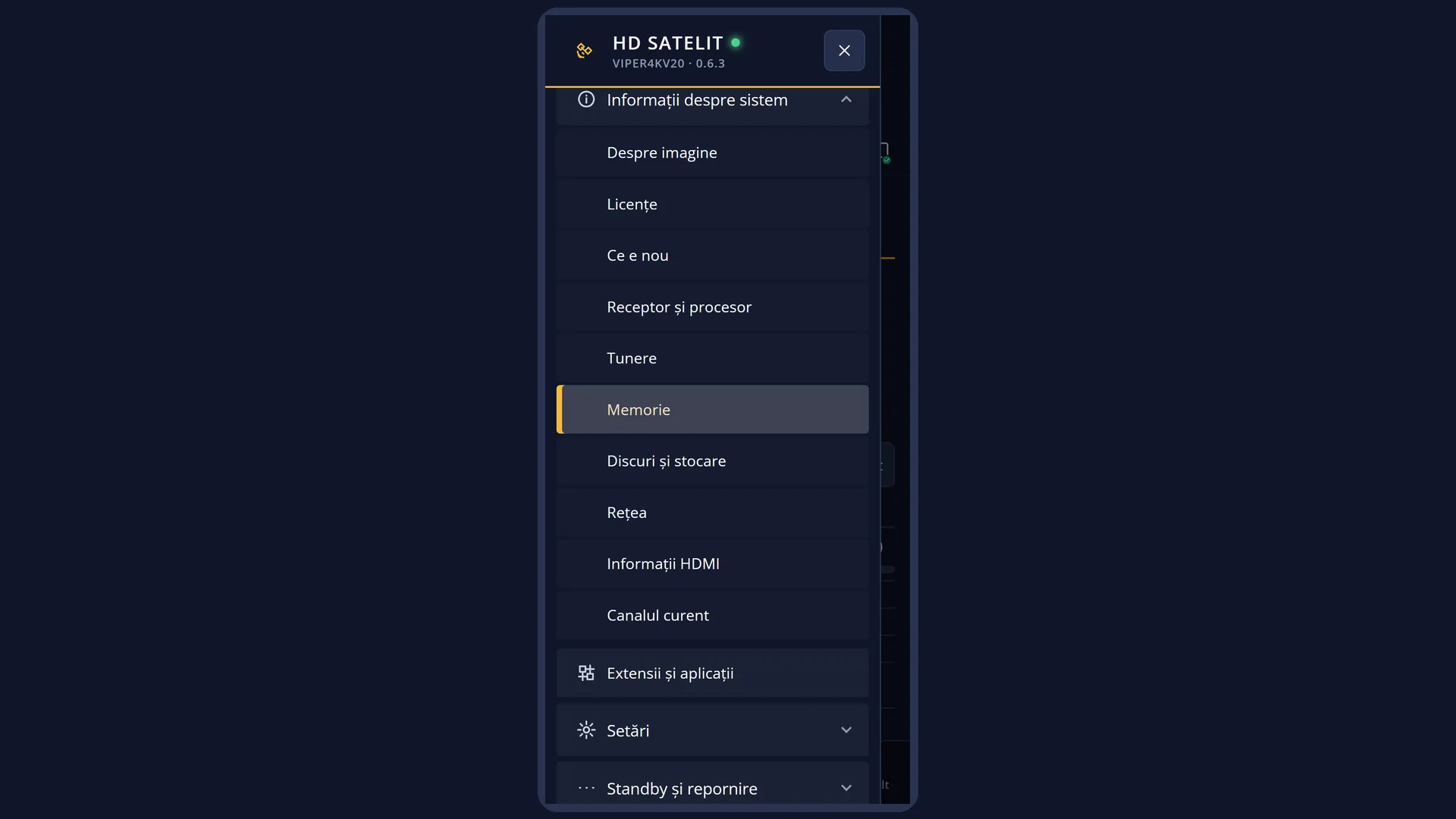
Path: Main menu > System Information > Memory Status.
Keys on the remote: MENU 4 6. In safe mode the first row of the submenu is “Safe mode”, so the keys are MENU 4 7.
In the web interface: the /informatii/memorie page (the “Memory Status” tab in /informatii).
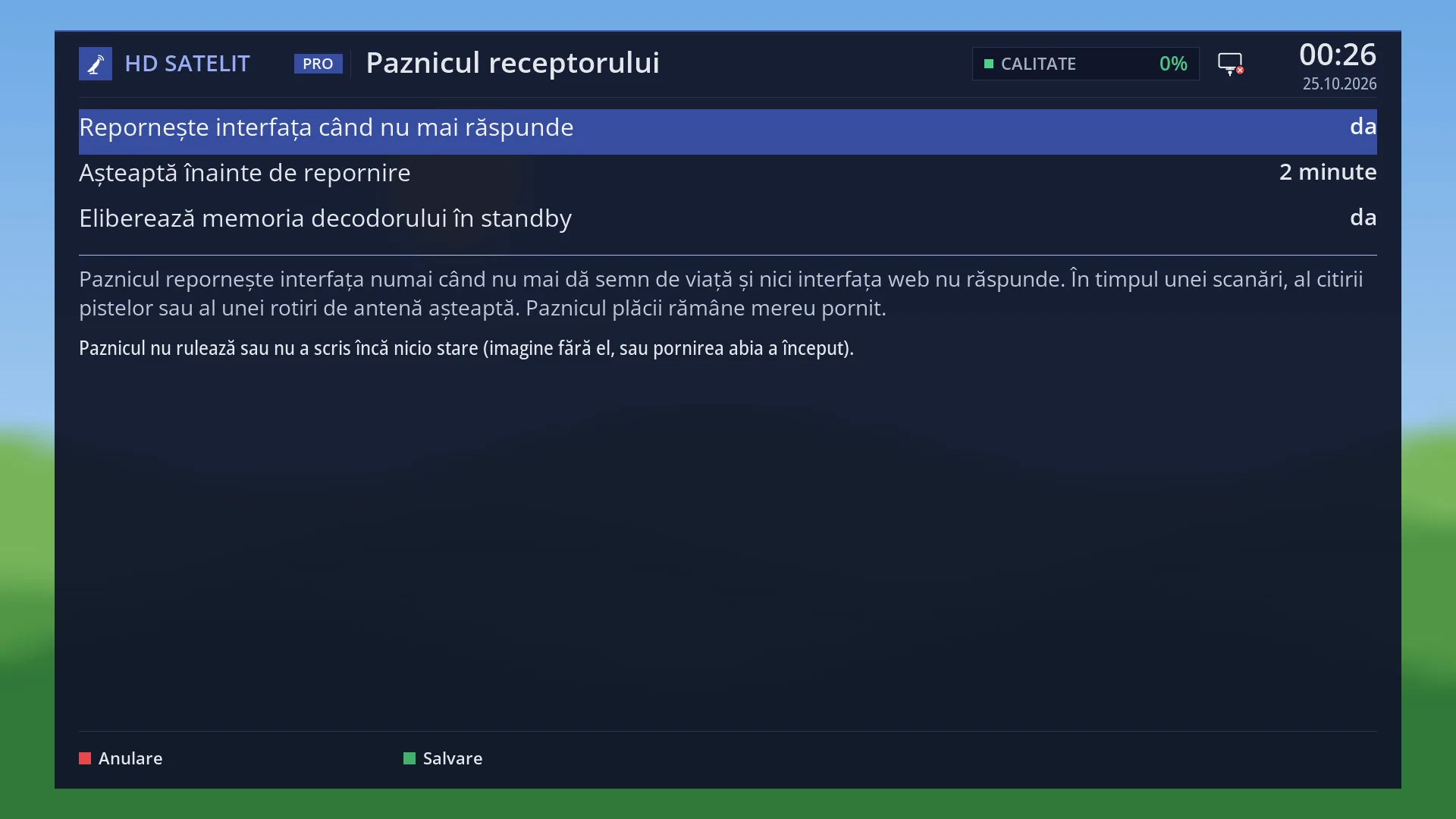
You can see the same decoder memory value on the “Receiver watchdog” screen (MENU 6 UP OK 2), on the /paznic web page and in the watchdog log.
What you see on the screen
At the top: the title “RAM Memory & Swap Information”, the clock and the date. In the Pro theme you also see “HD SATELIT PRO”, the signal quality and the network icon.
On the left, the “RAM” group: “Used” (with a bar), “Available”, “Completely free”, “Buffers and cache” and the sentence “The cache empties itself when a program needs memory.”
On the right, the “Swap file” group: “Used” (with a bar) and “Free” when you have a swap file. Otherwise only the sentence “No swap: the RAM is enough.”
Below, the “Decoder memory” group: “Largest free block” and “Limit”, both in MB. When the block is below the limit, one more row appears: “The decoder memory is freed by itself in standby.” (or, with the setting turned off, “The decoder memory is freed when the receiver restarts.”). The group is missing when the receiver cannot measure it.
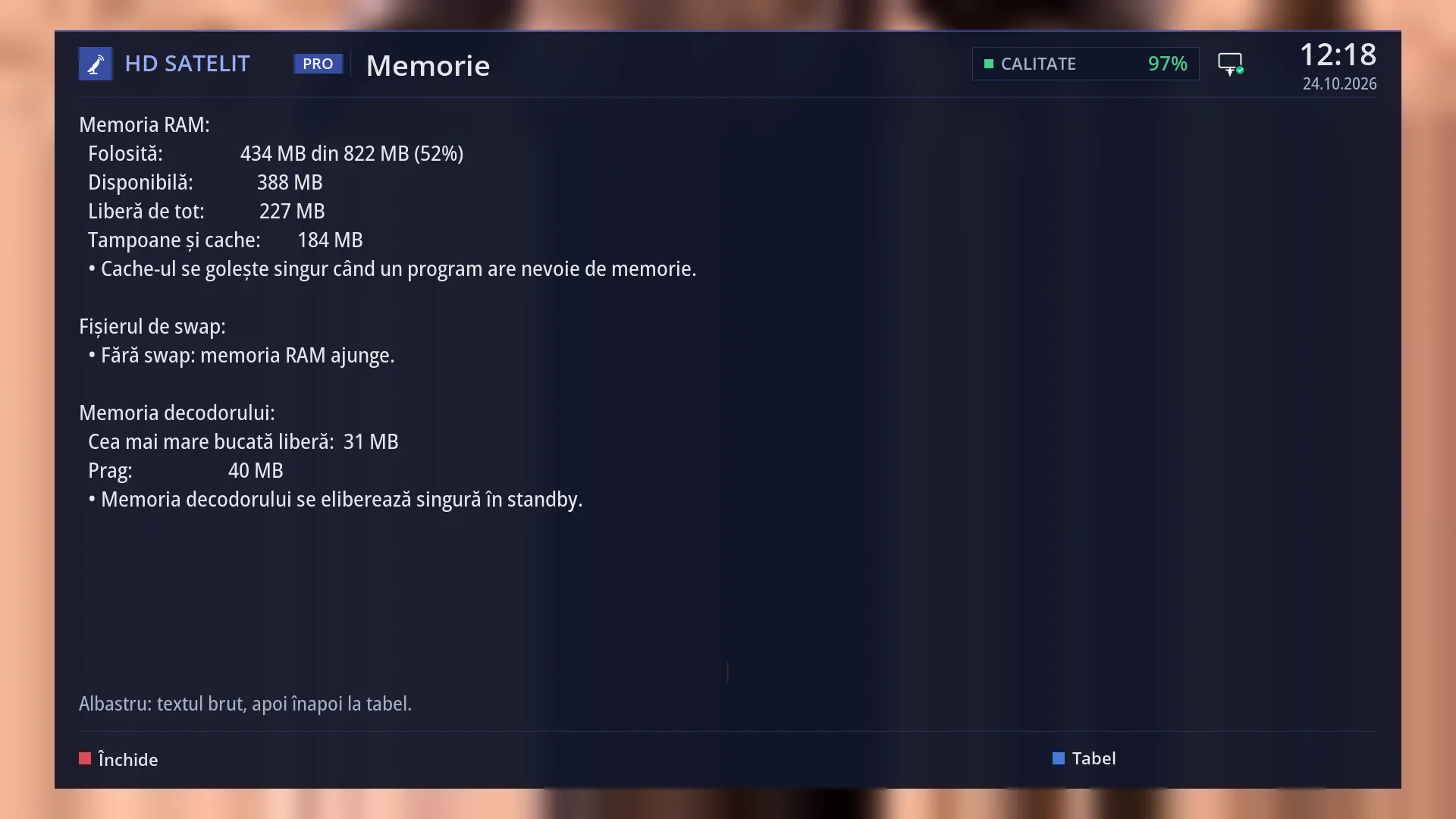
Below the table: “Blue: raw text, then back to the table.” At the bottom, the keys RED “Close” and BLUE “Raw text”.
The screen reads the values once, when it opens. The web page reads them again every five seconds.
No message about the decoder memory appears anywhere else: not on the TV and not in the info bar. The diagnosis is only here, on the watchdog screen and in the web interface.
Rows and settings
| Row | Values | Default | What it does |
|---|---|---|---|
| RAM: Used | “490 MB of 822 MB (59%)”, with the bar below | How much RAM the programs use, out of the receiver's total memory. The bar shows the percentage. | |
| Available | for example “332 MB” | How much memory programs can still take, including the cache, which the system frees by itself when needed. This is the number that matters. The same number appears as “Free RAM” in the “Receiver” box in the submenu, in the Pro theme. | |
| Completely free | for example “154 MB” | Memory that is not used at all, not even by the cache. It is normal for it to be small: the system uses free memory as cache and gives it back when needed. | |
| Buffers and cache | for example “201 MB” | Memory the system keeps for recently read files, so they are close at hand. It empties itself when a program needs memory. | |
| Swap file | Used, Free, “No swap: the RAM is enough.” | no swap | Reserve memory on a disk or USB stick, if you have turned on a swap file: how much is used (with a bar) and how much is free. You turn on the swap file in Settings > Recording & Storage Setup > Swap File (MENU 6 5 6). |
| Decoder memory: Largest free block | in MB, for example “62 MB” | The largest single block of memory the kernel still has for the decoder. When it starts, the program that shows films and the radio station picture on screen asks for about 33 MB in one single block. If it does not get it, films and the radio picture do not work until the receiver restarts. Each time the interface restarts (from the menu, after a plugin update or after a crash), the video driver loses 4 MB of it, until the receiver restarts. | |
| Decoder memory: Limit | “40 MB” | 40 MB | Below this, the block is no longer reliably enough (33 MB is needed, the rest is a reserve). Below the limit the receiver prepares a restart from standby by itself. |
| The row “The decoder memory is freed by itself in standby.” | “… is freed automatically in standby.”, “… is freed when the receiver restarts.” | not shown (appears only below the limit) | It appears only when the block is below the limit and tells you what will happen. “Automatically in standby”: the setting “Free the decoder memory in standby” is on Yes (the default), so the receiver will restart by itself the next time it is in standby. “When the receiver restarts”: the setting is on No, so the memory only comes back when you restart the receiver yourself. The setting is on the “Receiver watchdog” screen (MENU 6 UP OK 2), in the row “Free the decoder memory in standby”, and on the /paznic web page. |
| What the receiver does by itself in standby | on (setting on Yes) | When the decoder memory is below the limit (or the watchdog has found that the memory for films and the radio picture is missing), the receiver does a full restart, out of sight, but only if all of these are true: it has been in standby without interruption for at least 5 minutes; it has been running for at least 2 hours since it last started; it is not recording and no recording starts in the next 30 minutes; there is no restart question on screen and no background task is running; the clock is set. This happens at most once per receiver start and at least 6 hours after the previous one. After the restart the receiver stays in standby and the TV does not turn on. A line with the reason and the measured value is written to the watchdog log. There is nothing to do: leave the receiver in standby as usual. | |
| After an update | When the update has been installed and the decoder memory is below the limit, the receiver does a full restart, not just the interface, and shows: “The update has been installed. The receiver is restarting now to free the decoder memory.” If it is recording at that moment, it only restarts the interface, as before (and asks what to do with the recording). |
Keys
| BLUE | Switches from the table to the raw text and back. On screen the key shows “Raw text” or “Table”. |
| UP / DOWN, CH+ / CH- | When everything does not fit on one page: UP or CH+ for the page above, DOWN or CH- for the next page. Usually everything fits on one page. |
| RED, OK or EXIT | Close the screen and take you back to the “System Information” submenu. |
| GREEN / YELLOW | Do nothing here. |
Step by step
Checking the state of the decoder memory
- Press MENU 4 6.
- In the “Decoder memory” group, compare “Largest free block” with “Limit”. Above the limit, everything is fine.
- Below the limit, read the row underneath: “is freed automatically in standby” means you have nothing to do. Leave the receiver in standby overnight as usual.
A film or a radio station picture does not start
- Press MENU 4 6 and look at the decoder memory (or MENU 6 UP OK 2, the watchdog screen).
- If it is below the limit, or the watchdog shows “Films and the picture of radio stations cannot start now; TV channels work.”, restart the receiver: Menu > Power & Restart > Restart Box. Restarting the interface does not help.
- If you are not in a hurry, leave the receiver in standby for at least 5 minutes. With the setting on Yes, it restarts by itself, as long as it has been running for at least 2 hours and has no recordings coming up.
Checking that freeing memory in standby is turned on
- Press MENU 6, then UP and OK (System & Devices), then 2 (Receiver watchdog).
- The row “Free the decoder memory in standby” must be on Yes (this is the default).
- From your phone: the /paznic web page, same row.
Problems and solutions
Films from the USB stick or the radio station picture no longer start; TV channels work.
There is not enough decoder memory. Restart the receiver (Menu > Power & Restart > Restart Box) or leave it in standby for at least 5 minutes, with the setting “Free the decoder memory in standby” on Yes. Restarting the interface does not help.
“Largest free block” goes down from one day to the next.
It goes down each time the interface restarts (about 4 MB each time) and comes back when the receiver restarts. The receiver restores it by itself in standby when it drops below the limit. You do not need to do anything.
The receiver seems to have restarted during the night, although it was in standby.
This is how it frees the decoder memory: it restarted out of sight and stayed in standby. You will find the line with the reason in the watchdog log (on the watchdog screen and web page). If you do not want this, set “Free the decoder memory in standby” to No. The memory then only comes back when you restart the receiver yourself.
The “Decoder memory” group is missing from the screen.
The receiver could not read this memory just now. Exit and open the screen again in a minute. If it is still missing, your receiver does not provide this information.
“Completely free” is very low.
This is normal: the system uses free memory as cache and frees it by itself. The number that matters is “Available”.
I do not see any message about memory on the TV.
This is by design: the receiver takes care of the decoder memory by itself, quietly. You can only see its state here, on the watchdog screen, on the /paznic web page and in /informatii/memorie.
Related topics
- Receiver watchdog (the “Free the decoder memory in standby” setting and the log)
- System Information
- Device & Hardware
- Standby
- Restart Box
- Restart Interface
- Software update
- Swap File
- Matching web page: /informatii/memorie (and /paznic for the setting and the log)