

Channel Information
English screenshots coming: some of the pictures below still show the receiver and the web interface in Romanian. The rows, keys and steps described on this page are the English ones.
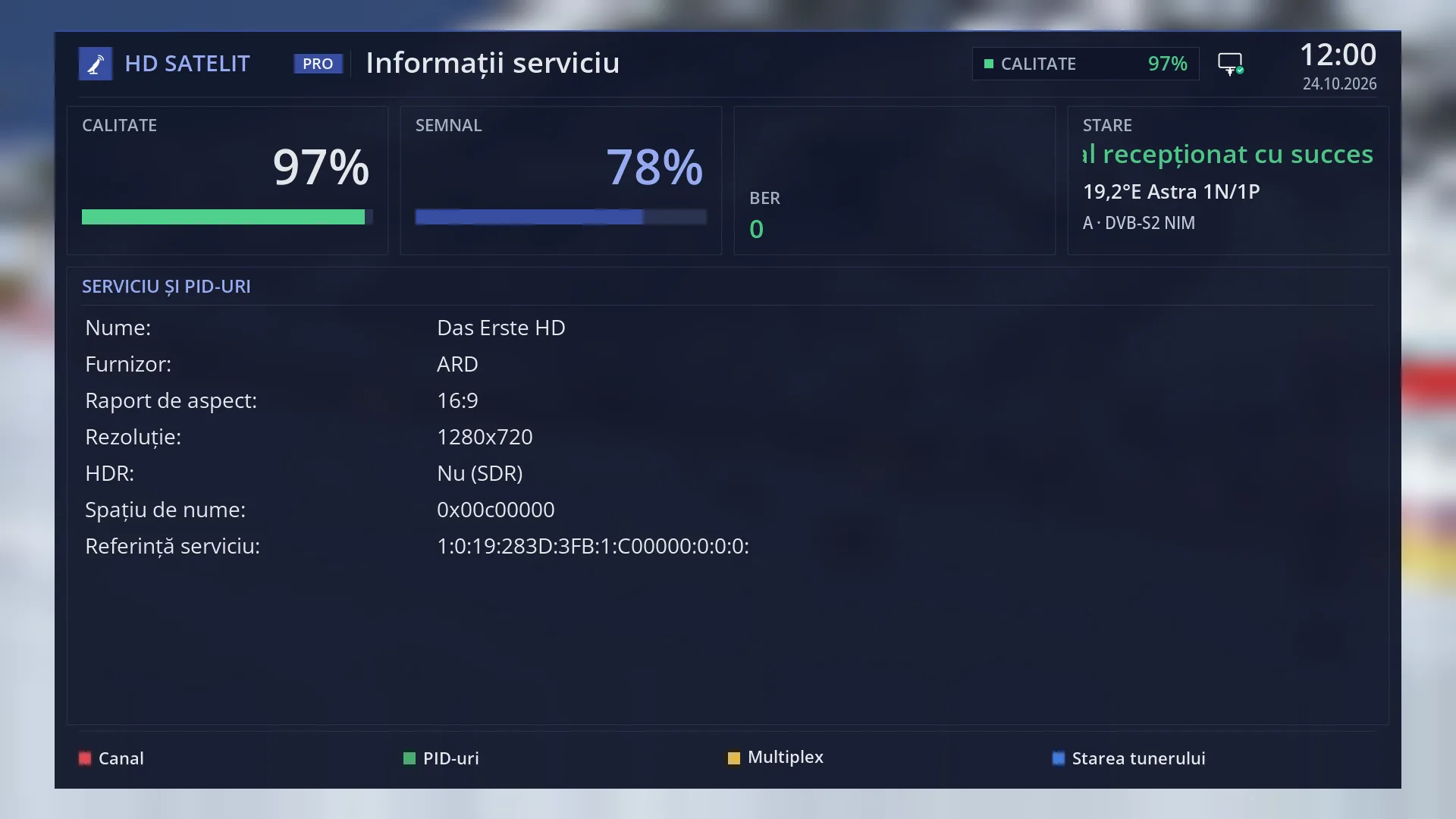
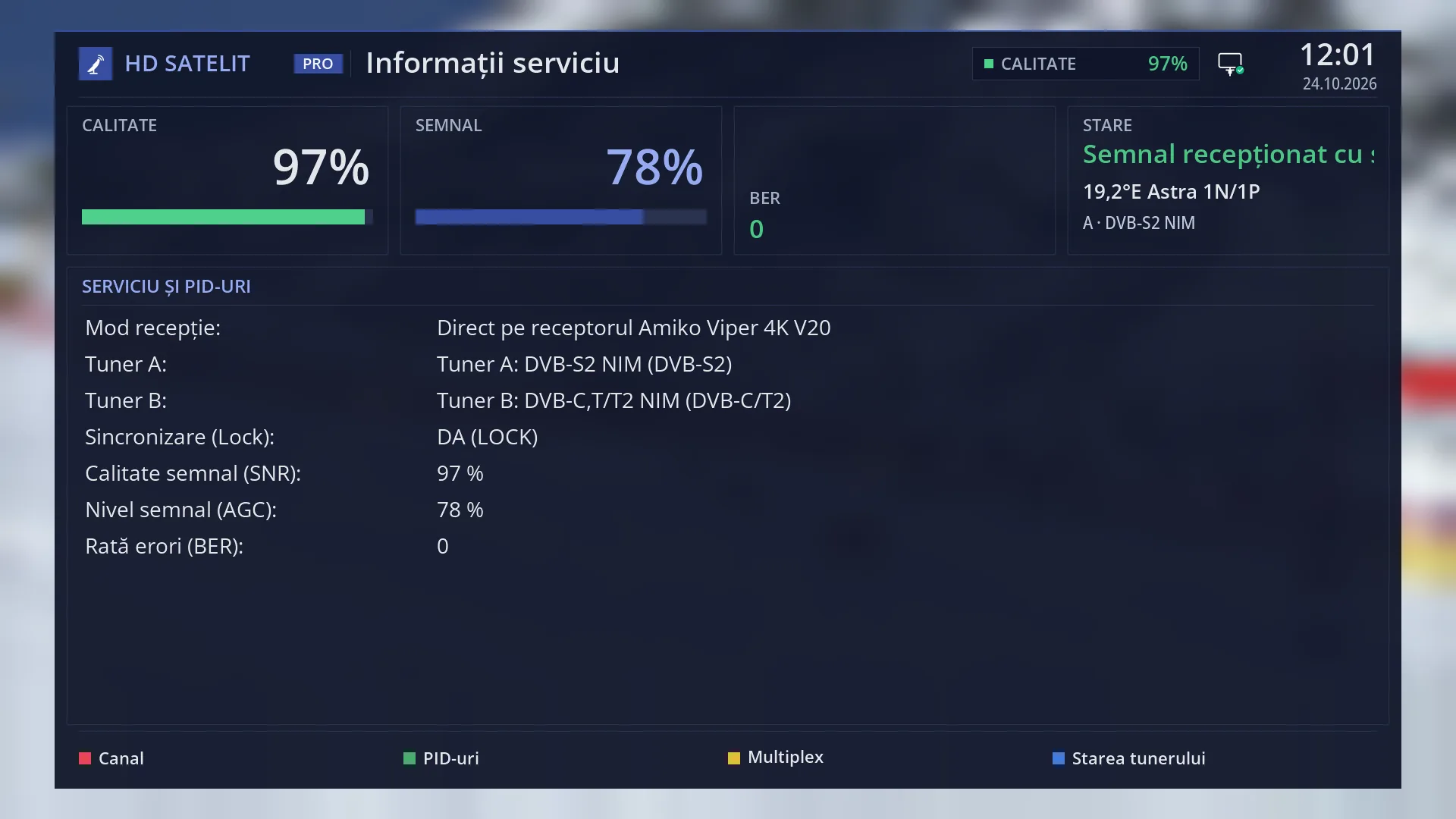
- 1 The signal quality, in per cent, with its bar.
- 2 The signal level.
- 3 The signal-to-noise ratio, when the tuner provides it, and the bit errors (BER).
- 4 The tuner status, the satellite and the tuner in use.
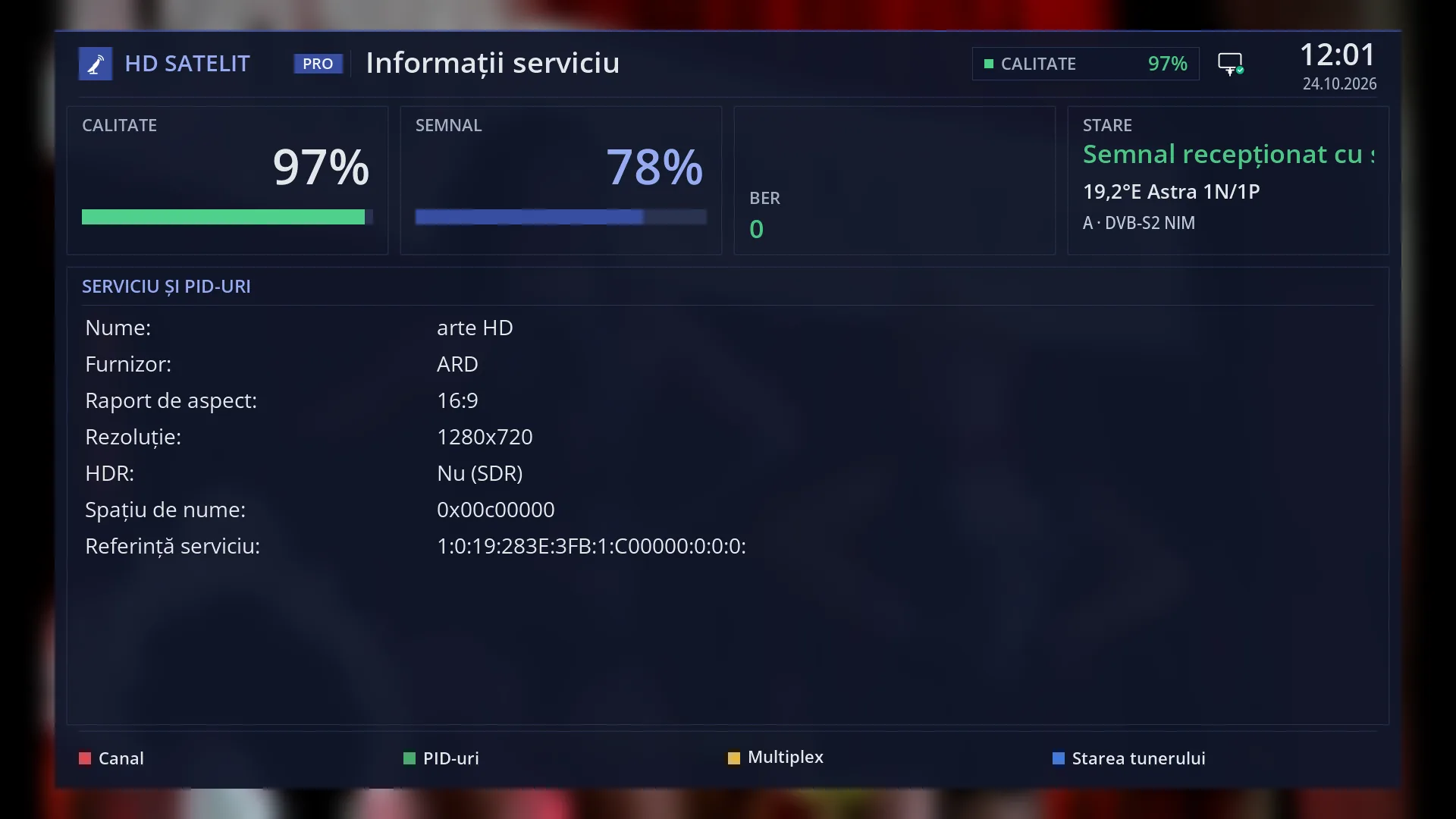
- 5 The chosen page, here “Service”: the name, the provider, the format, the resolution, HDR, the codes.
- 6 The pages: RED Service, GREEN PIDs, YELLOW Multiplex, BLUE Tuner status.
What it is for
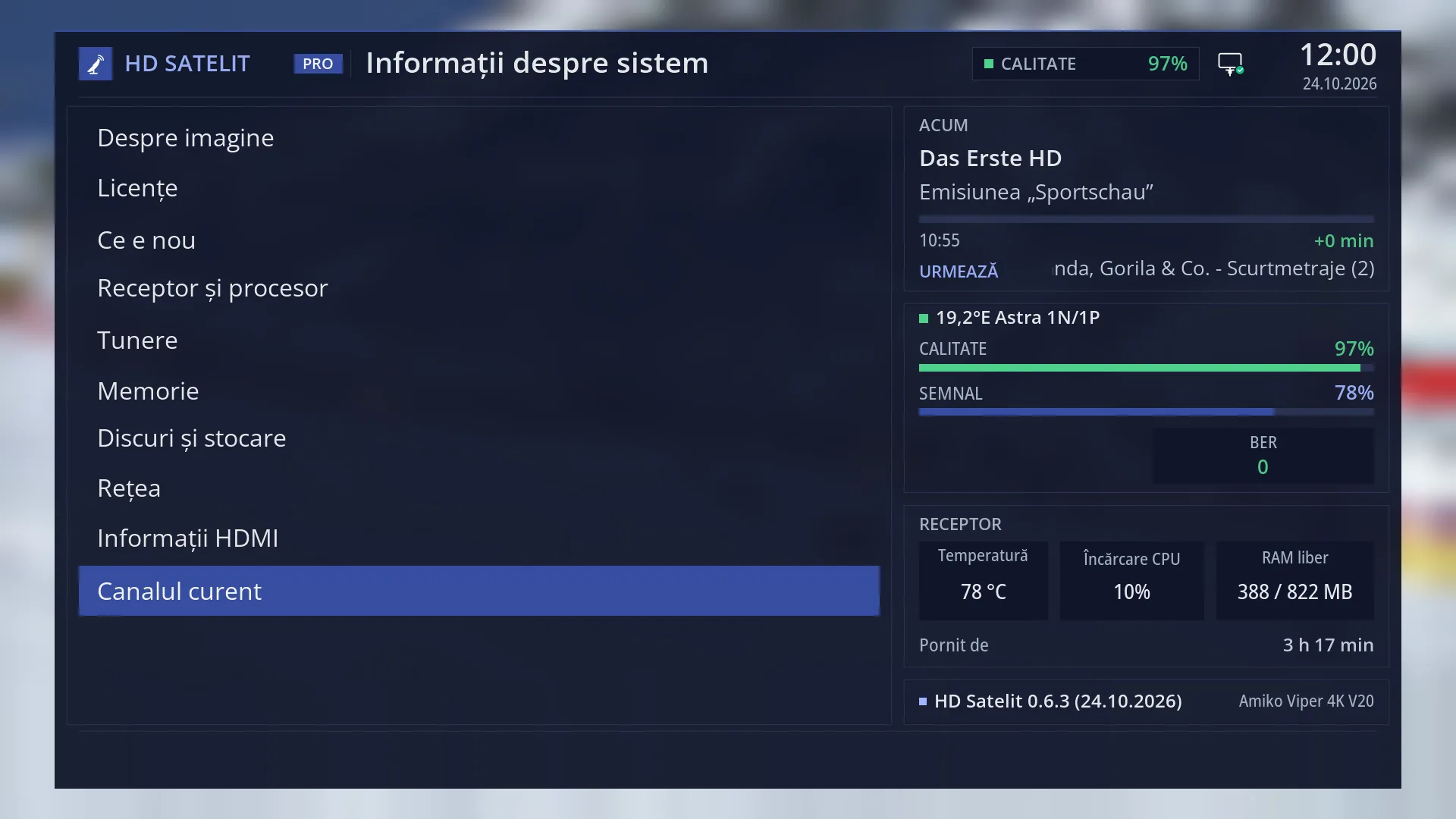
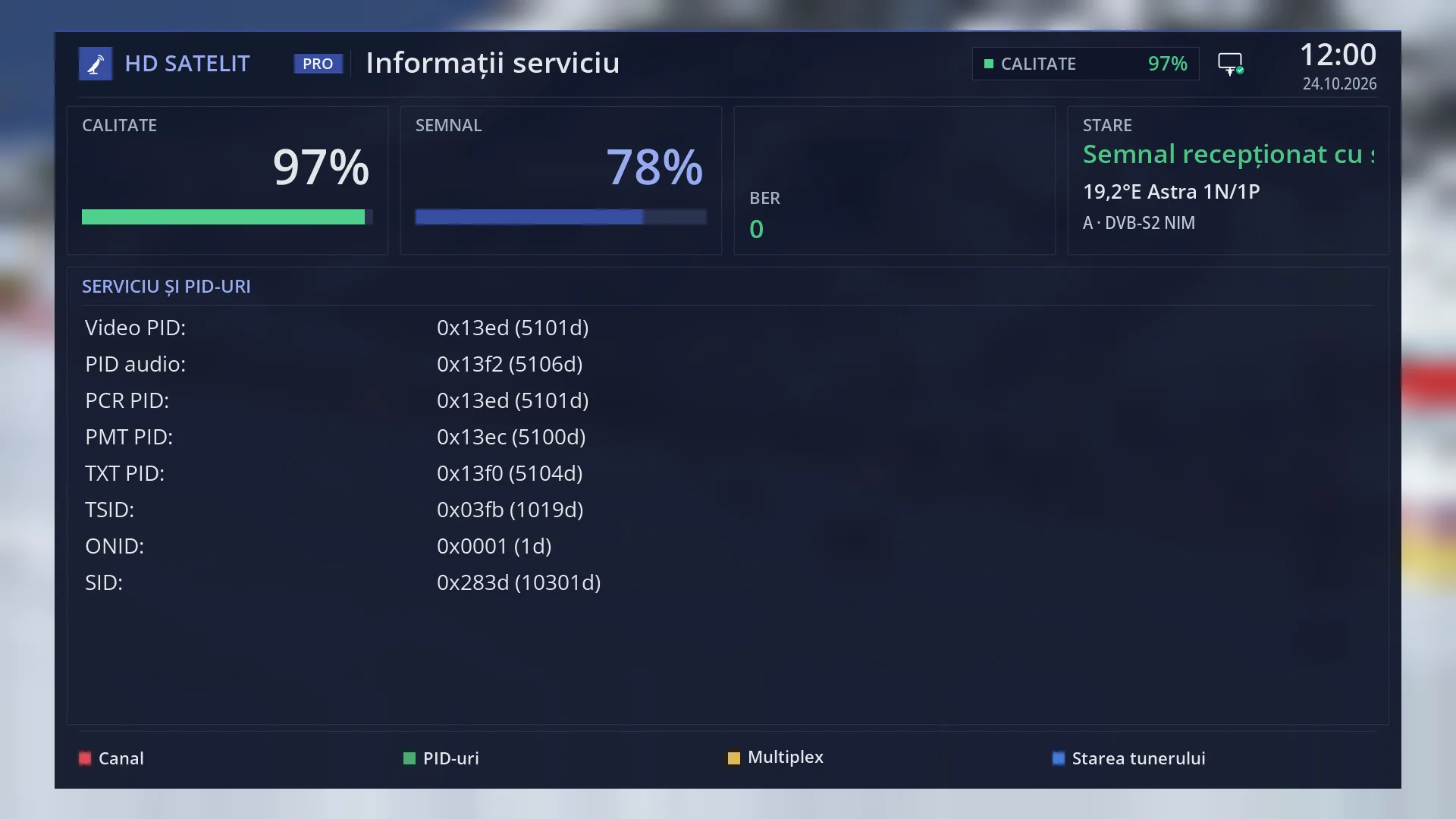
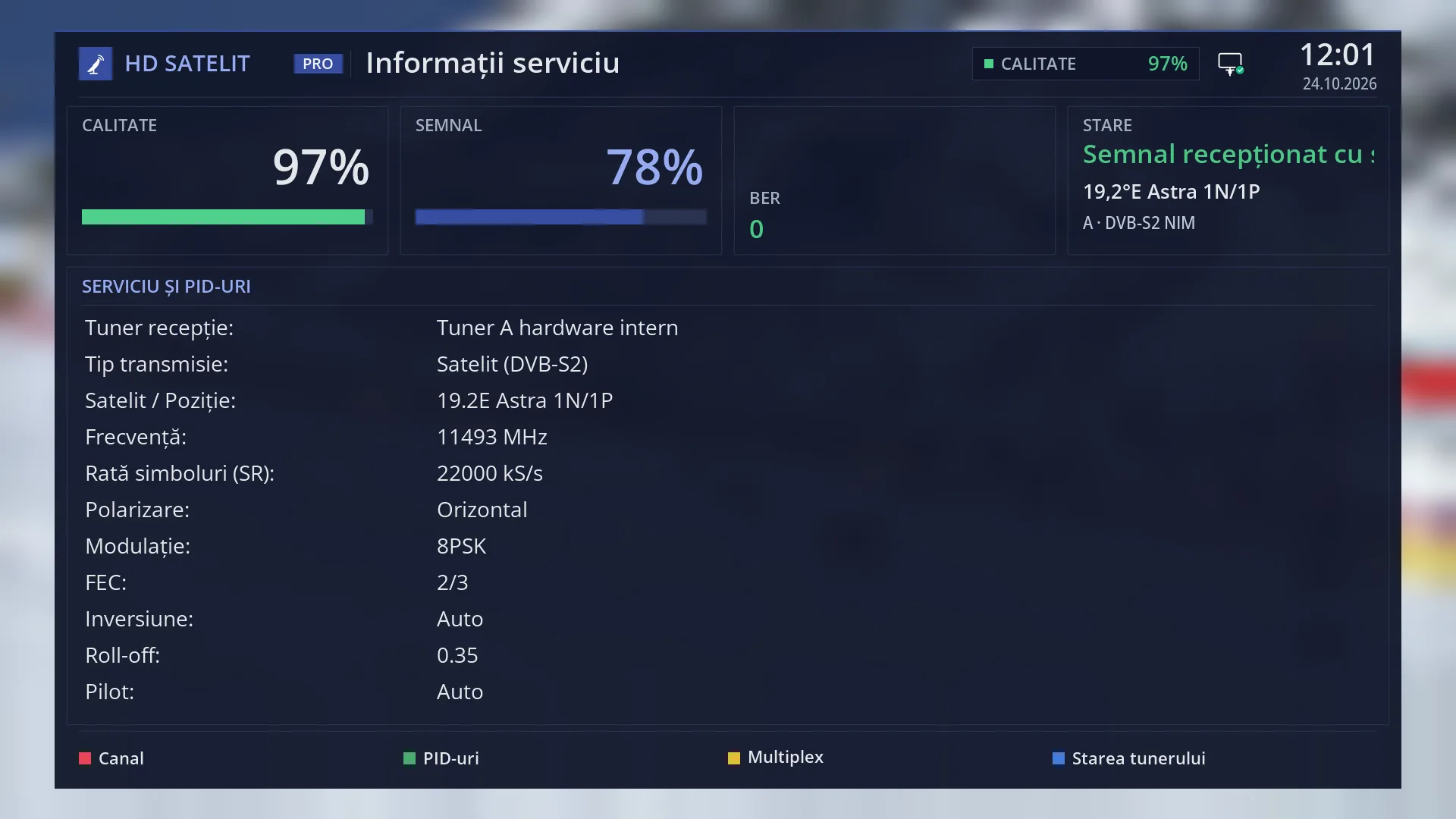
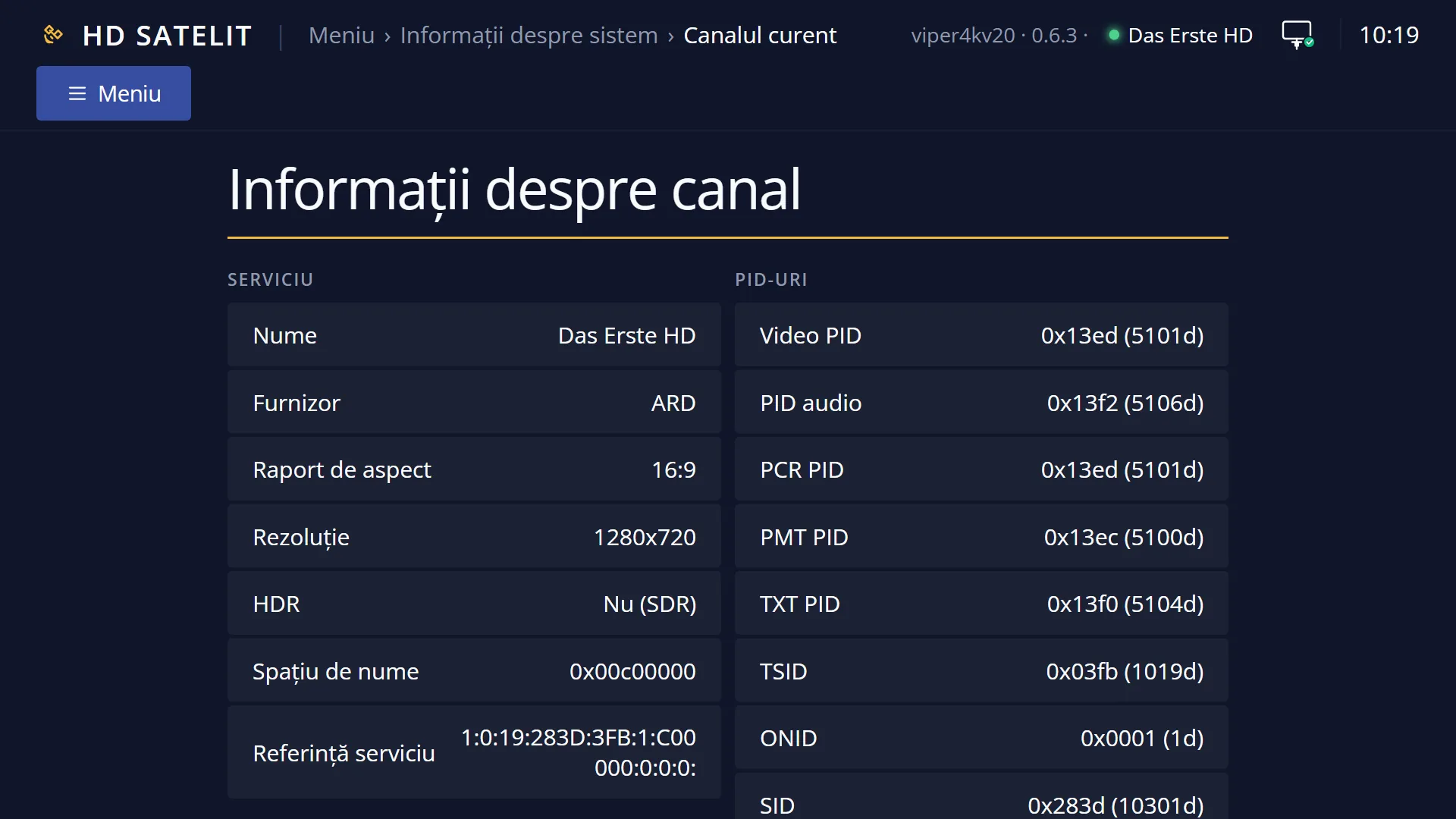
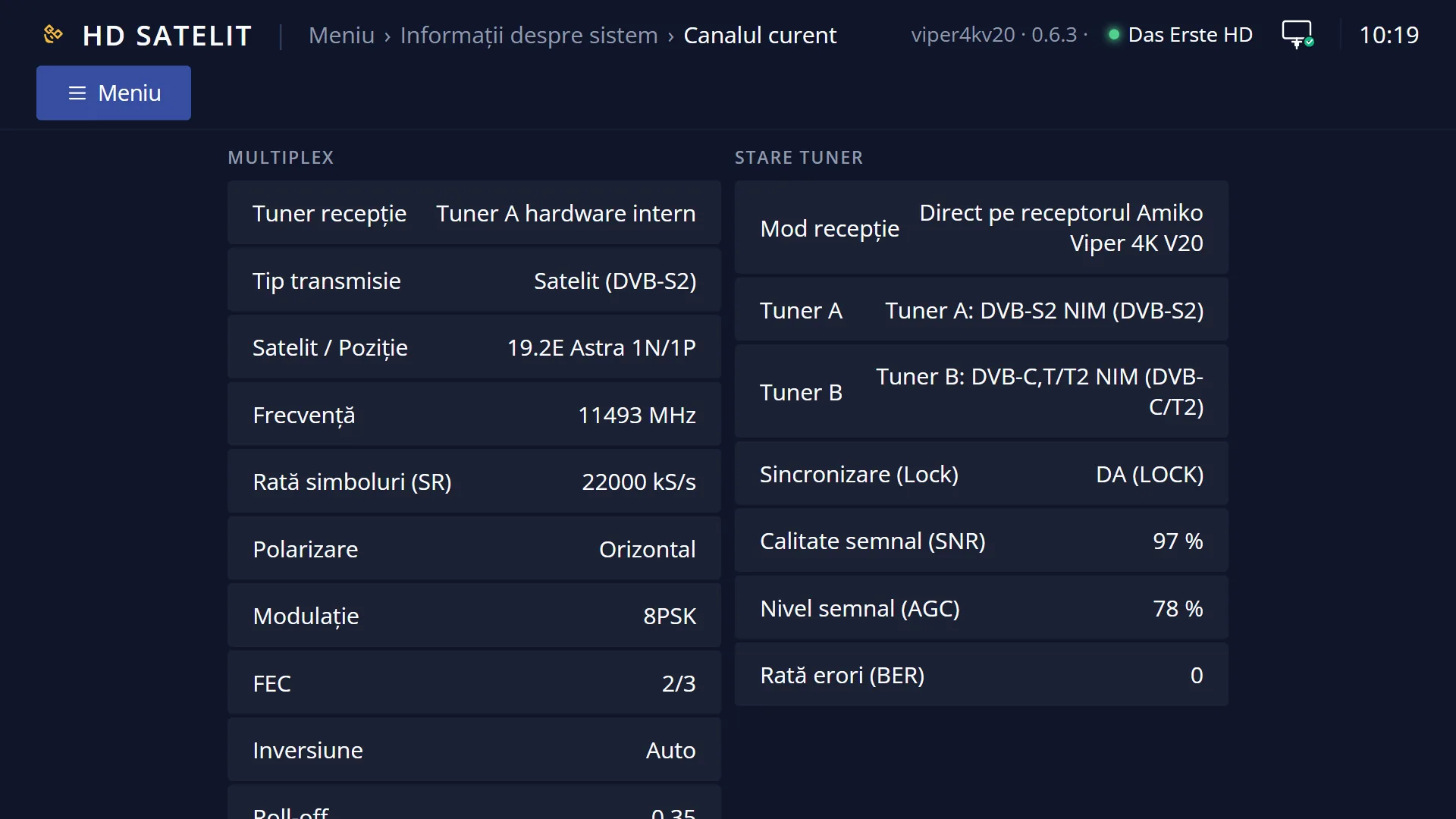
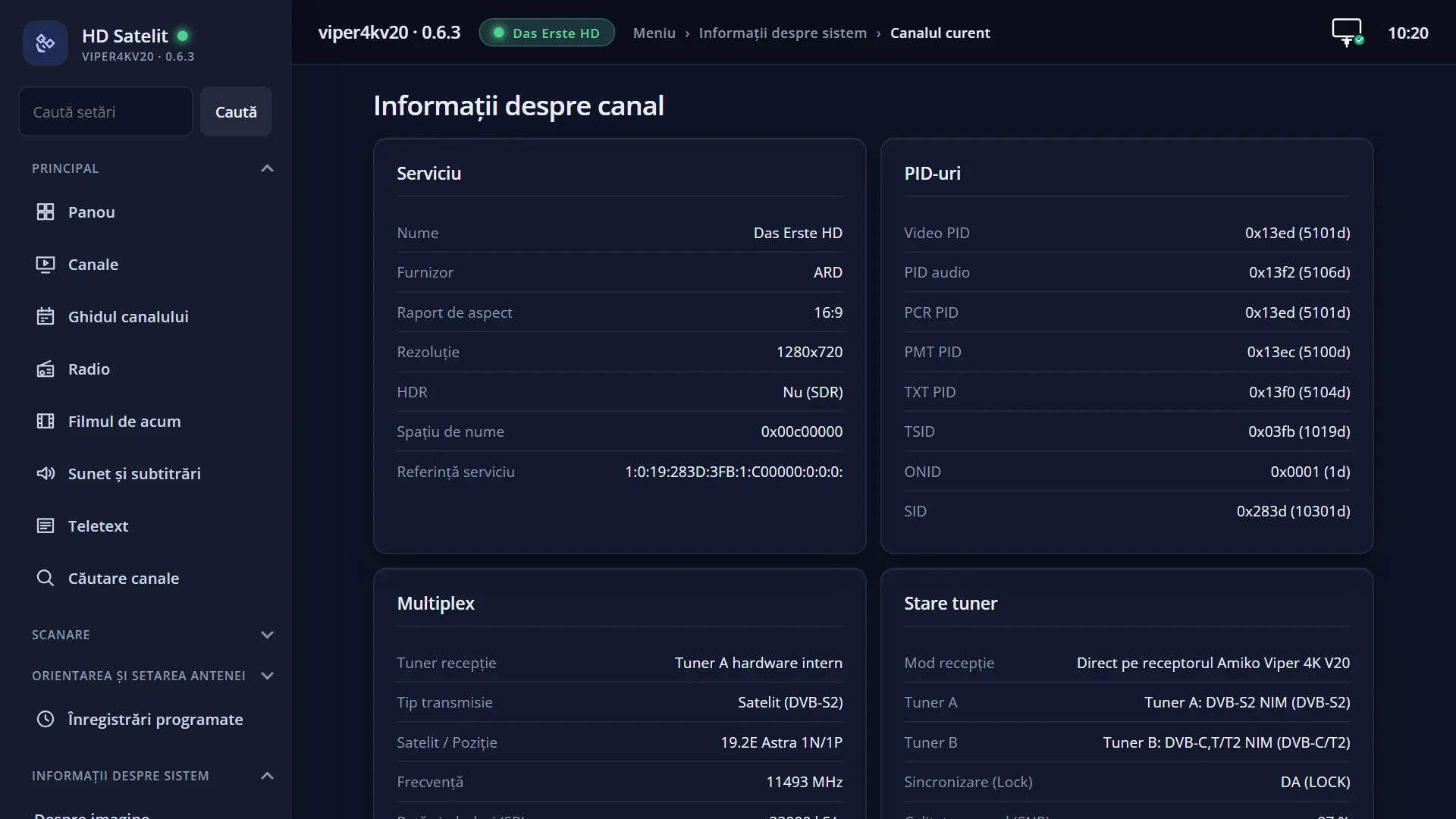
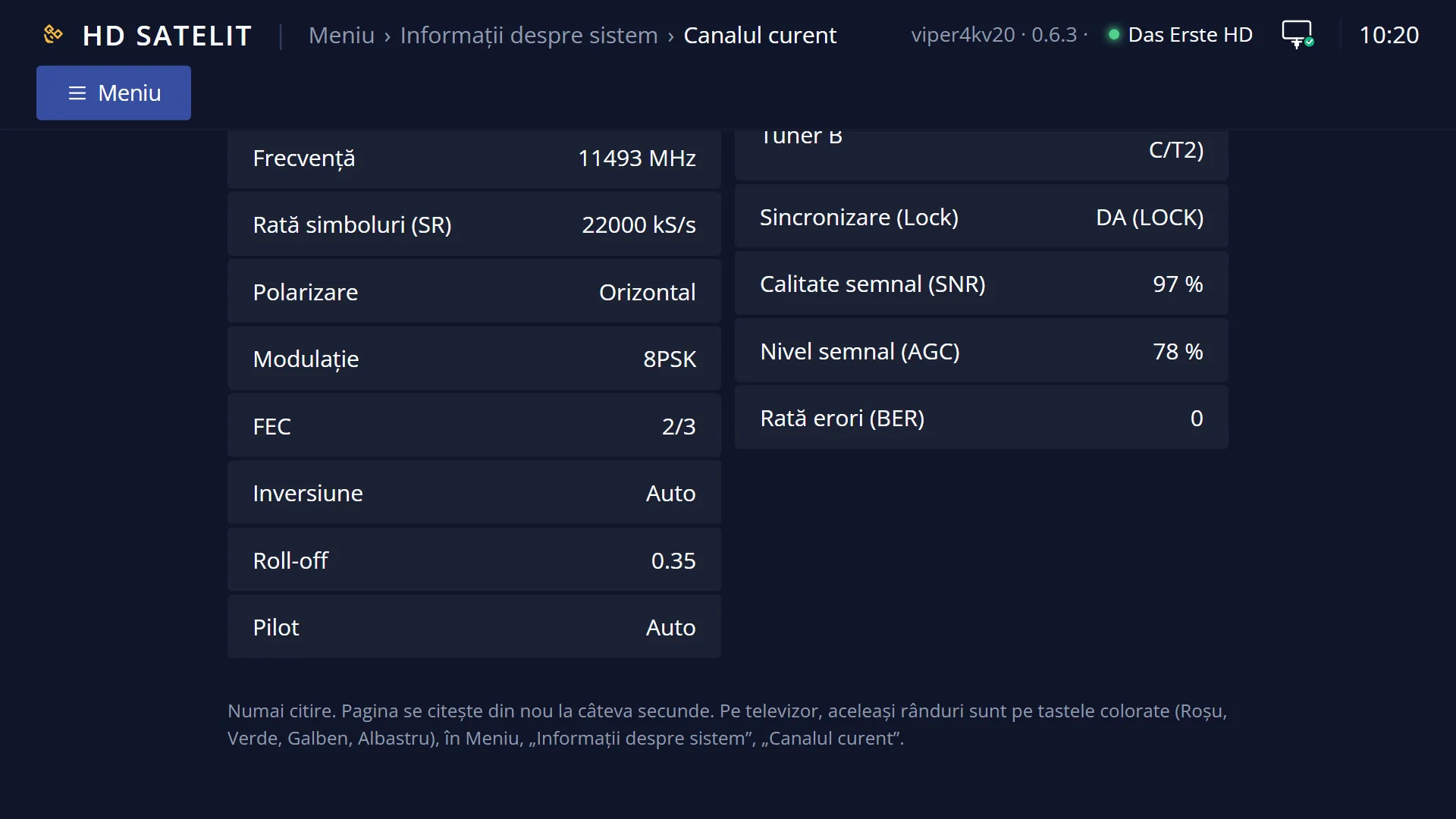
“Channel Information” shows the technical data of the channel you are watching now, on four pages, one for each colour key: RED “Service” (the name, the provider, the picture format and resolution, HDR, the channel reference), GREEN “PIDs” (the numbers of the streams in the broadcast), YELLOW “Multiplex” (the satellite, frequency, polarisation, modulation and the other parameters) and BLUE “Tuner status” (the receiver's tuners, synchronisation, signal quality and level, errors).
Open it when you want to know which frequency a channel is on (for example to search for it manually), whether the picture is HD or 4K, whether it has HDR, or when someone helping you asks for the channel data.
The screen only shows information. It does not change anything on the receiver.
In the Pro theme, four boxes above the pages change in real time: the quality, the signal level, the signal-to-noise ratio with the errors, and the tuner status with the satellite.
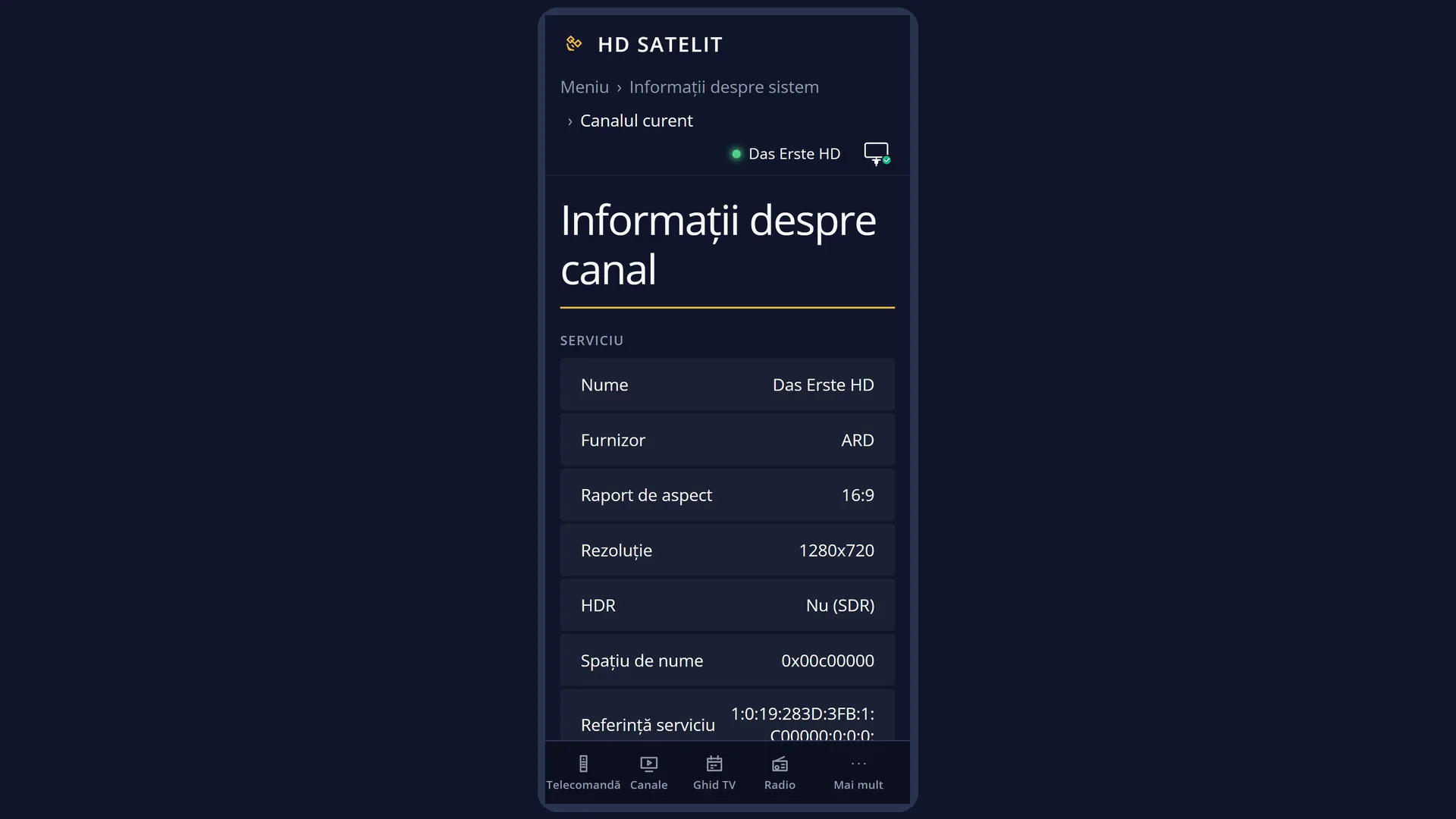
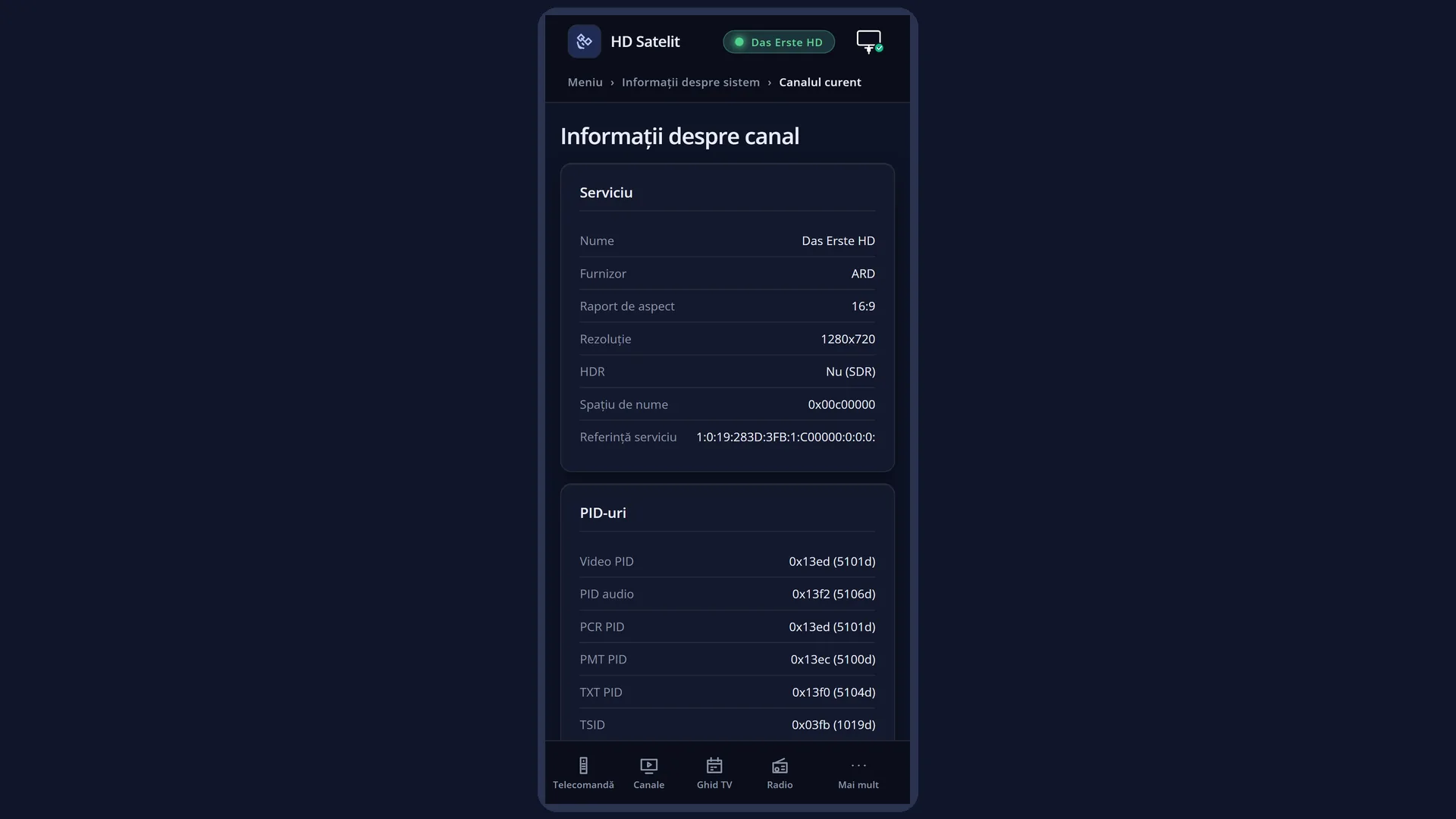
The web page /informatii-canal shows all four pages at once, from your phone or computer.
How to get here
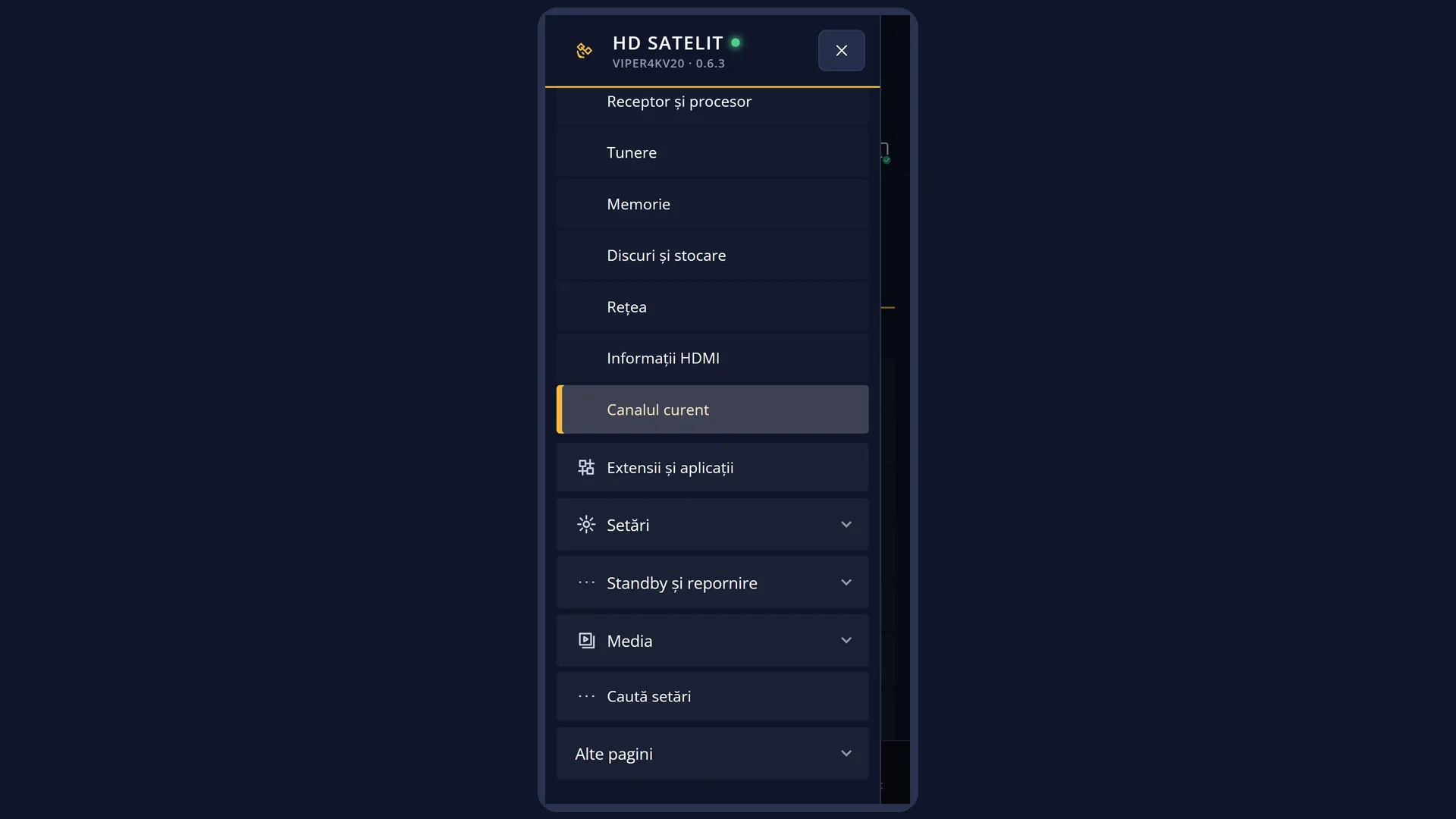
Path: Main menu > System Information > Channel Information (the last row). The screen has the title “Service info”.
Keys on the remote: MENU 4 UP OK (UP on the first row takes you to the last one). It works the same when the interface has started in safe mode: the submenu then has an extra row at the top, “Safe mode”, but “Channel Information” is still the last one.
From the channel list, with “Setup Mode” set to Expert: press MENU on a channel, then the row “show transponder info” opens the same screen with only the multiplex data of the chosen channel, without starting it and without the colour keys.
In the web interface: the page /informatii-canal (“Channel information”).
What you see on the screen
At the top, the title “Service info”.
In the Pro theme, under the title, four boxes: “Quality” (the signal quality in per cent, with a green bar and, below it, the signal-to-noise ratio in dB when the tuner provides it), “Signal” (the signal level, with a blue bar), the middle box with “SNR” (only when the tuner gives the value in dB) and “BER” (bit errors; 0 is best) and “Status” (for example “Signal received successfully”; text that does not fit scrolls), below it the satellite (for example “19.2°E Astra 1N/1P”) and the tuner in use (for example “A · DVB-S2 NIM”). The boxes change in real time. For a film or a recording from the disk, the quality and signal boxes stay empty.
Below that, the box titled “SERVICE AND PIDS” and the rows of the chosen page: the label on the left, the value on the right. A value that is too long continues on the row below. The box title stays the same on all four pages.
In the Classic theme (the factory one) there are no boxes at the top: the list fills the whole screen, under the same title.
At the bottom, the colour keys: RED “Service”, GREEN “PIDs”, YELLOW “Multiplex”, BLUE “Tuner status”.
The screen opens on the “Service” page. The rows are read when you press the page key. To read them again, press the same key again. The boxes at the top in the Pro theme are live.
The web page /informatii-canal has four boxes, “Service”, “PIDs”, “Multiplex” and “Tuner status”, with the same rows. The page reads the data again by itself every few seconds. When the receiver is in standby, the page says “The receiver is in standby: it is not playing any channel, so the rows look like on the TV with no channel.”.
Rows and settings
| Row | Values | Default | What it does |
|---|---|---|---|
| Service (RED): Name, Provider | Channel name, provider name | The channel name, as it is in the channel list, and the provider, the one that broadcasts it (for example “ARD”). With no channel playing, both are “N/A”. | |
| Service (RED): Network, Operator's number | network name and its ID, the channel's number with the operator | The network the channel belongs to (for example a cable network), with its number in brackets, and the number the operator has given the channel. These rows only appear when the receiver has read the network during a channel scan. Otherwise they are missing. | |
| Service (RED): Aspect Ratio, Resolution, HDR | 16:9, 4:3, for example 1920x1080, 3840x2160, 720x576, No (SDR), HDR, HDR10, HLG | The format of the broadcast picture (16:9 wide or 4:3 narrow) and its size in pixels: 720x576 is standard quality (SD), 1280x720 and 1920x1080 are HD, 3840x2160 is 4K. “Resolution” is missing when no picture is playing (for example on a radio channel). “HDR” tells you whether the picture has extended colours and brightness. The row only appears when the decoder reports it. | |
| Service (RED): Namespace, Service reference | for example 0x00c00000, for example 1:0:19:283D:3FB:1:C00000:0:0:0: | Two codes the receiver uses to identify the channel. The namespace tells you where the channel comes from (for satellite it contains the position: 0x00c00000 means 19.2°E). The reference is the full code of the channel, used by the channel lists, the timers and the web interface. | |
| PIDs (GREEN) | Video PID, Audio PID, PCR PID, PMT PID, TXT PID, TSID, ONID, SID | The numbers of the streams the channel is made of: the picture, the sound, the broadcast clock (PCR), the channel table (PMT), the teletext (TXT), then the number of the multiplex (TSID), of the network (ONID) and of the channel (SID). Each one is written in two ways, for example “0x00ff (255d)”. “N/A” means the stream is missing (for example a channel without teletext). | |
| Multiplex (YELLOW), for satellite | Reception tuner, Transmission type, Satellite / Position, Frequency, Symbol rate (SR), Polarization, Modulation, FEC, Inversion, Roll-off, Pilot | The tuner in use (for example “Tuner A internal hardware”), the transmission type (“Satellite (DVB-S2)”), the satellite, the frequency in MHz, the symbol rate in kS/s, the polarisation, the modulation, the error correction (FEC) and the inversion. “Roll-off” and “Pilot” only appear for DVB-S2. If the receiver knows the network, “Network” also appears. The data comes from the tuner at the moment it is read. When the tuner does not provide it, it is taken from the channel list. | |
| Multiplex (YELLOW), for cable, terrestrial or a network stream | “Digital cable (DVB-C)”, “Digital terrestrial (DVB-T/T2)”, “IPTV / IP network stream”, “Transponder parameters are not available” | For cable: the frequency, the symbol rate, the modulation, FEC and the inversion. For terrestrial: the frequency, “Bandwidth”, “Constellation”, “Transmission mode”, “Guard interval”, “Code rate HP”, “Code rate LP” and the inversion. For a channel from the network or the internet: the transmission type, the protocol, the decoding and the reference. When nothing is known about the multiplex, the row “Multiplex state” says “Transponder parameters are not available”. | |
| Tuner status (BLUE) | Reception mode, Tuner A, Tuner B ..., Synchronization (Lock), Signal quality (SNR), Signal level (AGC), Error rate (BER) | “Reception mode” says “Directly on the receiver ...”, with the receiver's name. Then there is one row for each tuner of the receiver, with its description. Then the status of the tuner of the current channel: “Synchronization (Lock)” shows “YES (LOCK)” when the tuner has locked on to the signal or “NO (No signal)”, the signal quality in per cent, its level in per cent and the number of bit errors (0 is best). The values are those from the moment you pressed BLUE. | |
| The boxes at the top (Pro theme) | Quality, Signal, SNR and BER, Status | The same measurements as on the “Tuner status” page, but live: they change while the screen is open. You can watch them while you move the dish or change a cable. The status can be “Signal received successfully”, “Tuning”, “Tuning failed”, “Signal lost” or “Free”. |
Keys
| RED | The “Service” page: the name, the provider, the format, the resolution, HDR, the channel codes. |
| GREEN | The “PIDs” page. |
| YELLOW | The “Multiplex” page: the transmission data. |
| BLUE | The “Tuner status” page: the tuners and the signal. Press it again to read the values again. |
| UP / DOWN, LEFT / RIGHT | Move one page of the list up or down when the rows do not fit on the screen. Each colour page starts at the top. |
| OK or EXIT | Close the screen and take you back to the submenu. |
Step by step
Find out the frequency of a channel
- Start the channel.
- Press MENU 4 UP OK, then YELLOW.
- Read “Frequency”, “Polarization” and “Symbol rate (SR)”: with these you can search for the channel manually on a multiplex.
Find out whether a channel is HD, 4K or HDR
- Start the channel and wait for the picture to appear.
- Press MENU 4 UP OK: the “Service” page opens by itself.
- Look at “Resolution” (1920x1080 is HD, 3840x2160 is 4K) and at “HDR”.
Check the channel's signal
- Press MENU 4 UP OK, then BLUE.
- “Synchronization (Lock)” must be “YES (LOCK)”, and “Error rate (BER)” as close to 0 as possible.
- In the Pro theme, watch the boxes at the top: they change in real time while you adjust the dish.
View the data from your phone
- Open the receiver's web interface (for example http://192.168.1.50) and go to /informatii-canal.
- The four boxes have the same rows as on the TV and read the data again by themselves every few seconds.
Problems and solutions
All rows show “N/A”.
No channel is playing (for example the receiver has only just come out of standby, or you are playing a file). Start a channel and open the screen again.
The “Multiplex” page says “Transponder parameters are not available”.
The receiver does not know the multiplex data for what is playing now (a file, or a channel that has not started yet). Start a channel from the list and press YELLOW again.
The “Resolution” or “HDR” row is missing.
“Resolution” only appears when a picture is playing (not on radio). “HDR” only appears when the decoder reports what kind of picture it is.
The values in the list do not change.
The list is read when you press the page key. Press the colour key again. In the Pro theme, the boxes at the top are live.
“Synchronization (Lock)” is “NO (No signal)” and the quality is 0%.
The tuner is not receiving a signal on this multiplex. Check the dish and the cable, and see Menu > System Information > Tuner Overview.
In the Pro theme, the middle box only shows “BER”, without “SNR”.
This is normal: the tuner does not give the signal-to-noise ratio in dB for this channel, so the box does not show a made-up value.
The “Network” and “Operator's number” rows do not appear.
The receiver has not read this channel's network during a scan. The rows appear after a scan that reads the network (for example a scan by provider).
Related topics
- System Information
- Tuner Overview
- The second info bar (the page with the channel and the PIDs, from live TV)
- Signal finder
- The matching web page: /informatii-canal