

By provider (satellite)
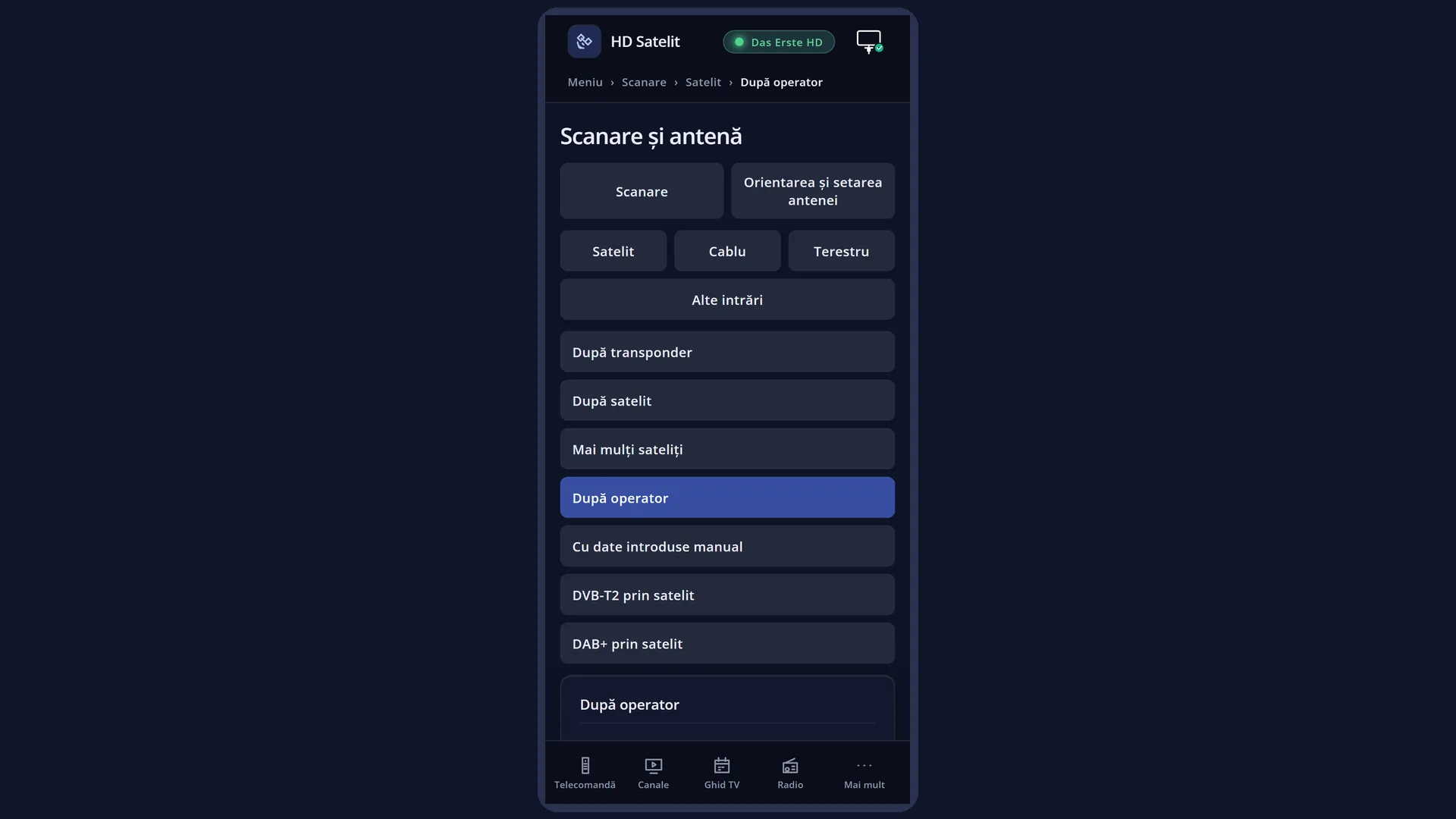
English screenshots coming: some of the pictures below still show the receiver and the web interface in Romanian. The rows, keys and steps described on this page are the English ones.
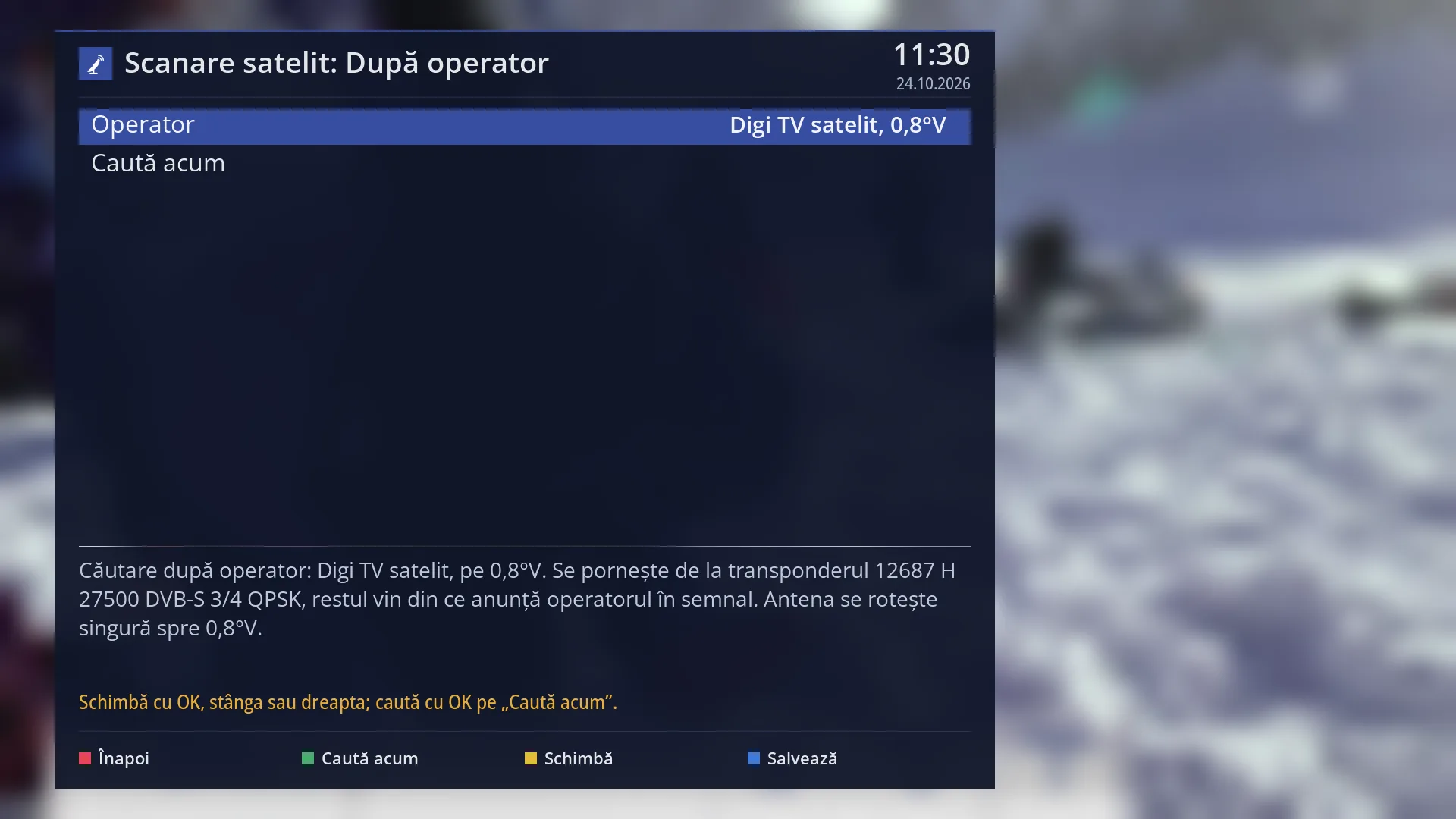
- 1 The kind of search: satellite, by provider.
- 2 The chosen provider and the position of its satellite; OK opens the list of providers.
- 3 OK here starts the search.
- 4 The starting transponder and, with a motor, where the dish turns.
- 5 The status line: what the keys do or the last message.
- 6 RED back, GREEN search, YELLOW change, BLUE save.
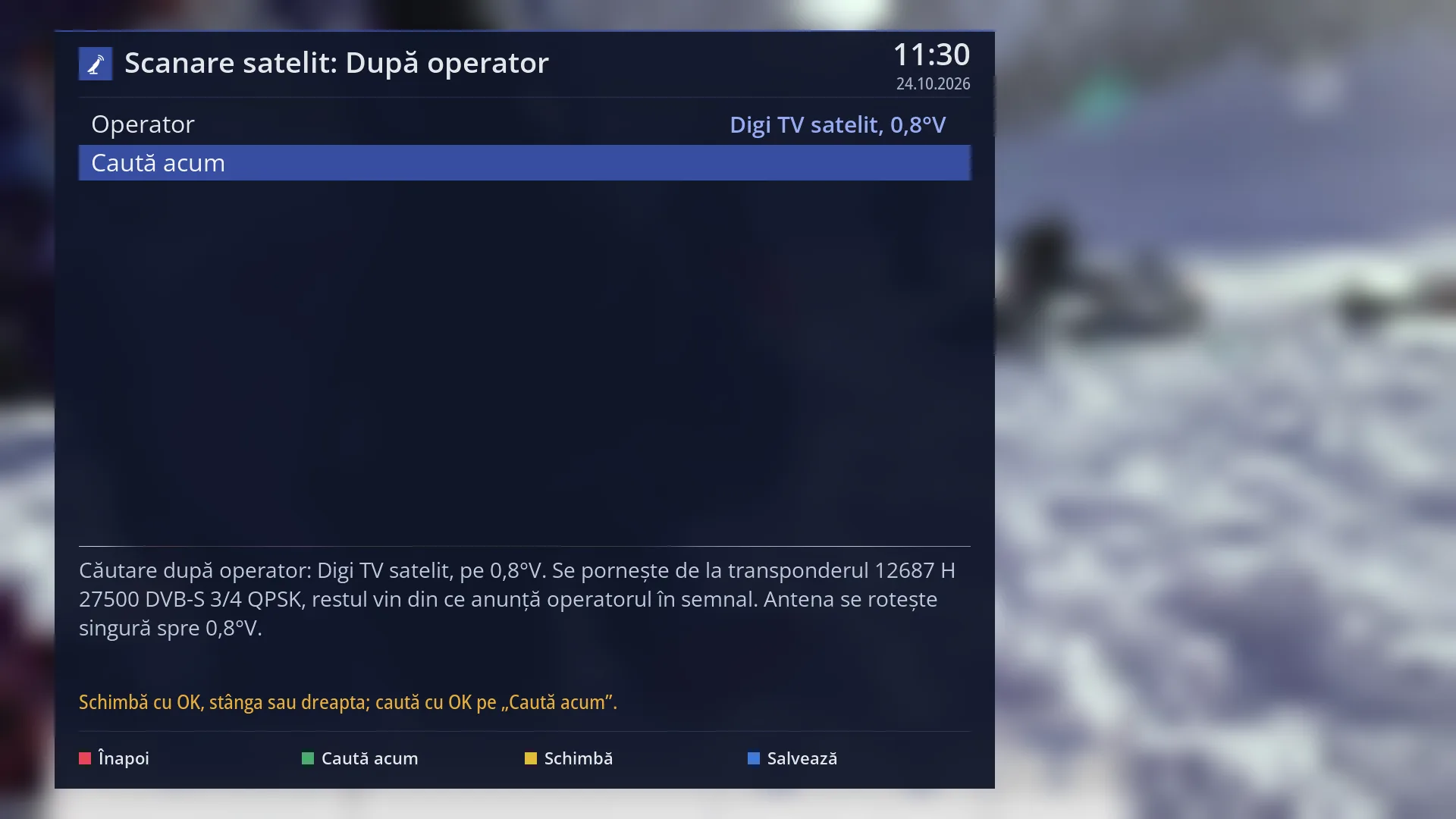
- 1 The selected row: “Search now”.
What it is for
“By provider” searches for all the channels of a satellite TV provider (a package such as Digi TV or Focus Sat). It starts from a known transponder of the provider and then adds everything the provider announces in the signal. You do not need to know any transponder.
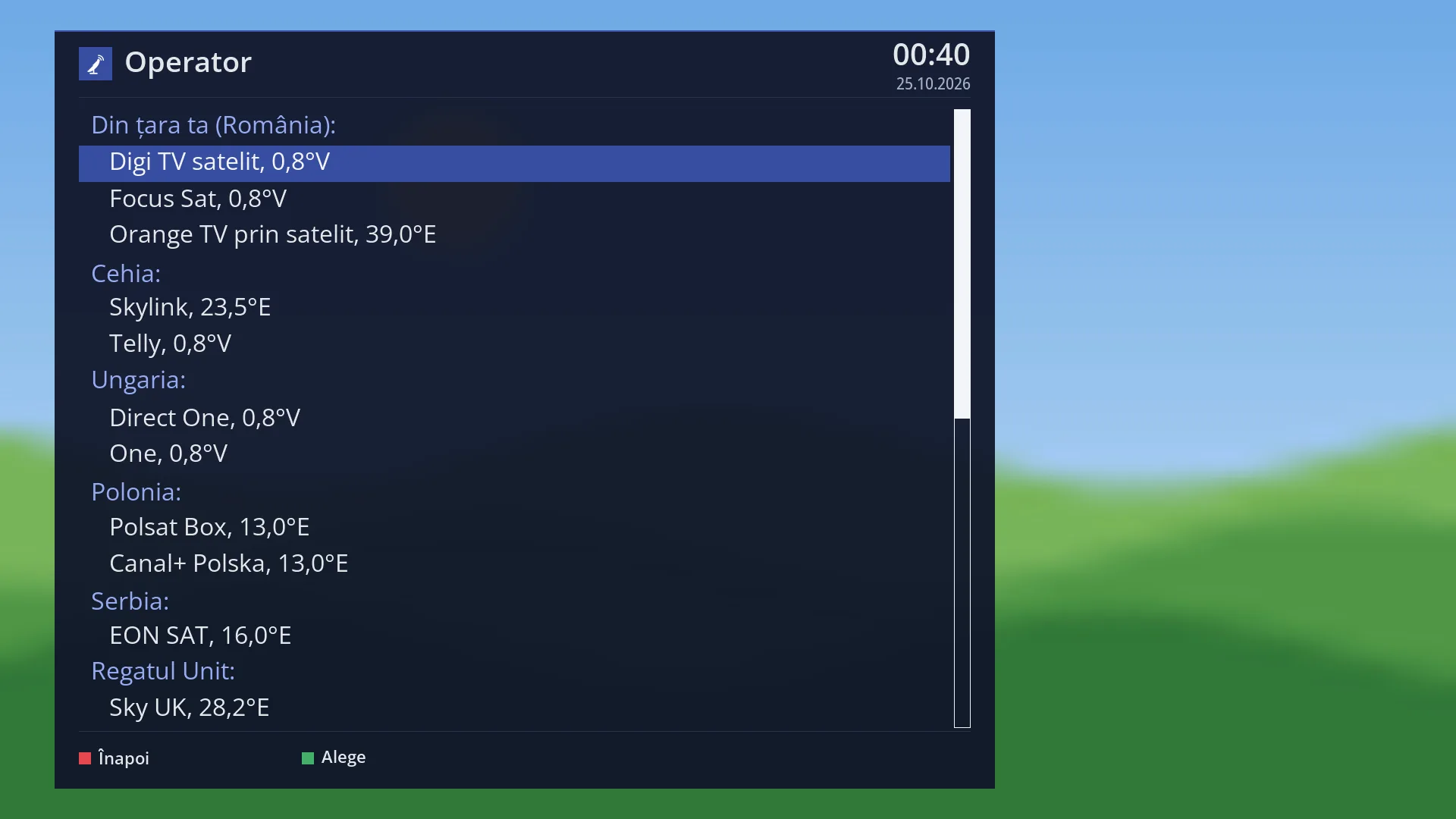
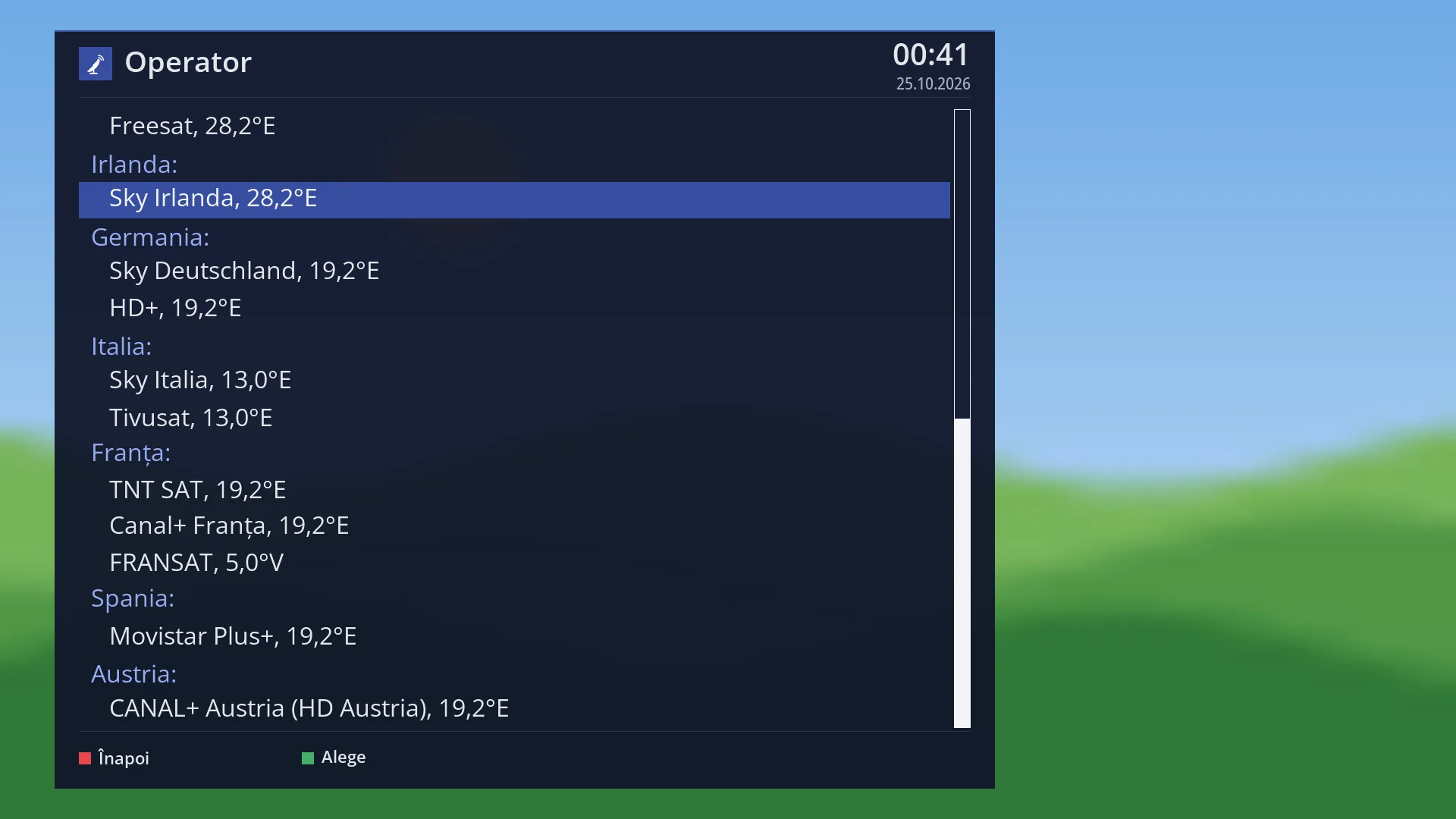
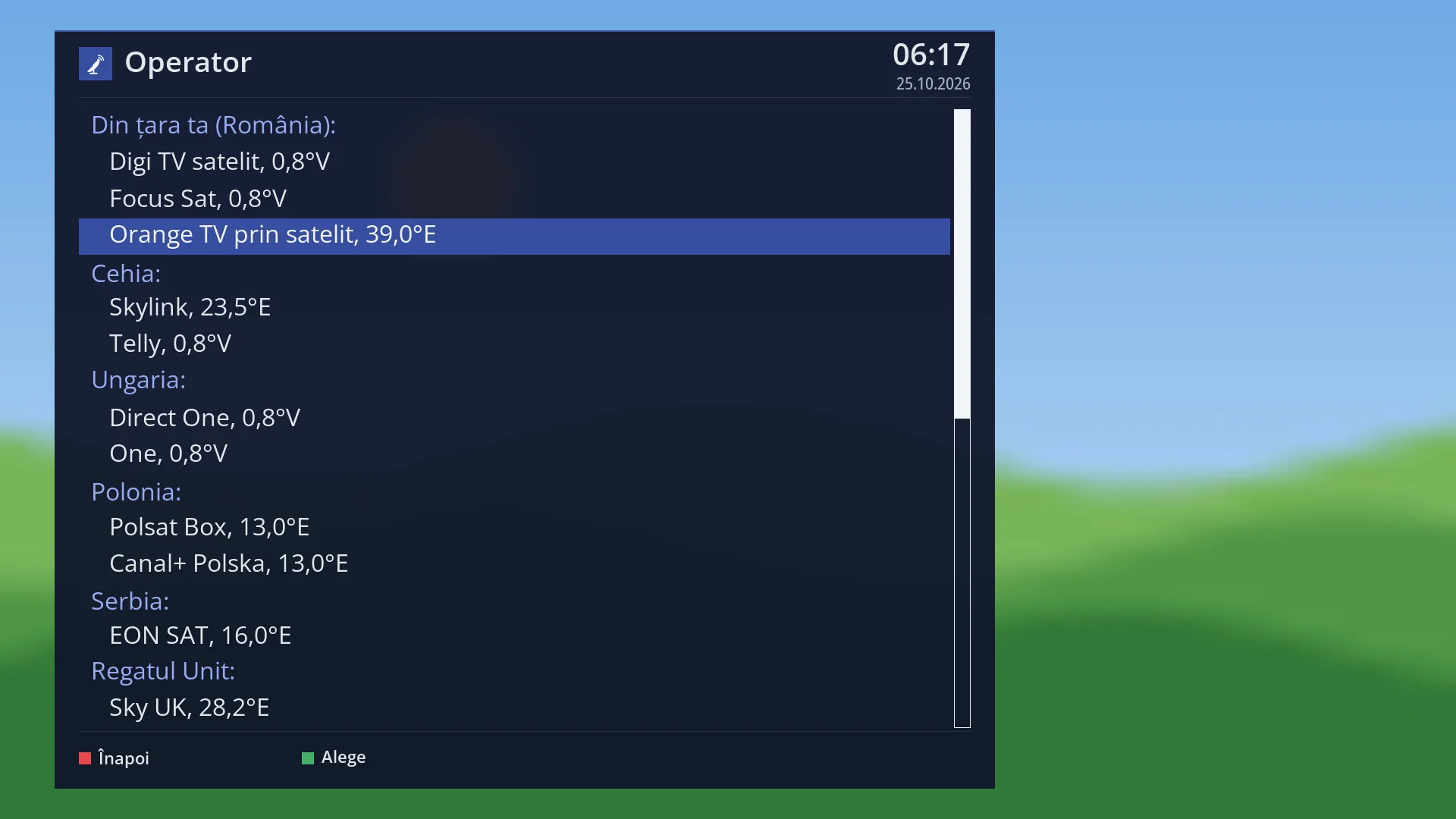
The providers in your country come first in the list. For Romania these are Digi TV satelit and Focus Sat (on 0.8°W) and Orange TV prin satelit (on 39.0°E). The providers of other countries follow, grouped by country. Your country is the one that matches the menu language.
With a motorised dish, the dish turns by itself towards the provider's satellite. With a fixed dish you can only search for a provider on the dish's satellites; the others show “(the dish does not see the satellite)” next to their name.
The channels found are added to the channel list; the existing ones are not deleted. The receiver remembers the provider you chose.
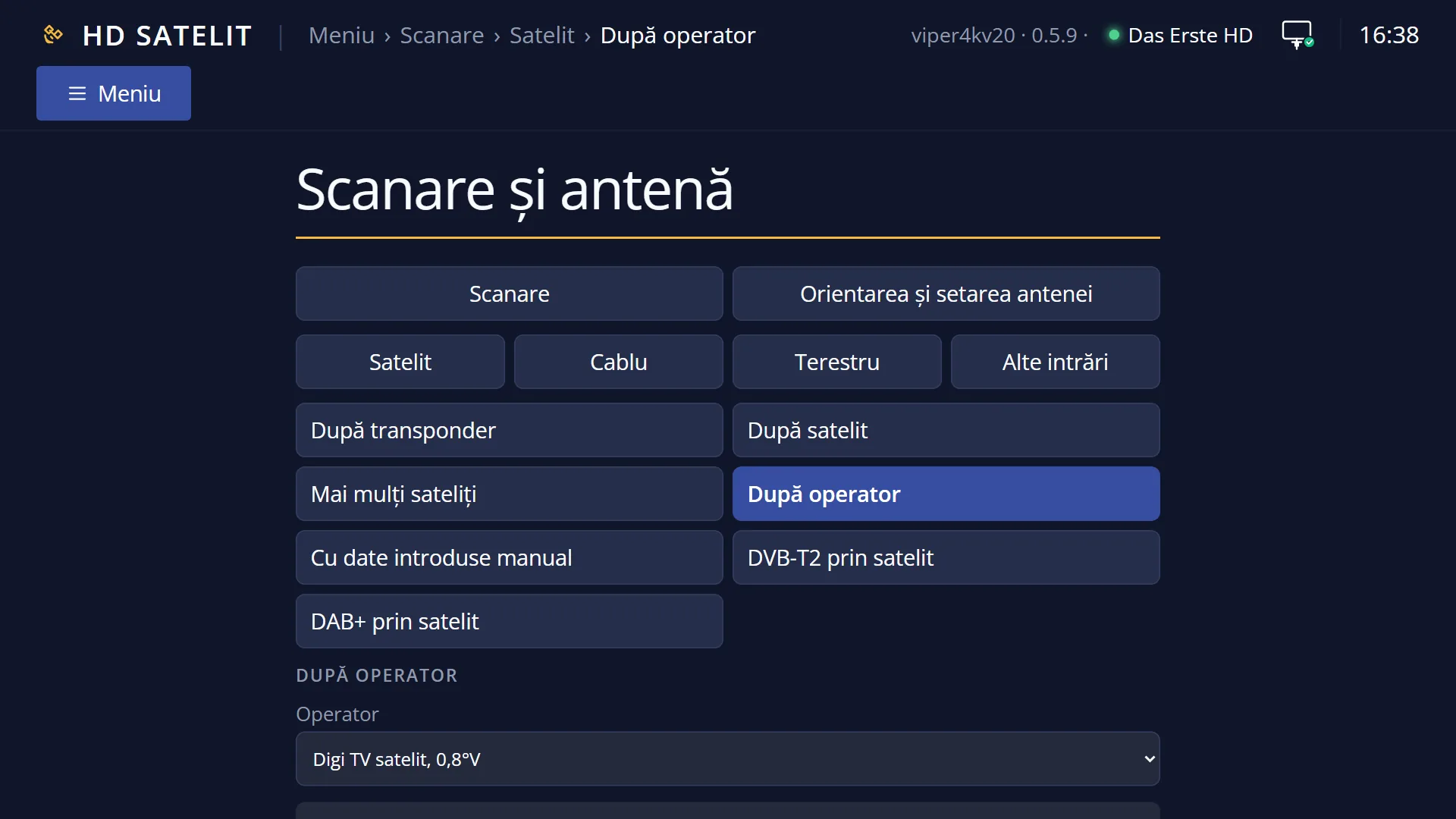
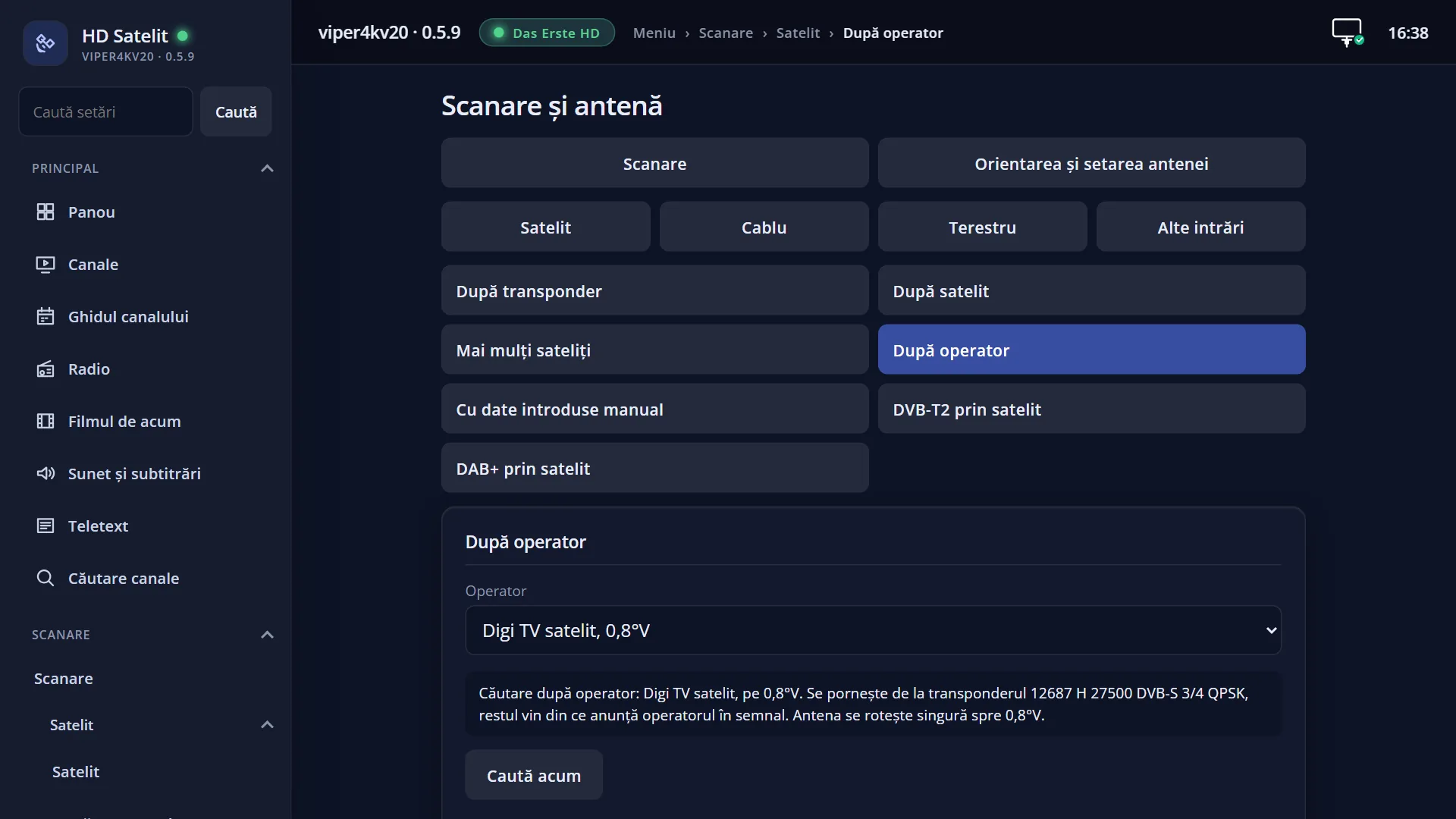
The same kind of search is also available in the web interface, on the /scanare/satelit/operator page.
How to get here
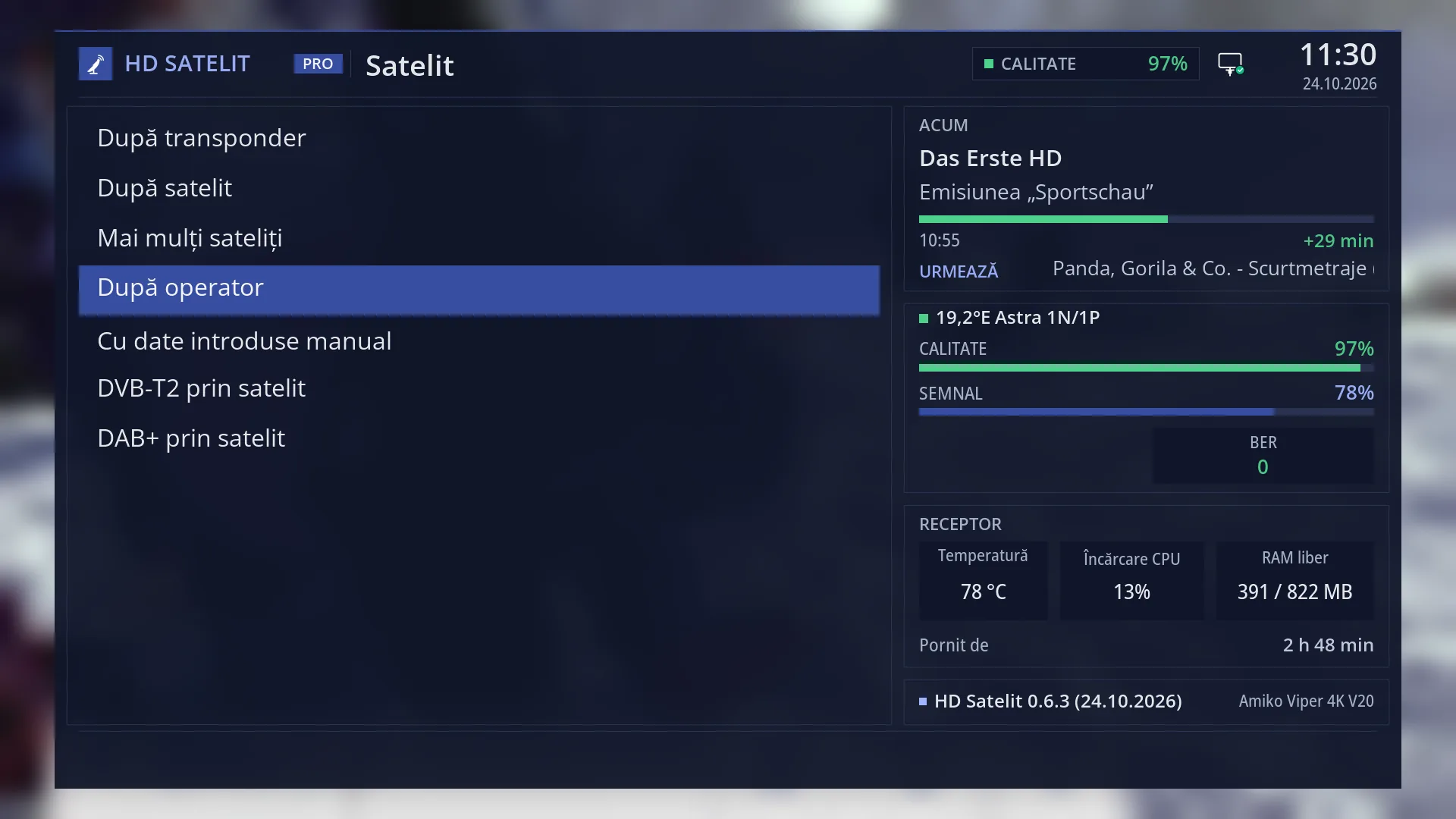
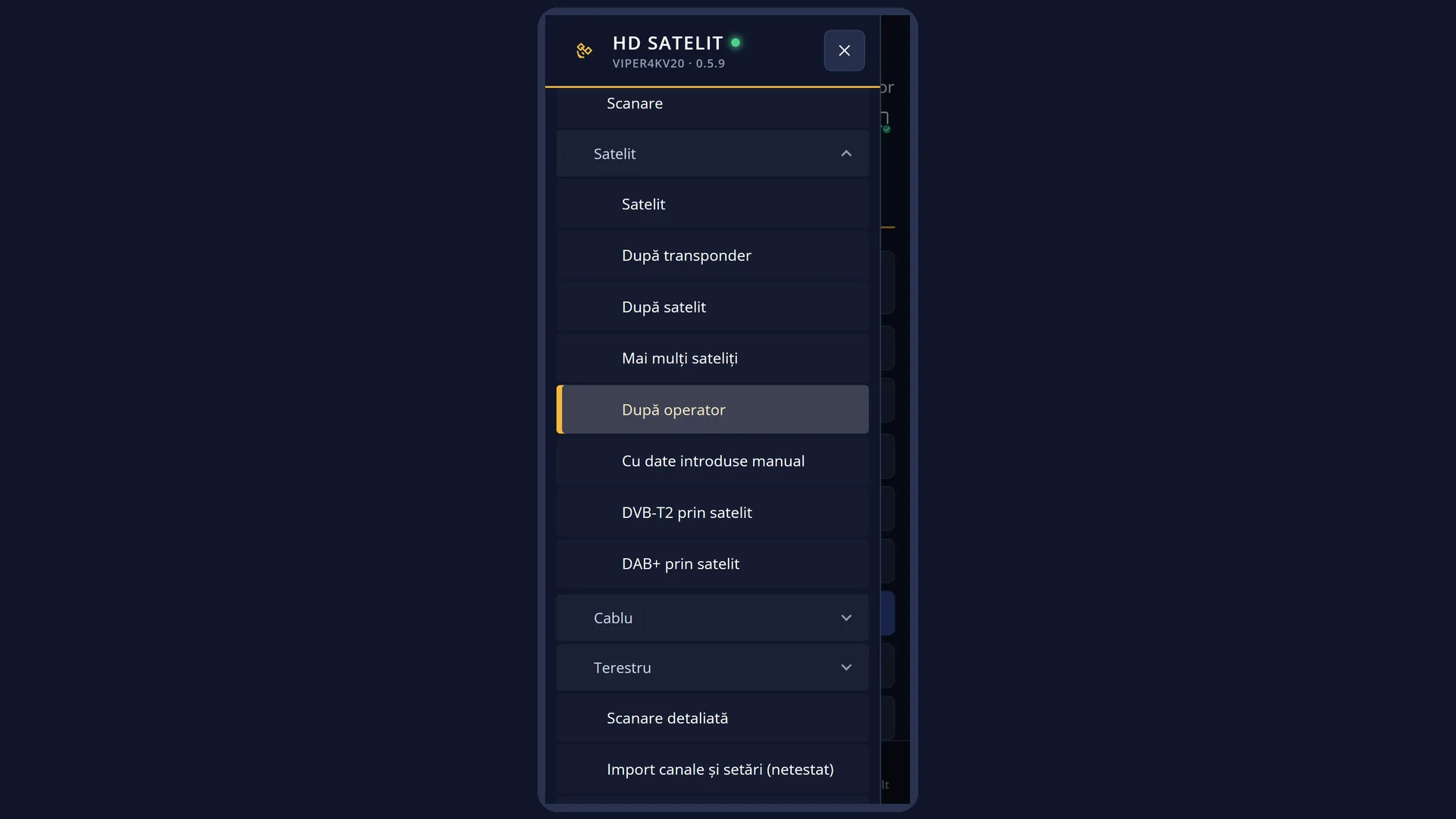
Path: Main menu > Channel scan > Satellite > By provider
Keys on the TV: MENU 1 1 4
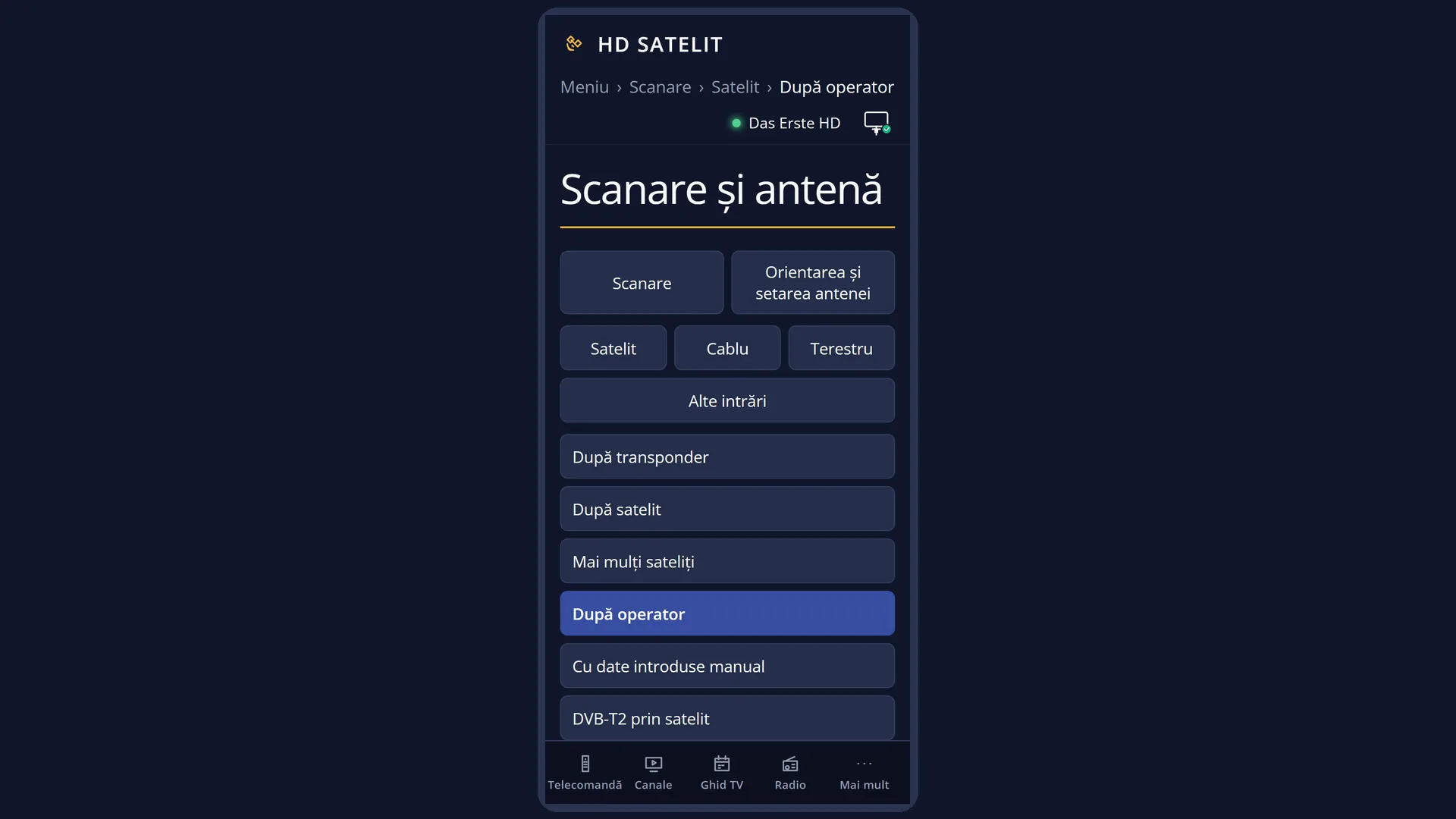
In the web interface: the /scanare/satelit/operator page (the “Channel scan” tab, the “Satellite” group, the “By provider” button).
What you see on the screen
At the top: the title “Satellite scan: By provider”, the time and the date. In the Pro theme, the blue square with the logo is to the left of the title.
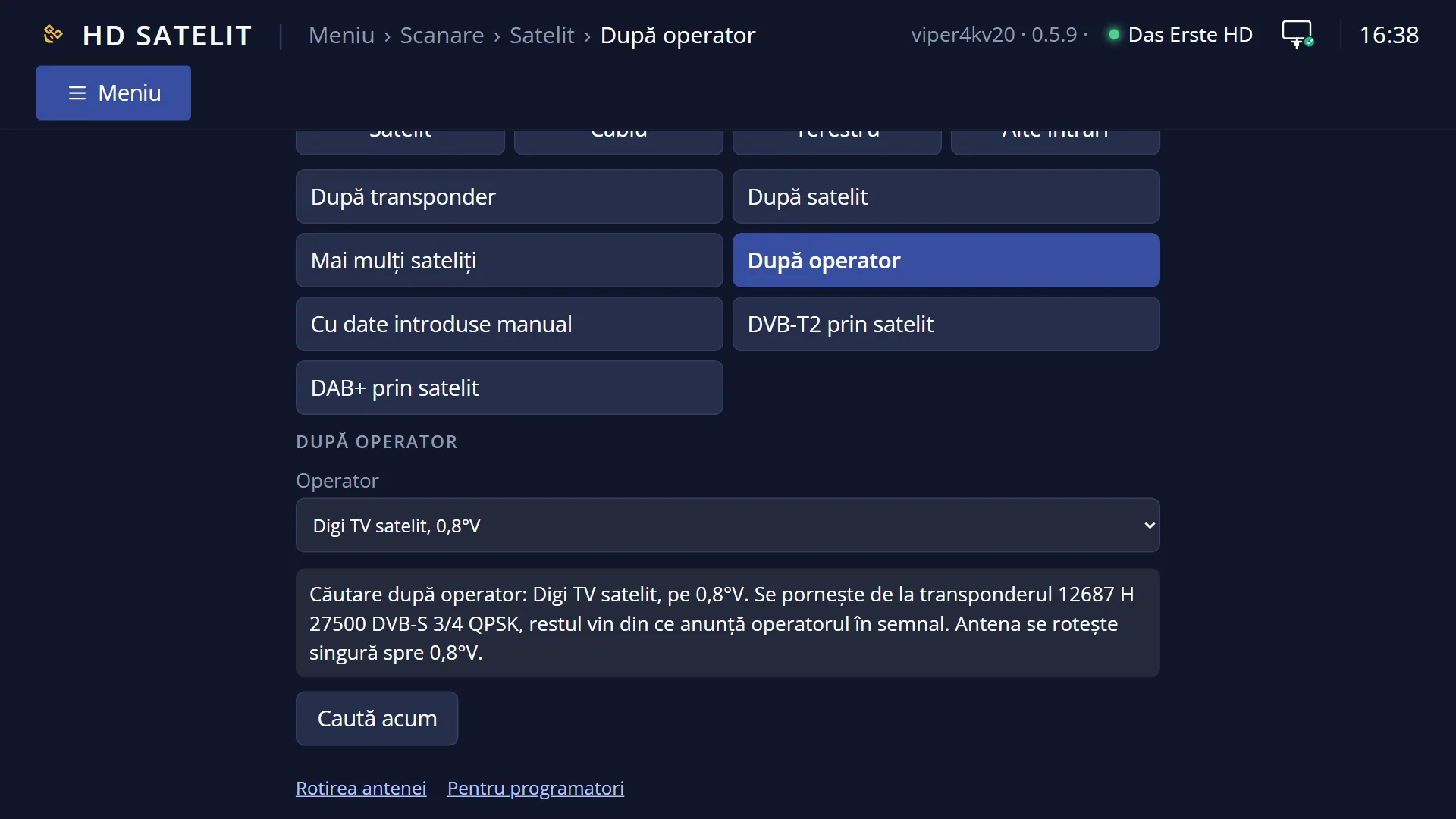
The list has two rows: “Provider”, with the provider and the position of its satellite on the right (for example “Digi TV satelit, 0.8°W”), and “Search now”.
Below the list is the preview: “Search by provider: Digi TV satelit, on 0.8°W. Starting from transponder 12687 H 27500 DVB-S 3/4 QPSK, the rest comes from what the provider announces in the signal.”, and with a motor “The dish turns by itself towards 0.8°W.”. When a search is not possible, this is where the reason is shown.
Underneath, in yellow, is the status line: “Change with OK, left or right; search with OK on “Search now”.” or the last message (“The configuration has been saved.”).
At the bottom, the colour keys: RED “Back”, GREEN “Search now”, YELLOW “Change”, BLUE “Save”.
OK on “Provider” opens the list of providers in full screen: the heading “From your country (Romania):” with the Romanian providers, then one heading per country (for example “Czechia:”, “Hungary:”), each with its providers and the satellite position. Next to a provider you cannot search for right now you see “(the dish does not see the satellite)” or “(the tuner does not choose the stream)”.
Once the search starts, the “Channel search” screen opens: at the top the satellite name and the transponder being tried, the moving dots, the percentage and the number of channels found, the progress bar, “Time left” and “Transponders: x of y” (the number grows with the transponders announced by the provider).
At the end you see the summary (“Channels found”, how many are new, TV, HD, 4K, radio, “Transponders scanned”, “no signal”, “Duration”) and the “Operator network” box: the network name, “Announced frequencies”, how many channels have the provider's number and where their list in number order is (Satellites › the satellite › the network name).
Rows and settings
| Row | Values | Default | What it does |
|---|---|---|---|
| Provider | Digi TV satelit, 0.8°W, Focus Sat, 0.8°W, Orange TV prin satelit, 39.0°E, providers of other countries, grouped by country | the first provider in your country's list that the dish can see (in Romania, with the dish on 0.8°W or with a motor: Digi TV satelit) | The provider the search starts from. For each provider the receiver knows the starting transponder (frequency, polarisation, symbol rate, system, FEC, modulation) and the satellite position. When your provider is not the factory one. |
| The notes next to the provider | (the dish does not see the satellite), (the tuner does not choose the stream) | This is not a row on the screen. “(the dish does not see the satellite)”: your dish is fixed and does not have that provider's satellite. “(the tuner does not choose the stream)”: the provider broadcasts several streams on the same transponder (multistream) and the receiver's tuner cannot choose one. | |
| Search now | OK on this row starts the search, the same as the GREEN key. Before it starts, the receiver remembers the provider you chose. With a motor, the dish turns towards the provider's satellite. After you have chosen the provider. | ||
| The channels found | They are written to the channel list only at the end of the search. The existing channels are not deleted; those found again are updated. You find them in the channel list under Satellites, below the provider's satellite, and, when the provider sends the channel numbers, also in number order under Satellites › the satellite › the network name. |
Keys
| UP / DOWN | Move the cursor between “Provider” and “Search now”. From the last row, DOWN goes to the first, and the other way round. |
| LEFT / RIGHT | On “Provider”, go to the previous or next provider in the list without opening it. |
| OK | On “Provider”, opens the list of providers. On “Search now”, starts the search. |
| GREEN | Starts the search from any row (the screen shows “Search now”). |
| YELLOW | On “Provider”, opens the list, like OK (the screen shows “Change”). On “Search now” it does nothing. |
| BLUE | Remembers the provider you chose and shows “The configuration has been saved.” (the screen shows “Save”). |
| RED or EXIT | Closes the screen and takes you back to the Satellite menu. The provider you chose is remembered in this case too. |
| In the list of providers: UP / DOWN | Move the cursor to the provider above or below, skipping the country headings. |
| In the list of providers: LEFT / RIGHT | Jump one page at a time; if the page stops on a heading, the cursor moves to the first provider below it. |
| In the list of providers: OK or GREEN | Chooses the highlighted provider and closes the list. RED or EXIT close it without any change. |
| EXIT (on the “Channel search” screen) | During the search, stops it; the channels found up to then are not written to the list. After the end, closes the result. |
| OK (on the “Channel search” screen) | After the end, closes the result. While the search is running, it does nothing. |
Step by step
Searching for your provider's channels
- Press MENU 1 1 4.
- On “Provider”, check the provider; if it is a different one, press OK, choose yours from the list and press OK.
- Read the preview: the starting transponder and, with a motor, where the dish turns.
- Press GREEN and let the search finish. Read the summary and the “Operator network” box, then press EXIT.
Choosing a provider from another country
- On “Provider”, press OK.
- Use LEFT and RIGHT to jump one page at a time to the country you want, then choose the provider with DOWN and OK.
- If it shows “(the dish does not see the satellite)”, your fixed dish does not have its satellite; choose another one or add the satellite in Tuner settings.
Starting the search from your phone
- Open the receiver's web interface and go to /scanare/satelit/operator.
- Choose the provider from the list (the countries are groups); below it you see the same preview as on the TV.
- Press “Search now” and follow the search in the “The search on the TV” card.
Problems and solutions
You see “Your dish is fixed and sees only: …. … is on …, so it cannot be searched from here.”
The provider is on a satellite your dish does not see. The message also tells you which providers of the same kind are on your dish's satellites (“On your dish's positions there are: …”). Choose one of them or point the dish at the provider's satellite.
You see “…: multistream broadcast (several streams on the same transponder), and this receiver's satellite tuner cannot choose the stream. …”
You cannot search for this provider with your receiver's tuner. The providers in the list without multistream work.
You see “The dish location is not set, so the motor does not know where to turn the dish. …”
Choose the country and city in Dish location (MENU 2 4), then search again.
You see “The satellite tuner has no satellite configured. Set up the dish in “Tuner settings”, then come back here.”
Open Menu > Dish alignment and setup > Tuner settings (MENU 2 1), say how the dish is connected, then come back here.
The summary says “No transponder had a signal.”
The dish is not pointed at the provider's satellite or the DiSEqC switch is on another port. Check the signal in Signal finder (MENU 2 6).
Only the channels of one transponder were found.
The provider did not announce its other transponders in the signal. Search the whole satellite with “By satellite” (MENU 1 1 2).
I stopped the search with EXIT and I have no new channels.
The channels are written to the list only at the end of the search. Start it again and let it finish.
Related topics
- Satellite, all kinds of search
- By satellite
- By provider (cable)
- DVB-T2 via satellite (also by provider)
- Tuner settings
- Dish location (for a motor)
- Matching web page: /scanare/satelit/operator.
Differences between receivers
On the Amiko Viper 4K V20, the satellite search uses its only satellite tuner, tuner A. Whether this tuner can choose the stream (multistream) is shown by the note “(the tuner does not choose the stream)” in the list of providers.