

Automatic (terrestrial)
English screenshots coming: some of the pictures below still show the receiver and the web interface in Romanian. The rows, keys and steps described on this page are the English ones.
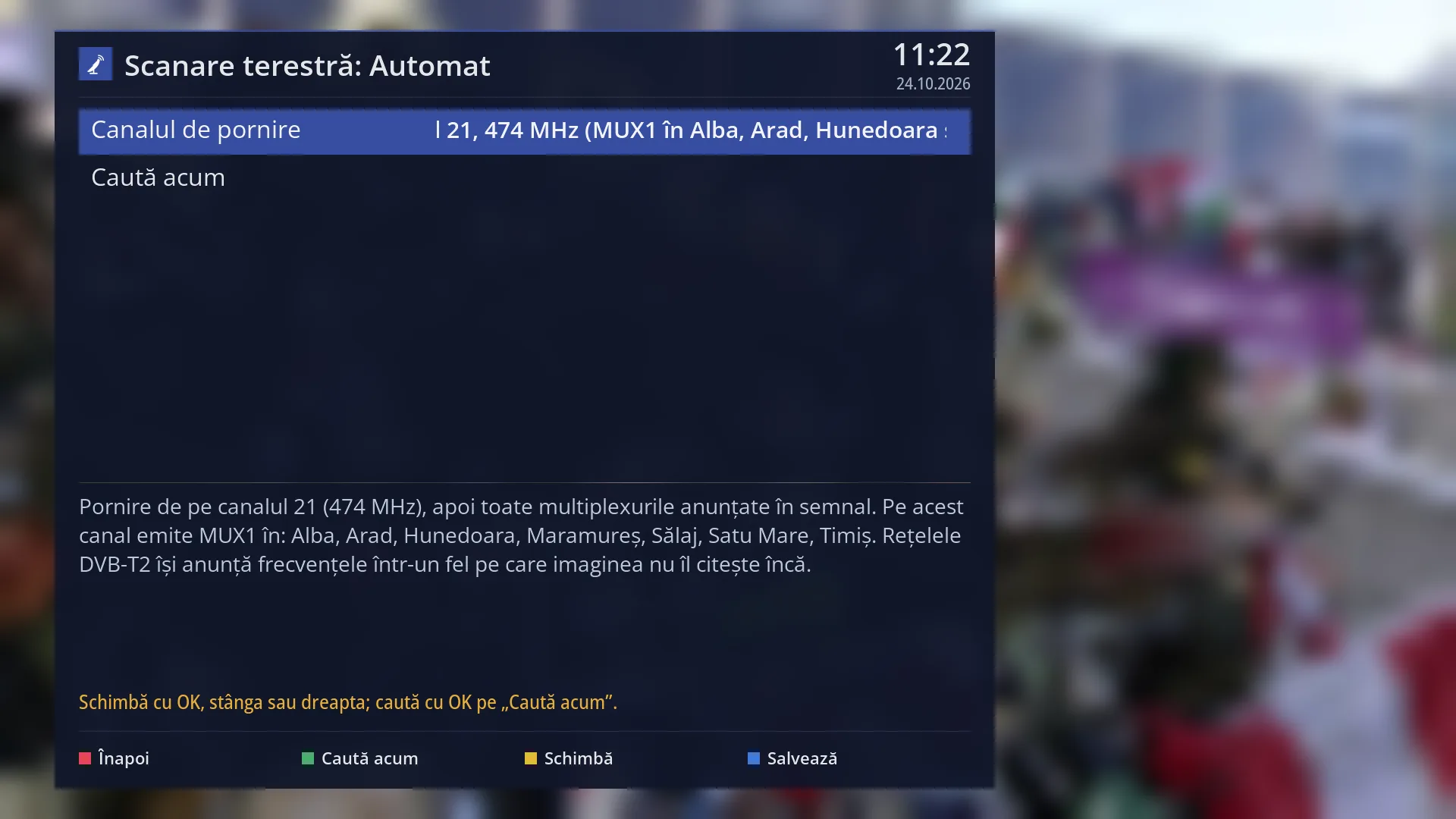
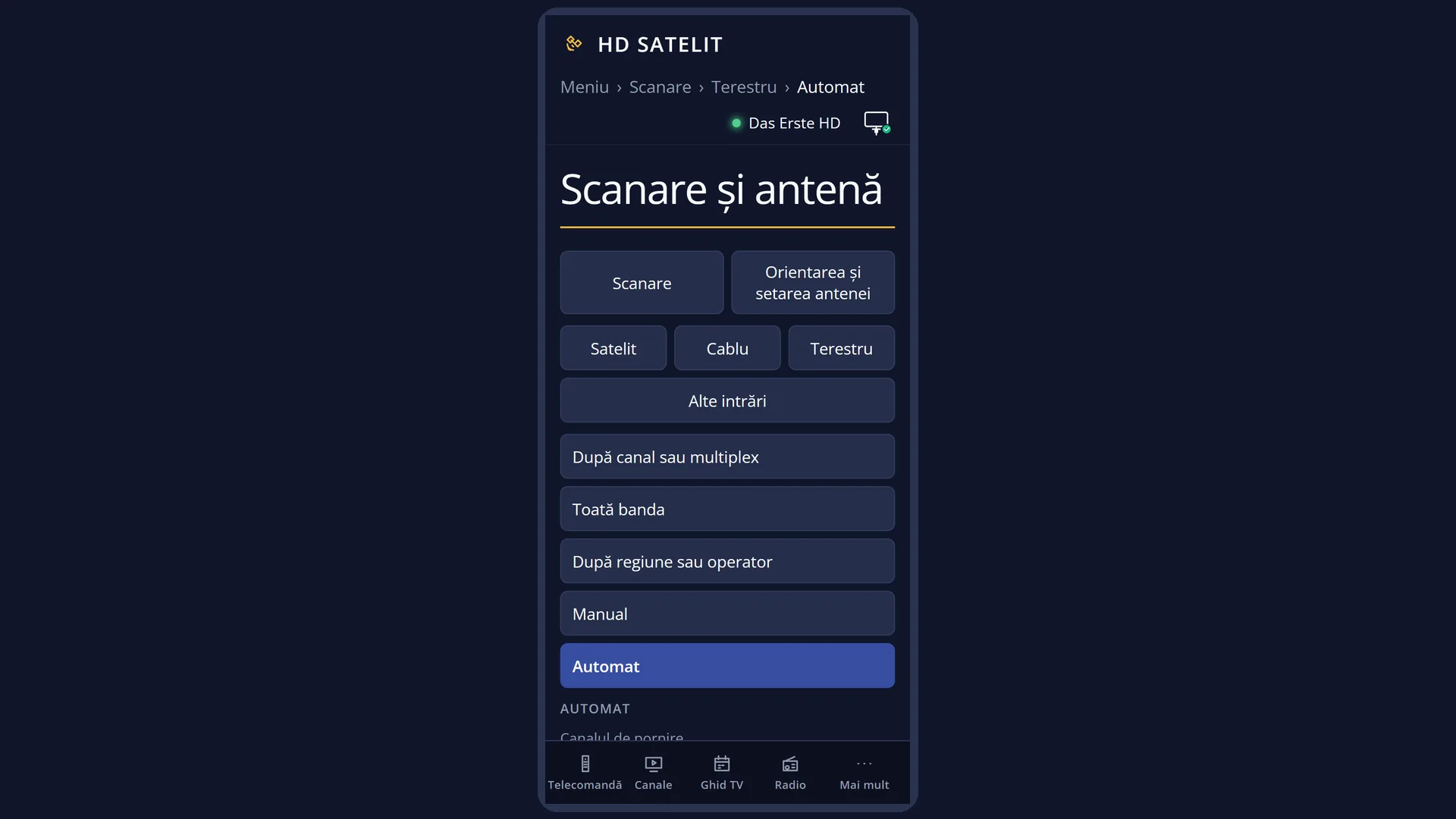
- 1 Type of search: terrestrial, automatic.
- 2 The start channel; OK opens the channel list.
- 3 OK here starts the search.
- 4 What will be searched: the start, the network in the signal and the channel's MUX1 counties.
- 5 The status line: what the keys do or the last message.
- 6 RED back, GREEN search, YELLOW change, BLUE save.
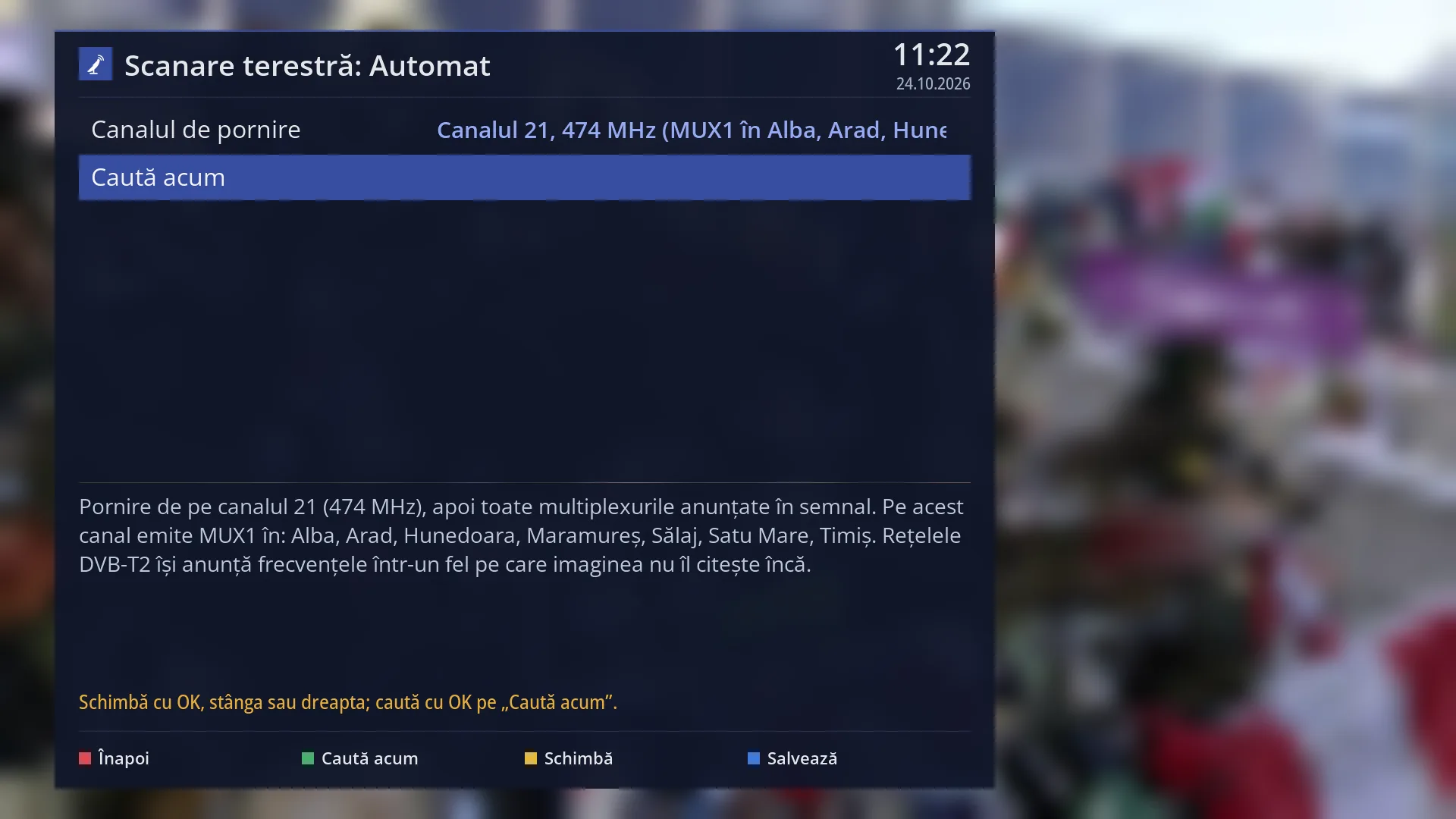
- 1 The selected row: “Search now”.
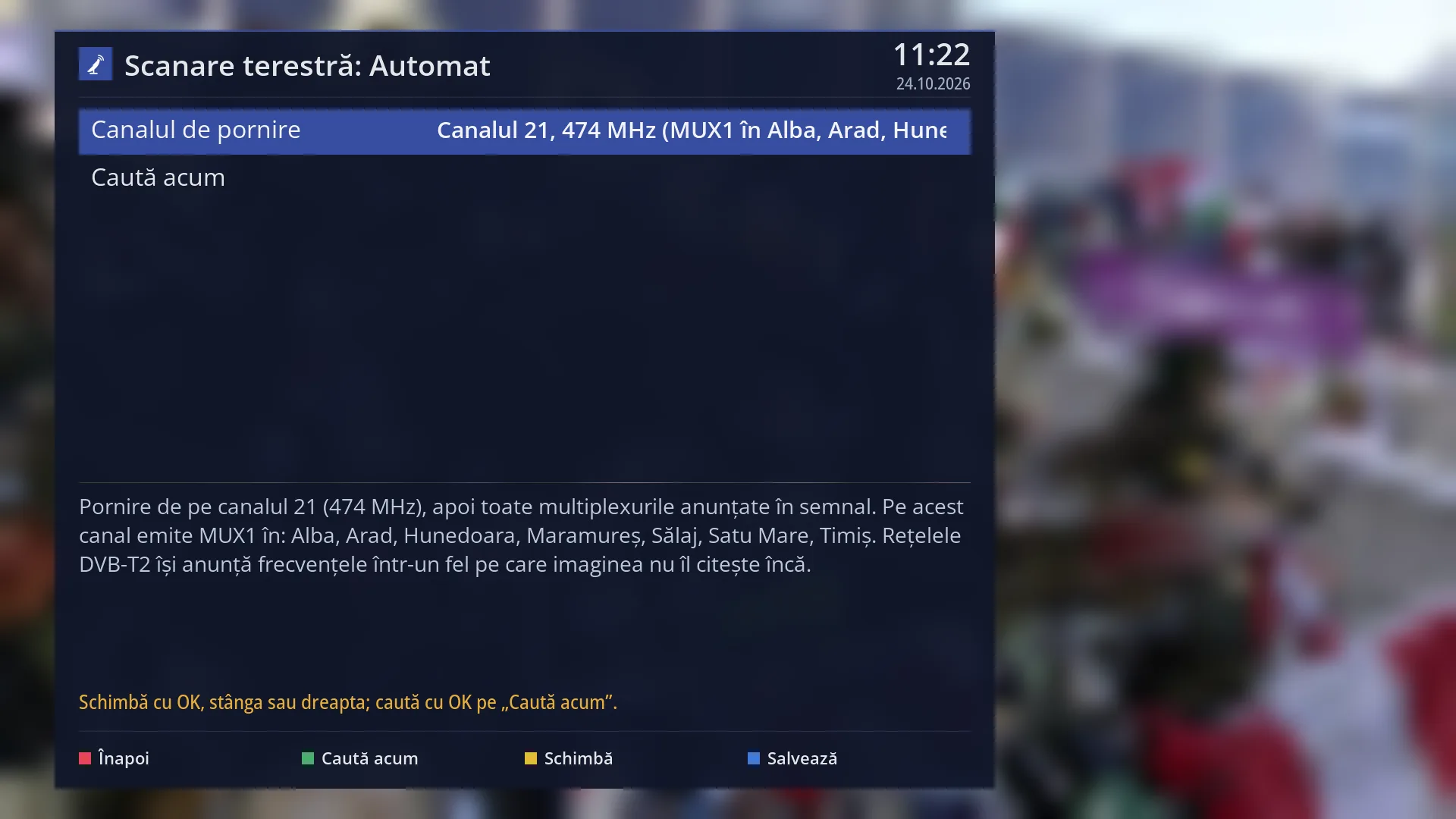
- 1 The selected row: “Start channel: Channel 21, 474 MHz (MUX1)”.
What it is for
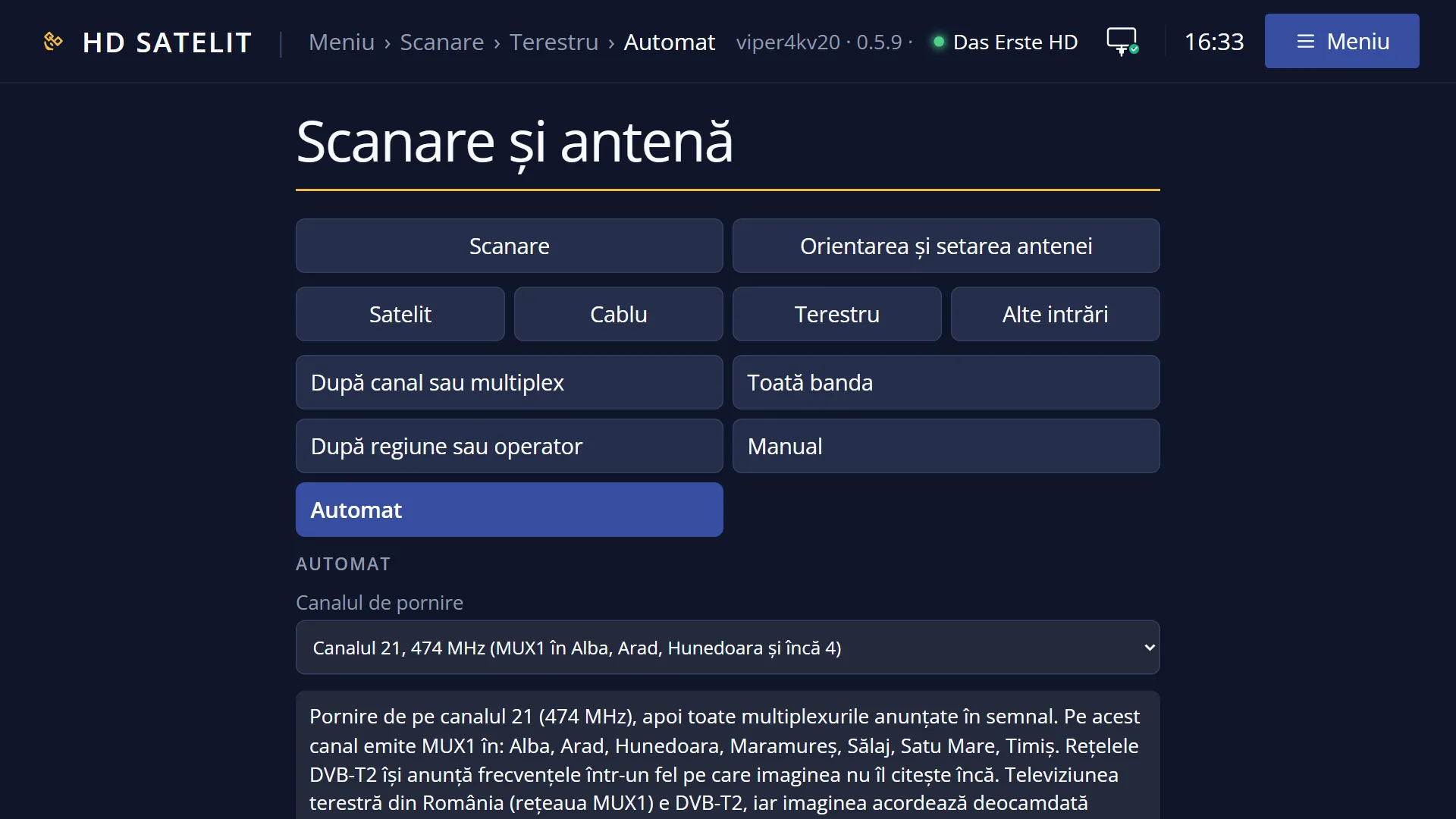
“Automatic” (terrestrial) starts from a TV channel you choose, then searches all the multiplexes that the network announces in the signal. You only need to know one channel on which you receive the network.
You choose the start channel from a list (VHF 5-12 and UHF 21-69), with the frequency next to each one. In Romania, the MUX1 network channels also show which counties they broadcast in.
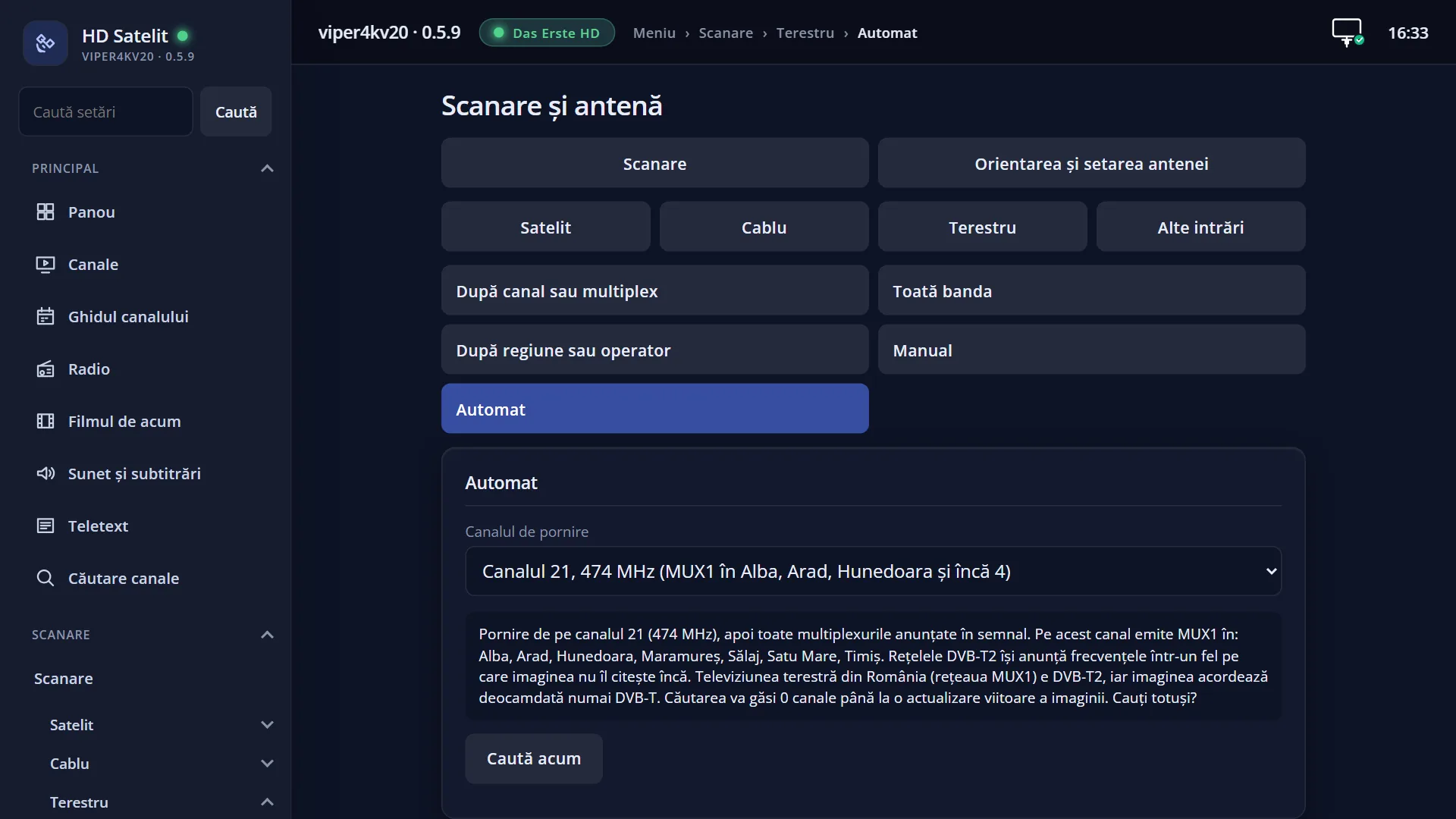
Important: for now, the image tunes only DVB-T. MUX1 in Romania is DVB-T2, so the search here finds 0 channels until a future update of the image. The receiver warns you before it starts. In other countries too, DVB-T2 networks announce their frequencies in a way the image cannot read yet, and the preview tells you so.
The start channel is the same as “Channel” in “By channel or multiplex”: what you choose here also appears there. It is remembered for next time.
The channels found are added to the channel list; the existing ones are not deleted. The same kind of search is also in the web interface, on the /scanare/terestru/automat page.
How to get here
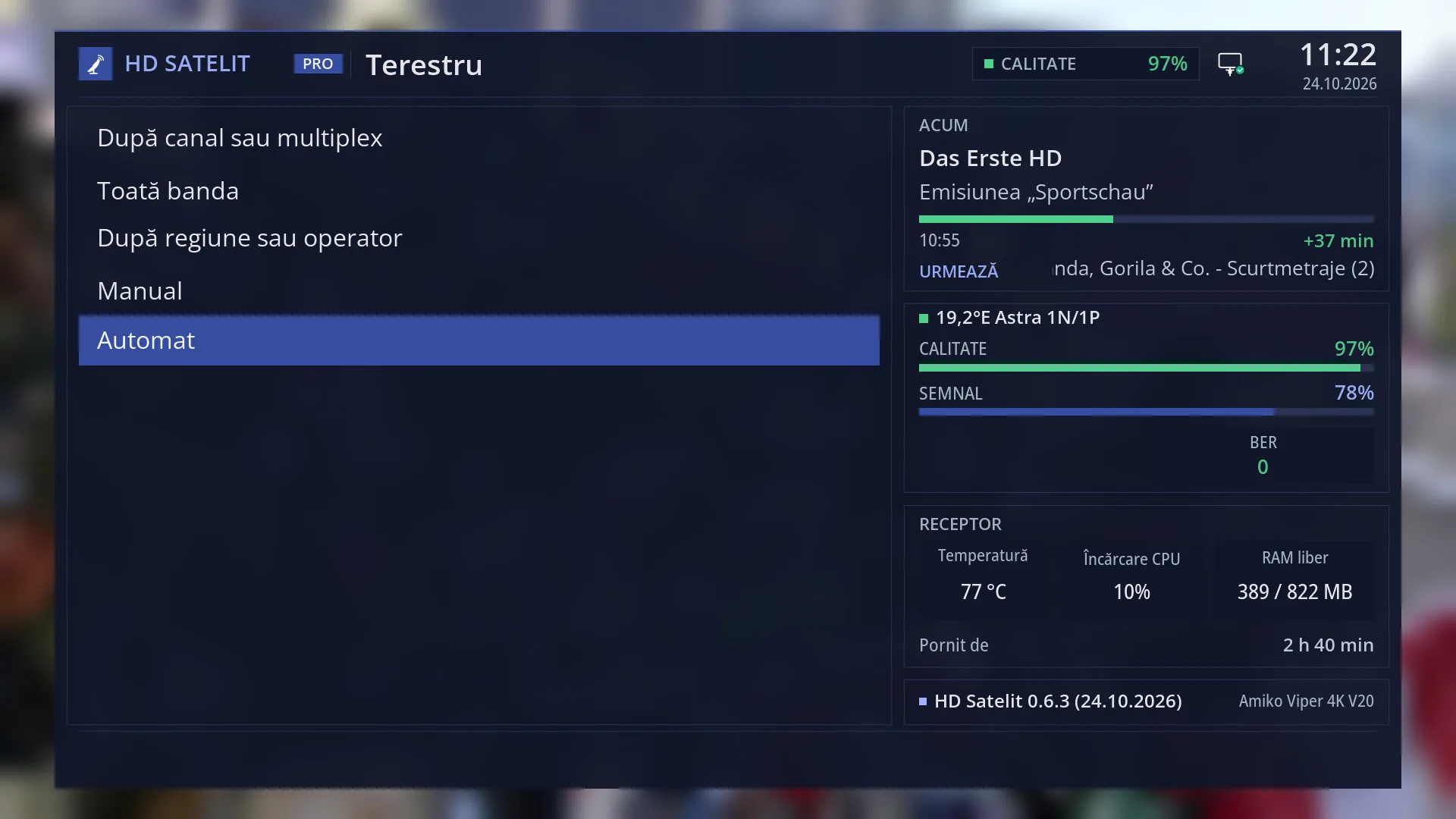
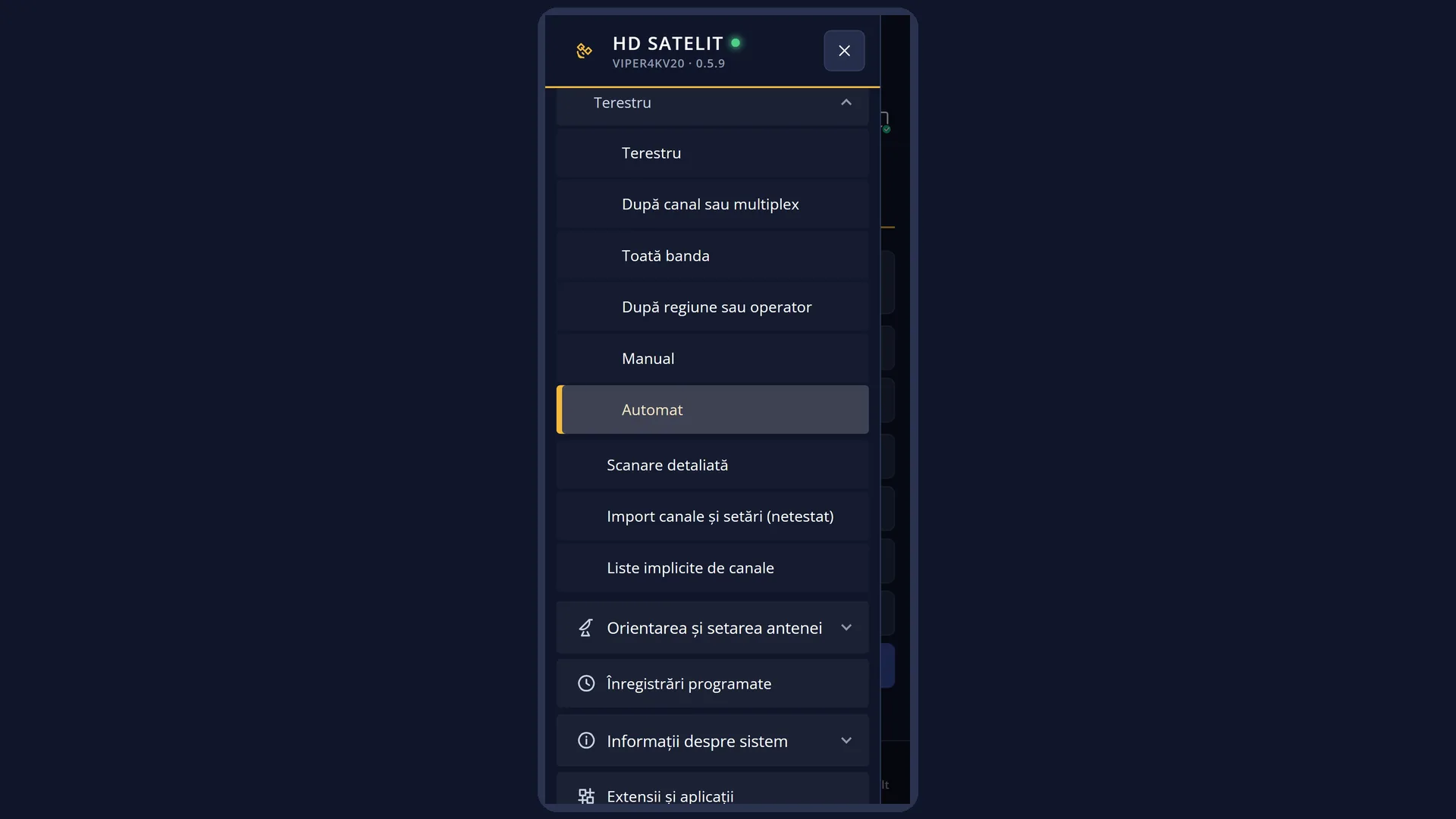
Path: Main menu > Channel scan > Terrestrial > Automatic
Keys on the TV: MENU 1 3 5
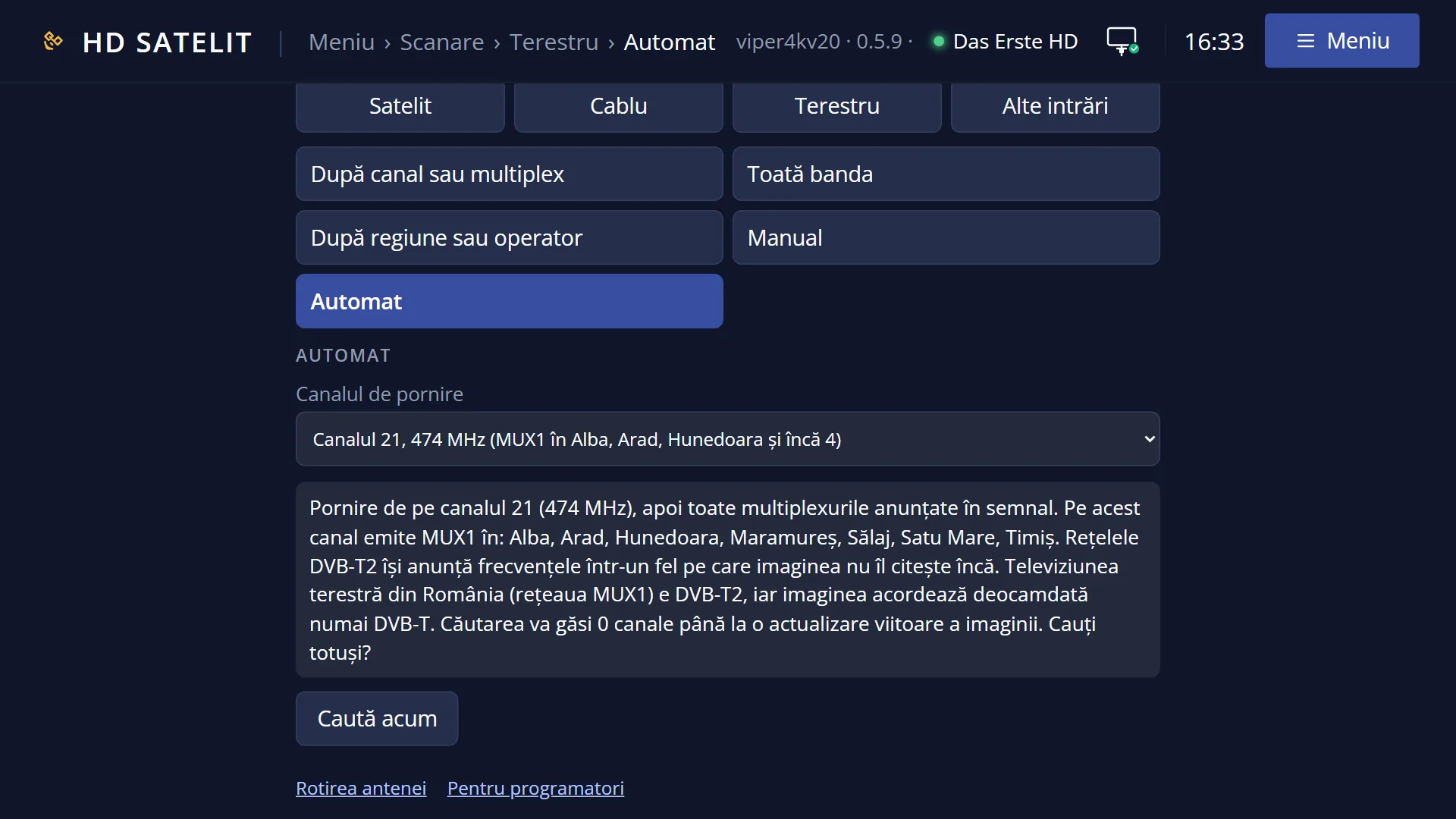
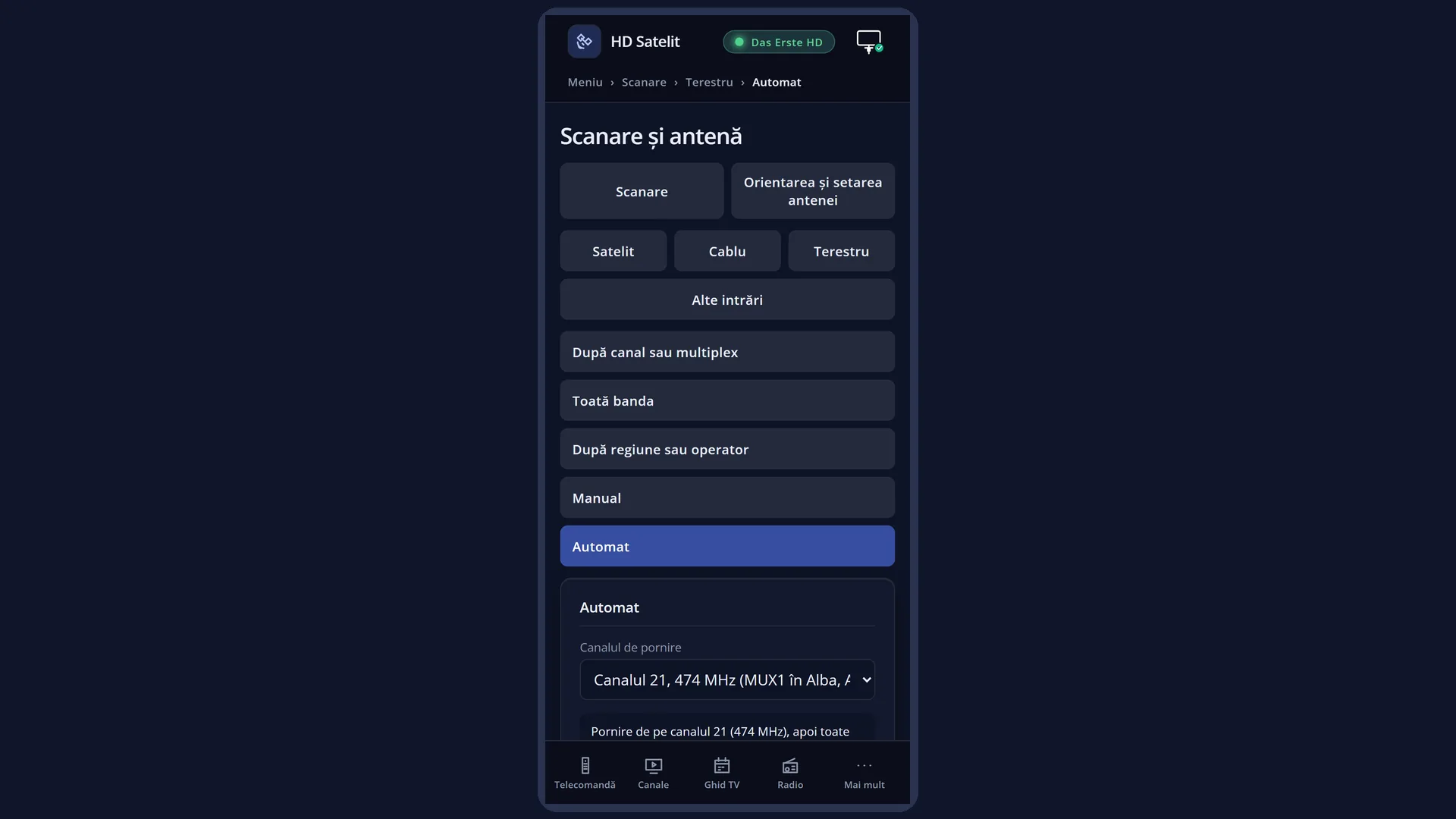
In the web interface: the /scanare/terestru/automat page (“Channel scan” tab, “Terrestrial” group, “Automatic” button).
What you see on the screen
At the top, the title “Terrestrial scan: Automatic”, the time and the date. In the Pro theme, the blue square with the logo is to the left of the title.
The list has two rows: “Start channel”, with the chosen channel on the right (long text scrolls by itself), and “Search now”.
Below the list is the preview: “Start from channel 21 (474 MHz), then all multiplexes announced in the signal. MUX1 broadcasts on this channel in: Alba, Arad, Hunedoara, Maramureș, Sălaj, Satu Mare, Timiș.”. For a country other than Romania, the notes about DVB-T2 are added.
Underneath, in yellow, is the status line, showing what the keys do or the last message (“Saved.”, “The search did not start.”).
At the bottom, the colour keys: RED “Back”, GREEN “Search now”, YELLOW “Change”, BLUE “Save”.
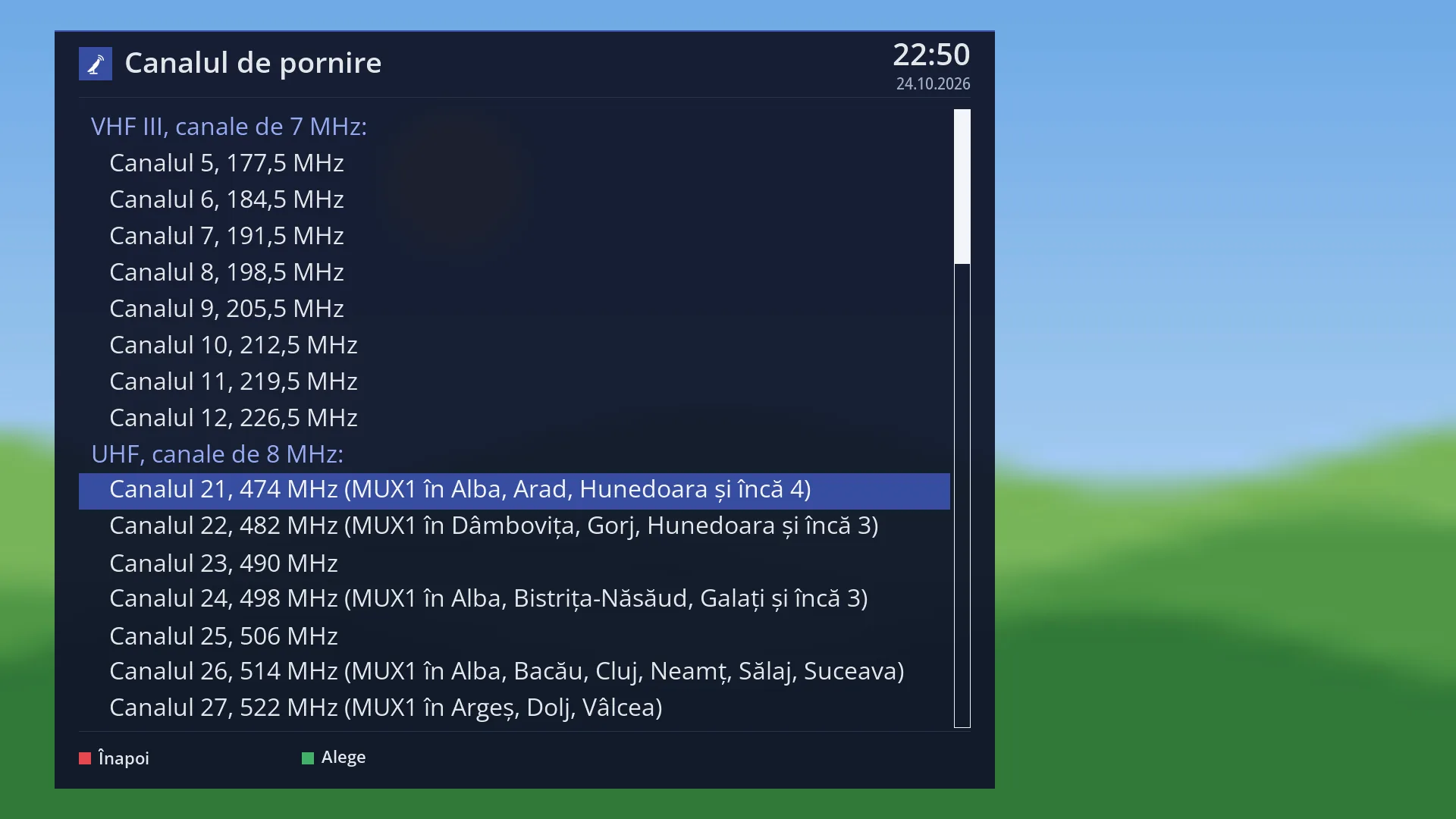
OK on “Start channel” opens the channel list, full screen: “VHF III, 7 MHz channels:” with channels 5-12, then “UHF, 8 MHz channels:” with channels 21-69.
Once the search starts, the “Service scan” screen opens: at the top “Terrestrial” and the channel being tried, the moving dots, the percentage, the progress bar, “Time left” and “Transponders: x of y” (the number goes up with the multiplexes announced in the signal). At the end comes the summary with “Channels found”, “Transponders scanned”, “no signal”, “Duration” and, when the network sends its name, the “Operator network” box.
Rows and settings
| Row | Values | Default | What it does |
|---|---|---|---|
| Start channel | Channel 5, 177.5 MHz … Channel 12, 226.5 MHz (VHF III, 7 MHz), Channel 21, 474 MHz … Channel 69, 858 MHz (UHF, 8 MHz) | Channel 21, 474 MHz | The channel the receiver tunes to first. From there it reads the multiplexes announced by the network in the signal and searches them all. It must be a channel on which your aerial receives the network. When the network in your area broadcasts on a channel other than 21. |
| Search now | OK on this row starts the search, like the GREEN key. The chosen channel is remembered before the search starts. After you have chosen the start channel. | ||
| The notes about DVB-T2 (in other countries) | “The image can only tune DVB-T for now: DVB-T2 multiplexes will give no channels until a future update.”, “DVB-T2 networks announce their frequencies in a way the image cannot read yet.” | This is not a row on the screen: when the country of the menu language is not Romania, the two notes appear in the preview instead of the question. A DVB-T network is searched in full; a DVB-T2 network does not give any channels yet. | |
| The channels found | They are written to the channel list only at the end of the search. Existing channels are not deleted; those found again are updated. You find them in the channel list under Satellites › Terrestrial and, when the network sends the channel numbers, also in number order under Satellites › Terrestrial › the network name. |
Keys
| UP / DOWN | Move the cursor between “Start channel” and “Search now”. From the last row, DOWN goes to the first, and the other way round. |
| LEFT / RIGHT | On “Start channel”, go to the previous or next channel (from 12 it jumps to 21) without opening the list. |
| OK | On “Start channel”, opens the channel list. On “Search now”, starts the search. |
| GREEN | Starts the search from any row (the screen shows “Search now”). |
| YELLOW | On “Start channel”, opens the list, like OK (the screen shows “Change”). On “Search now” it does nothing. |
| BLUE | Remembers the chosen channel and shows “Saved.” in the status line (the screen shows “Save”). |
| RED or EXIT | Closes the screen and takes you back to the Terrestrial menu. The chosen channel is remembered in this case too. |
| In the channel list: UP / DOWN, LEFT / RIGHT | Move the cursor one channel or one page at a time; the “VHF III” and “UHF” headings are skipped. |
| In the channel list: OK or GREEN | Chooses the highlighted channel and closes the list. |
| In the channel list: RED or EXIT | Closes the list without any change. |
| Yes / No (at the question before the search) | Choose with the arrow keys and press OK: Yes starts the search, No cancels. |
| EXIT (on the “Service scan” screen) | During the search, stops it; the channels found up to then are not written to the list. After the end, closes the result. |
| OK (on the “Service scan” screen) | After the end, closes the result. While the search is running, it does nothing. |
Step by step
Search a DVB-T network starting from a known channel
- Connect the terrestrial aerial to the receiver's terrestrial input.
- Press MENU 1 3 5.
- On “Start channel”, press OK, choose the channel on which you receive the network and press OK.
- Press GREEN. At the question about DVB-T2, choose Yes only if your network is DVB-T.
- At the end, read the summary and the “Operator network” box, then press EXIT.
Choose the MUX1 channel for your county, for later
- Press MENU 1 3 5 and go through the channels with LEFT and RIGHT.
- Stop on the channel whose preview shows your county and press BLUE.
- The channel stays remembered; after an image update with DVB-T2, you search it straight away with GREEN.
Start the search from your phone
- Open the receiver's web interface and go to /scanare/terestru/automat.
- Choose the start channel from the list; below it you see the same preview as on the TV.
- Press “Search now”, then “Search anyway” or “Cancel” at the question. You can follow the search in the “The search on the TV” card.
Problems and solutions
The search started from the MUX1 channel finds 0 channels.
MUX1 is DVB-T2, and for now the image tunes only DVB-T. The channels will appear after an image update that adds DVB-T2.
Only the channels on the start channel were found, not the whole network.
The network did not announce its other multiplexes on that channel, or they are DVB-T2. Search them one by one with “By channel or multiplex”, or the whole band with “Whole band” (MENU 1 3 2).
When you start, this appears: “The terestru tuner (…) is set to ‘not connected’ in Tuner settings. Turn it on there, then come back here.”
Open Menu > Dish alignment and setup > Tuner settings (MENU 2 1), turn on the tuner for terrestrial, then come back here.
When you start, “The receiver has no terestru tuner.” appears.
Your receiver has no terrestrial tuner, so it cannot search for terrestrial channels.
The summary says “No transponder had a signal.”
There is no DVB-T signal on the start channel. Check the aerial (connected to the terrestrial input, pointed at the transmitter) and try another start channel.
I stopped the search with EXIT and I have no new channels.
Channels are written to the list only at the end of the search. Start it again and let it finish.
Related topics
Differences between receivers
On the Amiko Viper 4K V20, the terrestrial tuner is tuner B, a combined cable and terrestrial tuner (DVB-C/T/T2); the search runs on it.