

Volume remembered per channel
English screenshots coming: some of the pictures below still show the receiver and the web interface in Romanian. The rows, keys and steps described on this page are the English ones.

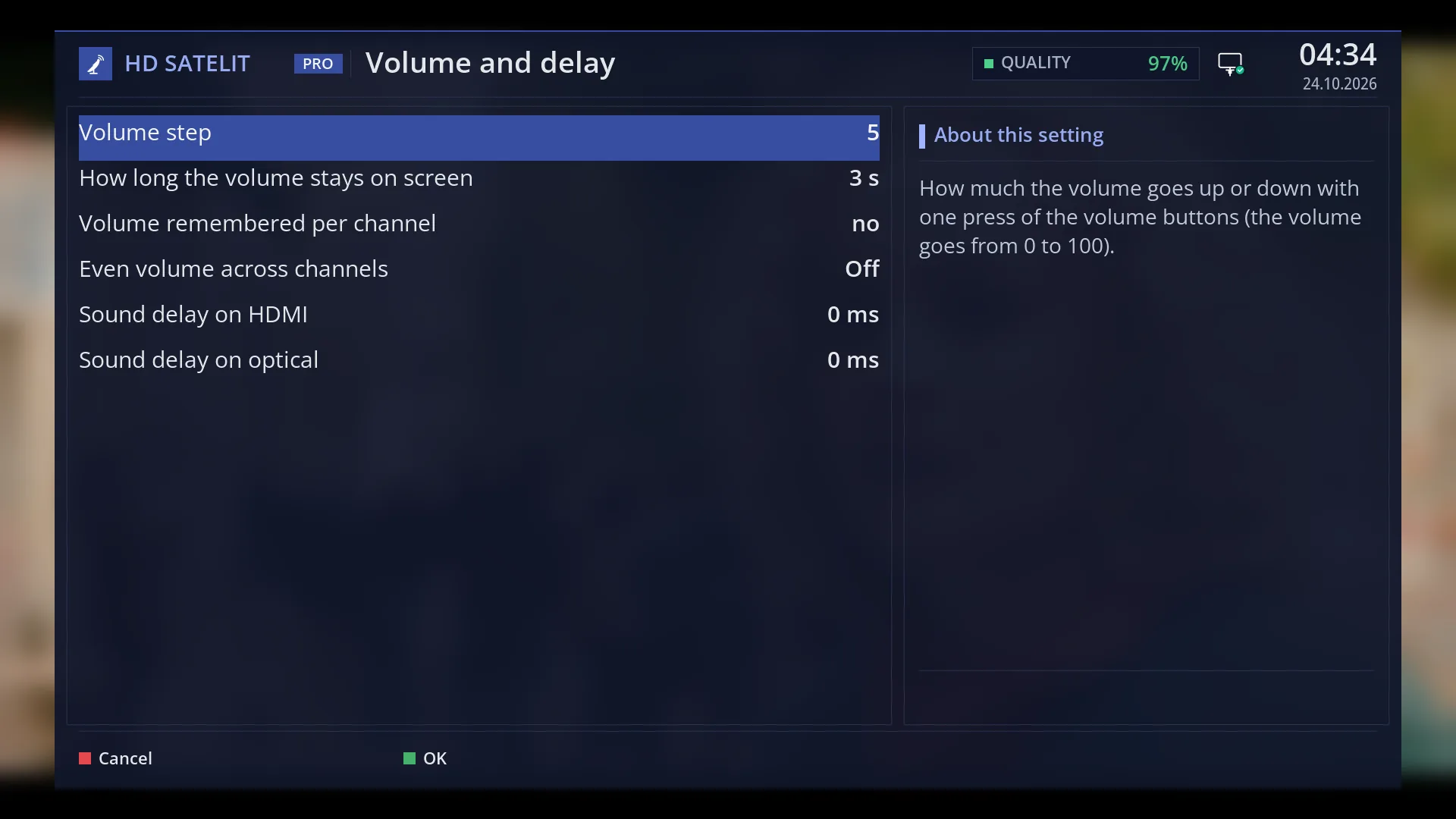
- 1 The selected row.
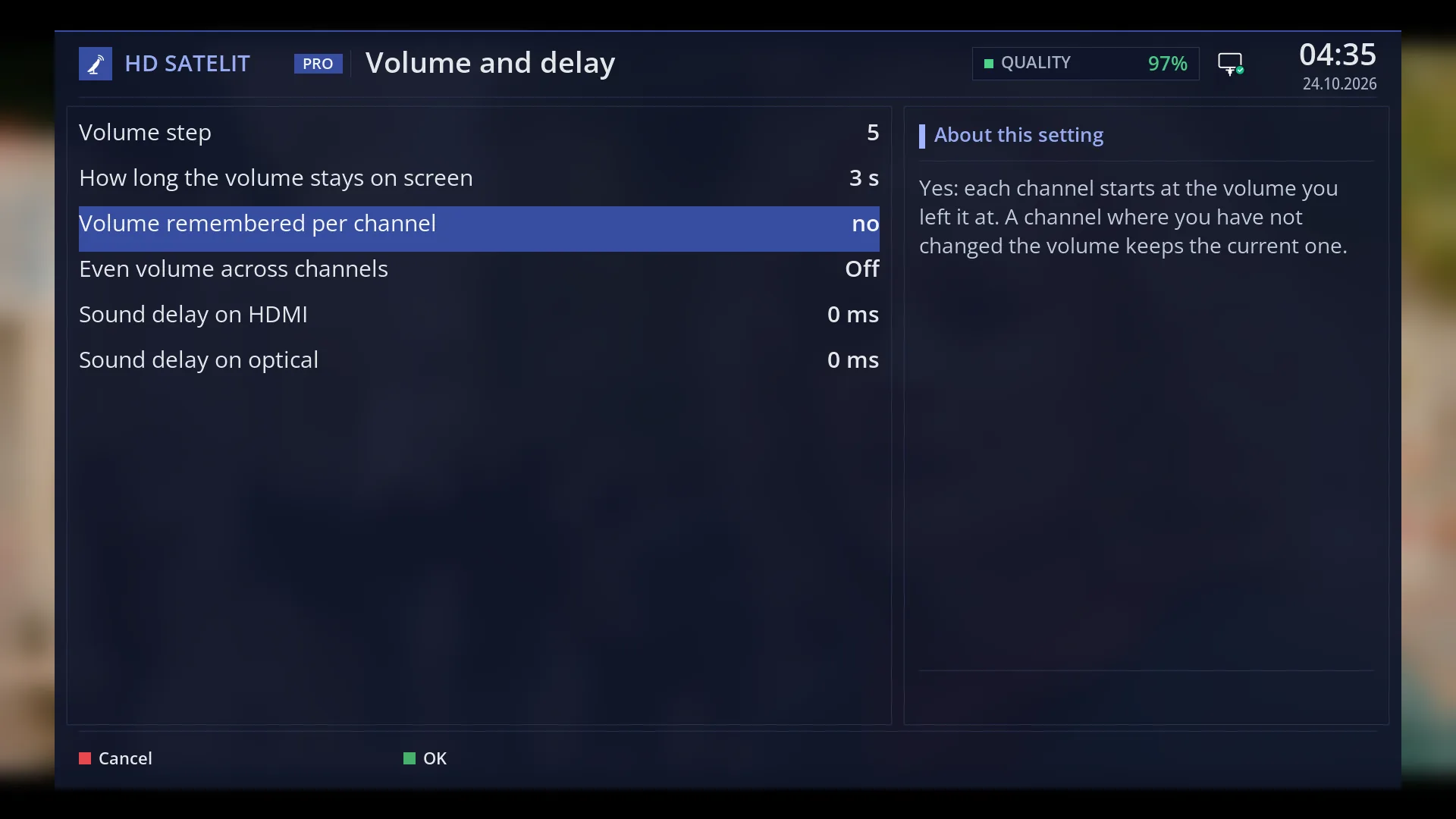
- 1 The selected row.
What it is for
Some channels are much louder than others. With “Volume remembered per channel” switched on, the receiver notes the volume you left each channel at and sets it automatically the next time you switch to that channel.
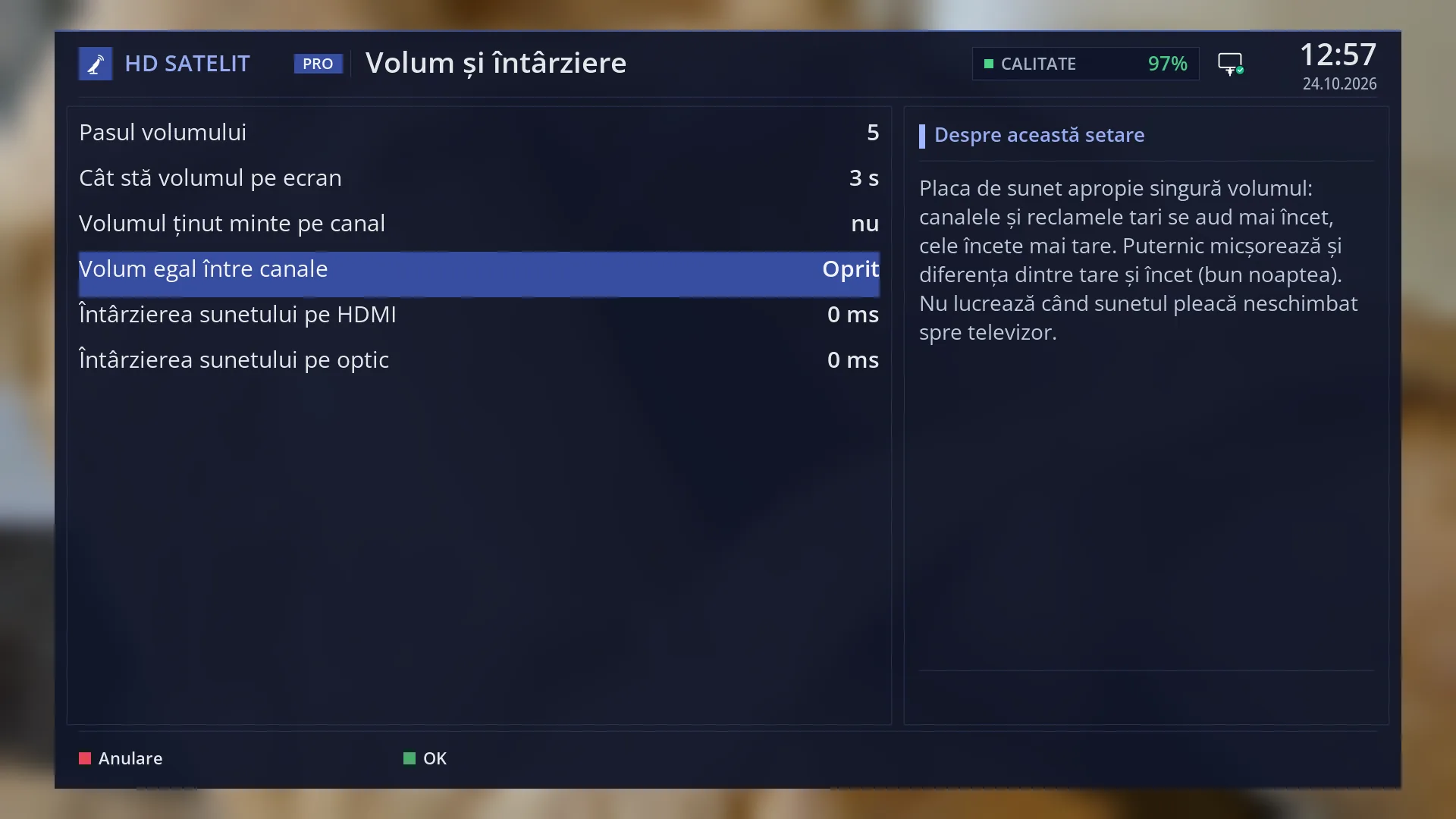
“Even volume across channels” does something different: the sound chip evens out the volume by itself, so loud adverts play more quietly and quiet channels play louder.
Both are off by default. You switch them on in “Volume and delay”, on the TV or in the web interface.
How to get here
You notice it when you change channel: the volume jumps automatically to the level you left on the new channel.
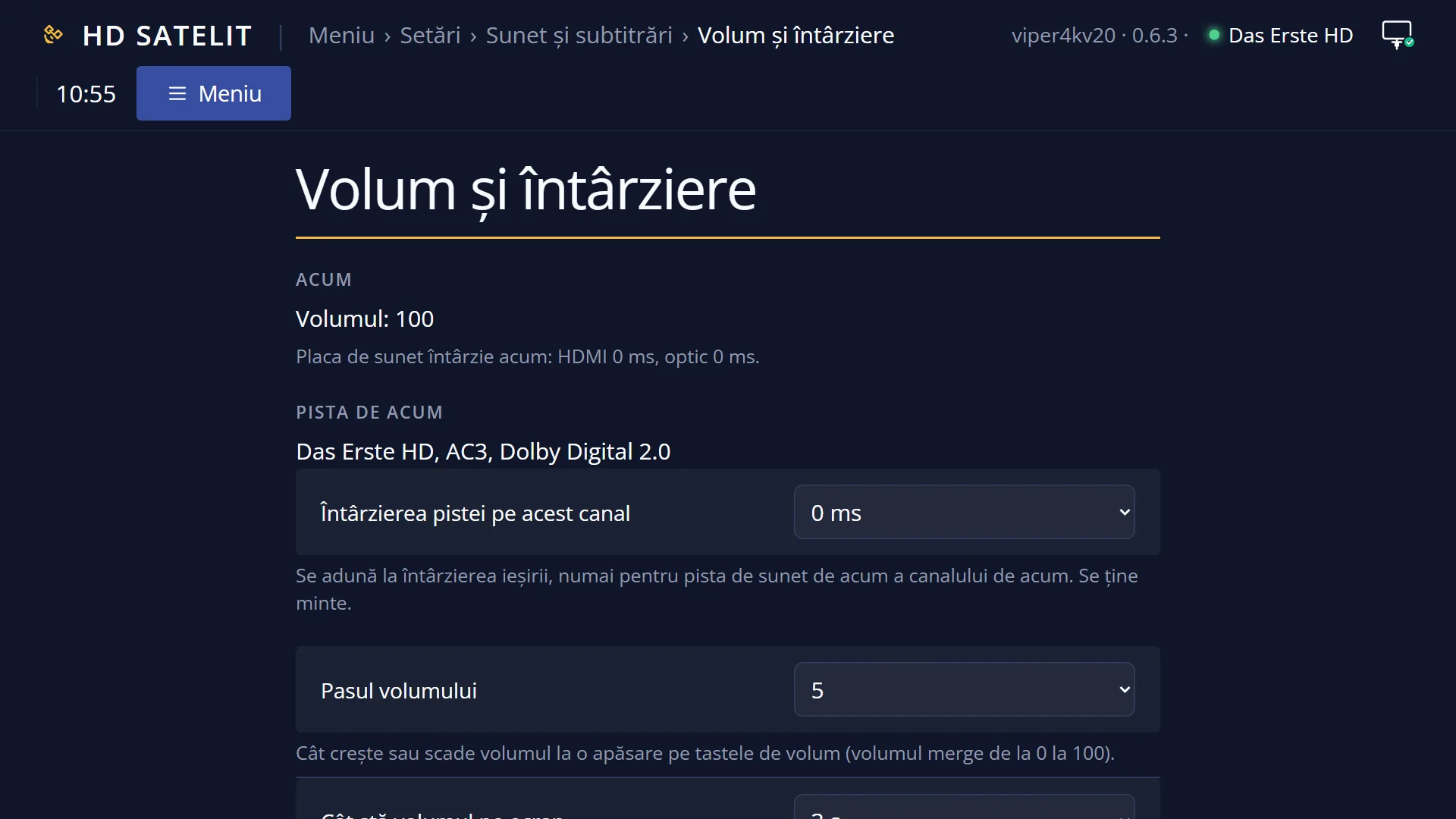
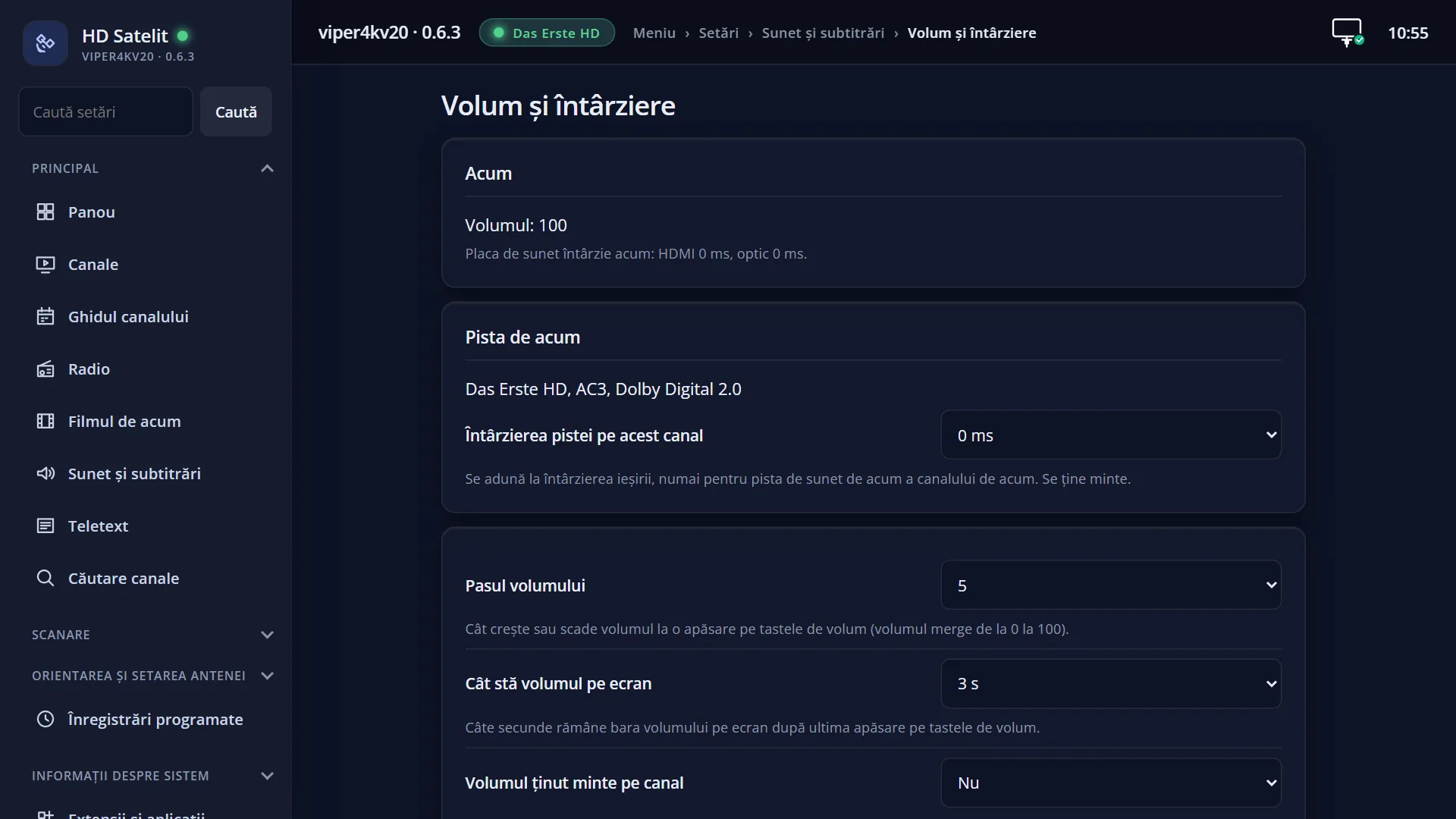
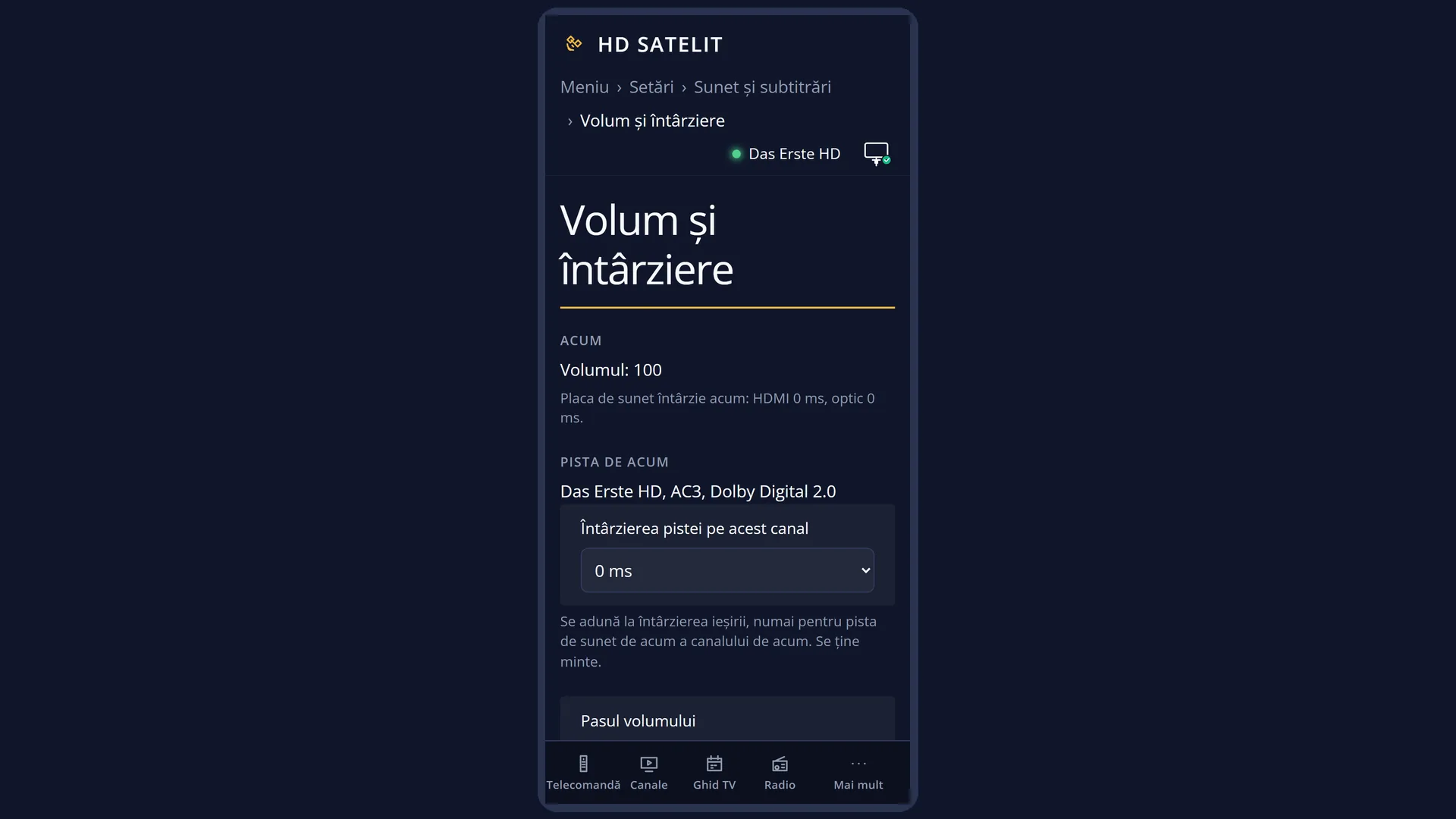
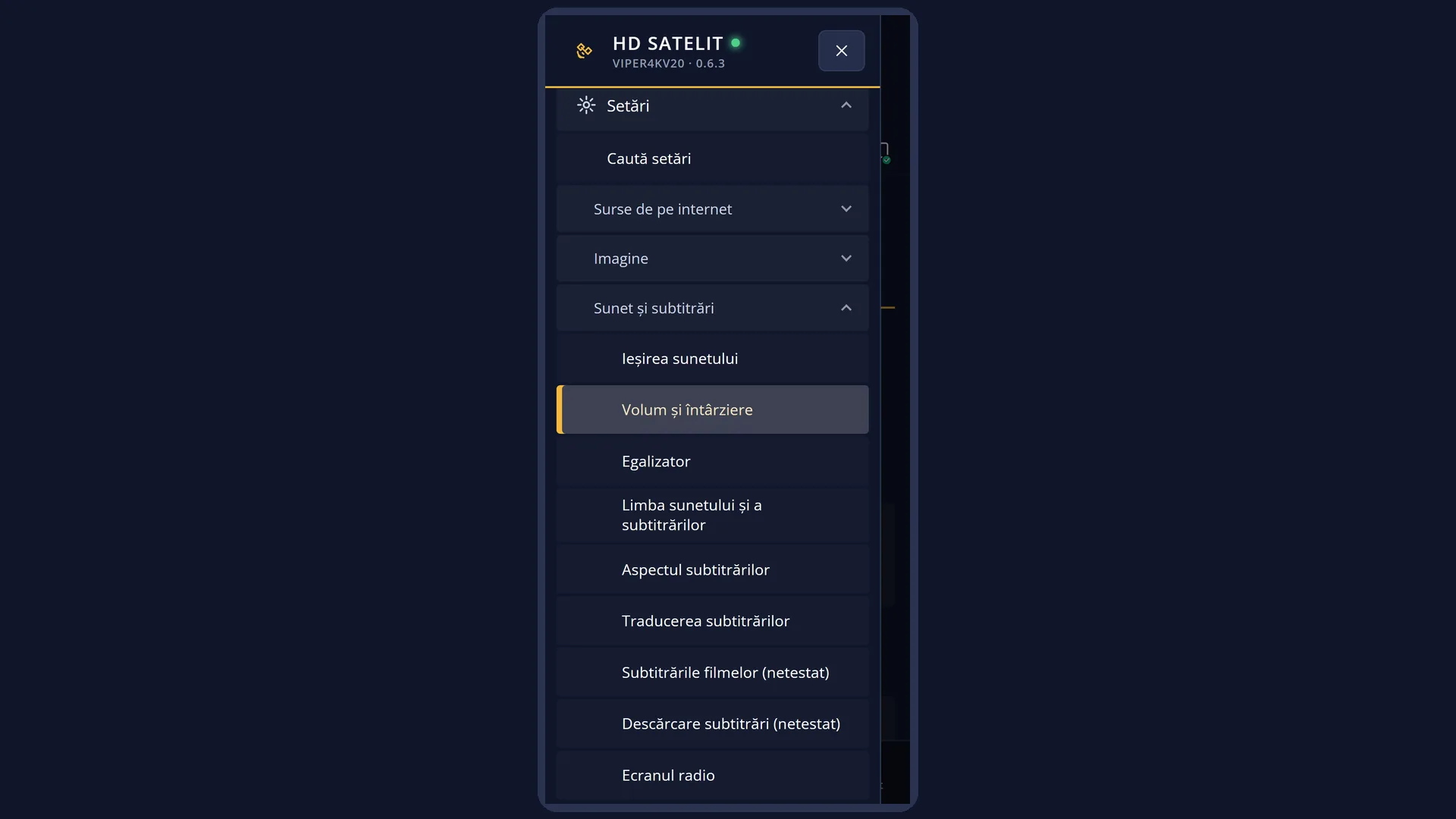
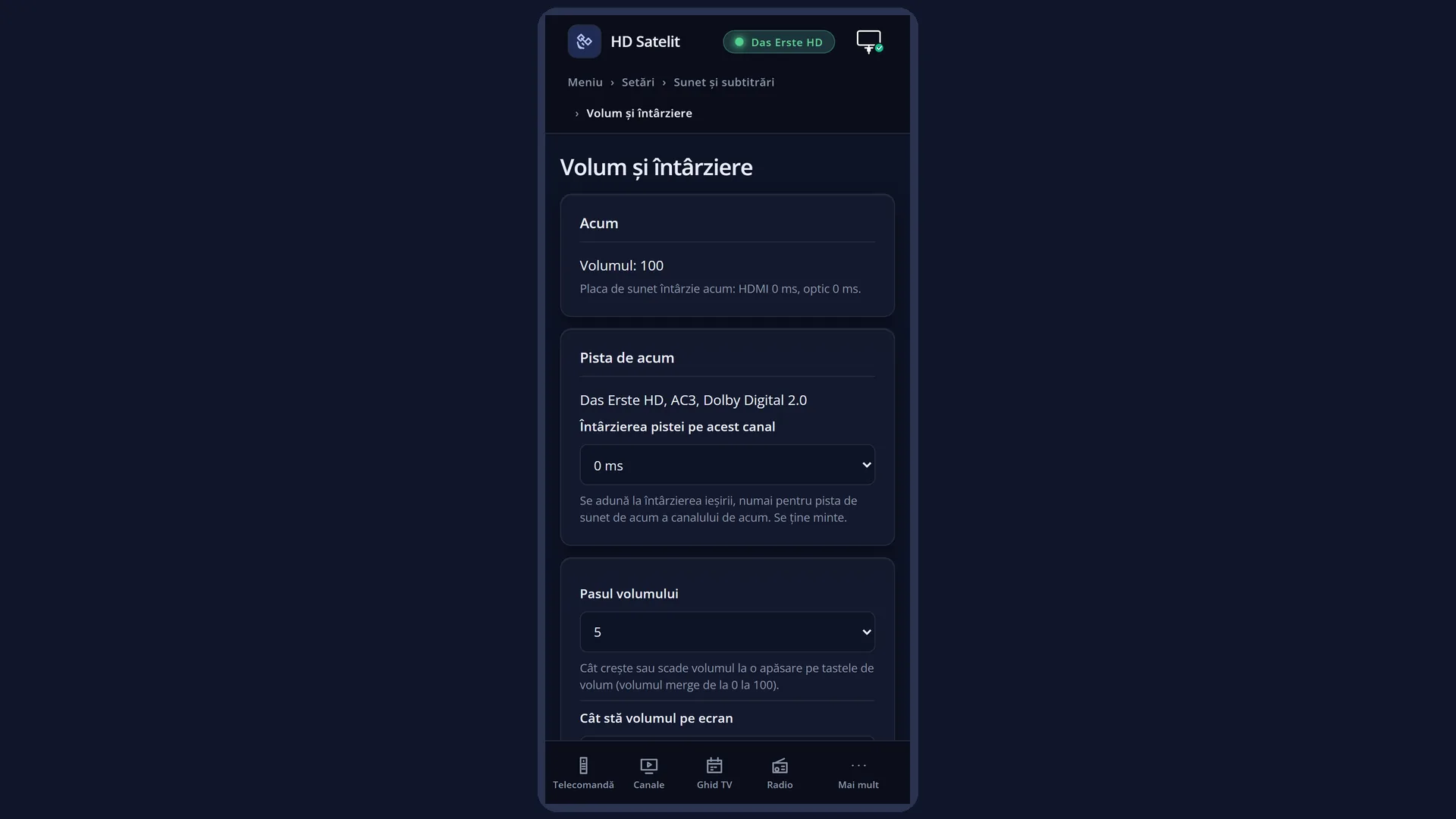
The settings: Menu > Settings > Audio & Sound Tracks > Volume and delay (MENU 6 4 2).
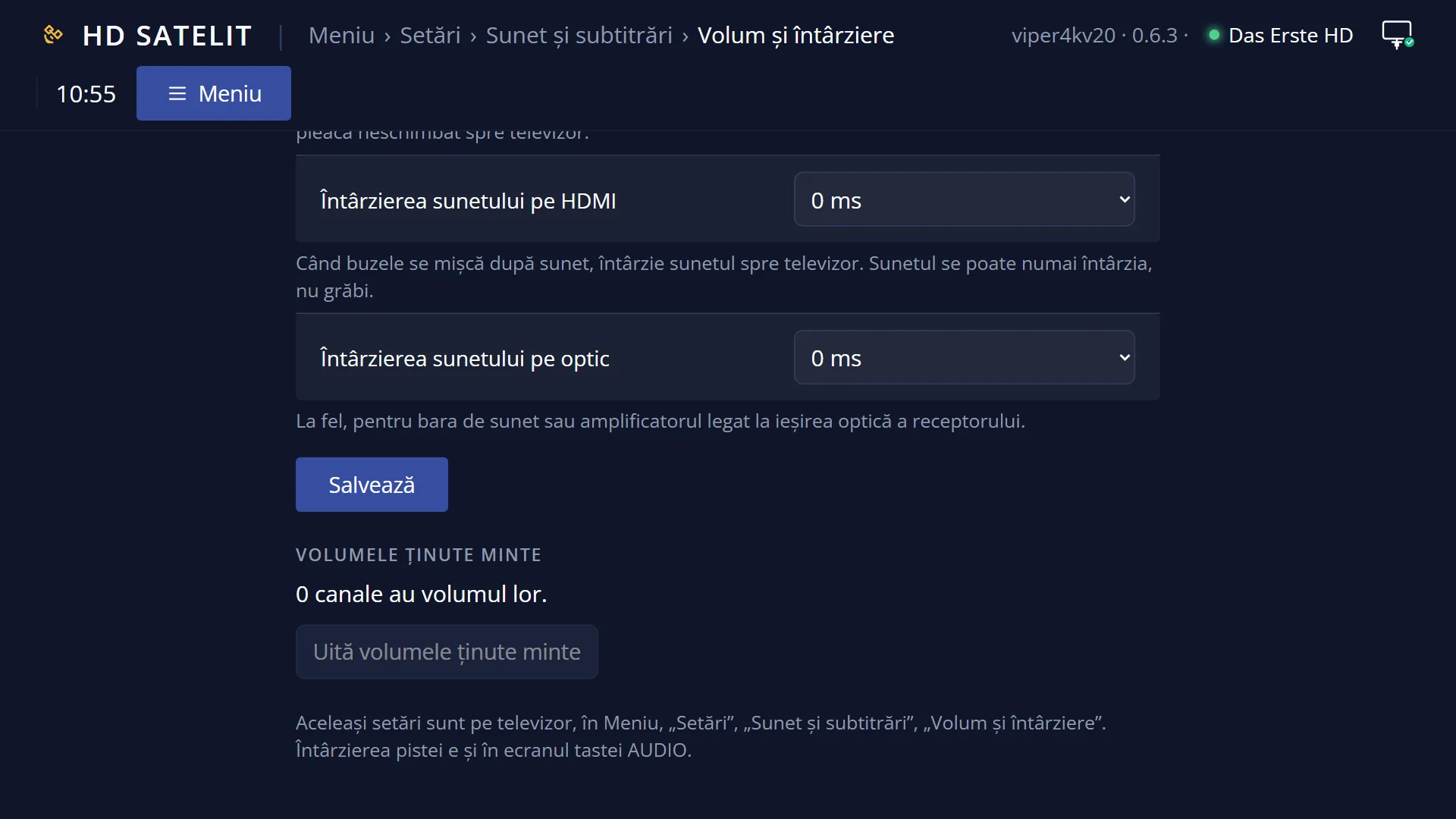
In the web interface: /volum-intarziere, with the same rows, plus how many channels have a remembered volume and the “Forget the remembered volumes” button.
What you see on the screen
When you press VOL+ or VOL-, the volume bar appears at the top right, with the speaker icon, the bar and the volume number (0-100). By default it stays on screen for 3 seconds after the last key press.
MUTE shows the muted sound symbol in the same corner.
When you change channel with “Volume remembered per channel” switched on, the volume changes without a message, before the new channel's sound starts. A channel where you have never changed the volume keeps the current volume.
Muted sound (MUTE) is also remembered after the receiver restarts: the first channel still starts without sound, with the muted sound symbol on screen.
Rows and settings
| Row | Values | Default | What it does |
|---|---|---|---|
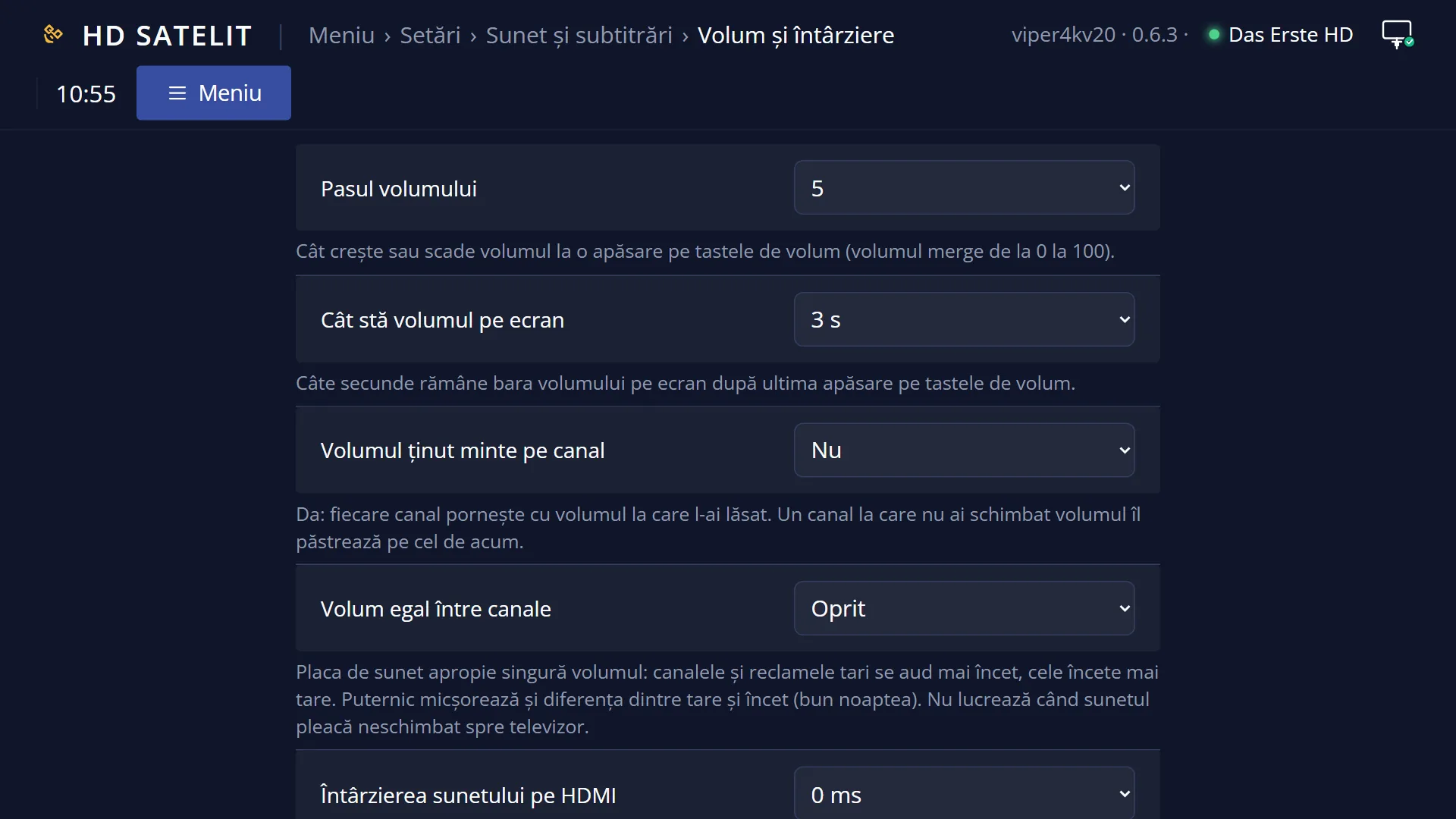
| Volume remembered per channel | yes, no | no | Yes: each channel starts at the volume you left it at. A channel where you have not changed the volume keeps the current one. The volume is noted for the channel every time you change the volume, from the remote or from the web interface. When some channels are much louder or quieter than others. |
| Even volume across channels | Off, Light, Strong | Off | The sound chip evens out the volume by itself: loud channels and adverts play more quietly, quiet ones louder. Strong also reduces the difference between loud and quiet passages (good at night). It does not work when the sound is passed to the TV unchanged (for example AC3 5.1 sent unchanged). The row only appears when the sound chip has this function. When adverts are too loud, or when you watch at night with the volume low. |
| Volume step | 1, 2, 3, 4, 5, 6, 7, 8, 9, 10 | 5 | How much the volume goes up or down with one press of VOL+ / VOL- (the volume goes from 0 to 100). When the volume jumps too much with one press (choose less) or rises too slowly (choose more). |
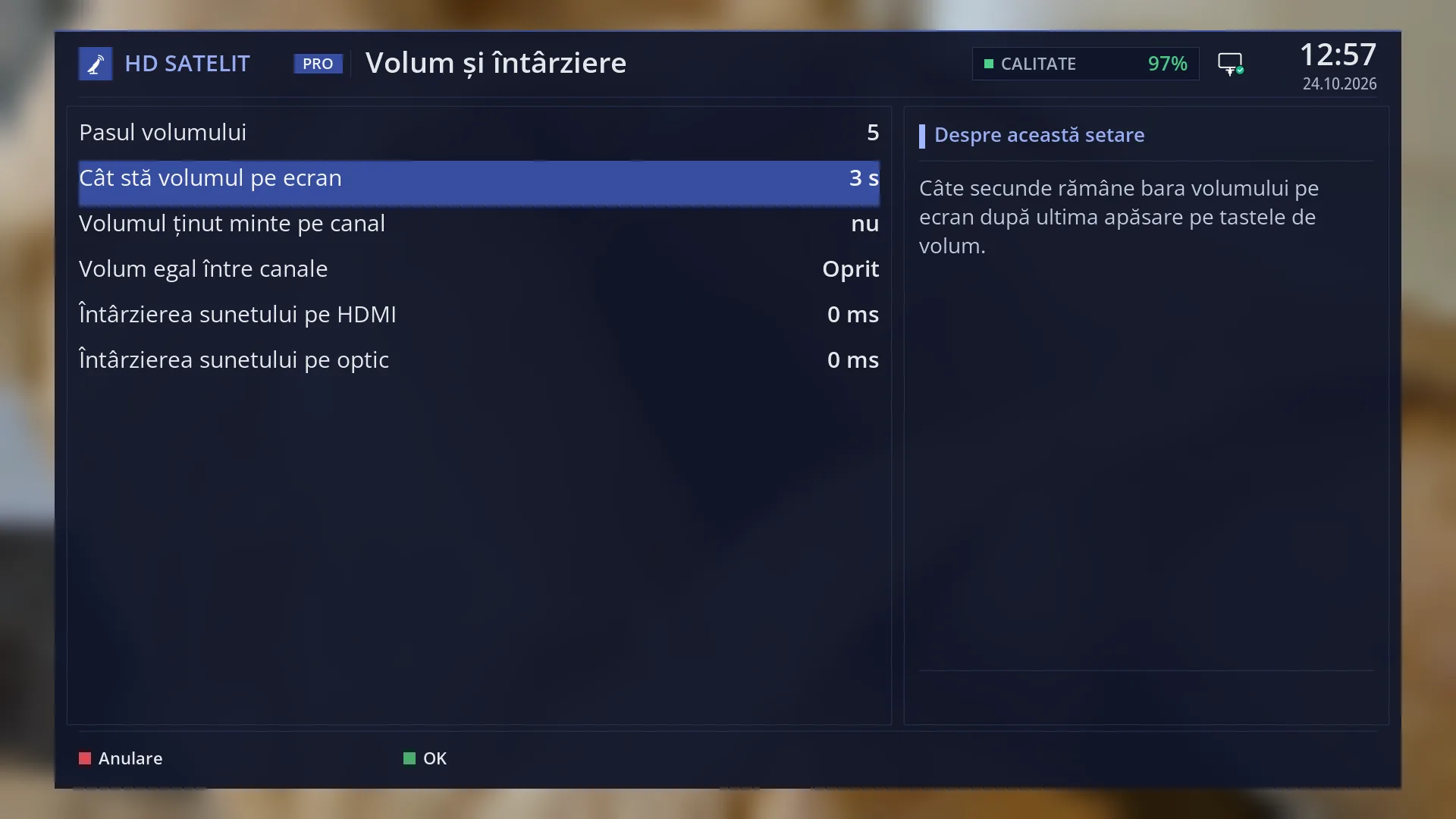
| How long the volume stays on screen | 1 s, 2 s, 3 s, 4 s, 5 s, 6 s, 7 s, 8 s, 9 s, 10 s | 3 s | How many seconds the volume bar stays on screen after the last press of the volume keys. When the volume bar gets in the way or disappears too quickly. |
Keys
| VOL+ / VOL- | Change the volume by the chosen step; if you hold them down, the volume keeps going up or down. With “Volume remembered per channel” switched on, the new volume is noted for the current channel. |
| MUTE | Turns the sound off or on. Muted sound is not noted as the channel's volume. |
| LEFT / RIGHT, CH+ / CH-, digits | On the new channel, the volume jumps automatically to the remembered level (with the setting switched on). |
Step by step
Switching on the volume remembered per channel
- Press MENU, then 6 (Settings), 4 (Audio & Sound Tracks), 2 (Volume and delay).
- At “Volume remembered per channel”, choose “yes” and save with GREEN.
- Switch to the channel that is too loud and turn the volume down. From now on, every time you come to that channel, it starts at this volume.
Making adverts quieter
- In “Volume and delay”, at “Even volume across channels”, choose “Light” (or “Strong” in the evening).
- Save. You hear the difference immediately.
Forgetting all remembered volumes
- Open the web interface on your phone or computer and go to the /volum-intarziere page.
- Press “Forget the remembered volumes”. This button is not yet available on the TV.
Problems and solutions
The volume does not change when I switch to another channel.
“Volume remembered per channel” is off by default; switch it on. After that, the volume is only remembered once you have changed it on each channel.
A channel starts too quietly, although I turned it up another time.
The volume is noted at every change: the last value left on the channel wins. Turn it up and switch to another channel.
“Even volume across channels” has no effect.
It does not work when the sound is passed unchanged to the TV or amplifier (AC3 5.1 unchanged). See “Sound Output & Downmix”.
I cannot see the “Even volume across channels” row.
The row only appears when the receiver's sound chip has this function.
The receiver started without sound.
The sound was muted (MUTE) when you switched it off; this is remembered. Press MUTE.
Related topics
- Volume and delay (all rows of the screen)
- Sound Output & Downmix
- Changing the channel
- Selecting the audio track (track delay per channel)
- Matching web page: /volum-intarziere (with “Forget the remembered volumes”).