

DVB-I Reload Now
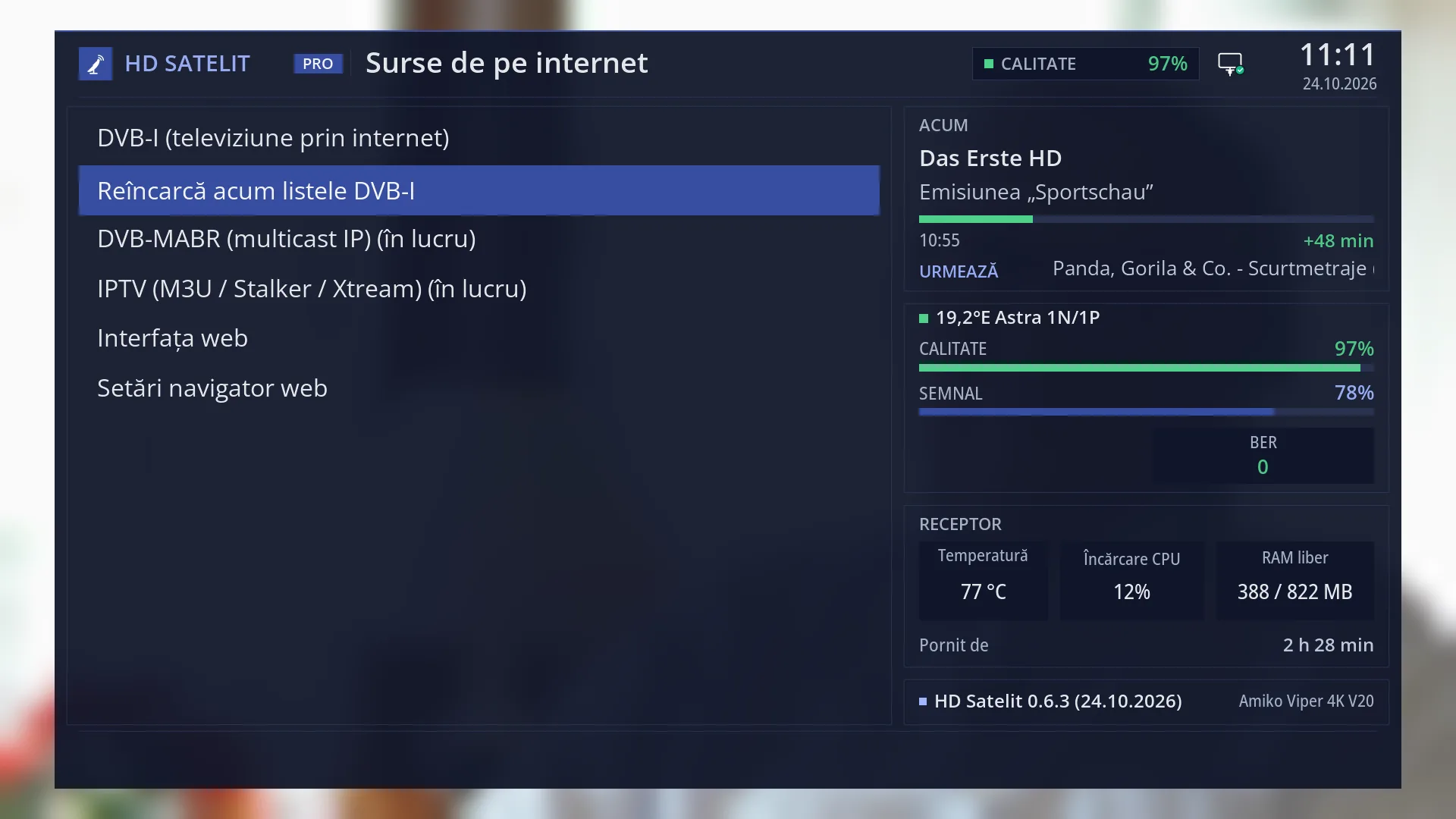
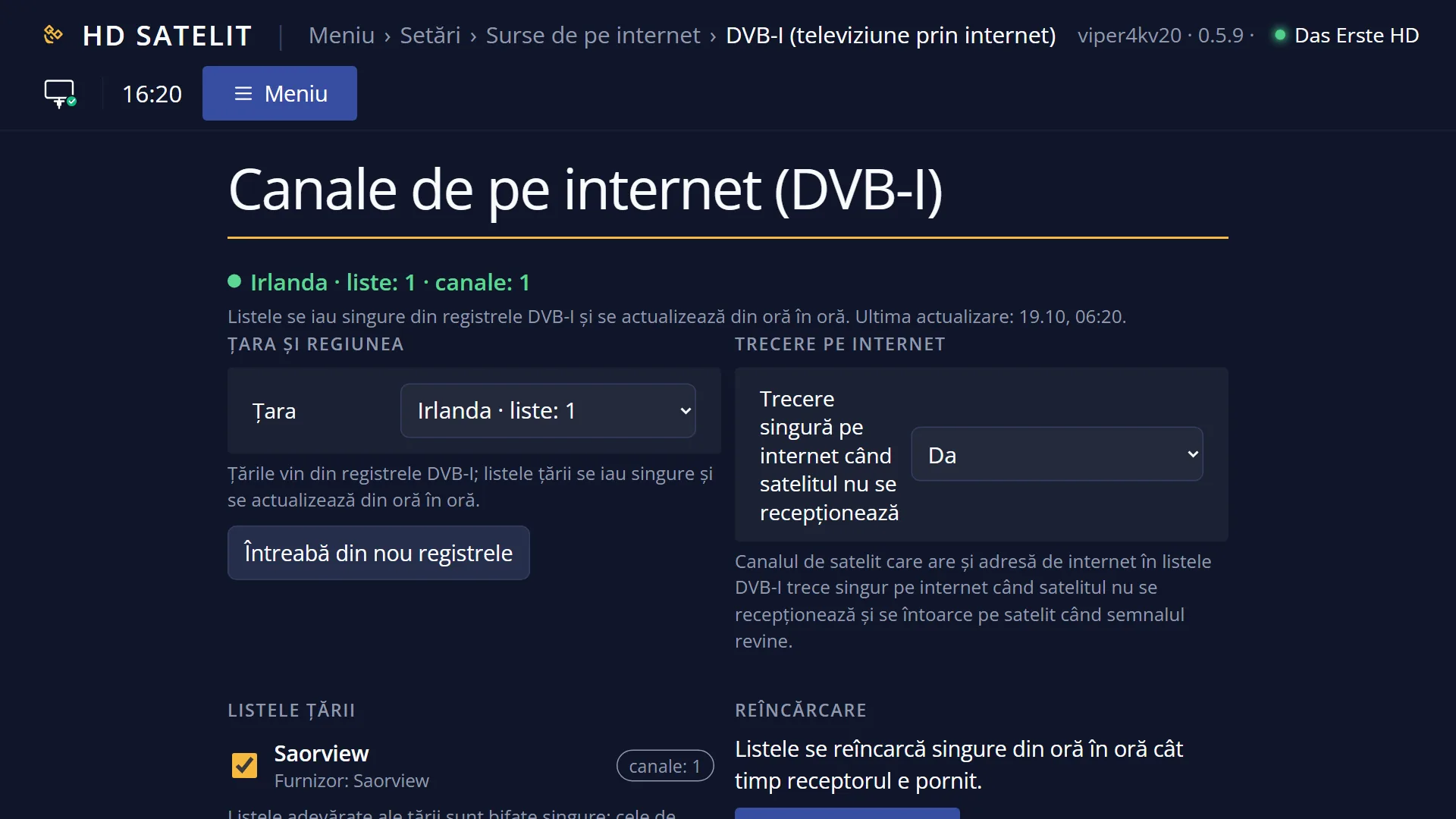
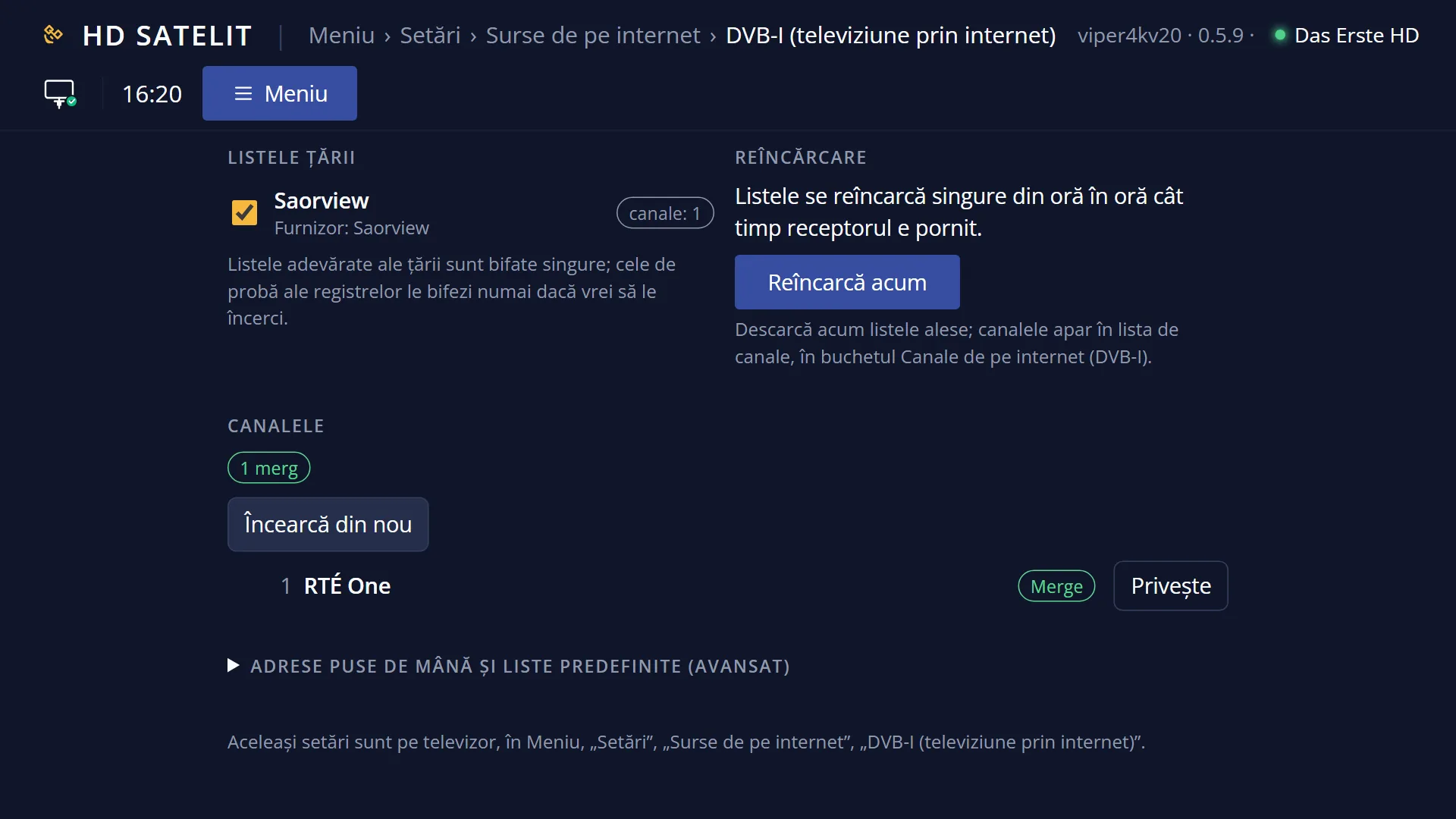
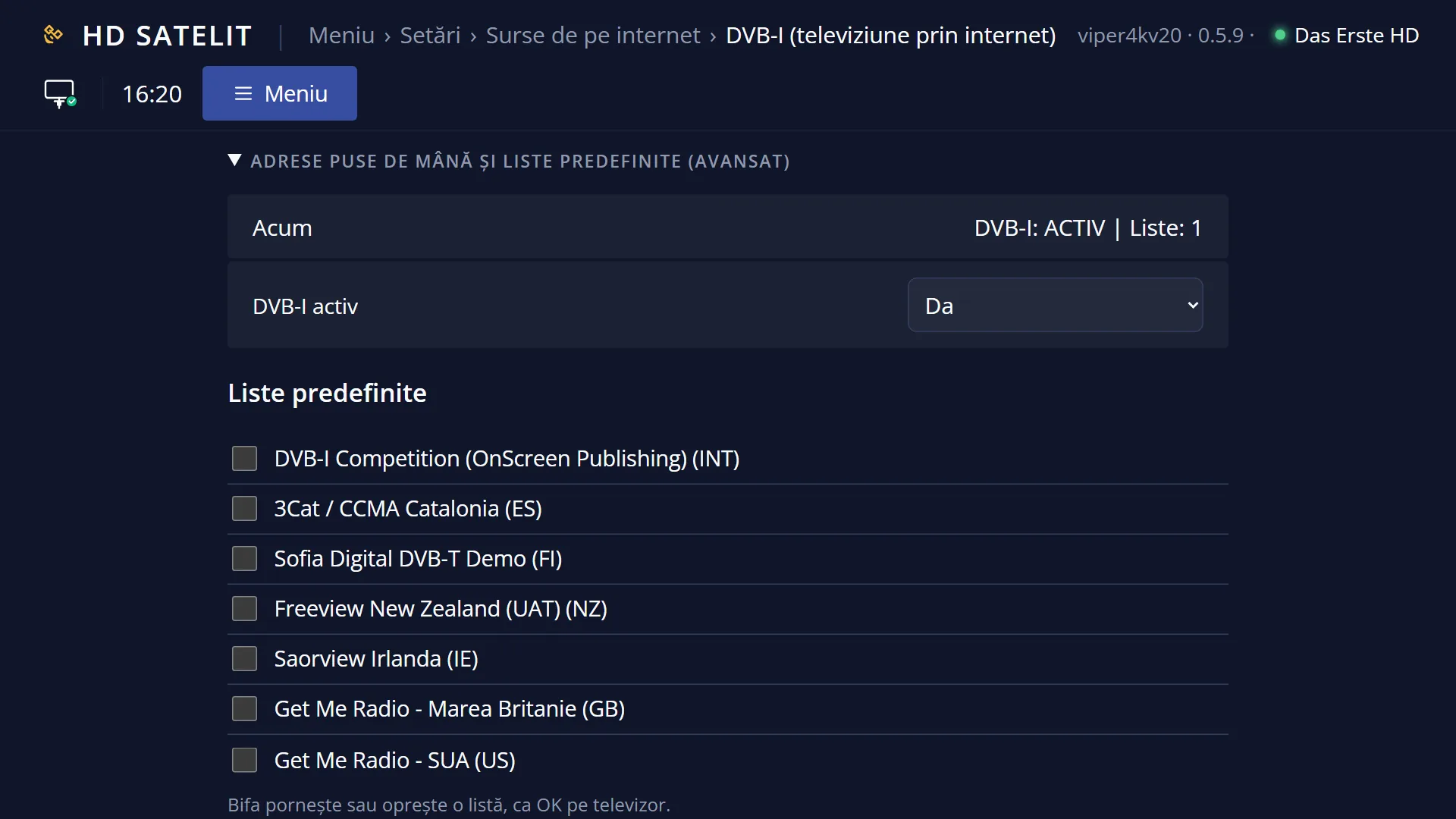
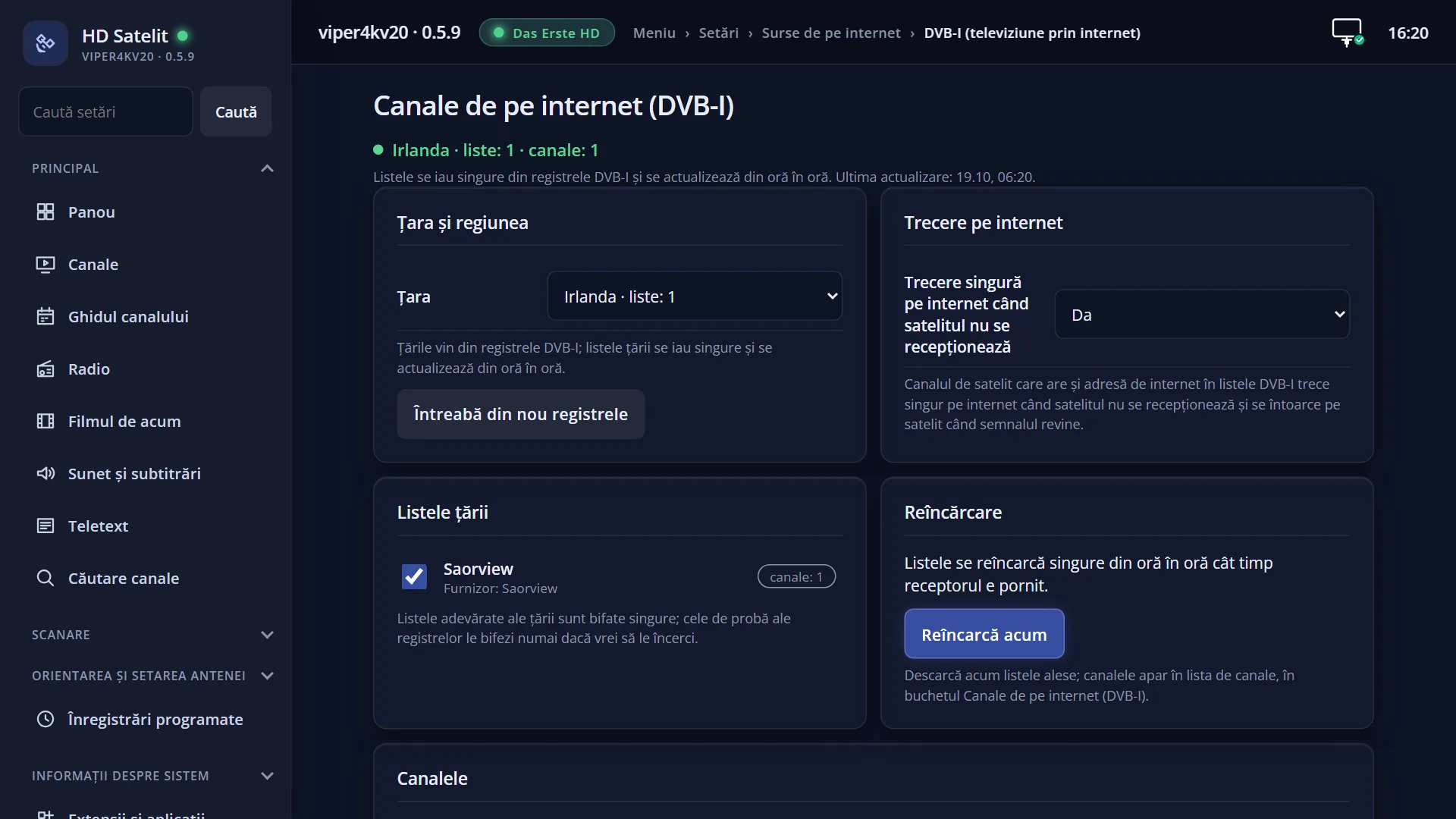
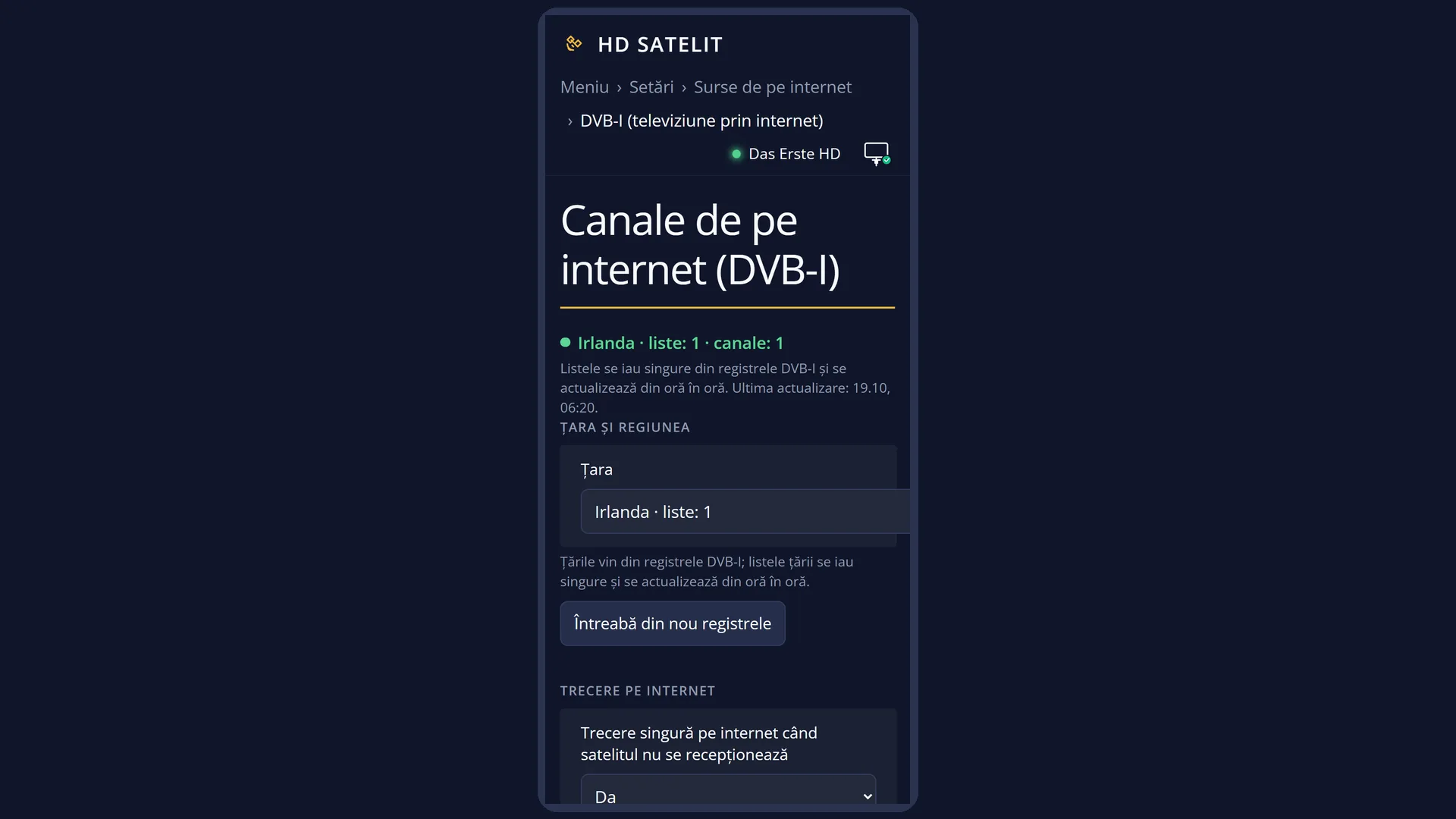
Screenshots are being added: so far 1 from the receiver and 5 from the web interface; the aim is at least 5 of each, with arrows and frames, and, where a setting changes what you see, a before and after comparison.
English screenshots coming: some of the pictures below still show the receiver and the web interface in Romanian. The rows, keys and steps described on this page are the English ones.
What it is for
The DVB-I lists (the internet channels) update by themselves every hour while the receiver is on. This row downloads them again right now, so you do not have to wait.
Everything you chose in “DVB-I Setup (TV over Internet)” is downloaded: the ticked country lists, the ticked predefined lists and the addresses entered by hand. After the download, the “Internet channels (DVB-I)” bouquet in the channel list is rebuilt with the current names and numbers.
The reload runs in the background. Live TV does not stop and you can close the window at any time. The download finishes by itself.
Use it after you have chosen a country or a list and want the channels straight away, or when a broadcaster has changed its channels and you want the new list now.
How to get here
Path: Main menu > Settings > Internet Sources > DVB-I Reload Now.
Keys on the remote while watching TV: MENU 6 2 2.
GREEN (Reload) in the “Internet channels (DVB-I)” screen does the same.
In the web interface: the page /dvb-i?f=reincarca. Opened this way, the /dvb-i page scrolls down to the “Reload” box and starts the reload by itself. On the normal /dvb-i page there is the “Reload now” button.
What you see on the screen
A small window in the middle of the screen, over the menu, with the text “Reloading the configured DVB-I lists...”.
When the download finishes, the text changes by itself: “Reload finished successfully.” or “Reload failed:” followed by the reason, then “Press OK or Red to close.”.
The usual reasons: “No DVB-I list could be downloaded. The previous DVB-I channels are kept.” (usually no internet), or a message saying the receiver's clock is behind or ahead, so https pages cannot be opened.
At the bottom left, the red “Back” key.
If a reload started elsewhere (the web page or the DVB-I screen) is already running, the window does not start a second one. It waits and shows the result of the one in progress.
Keys
| OK | Closes the window. If the download has not finished, it carries on in the background. |
| RED (Back) | Closes the window, like OK. |
| EXIT | Closes the window, like OK. |
Step by step
Downloading the DVB-I channels now
- Press MENU 6 2 2.
- Wait a few seconds, until the window shows “Reload finished successfully.”.
- Press OK. The new channels are in the channel list, in the “Internet channels (DVB-I)” bouquet.
Checking what was downloaded
- Press MENU 6 2 1 (“DVB-I Setup (TV over Internet)”).
- The status at the top shows how many lists and how many channels arrived, and the time of the last update.
- Under each country list you can see how many channels it provided.
Problems and solutions
It says “Reload failed: No DVB-I list could be downloaded. The previous DVB-I channels are kept.”.
The receiver cannot reach the internet or the list addresses are not responding. Check the connection (Menu > Settings > Network & Internet) and try again. The previous DVB-I channels stay in the list.
The reason says the clock is behind or ahead.
With the wrong time, https addresses do not open. Set the time in Settings > System & Devices > Date & Time Settings, then reload.
It says “finished successfully”, but no channel has appeared in the list.
You have probably not chosen any country or list, so there is nothing to download. Open “DVB-I Setup (TV over Internet)” and choose the country.
The window stays on “Reloading...” for a long time.
Each list has up to 15 seconds. With several lists or a slow internet connection it takes longer. You can close the window with OK: the download finishes in the background.
Related topics
- DVB-I Setup (TV over Internet)
- Internet channels (DVB-I) in the list
- Internet Sources
- Date & Time Settings
- Matching web page: /dvb-i?f=reincarca (the “Reload” box in /dvb-i).