

Channels from another image
Screenshots are being added: so far 0 from the receiver and 7 from the web interface; the aim is at least 5 of each, with arrows and frames, and, where a setting changes what you see, a before and after comparison.
English screenshots coming: some of the pictures below still show the receiver and the web interface in Romanian. The rows, keys and steps described on this page are the English ones.
What it is for
When you switch to HD Satelit from another Enigma2 image, you do not need to build your channel list again. At the first start, the receiver looks on the USB stick or disk for a copy of the channels from your previous image and asks whether to bring it over.
The question is “I found the channels and settings from another image. Shall I bring them over?”, with the location of the copy shown underneath (the USB stick and the folder or archive). Yes is selected by default.
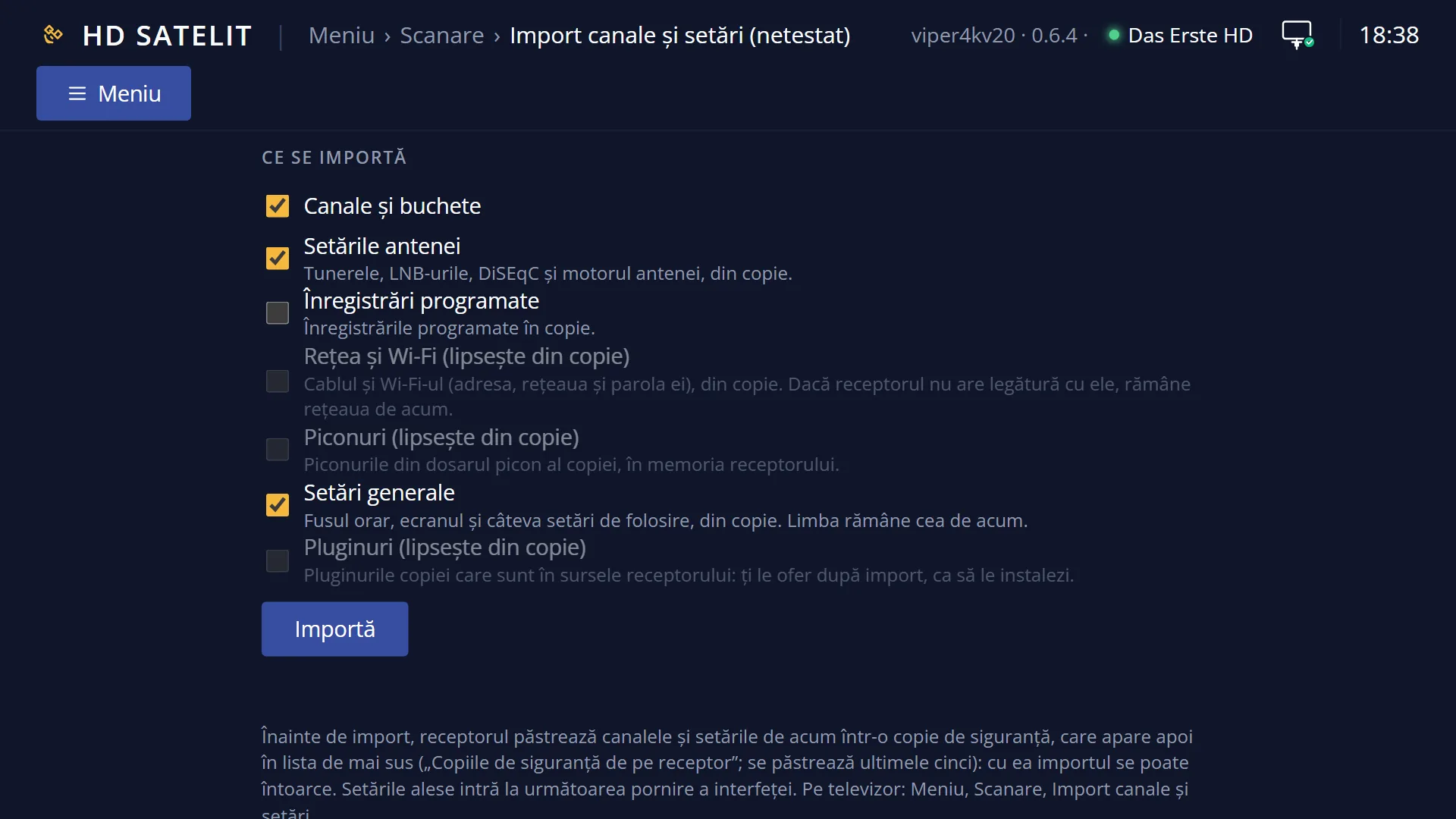
Yes brings over the channels and bouquets (channel lists), the antenna settings, the timers, the picons and the safe general settings (the time zone, the picture shape, the infobar and a few others that mean the same thing in every image), as far as the copy contains them. The network and Wi-Fi from the copy are brought over only if the receiver does not already have a working network: the network you set up in the wizard stays. The language stays as you chose it in the wizard.
Plugins are not installed by themselves: after the summary, the receiver tells you how many plugins from the copy are in its package sources and asks whether to install them, each one with the question from Plugins & Applications. The skin is not brought over: skins from other images do not fit the screens of the HD Satelit image.
Three kinds of copy work: the etc/enigma2 folder of another image, a folder with lamedb and bouquets.tv, or a backup archive (.tar.gz).
The same question also appears in the web interface, on the /import page, and the first page of the web interface has a banner that takes you there. Answering in one place closes the question in the other.
How to get here
Path: it appears by itself at the first start of the image, after the setup wizard, when you have a USB stick (or a disk) in the receiver with a copy of the channels from another image.
The question comes up once you are back to watching TV, that is, after you close the main menu opened by the wizard (EXIT).
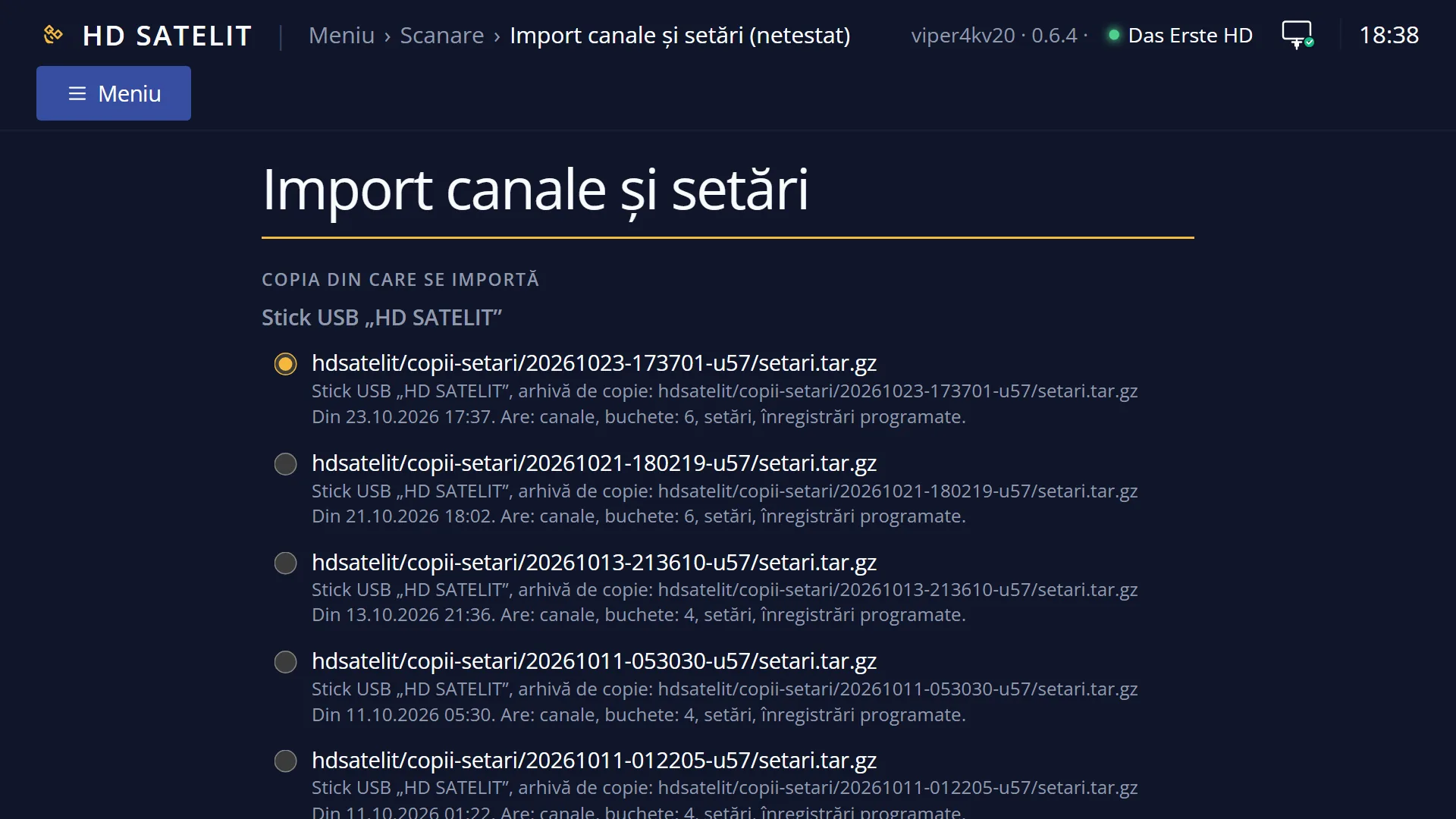
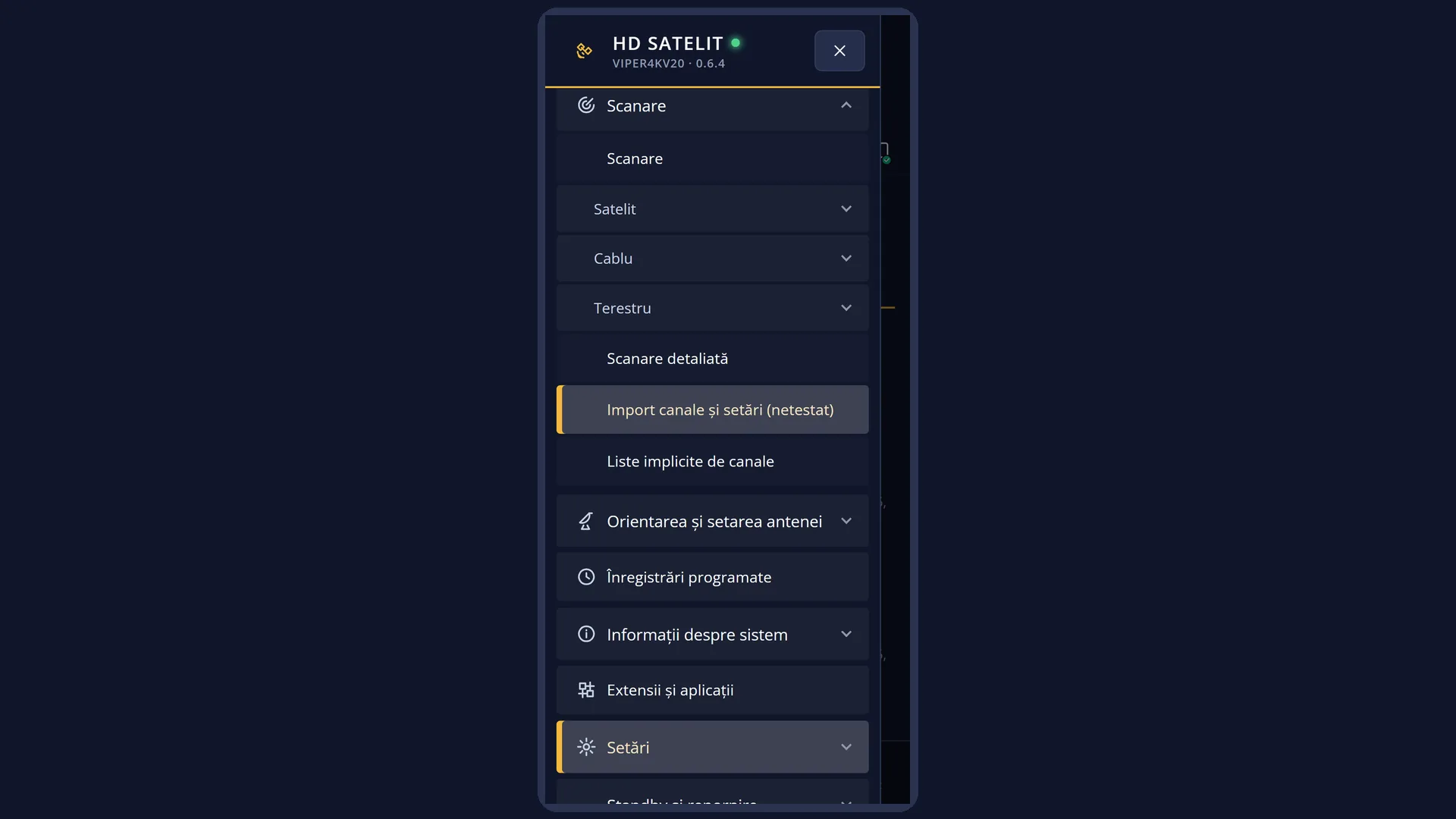
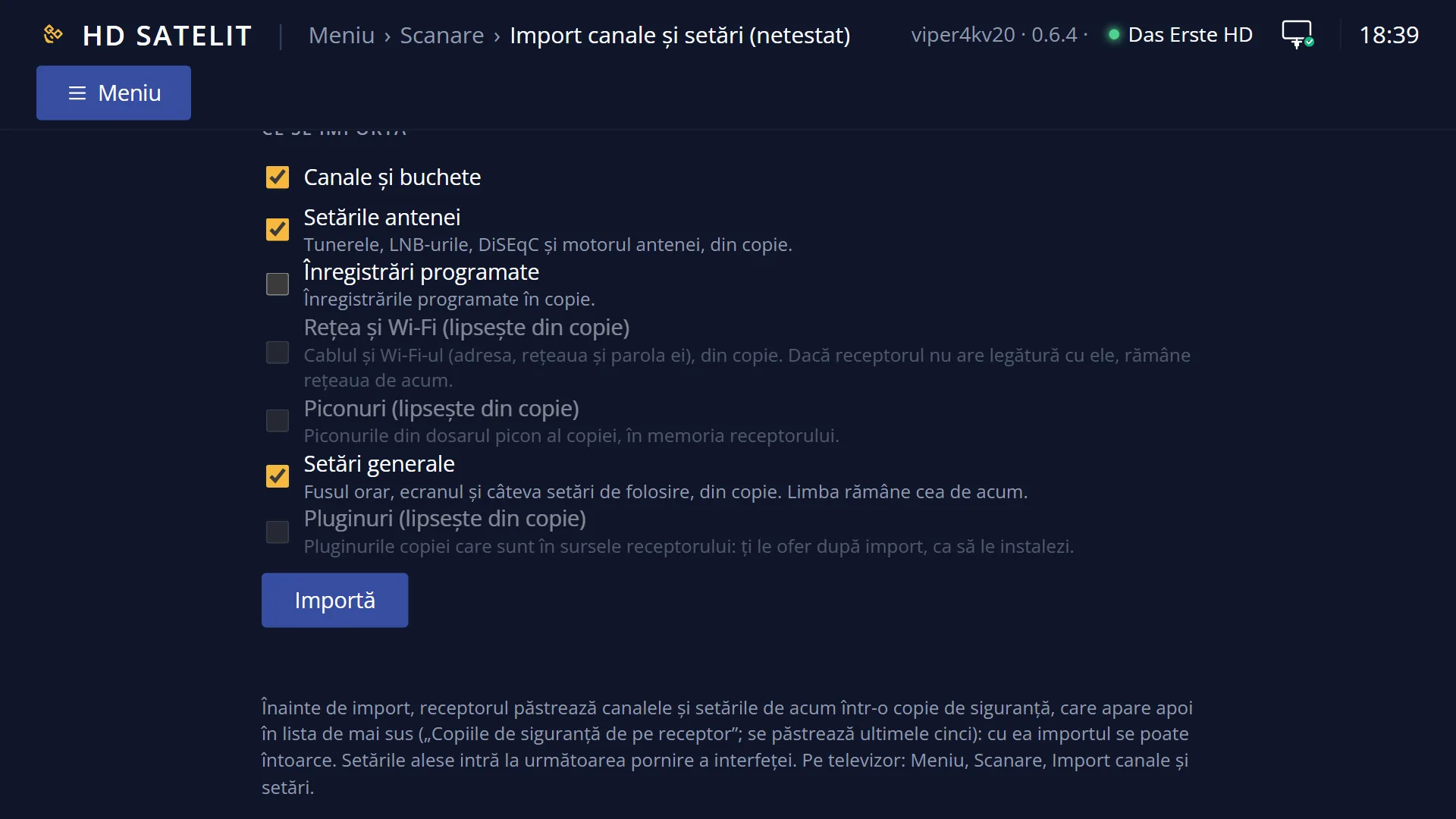
Later, you can bring over the same channels at any time from Main menu > Channel scan > Import channels and settings (MENU 1 5).
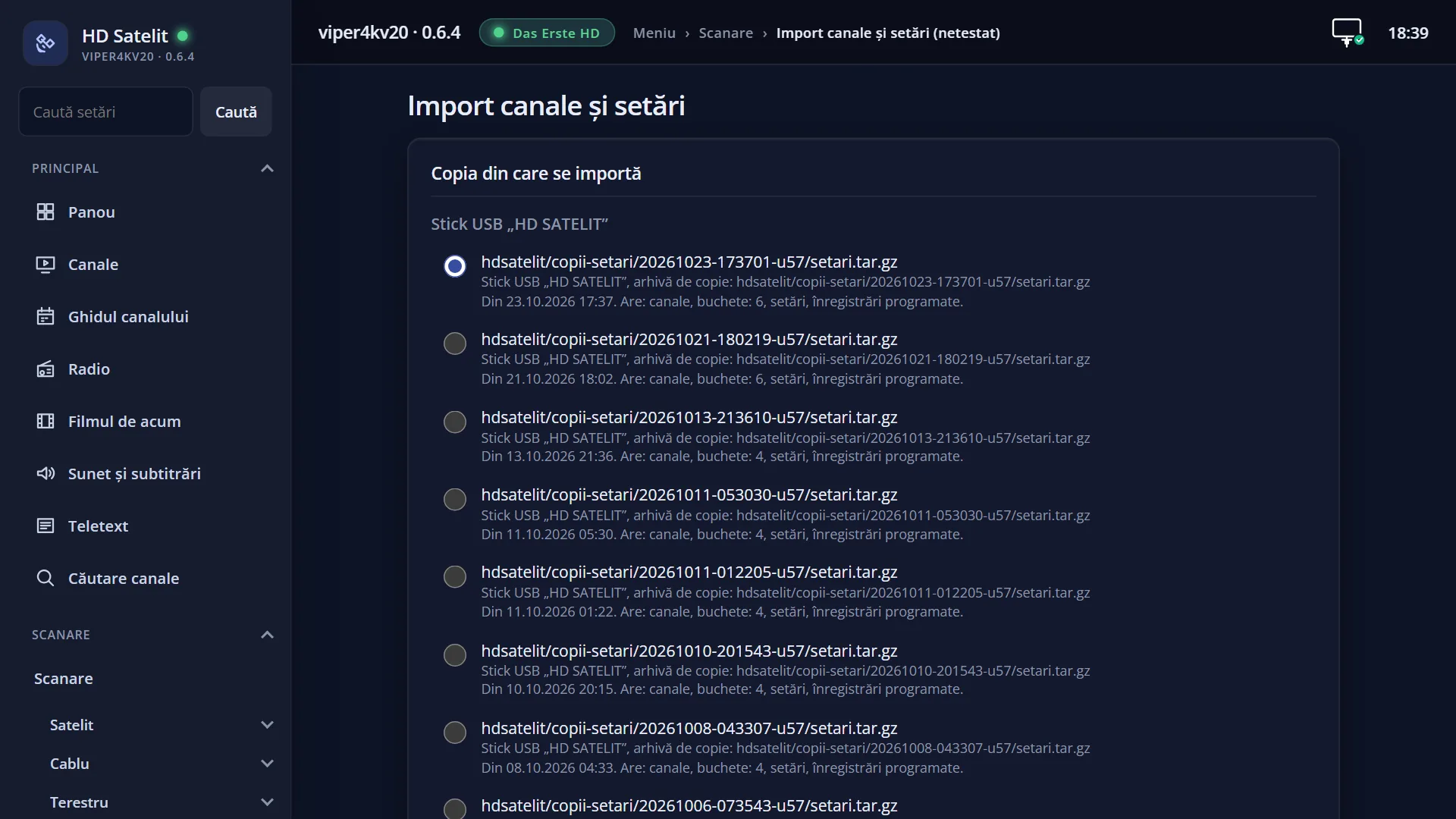
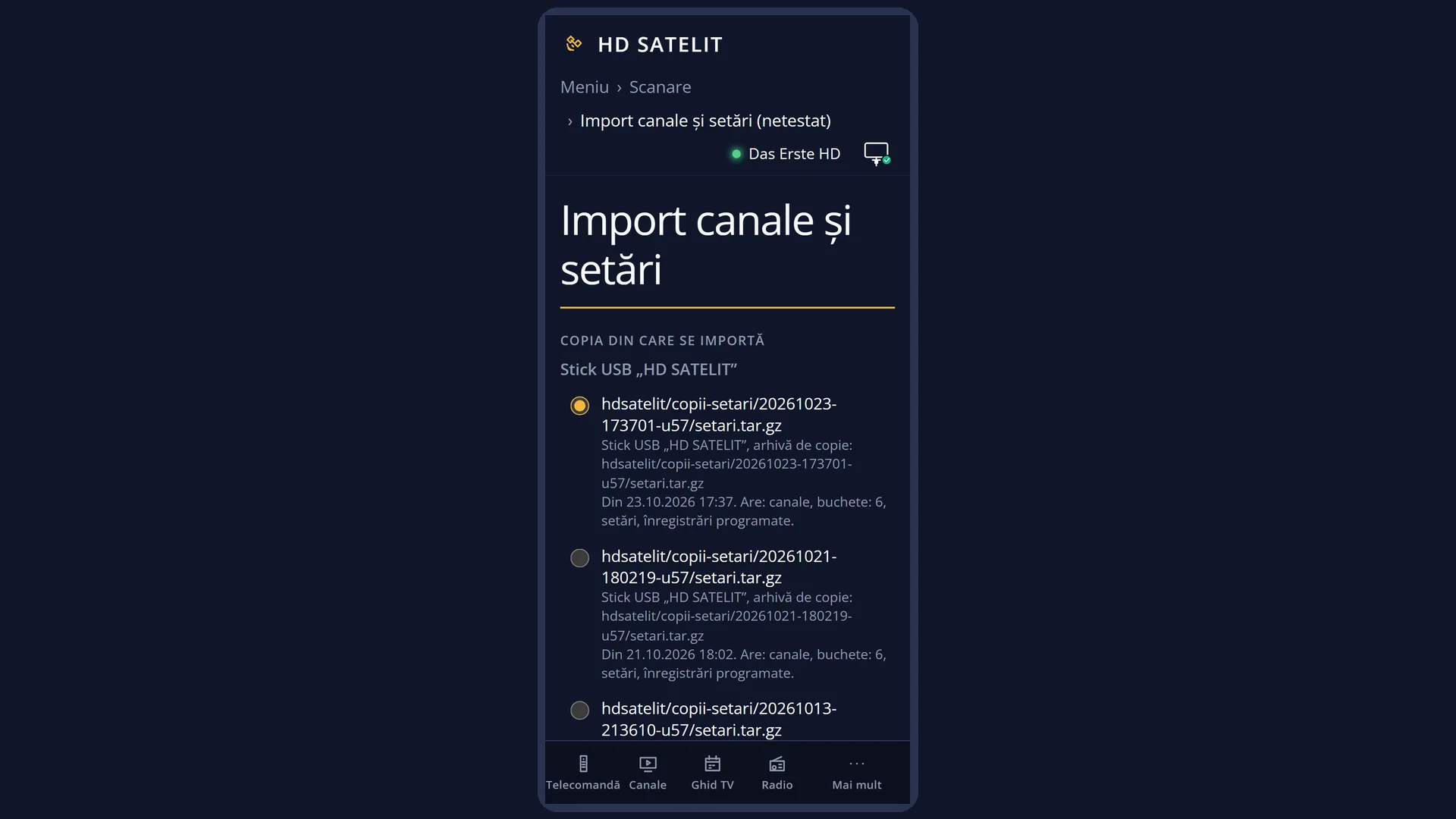
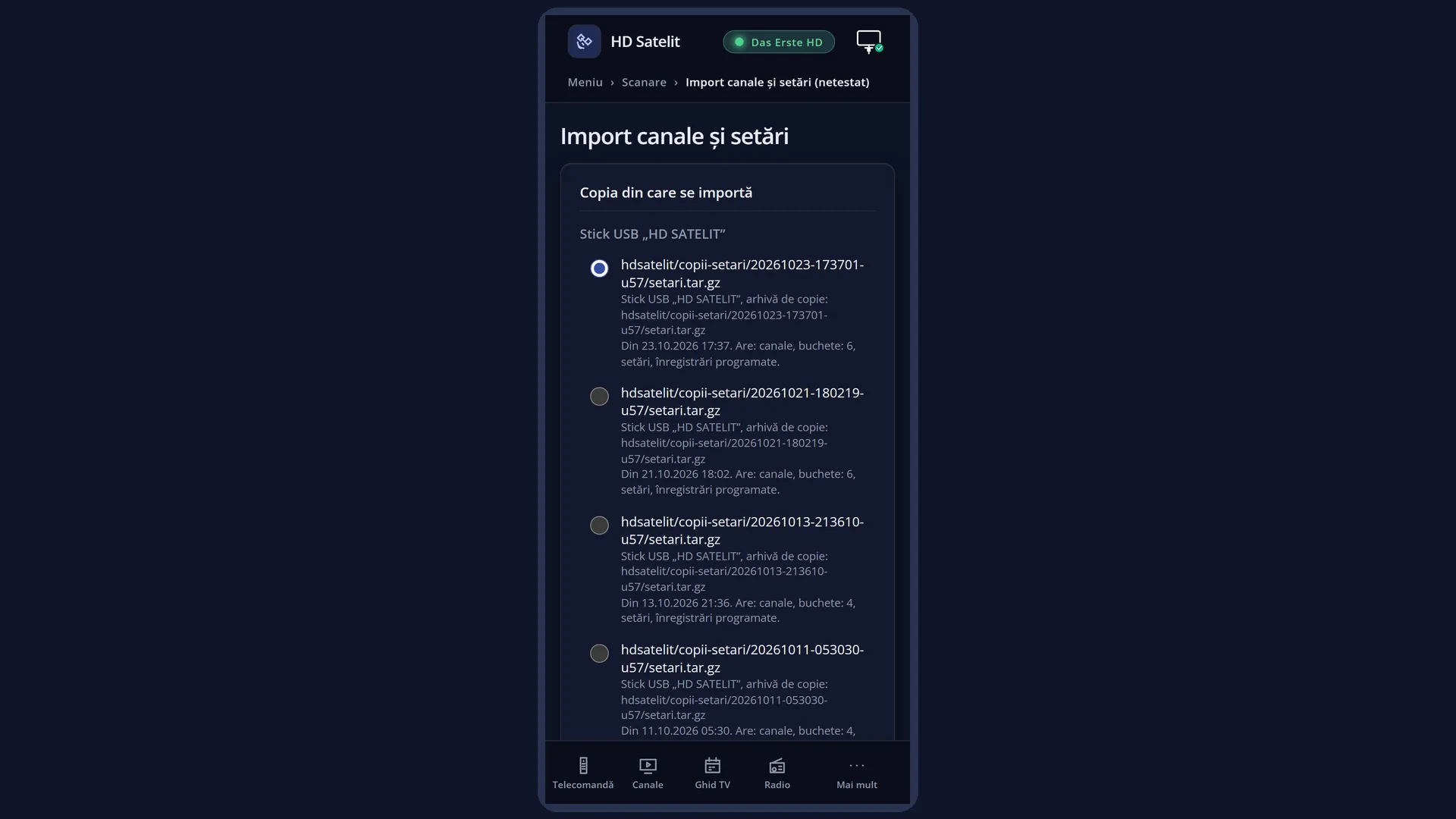
In the web interface: the /import page (“Import channels and settings”), the “Channels from another image” card at the top.
What you see on the screen
A window titled “Channels from another image”, the question “I found the channels and settings from another image. Shall I bring them over?” and, on the next line, where the copy is (for example “USB stick …: backup/…tar.gz”), with the name of the image it comes from, when known. Below are Yes and No; Yes is selected.
After Yes, the receiver works for a moment (the web interface shows “Bringing over the channels and settings...”; with the network from the copy, up to a minute), then shows a summary once: “Brought over: TV channels: <number>, radio stations: <number>, channel lists: <number>, scheduled recordings: <number>, the antenna settings (they apply after the interface restarts), general settings: <number> (take effect after the interface restarts), the network and Wi-Fi, picons: <number>.”, then “Not brought over: …” with what was left out and why, for example “the language (the one chosen at start-up stays)”, “network and Wi-Fi (the receiver already had a working network)” and “the skin (skins of other images do not fit the screens of this image)”. The summary shows only the parts the copy contained.
When the copy has plugins that are in the receiver's sources and not installed, the next question is “Plugins from the backup that can be installed now: <number>. Shall I install them? Each has its own question, as in Extensions and apps.”, with Yes selected. With Yes, each plugin comes in turn with its own install question.
If settings were brought over (the antenna settings or the general settings), the next question is “The antenna settings apply after the interface restarts. Restart it now?”, with Yes selected.
With No: “OK. You can bring the channels over at any time from Menu, Channel scan, Import channels and settings.”.
In the web interface, on /import, the “Channels from another image” card shows the question, the source, what is brought over and the “Yes, bring them in” and “No” buttons. After the import, it shows the “I brought in” and “I did not bring in” lists, the “Plugins from the backup” card with “Install” next to each plugin (when there are any), “Restart the interface now” (when needed) and “Got it”.
Rows and settings
| Row | Values | Default | What it does |
|---|---|---|---|
| The “Shall I bring them over?” question | Yes, No | Yes | Yes starts the import, after first making a backup of your current lists. No (or EXIT) closes the question: the receiver does not ask again, and the import stays available in the menu. If you do not answer at all and the interface restarts, the question appears again at the next start. Yes when you want your previous channels; No when you want to search for channels again with Channel scan. |
| What is brought over | TV and radio channels, channel lists (bouquets), Antenna settings, timers, picons, safe general settings, network and Wi-Fi | everything the copy contains; network and Wi-Fi only if the receiver does not already have a working network | Only what the copy contains is brought over. Timers from the copy are added to those on the receiver, without duplicates. The image's “DAB+ from satellite” and “DVB-T2 from satellite” lists stay. Picons come only from a folder copy, not from a .tar.gz archive. The safe general settings are a few settings that mean the same thing in every Enigma2 image (the time zone, the picture shape on screen, the resolution only if the TV accepts it, the infobar, the power key, movie playback); each one is brought over only if the value in the copy is one the HD Satelit image also has. The network means the cable and Wi-Fi connections (automatic or fixed address, the Wi-Fi network and its password); if the receiver gets no address with it or can no longer reach the internet, it puts the previous network back by itself. The Wi-Fi password never appears in the summary or in the web interface. |
| What is not brought over | the language, the skin, the other menu settings | You have already chosen the language in the wizard. Skins from other images do not fit the screens of the HD Satelit image, so its own skin stays. Of the menu settings, only the safe ones are brought over; the others differ from one image to another. When the receiver already had a working network, the network from the copy is not brought over: you can bring it over at any time from Menu > Channel scan > Import channels and settings, with “Network and Wi-Fi” set to Yes. | |
| The “Shall I install them?” question (plugins) | Yes, No | Yes | Appears after the summary, only when the list of installed plugins in the copy has plugins that are also in the receiver's package sources and not installed. Yes takes them in turn, each with the question and the installation from Plugins & Applications, where you can say No. No (or EXIT) installs nothing. Skins, channel lists and drivers from the copy are not offered. No when you want to add the plugins later, from Menu > Plugins & Applications. |
| The backup | Before writing anything, the receiver keeps the files the import replaces (the current channels, bouquets, timers and settings) in a folder with the date in its name. If this backup cannot be made, the import does not start. It remembers the previous network until it sees that the new one works. | ||
| Restarting the interface | Yes, No | Yes | Appears only when settings were brought over (the antenna settings or the general settings). Yes restarts the interface now (the receiver does not switch off). No leaves the restart for later; the settings brought over apply at the next start. Choose No if you are recording something. |
Keys
| UP / DOWN | Choose between Yes and No. |
| OK | Confirms the selected answer. |
| EXIT | At the question, it means No: nothing is brought over and the receiver does not ask again. At the summary, it closes the window. At the plugins question, it means No: nothing is installed. |
Step by step
Bringing over the channels from your previous image
- Before you write the HD Satelit image, make a settings backup on a USB stick in the old image (or copy the etc/enigma2 folder to the USB stick).
- Write the HD Satelit image and leave the USB stick in the receiver.
- Go through the wizard and close the main menu with EXIT.
- At “I found the channels and settings from another image. Shall I bring them over?”, press OK on Yes.
- Read the summary. If it offers you the plugins from the copy, answer Yes and then Yes or No for each plugin.
- Answer Yes to the interface restart, if asked.
Answering from your phone
- Open the receiver's web interface: the first page has the banner “I found the channels and settings from another image…”.
- Go to /import and press “Yes, bring them in” (or “No”).
- When it is done, you see what was brought over. Under “Plugins from the backup”, press “Install” next to the plugins you want; “Restart the interface now” also applies the settings brought over.
Problems and solutions
No question appears, even though the USB stick is in the receiver.
The question only appears at the first start of the image, and only if the USB stick or disk holds a channel list from another image (not an HD Satelit backup, which the receiver restores by itself). You can search for and bring over channels at any time from Menu > Channel scan > Import channels and settings.
I said No, but now I want the channels.
Menu > Channel scan > Import channels and settings (MENU 1 5): choose the copy on the USB stick and what to bring over.
“The copy is no longer on the USB stick or disk.” appears
The USB stick was removed in the meantime. Put it back and bring over the channels from Menu > Channel scan > Import channels and settings.
“An import is already running. Wait for it to finish.” appears
An import started from the menu or the web interface is already running. Wait for its summary.
“Nothing was brought over from the other image's copy.” appears
The copy did not contain what is needed or could not be read (the lines below the message say why). Make a new copy in the old image or search for channels with Channel scan.
“Bringing over the channels from another image stopped when the interface restarted.” appears
The interface restarted in the middle of the import. Start it again from Menu > Channel scan > Import channels and settings.
The channels were brought over, but some do not work.
The antenna settings only apply after the interface restarts: restart it (Menu > Power & Restart > Restart Interface). If the dish has been moved in the meantime, do a new scan.
The network and Wi-Fi from the copy were not brought over.
At the first start, the network from the copy is brought over only if the receiver does not already have a working network; the one set up in the wizard stays. You can bring it over at any time from Menu > Channel scan > Import channels and settings, with “Network and Wi-Fi” set to Yes. If the summary says the receiver could not connect with it, the previous network stayed: check the Wi-Fi password. A company Wi-Fi network with a user name cannot be brought over; you set it up from Menu > Settings > Network & Internet.
The picons were not brought over.
Picons are brought over only from a folder copy, not from a .tar.gz archive, and only as many as fit in the receiver's memory. A picon folder placed right in the root of the USB stick or the disk does not need to be brought over: the image shows the picons straight from there.
I was not offered the plugins from the copy.
Only the plugins in the copy's list that are in the receiver's package sources and not installed are offered. If the source list had not been downloaded yet, download it from Menu > Plugins & Applications and import again, with only “Plugins” on Yes, from Menu > Channel scan > Import channels and settings. Without a list in the copy, you add them again from Menu > Plugins & Applications, from the list or from an .ipk file.
Related topics
- The setup wizard (comes before this)
- Import channels and settings (at any time, from the menu)
- HD Satelit settings copy
- Restart Interface
- Plugins & Applications (the plugins)
- Network Connection Setup
- Matching web page: /import (the “Channels from another image” card).