

DAB+ and DVB-T2 from satellite in the list
Screenshots are being added: so far 2 from the receiver and 9 from the web interface; the aim is at least 5 of each, with arrows and frames, and, where a setting changes what you see, a before and after comparison.
English screenshots coming: some of the pictures below still show the receiver and the web interface in Romanian. The rows, keys and steps described on this page are the English ones.
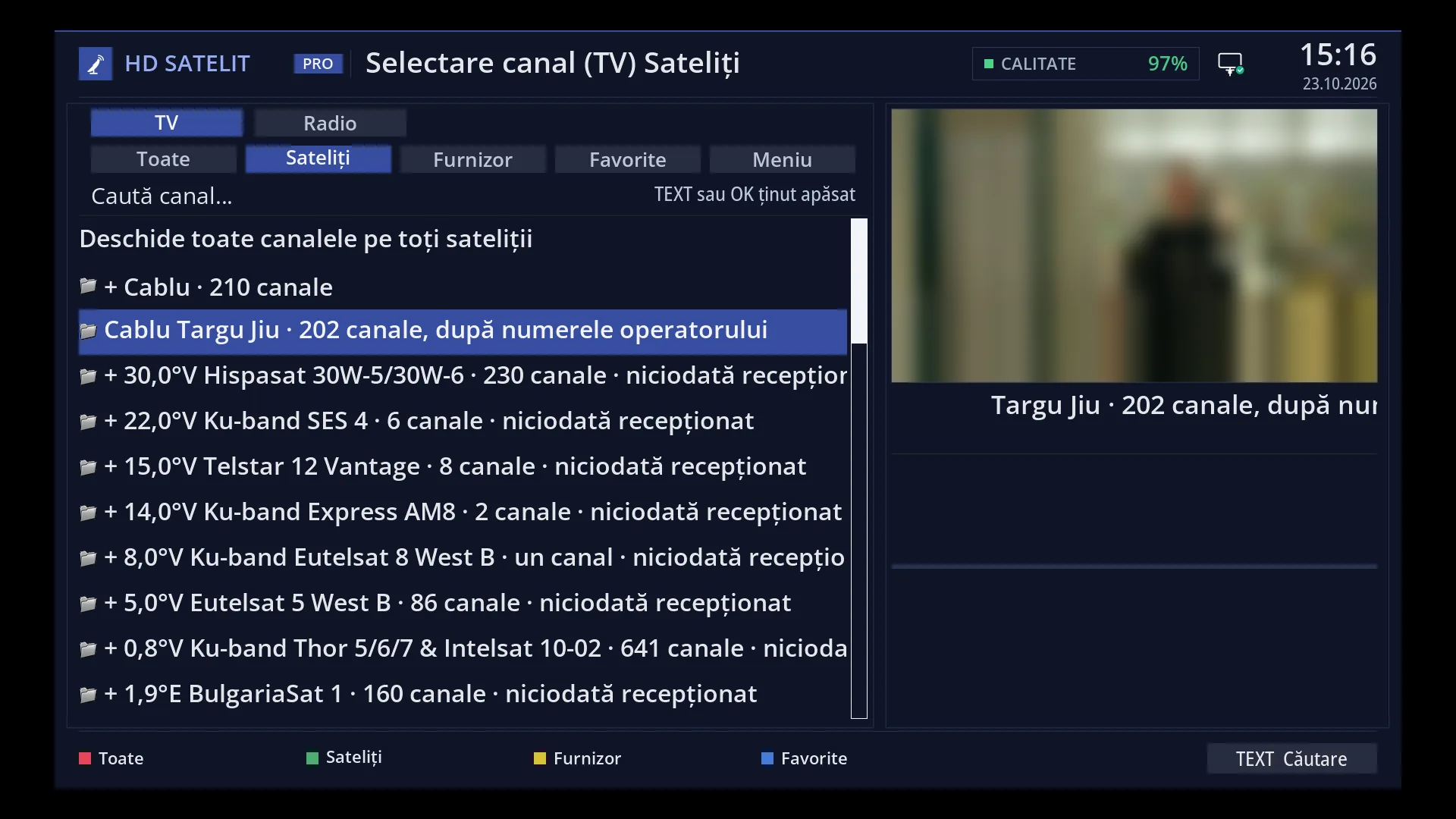
- 1 The selected row.
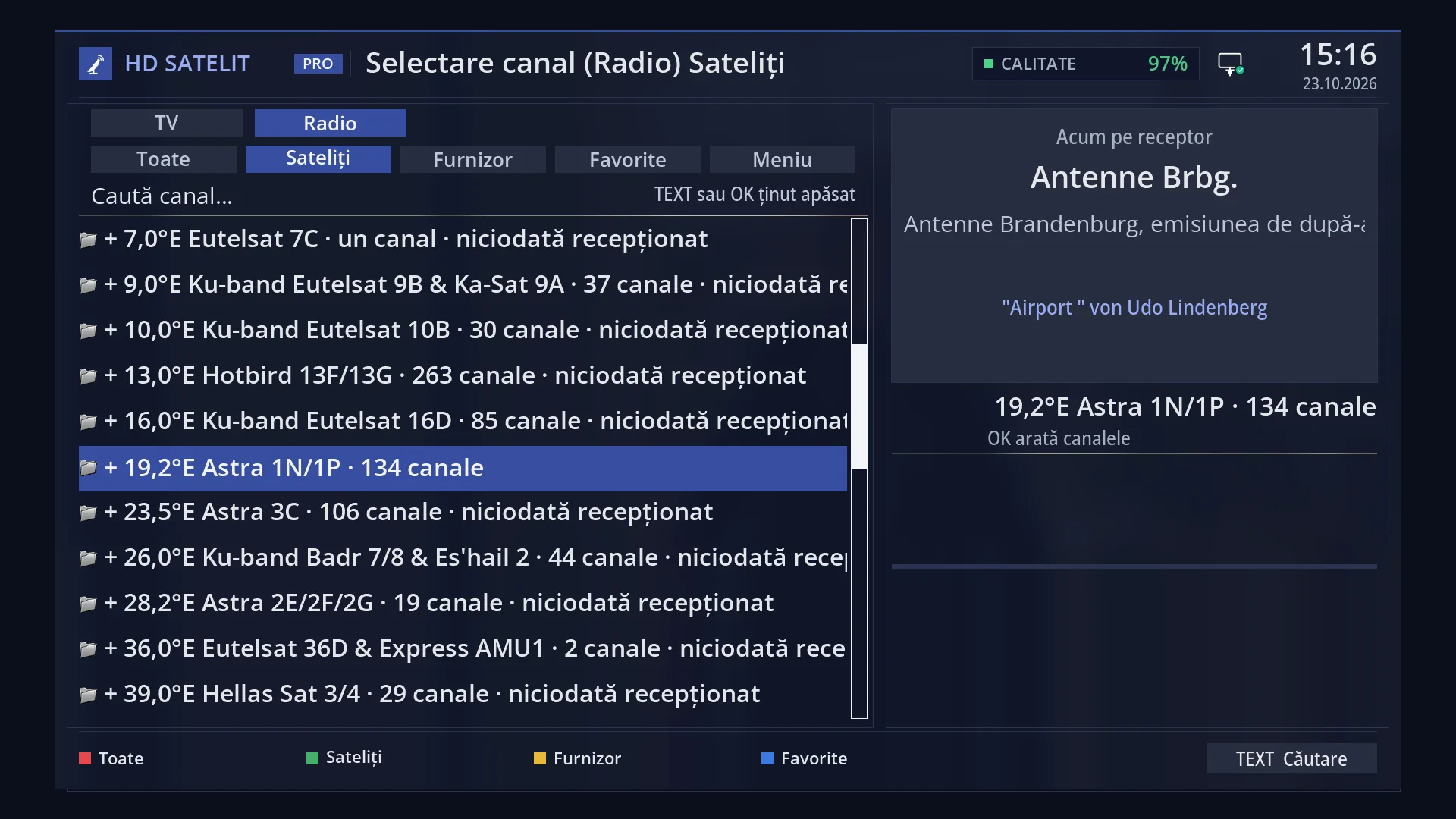
- 1 The selected row.
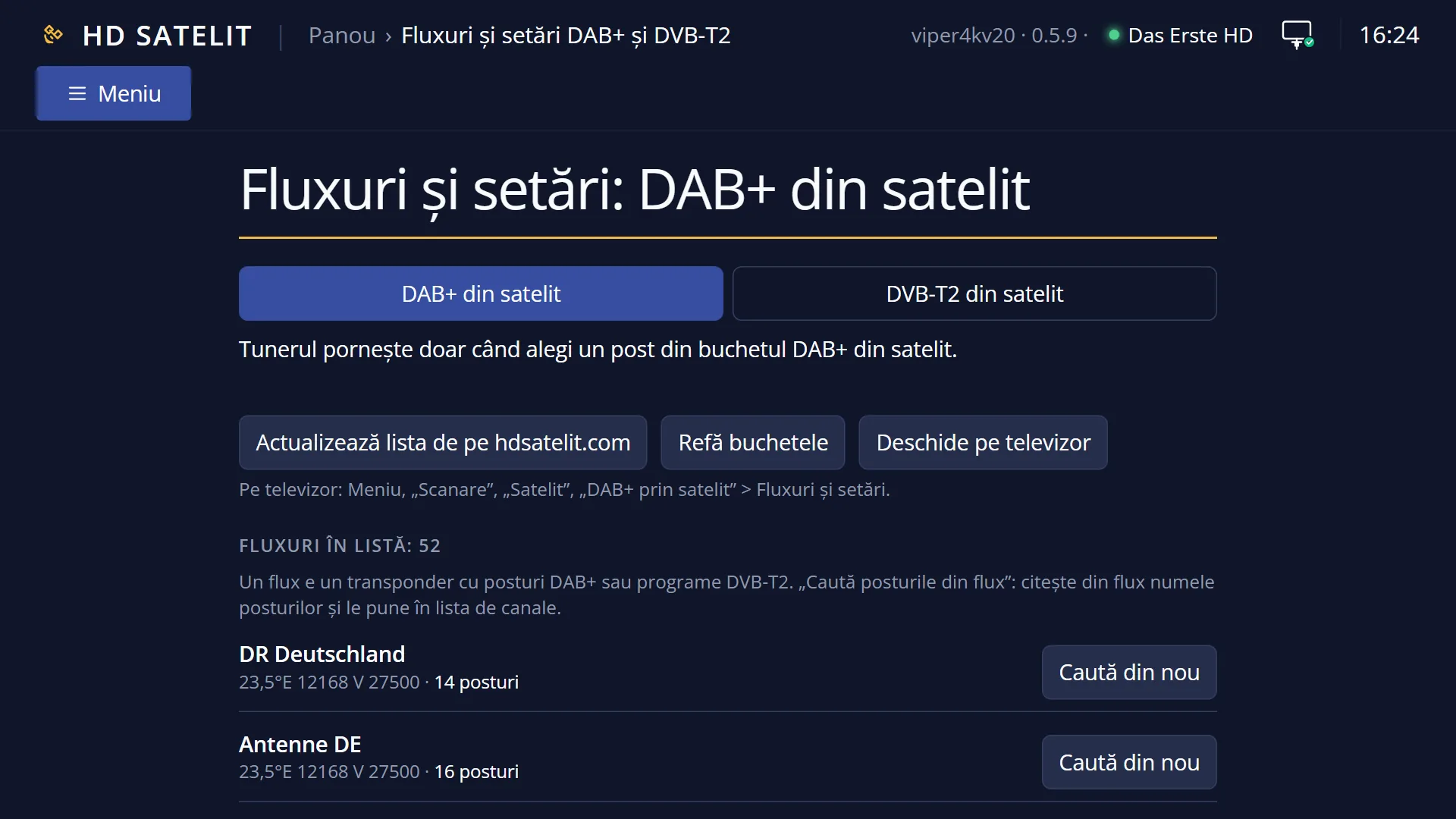
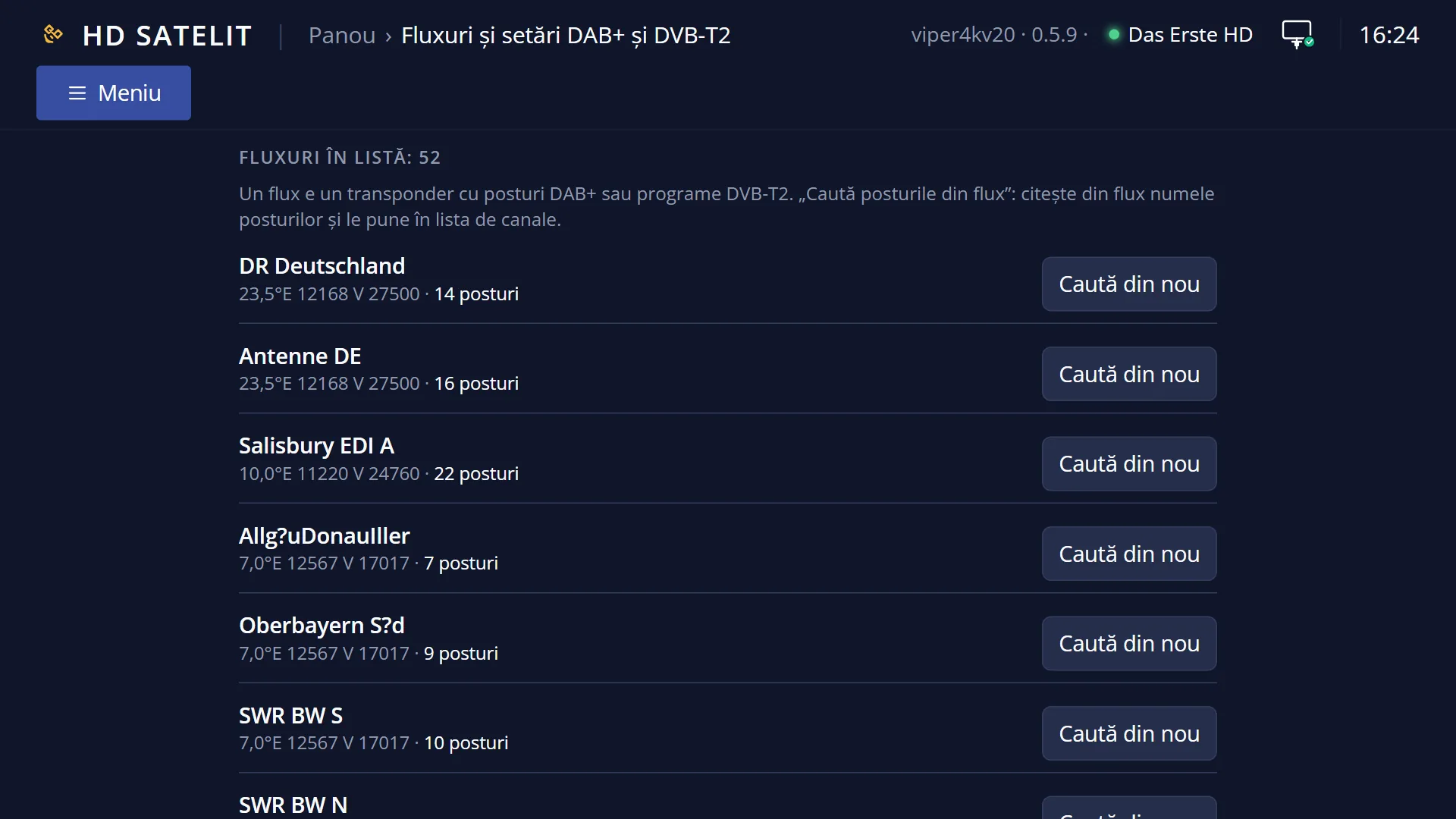
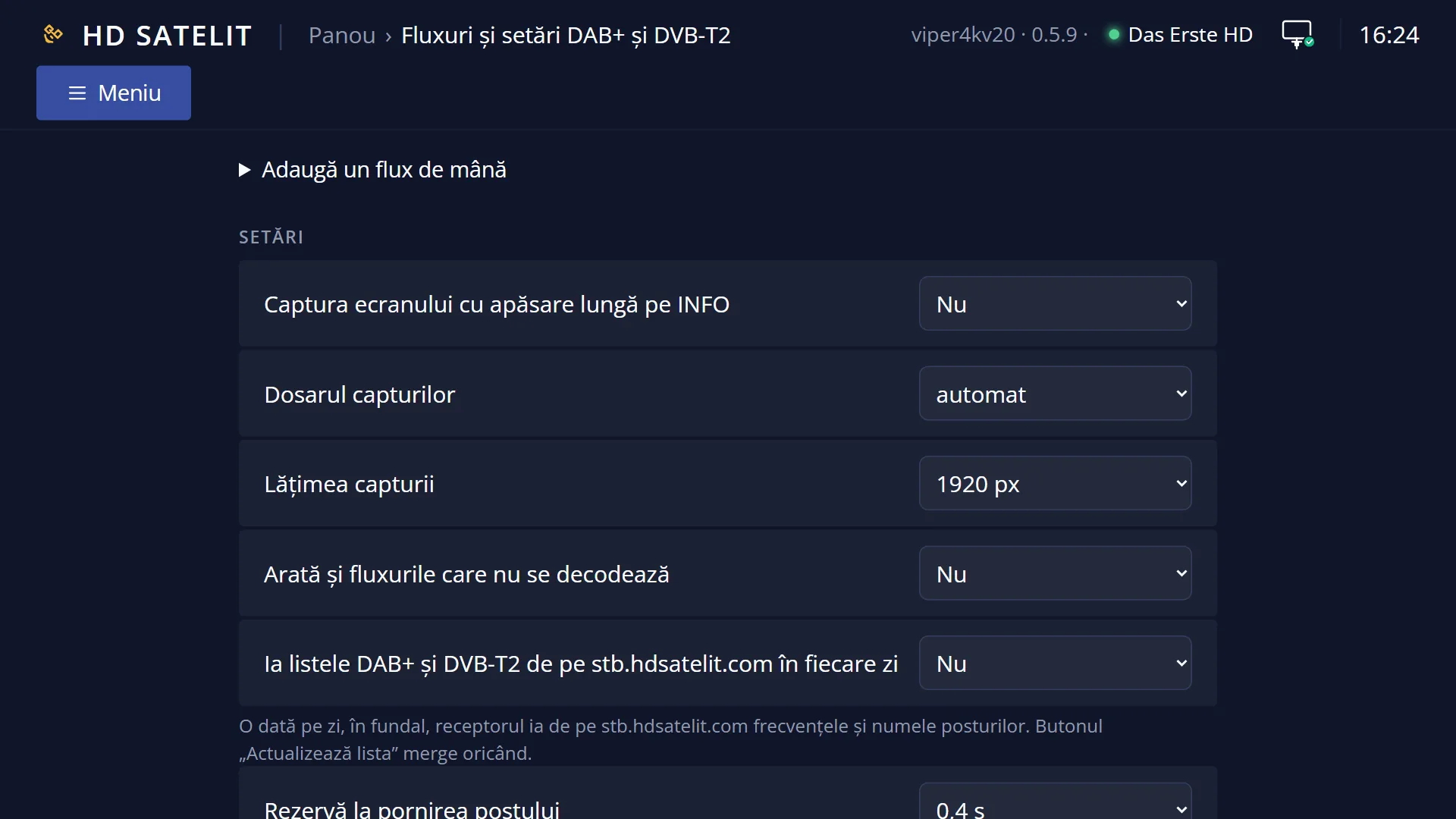
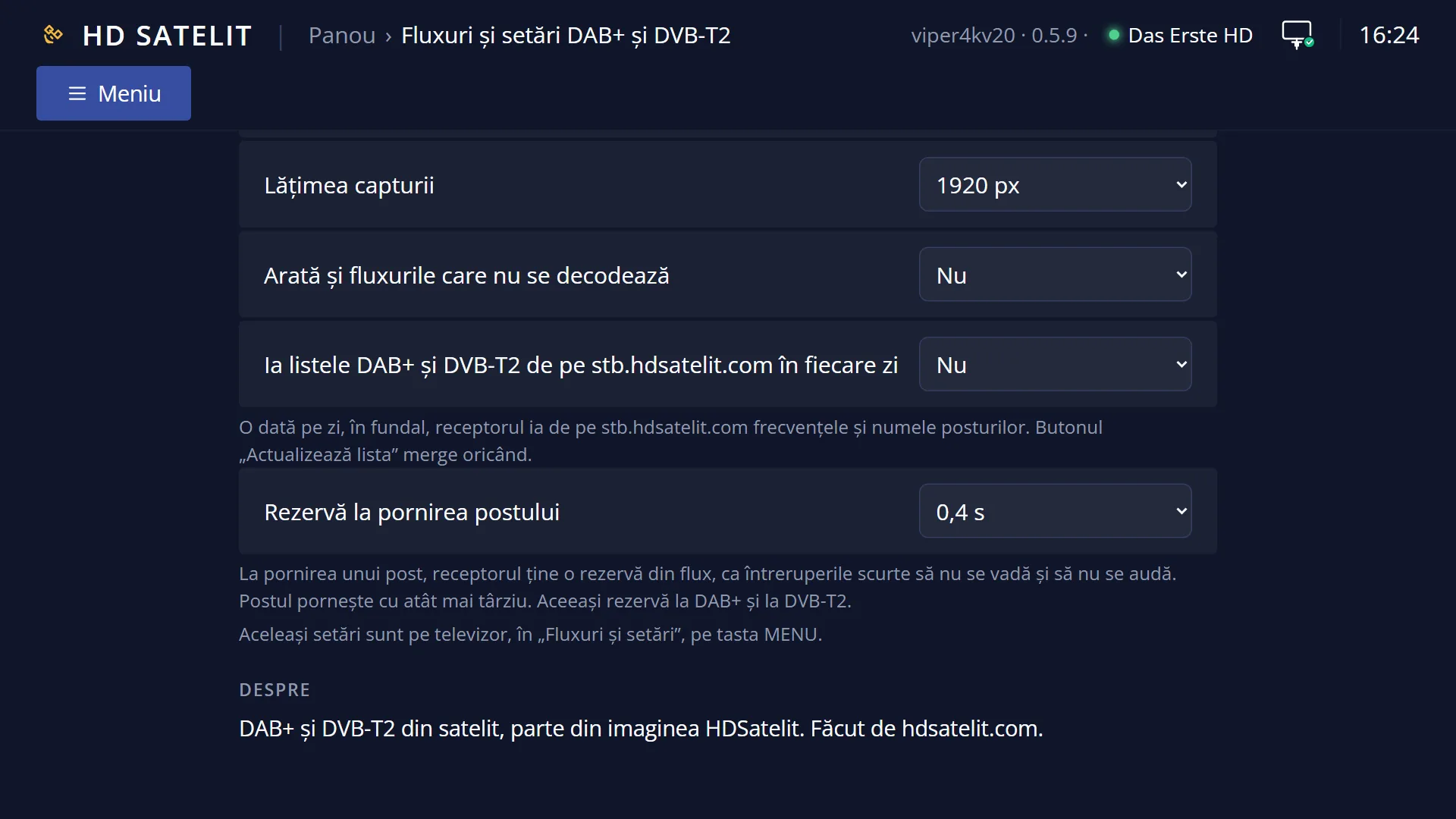
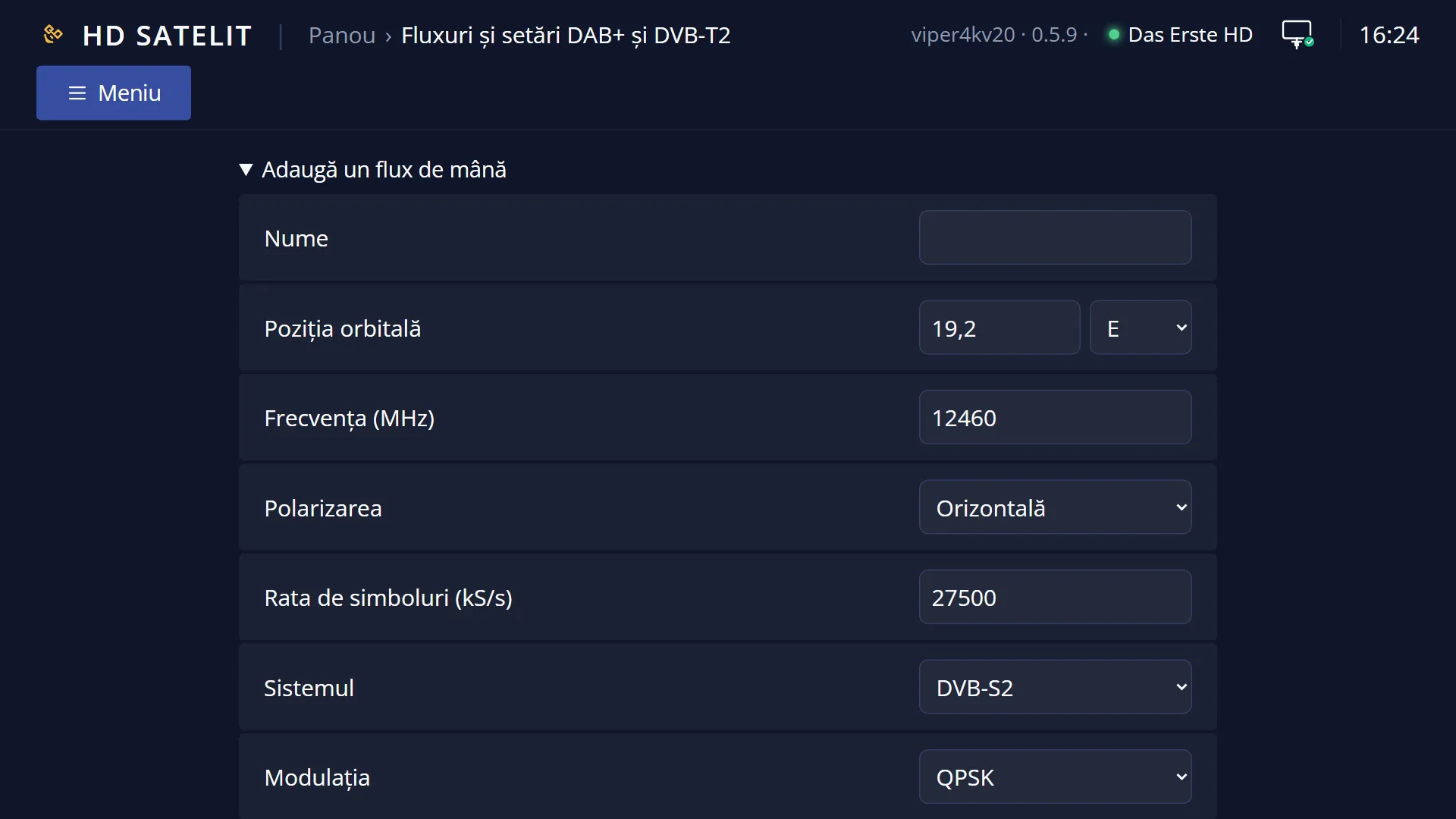
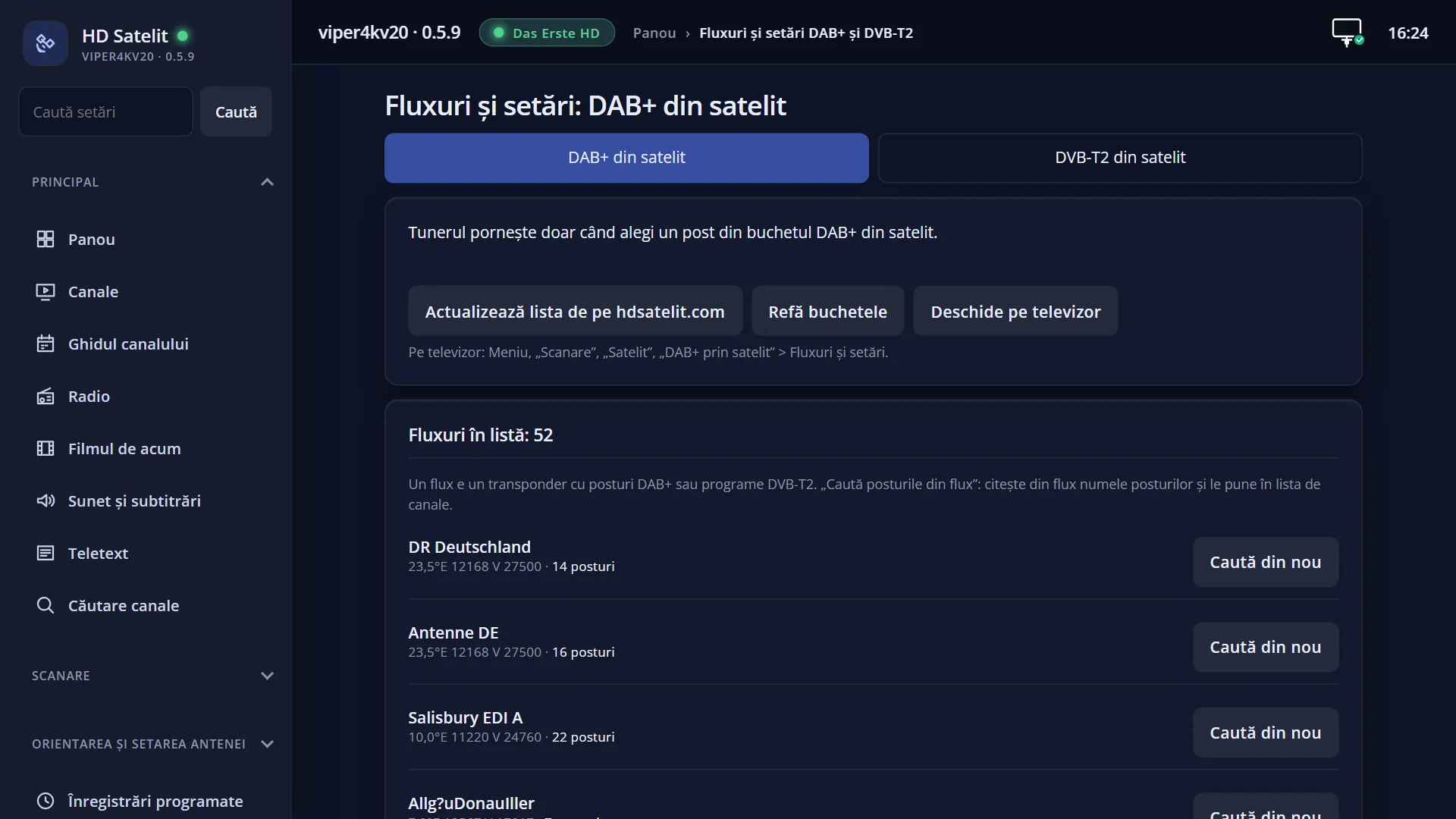
What it is for
Some satellites also carry DAB+ terrestrial digital radio and DVB-T2 terrestrial TV, in the same form the ground transmitters receive them. The receiver extracts them from the satellite signal and puts them in the channel list, like any other station or channel.
DAB+ stations are in the radio list, in the “DAB+ from satellite” folder. DVB-T2 programmes are in the TV list, in the “DVB-T2 from satellite” folder. Both folders are at the end of the “Satellites” list (GREEN in the channel list).
You start them with OK, like any channel. Inside the folder, you move from one to the next with CH+ and CH-. On the right of each row you see “DAB+” or “DVB-T2”, so you can tell them apart from ordinary stations.
A DAB+ station also gets the full-screen radio screen. On a DVB-T2 programme, teletext, subtitles and audio tracks come from the stream, as on an ordinary channel, when the programme sends them.
You search for the stations once, in Menu > Channel scan > Satellite > DAB+ via satellite (or DVB-T2 via satellite). If the folder is empty, pressing OK inside it starts the search.
How to get here
Path for DAB+: RADIO, then GREEN (“Satellites”), DOWN to the end of the list, the “DAB+ from satellite” row, then OK.
Path for DVB-T2: DOWN (TV list), then GREEN (“Satellites”), DOWN to the end of the list, the “DVB-T2 from satellite” row, then OK.
Keys on the TV: RADIO GREEN (DAB+) or DOWN GREEN (DVB-T2), then move the cursor to the folder and press OK. In the “Satellites” list, on the first page, LEFT takes you straight to the last row.
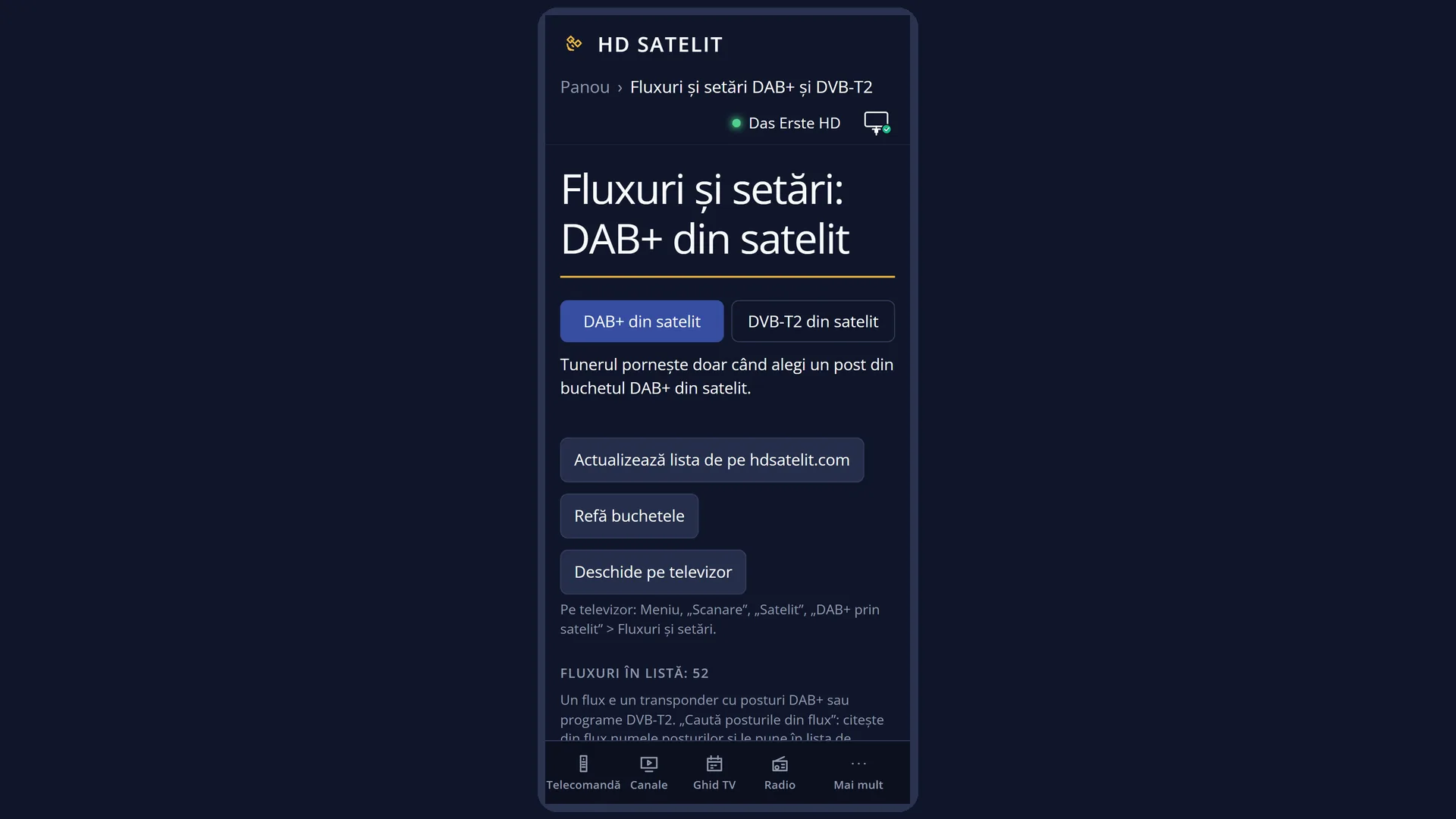
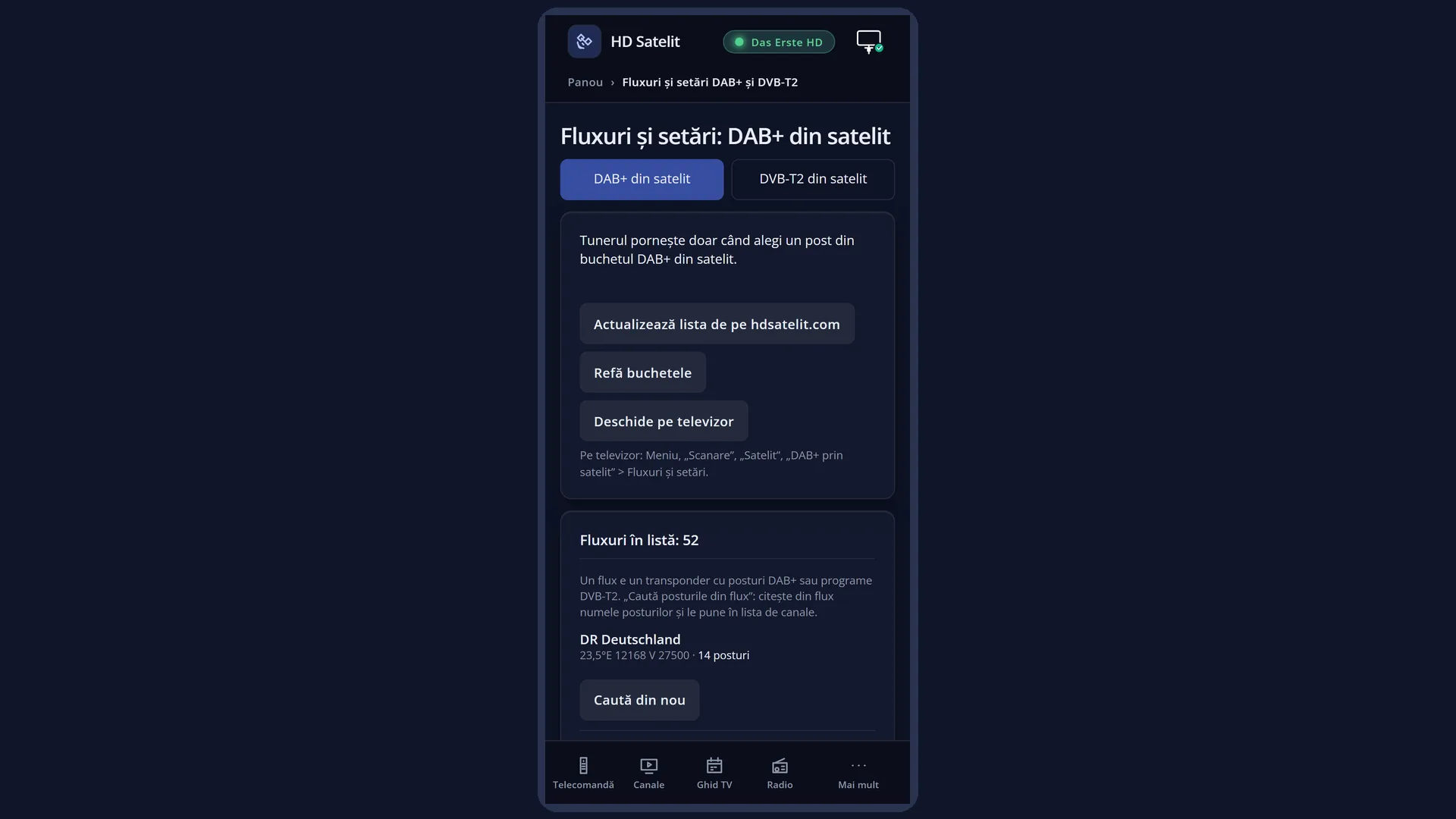
In the web interface: the /canale page (the folders appear among the bouquets) and the /dabt2 page (“Streams and settings”: the streams, their status and how many stations they have).
What you see on the screen
In the “Satellites” list, after the last satellite, there is the folder row: “DAB+ from satellite” in the radio list, “DVB-T2 from satellite” in the TV list. Below them there can only be “Internet channels (DVB-I)” and “Current Transponder”.
With the cursor on the folder, the panel on the right says what it is (“DAB+ radio stations received via satellite” or “DVB-T2 channels received via satellite”), how many it contains (for example “12 stations.”) and how it is filled: “The list is filled in when you search again in Menu > Channel scan > Satellite > DAB+ via satellite.”.
In the folder, the stations are grouped by ensemble: each group starts with a title row, for example “MUX DAB+: <ensemble name>” or “MUX DVB-T2: <multiplex name>”, followed by its stations.
Each station has the label “DAB+” or “DVB-T2” on the right of its row. In the panel on the right, below the name, you see “DAB+ station via satellite” or “DVB-T2 programme via satellite”.
When the folder is empty, a text over the list says what it is and how to fill it, for example: “DAB+ radio stations received via satellite appear here. The list is empty: you have not searched for DAB+ stations yet.”, then “Press OK to search now. The search is in Menu > Channel scan > Satellite > DAB+ via satellite.”.
While a station starts, a small window titled “DAB+ from satellite” or “DVB-T2 from satellite” shows what the receiver is doing: “Tuning on <transponder>”, “Starting <flux>” or, with a motorised dish, “The dish is rotating”. It disappears when the sound or picture starts.
Rows and settings
| Row | Values | Default | What it does |
|---|---|---|---|
| The “DAB+ from satellite” folder (radio list) | with stations, empty | in the list from the first start, empty until the first search | Holds the DAB+ stations found by the search, grouped by ensemble. OK on a station starts it. OK in the empty folder opens the DAB+ station search. The order, names you changed and stations you added to Favourites are kept after a new search. New stations are added after the last station of the same stream. It is filled at each new search. If you removed it from the bouquet list, a search that finds stations puts it back. |
| The “DVB-T2 from satellite” folder (TV list) | with programmes, empty | in the list from the first start, empty until the first search | Holds the DVB-T2 programmes found by the search, grouped by multiplex. OK on a programme starts it. OK in the empty folder opens the DVB-T2 programme search. As with DAB+, your order, names and favourites are kept. It is filled at each new search. |
| The “MUX DAB+: …” and “MUX DVB-T2: …” title rows | the name of the ensemble or multiplex | added by the search | They separate the stations by ensemble (DAB+) or multiplex (DVB-T2). They cannot be started. In the list, you jump from one title to the next with < and >. Not needed. |
| Buffer when a station starts (in “Streams and settings” and on the /dabt2 page) | none, 0.2 s, 0.4 s, 0.6 s, 0.8 s, 1 s | 0.4 s | When a station starts, the receiver keeps a buffer of the stream, so that short interruptions are not seen or heard. The station starts that much later. The same buffer applies to DAB+ and DVB-T2. Larger if the sound or picture often drops out. Smaller if you want the station to start faster. |
Keys
| GREEN (in the channel list) | “Satellites”: the list by satellite, with all satellites grouped. The DAB+ and DVB-T2 folders are at its end. |
| DOWN / UP | Moves the cursor. On a folder, the panel on the right says what it contains and how many stations it has. |
| LEFT / RIGHT | Page up or page down. On the first page, LEFT goes to the last row, near the folders. |
| OK | On a folder: opens it. On a station: starts it and closes the list. In the empty folder: opens the search (DAB+ or DVB-T2). |
| < / > | In the folder, they jump to the previous or next “MUX …” title row. |
| CH+ / CH- (while watching or listening) | Switch to the next or previous station in the folder, as in any bouquet. |
| 0 (in the folder) | Takes you back up to the “Satellites” list. |
| EXIT | Closes the list without changing the station. |
| REC (on a DAB+ or DVB-T2 station) | Does not start a recording: “This channel cannot be recorded.” appears with “Recording DAB+ stations from satellite is not possible yet.” (or “… DVB-T2 programmes …”). |
Step by step
Listening to a DAB+ station from satellite
- Press RADIO, then GREEN (“Satellites”).
- Press DOWN to go to the end of the list, to “DAB+ from satellite”, and press OK.
- Choose a station and press OK. While it starts, a small window shows “Starting …”. Then the radio screen appears.
- Switch to another station in the same folder with CH+ and CH-.
Watching a DVB-T2 programme from satellite
- Press DOWN (TV list), then GREEN (“Satellites”).
- Go to “DVB-T2 from satellite” (at the end of the list) and press OK.
- Choose the programme and press OK. The first start can take a few seconds, longer if the dish is rotating.
Filling an empty folder
- Open the empty folder (“DAB+ from satellite” or “DVB-T2 from satellite”). A text over the list says it is empty.
- Press OK: the search opens.
- After the search, the list is read again and the stations found appear in the folder.
Problems and solutions
I cannot find the “DAB+ from satellite” folder.
It is in the RADIO list, not the TV list, at the end of the “Satellites” list (GREEN). “DVB-T2 from satellite” is in the TV list. If you removed it from the bouquet list, a search that finds stations puts it back: Menu > Channel scan > Satellite > DAB+ via satellite.
The folder is empty.
You have not searched for stations yet. Press OK in the folder to start the search, or go to Menu > Channel scan > Satellite > DAB+ via satellite (DVB-T2 via satellite).
The station is slow to start.
On the first start, the receiver tunes to the transponder that carries the stream and starts the stream. The small window shows what it is doing. With a motorised dish, it takes until the dish arrives (“The dish is rotating”). Switching between stations of the same stream is faster. “Buffer when a station starts” also adds a little.
“No data came from … The tuner has been released.” or “Data no longer comes from … The tuner has been released.” appears.
The signal of the transponder that carries the stream is not getting through (bad weather, the dish has moved) or the stream has stopped at the source. Check the signal on an ordinary channel on the same satellite and start the station again later.
“The tuner was given to the recording. The channel has stopped.” appears.
A timer recording started on another transponder. The receiver has only one satellite tuner, and the recording has priority. Start the station again after the recording.
“Tuner busy (a recording or another channel). Select it later.” appears.
The tuner is being used by a recording. Wait for it to finish, then choose the station again.
“Feed … is no longer in the list. Rebuild the bouquets.” appears.
The station's stream was removed from the list at the last update. Open “Streams and settings” (or the /dabt2 page) and press “Rebuild the bouquets”, then search again.
REC says “This channel cannot be recorded.”
Recording DAB+ stations and DVB-T2 programmes from satellite is not possible yet.
After a restart, the receiver did not start the DAB+ or DVB-T2 station from last time and says “Starting channel … stopped the interface last time. It was not started automatically again.”
The receiver avoided starting by itself a station that had stopped the interface. Start it manually from the list. If it happens again, choose another station.
Related topics
- DAB+ via satellite (search and streams)
- DVB-T2 via satellite (search and streams)
- Channel Selection
- Satellites collapsed into groups
- The radio screen (also for DAB+ stations)
- Internet channels (DVB-I), the neighbouring folder
- The matching web page: /dabt2 (“Streams and settings”, with a DAB+ tab and a DVB-T2 tab). The list itself is also on /canale.