

The translated guide
Screenshots are being added: so far 4 from the receiver and 5 from the web interface; the aim is at least 5 of each, with arrows and frames, and, where a setting changes what you see, a before and after comparison.
English screenshots coming: some of the pictures below still show the receiver and the web interface in Romanian. The rows, keys and steps described on this page are the English ones.
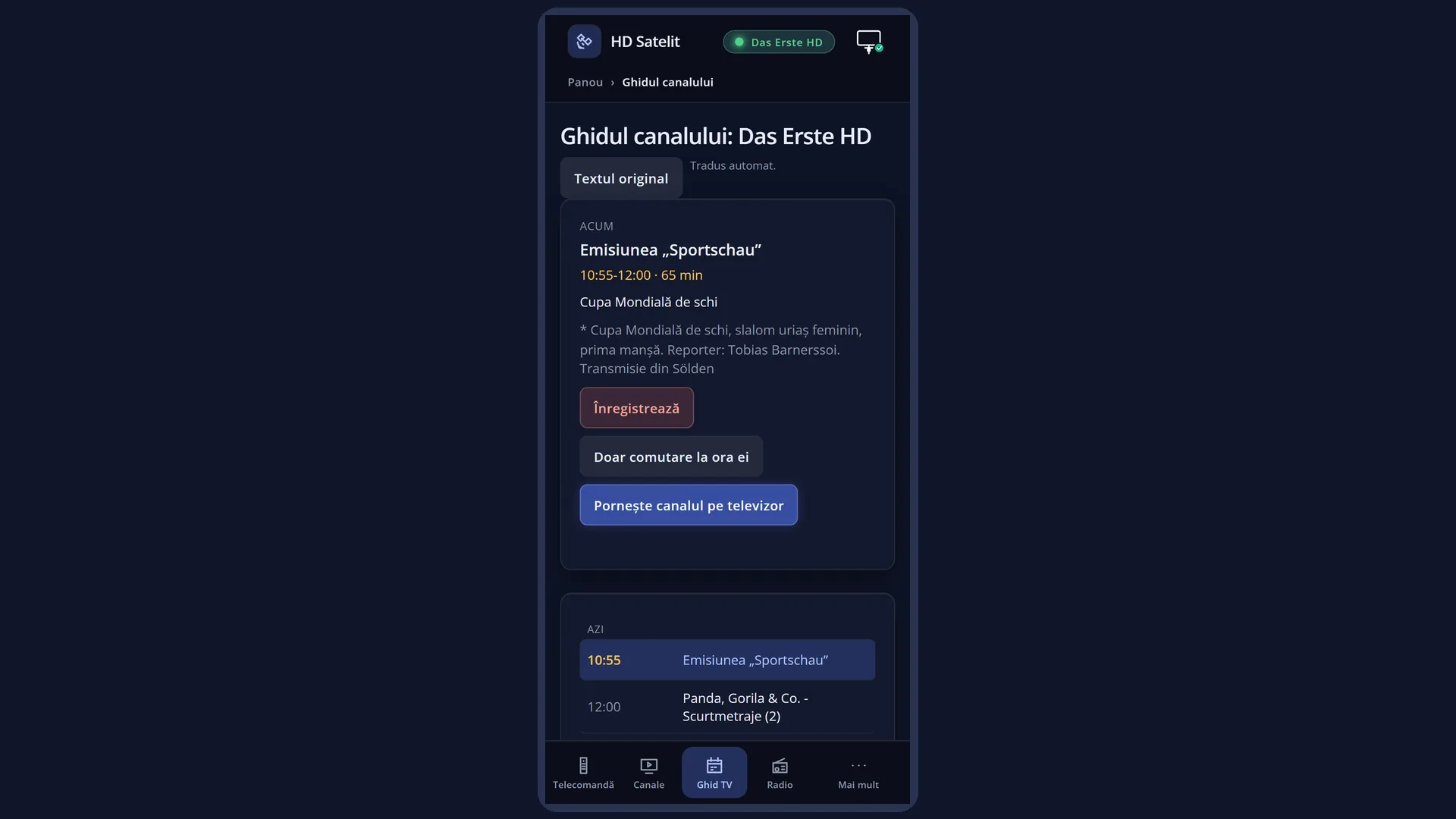
What it is for
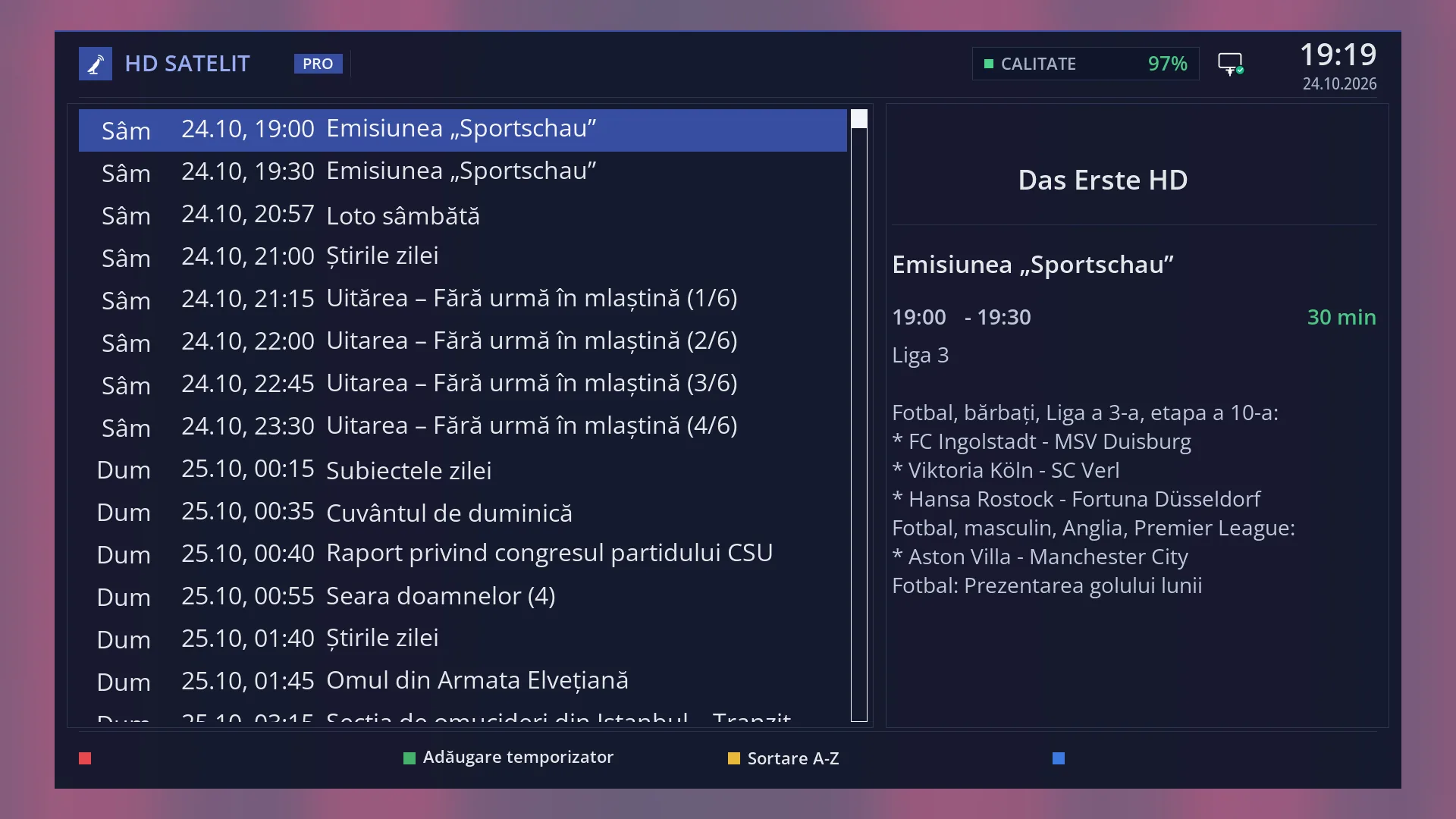
With “Translate EPG” switched on, the receiver automatically translates the titles and descriptions of programmes sent by foreign channels into your language. You see them translated in the channel guide, in Multi EPG, in the second info bar, in the programme details, on the bottom bar and in the right-hand panel of the channel list.
Only what is on the screen at that moment is translated, using the translation service chosen for subtitles. Until the translation arrives you see the original text. It then changes to the translated text by itself, so you do not have to wait.
Each text is translated only once and remembered: the same programme on another channel or in a repeat is not requested again. Texts already in your language, times and numbers are not sent.
Translation uses up the free quota of the service, so “Translate EPG” is off by default. “Translate the bottom bar”, which is on by default, uses less: only the titles of the current and next programme on the bottom bar, while subtitle translation is switched on.
How to get here
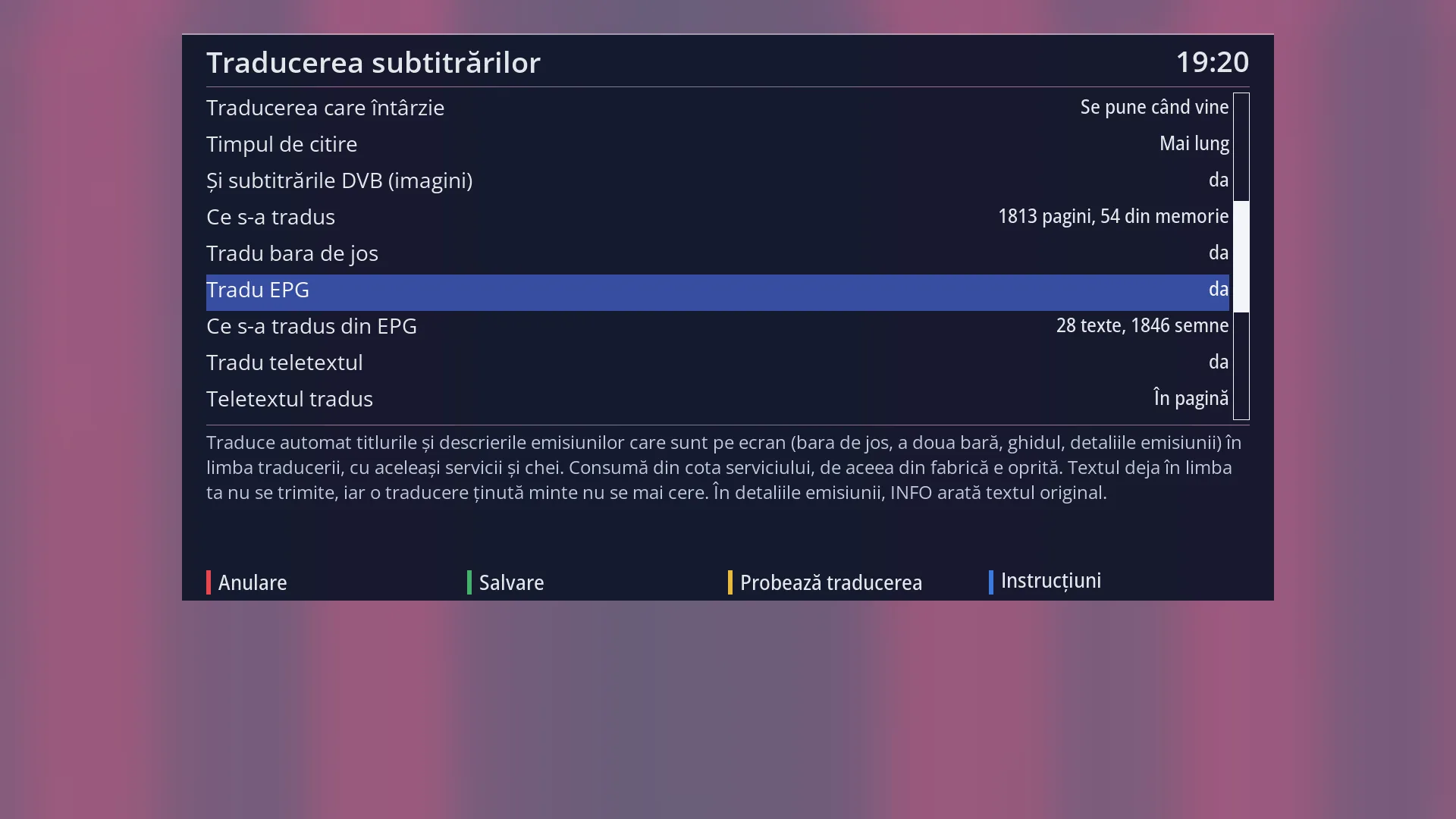
Path: Menu > Settings > Audio & Sound Tracks > Subtitle translation, row “Translate EPG”. First you need to choose a translation service that works (see the “Subtitle translation” page).
Once it is on, you do not need to press any key: the guide (EPG), INFO and the second info bar (OK OK) show the translated texts.
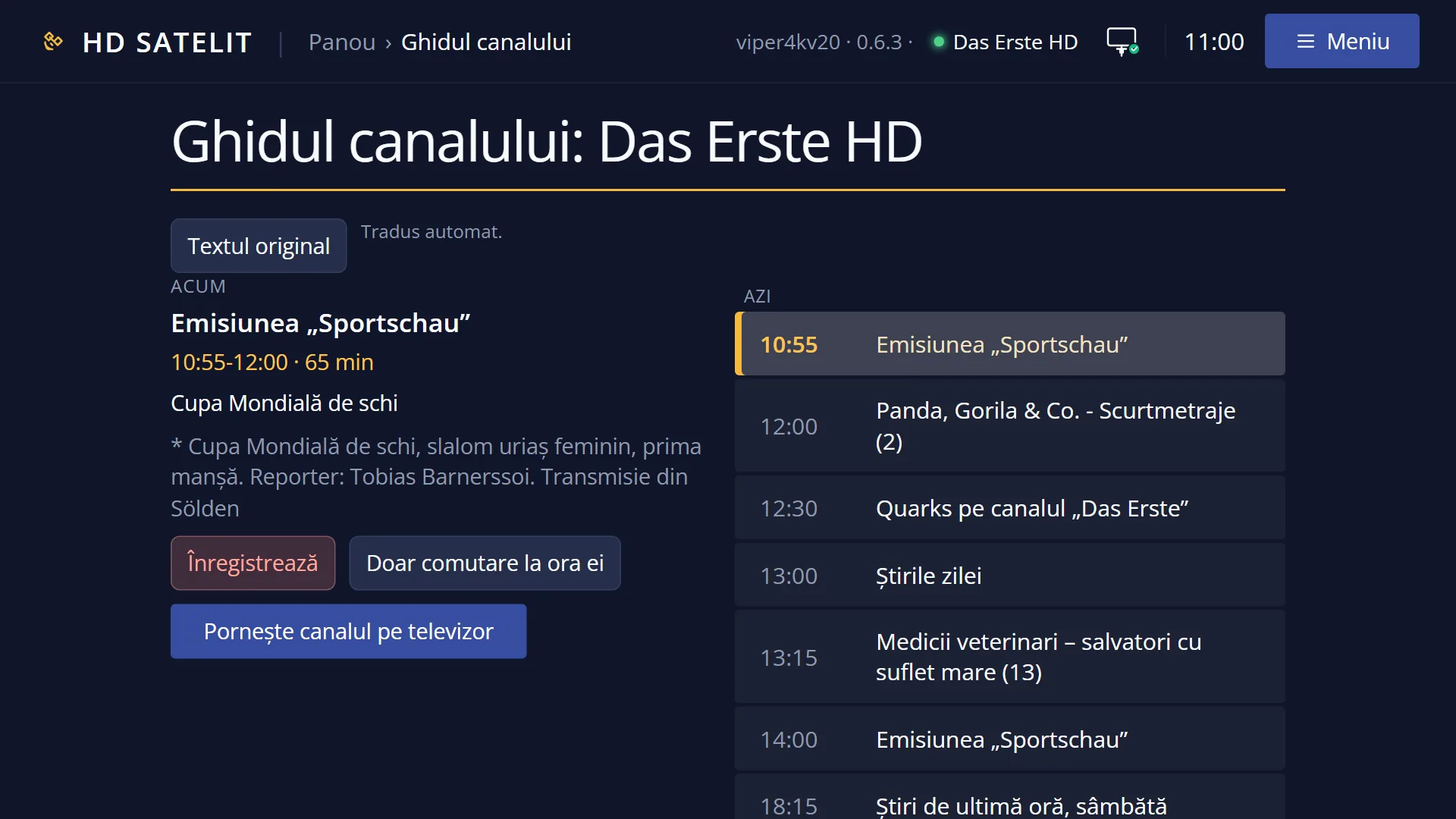
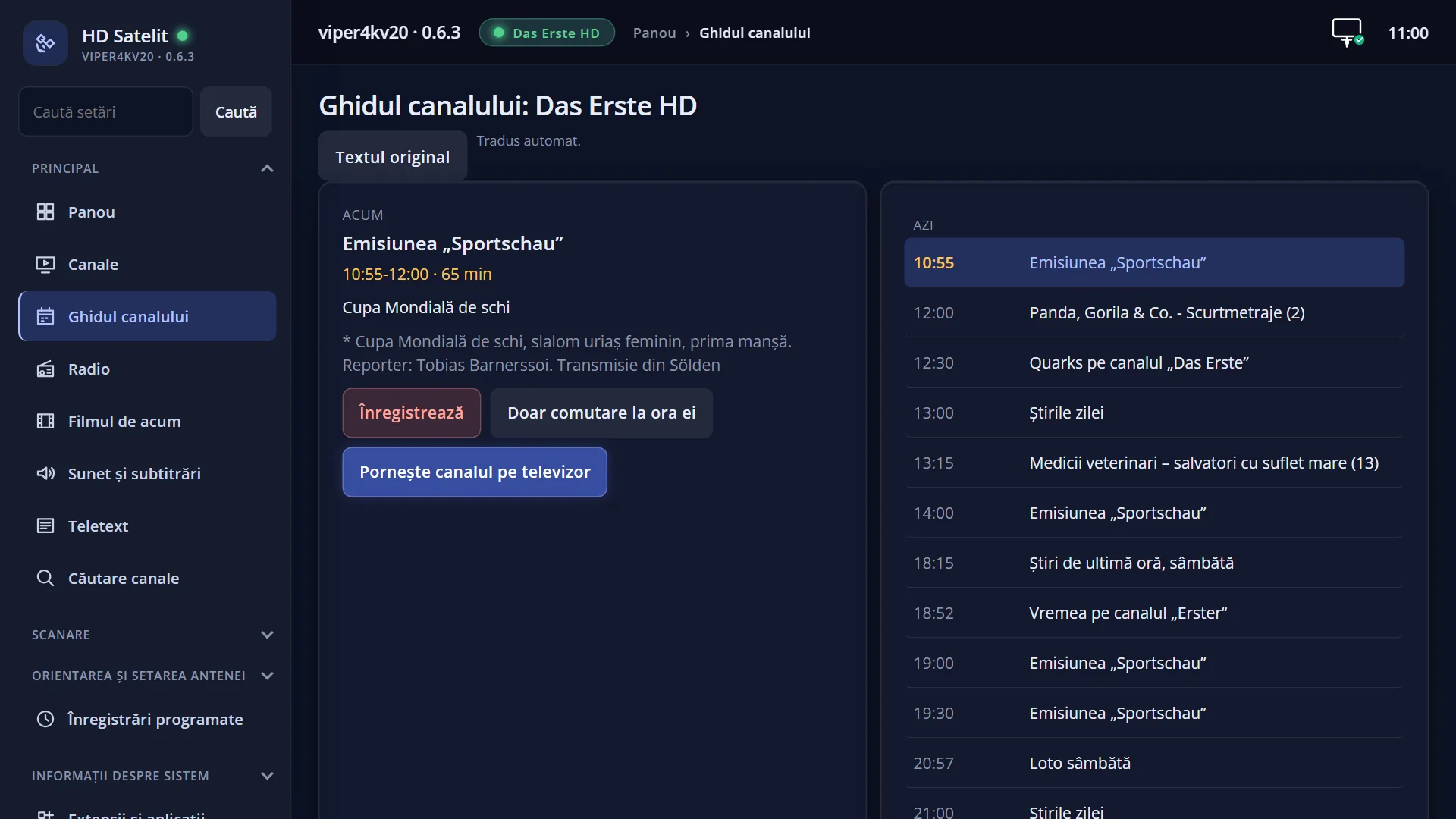
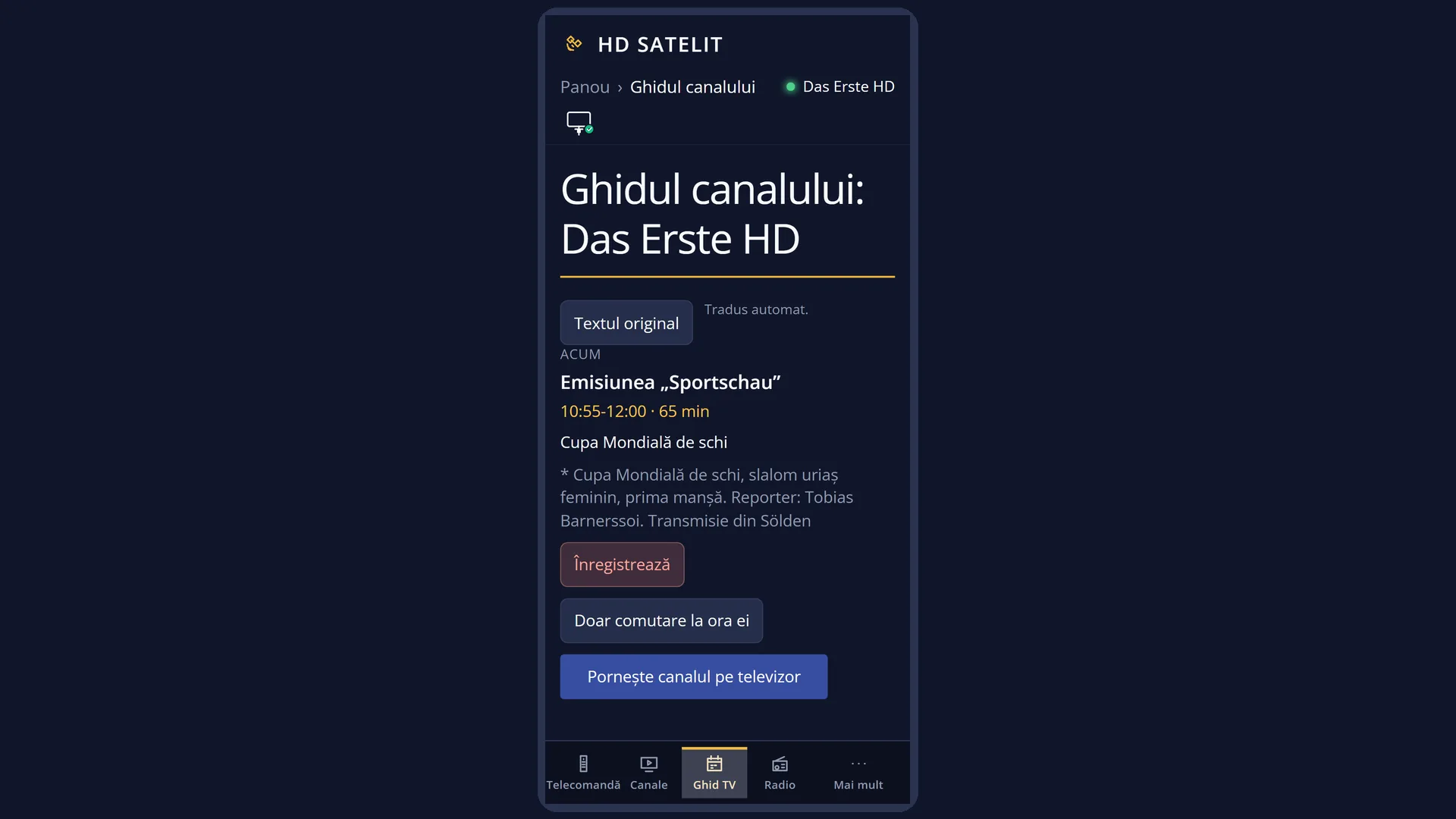
In the web interface: the /traducere-subtitrari page (the same rows), and the /ghid page shows the translated guide, with the “Original text” button.
What you see on the screen
In the channel guide and in Multi EPG, the titles of the rows on the screen and the selected programme are translated. A new row first appears in the original and changes within a few moments.
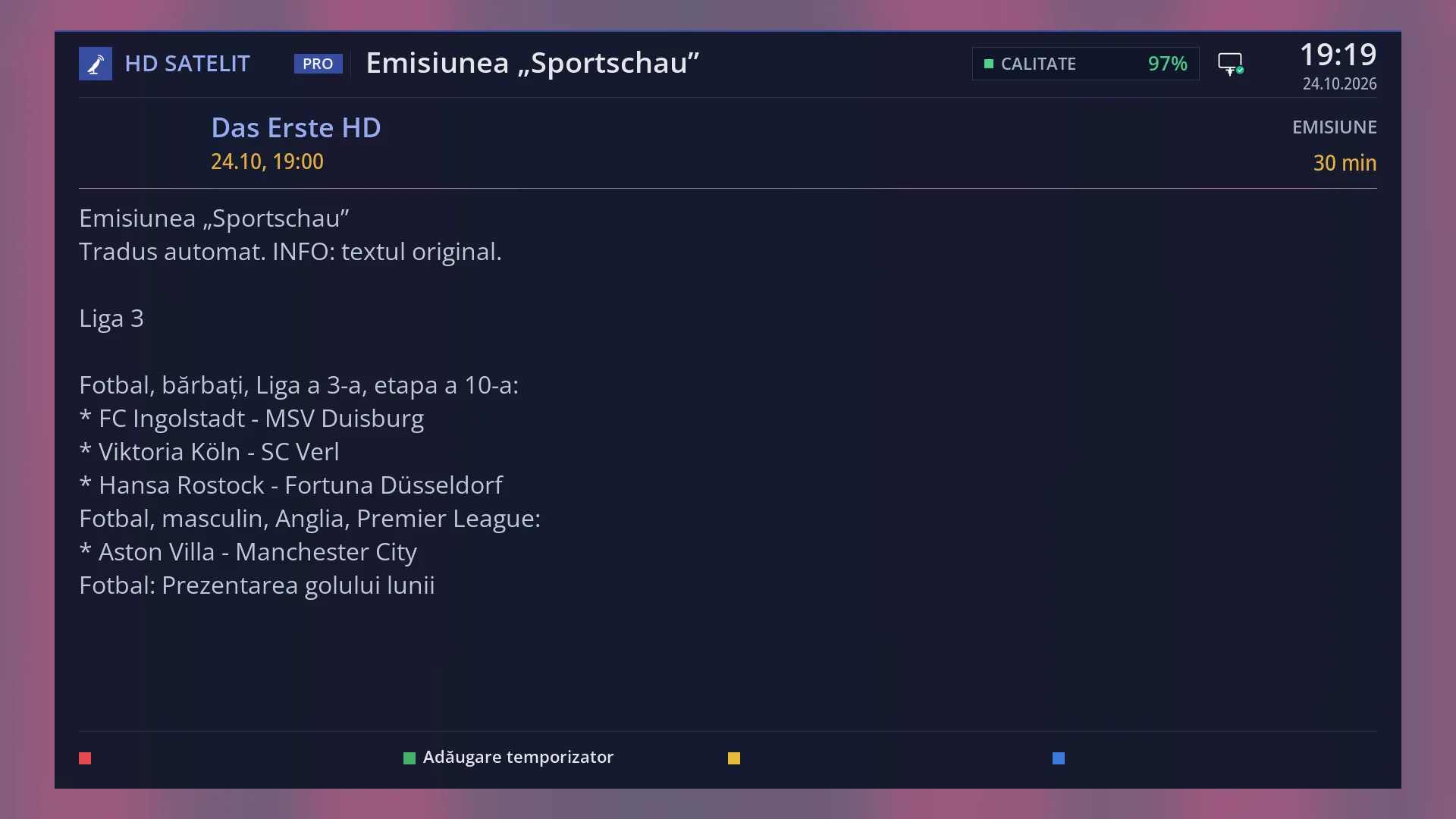
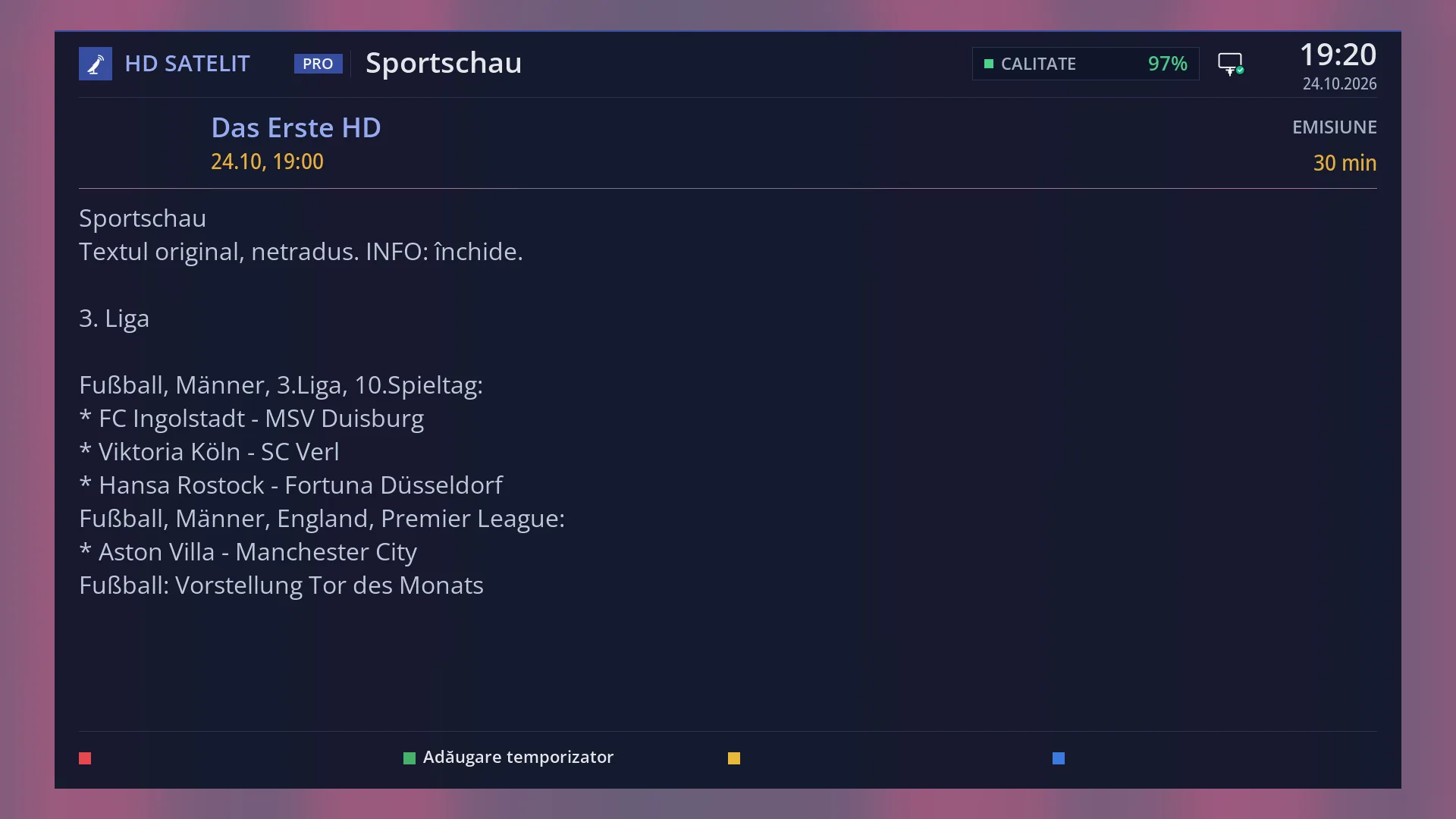
In the programme details (OK in the guide or INFO in live TV), a line under the title tells you what you are seeing: “Translated automatically. INFO: the original text.”, “Original text, not translated. INFO: close.” or, with only “Translate the bottom bar” on, “Original text. On the bottom bar, the title is translated automatically.”
On the bottom bar, the titles of the current and next programme are translated (with “Translate the bottom bar” or with “Translate EPG”). The second info bar shows the same titles.
In the channel list, the right-hand panel (the programme of the selected channel) is translated. The titles in the rows of the list stay in the original.
On the “Subtitle translation” screen, the “What was translated from the EPG” row shows how much has been sent for translation from the guide. The details are under the list.
Rows and settings
| Row | Values | Default | What it does |
|---|---|---|---|
| Translate EPG | no, yes | no | Translates the titles and descriptions of the programmes on the screen (bottom bar, second info bar, guide, programme details). It uses up the service quota, so it is off by default. In the programme details, INFO shows the original text. When you watch foreign channels and want the guide in your language. |
| Translate the bottom bar | yes, no | yes | Translates the titles of the current and next programme on the bottom bar, only while subtitle translation is switched on. It uses very little of the quota: each title is requested only once. INFO on the bar shows the original text. Set it to “no” if you always want the bar titles in the original. |
| What was translated from the EPG | off, nothing yet, “40 texts, 3200 characters” | off | Read-only row: how much has been sent for translation from the guide. Under the list: the details, how many translations are remembered and where. OK resets the counter to zero. When you want to know how much of the quota the guide uses. |
| Translation memory | in the working memory, on a USB stick, memory card or disk connected to the receiver | Translations are kept in the working memory and, if the receiver has a USB stick, memory card or disk, also on it, in the hdsatelit folder. Nothing is written to the receiver's internal memory. Without such a storage device, translations are lost on restart and are requested again. When you do not want the translated guide to use up the quota again after every restart: connect a USB stick. |
Keys
| INFO (in the programme details) | With translated text: shows the original text. INFO again, or on an untranslated text: closes the details. |
| INFO (in live TV) | Opens the details of the current programme: with “Translate EPG” on they are translated; with only “Translate the bottom bar” on, they are the original. |
| OK / EXIT (in the details) | Close the details. When you close them, the texts go back to the translation. |
| OK on “What was translated from the EPG” | On the “Subtitle translation” screen: resets the counter to zero. |
Step by step
Switching on the translated guide
- Go to Menu > Settings > Audio & Sound Tracks > Subtitle translation and check that the translation service works (YELLOW “Test the translation”).
- Go to the “Translate EPG” row and choose “yes” with LEFT or RIGHT, then save when you exit.
- Open the guide on a foreign channel (EPG): within a few moments the titles change to your language.
Comparing the translation with the original
- In the guide, go to the programme and press OK (or INFO in live TV).
- Under the title it says “Translated automatically. INFO: the original text.”
- Press INFO: you see the text from the channel. INFO again closes the details.
Problems and solutions
The guide stays in the original.
Check that “Translate EPG” is set to “yes” and that the translation service has the complete key (YELLOW “Test the translation” in “Subtitle translation”). No message appears on the TV when there is an error: the guide stays in the original, and the error is shown in the details of the “What was translated from the EPG” row.
Some texts are not translated.
Texts already in your language, times and numbers are not sent. A text that the service returns unchanged is remembered and not requested again.
The text first appears in the original and changes after a moment.
This is how it works: what is on the screen is sent for translation, and until the translation arrives you see the original. The second time, the same programme is translated immediately, from memory.
The titles in the rows of the channel list are in the original.
In the channel list, only the right-hand panel, with the programme of the selected channel, is translated. The rows of the list stay as the channel sends them.
On the bottom bar the title is translated, but INFO shows the original.
Only “Translate the bottom bar” is on, and it translates only the bar titles. For translated details, switch on “Translate EPG” as well.
The translation service quota runs out quickly.
The guide has a lot of texts. Switch off “Translate EPG” and leave only “Translate the bottom bar” on, or connect a USB stick so the translations are kept after a restart.
Related topics
- Subtitle translation (the service, the keys, all the rows)
- Channel guide
- Multi EPG
- Matching web page: /ghid (with “Original text”) and /traducere-subtitrari.