

The HD Satelit 0.7.8 update
23 November 2026
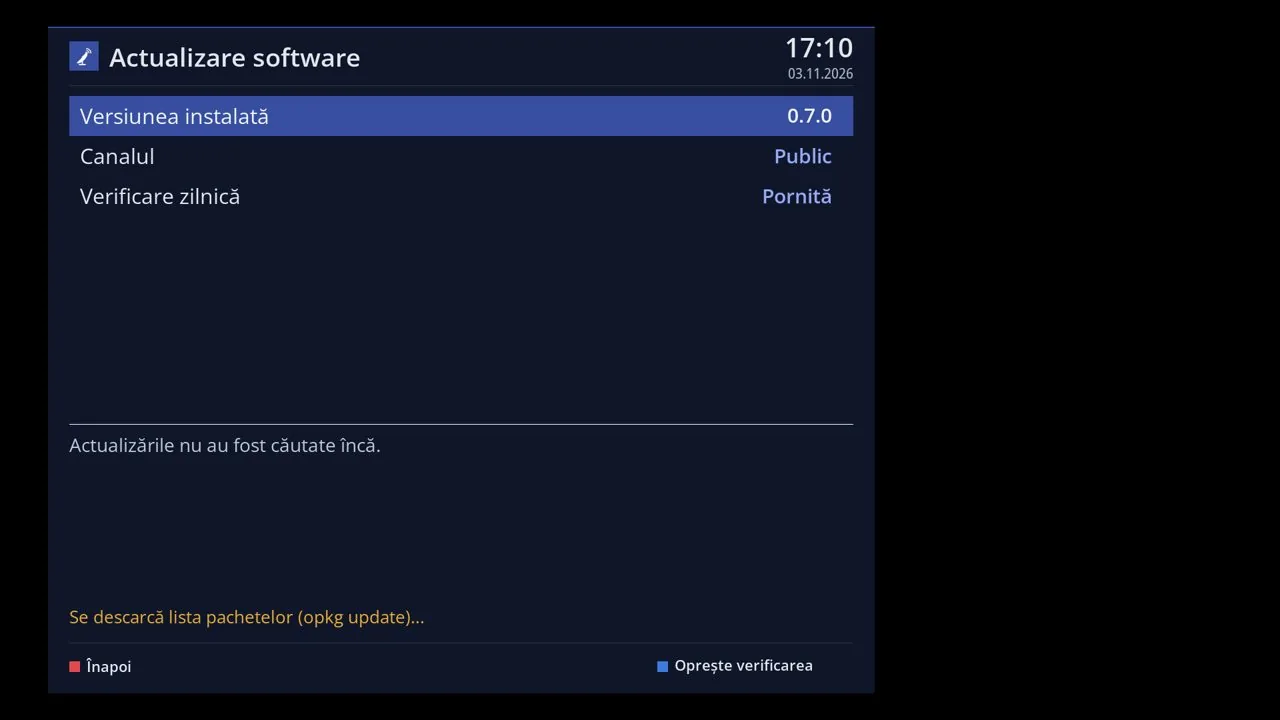
Version 0.7.8 comes as an update from Menu > Settings > Software & Firmware > Software update, on all receivers with HD Satelit 0.7.0 or newer. Channels, settings and plugins stay. On 0.7.0, 0.7.1 and 0.7.2, the receiver may ask on its own whether to do a fresh install from scratch. There is no need: choose "Not now", and the menu update brings the same version while keeping settings and plugins. The full 0.7.8 firmware packages are available on the website for 16 receivers: Amiko Viper 4K V10, Amiko Viper 4K V20, Amiko Viper 4K V30, Amiko Viper 4K V40, Octagon SF8008 4K UHD, GigaBlue UHD TRIO 4K, Uclan Ustym 4K PRO, AX HD51, Vu+ Solo4K, Vu+ Uno4K SE, Vu+ Duo4K, Vu+ Duo4K SE, Vu+ Duo4K Lite, Vu+ Ultimo4K, Vu+ Zero4K, Vu+ Solo SE. As alpha releases for testers, the full 0.7.8 firmware packages are also on the website for these receivers: Octagon SF8008 MINI 4K, GigaBlue UHD QUAD 4K PRO, Mut@nt HD51, Dreambox DM920, Vu+ Duo², Vu+ Uno4K. The full 0.7.8 firmware packages for the Dreambox DM900 and for the ZGEMMA H8.2H SE and H8.2H PLUS come after the last tests.
From what you asked us for, in 0.7.8 you get: the player chosen for each IPTV source (4097, 5001 or 5002) and the download of its picons, in Settings > Internet Sources > IPTV, with MENU on the source > Player and picons; the volume bar in the middle, with the level number, in Settings > Audio & Sound Tracks > Volume and delay; digits that go to the channel number, in Settings > Interface & Appearance > Channel list settings; Repair image, which puts back the firmware files and plugins deleted by mistake, in Settings > Software & Firmware > Software update.
After an update, the interface restarts by itself, with a 10-second countdown on the TV and in the web interface, only once the recording or timeshift has finished. Repair firmware, in Software update and on the web, puts back the firmware's deleted files, also by itself after every update, and an update stopped halfway gets finished. Support can be turned on for 2 hours, 24 hours, a week, a month or permanently, on the TV and in the web interface, and the team first asks what it can help you with. Support: you can also answer the team with a short text, EXIT lets it keep working in the background, and stopping or resuming it because of the network is logged with the reason. In alpha and beta firmware, the Beta tester box is ticked and required, with the terms screen at first start; in the final version it stays optional.
Channel list, new options: digits jump to the channel number, the first OK shows the channel and the second selects it, and the button layout is up to you, from the web too. My profiles: save your settings under a name, switch from one profile to another and move them to another receiver from the web page. When a channel does not start, the list can switch to another channel with the same name or to the station's DVB-I source, and the programme description has 4 full lines. Bouquets lost in an old import are restored automatically, with a backup made first, and a satellite list no longer deletes terrestrial and cable channels. IPTV: each source picks its own player (4097, 5001 or 5002), its logos can be downloaded, and the loading window can be turned off or closed by holding EXIT. IPTV: sources can be imported from a file or from text pasted into the web page (Stalker, Xtream, M3U lists, bouquets), and an exact copy of them can be transferred to another receiver. IPTV Stalker: the MAC address can be typed by hand or a new one generated, Favorites stay, there are up to 300 sources, and valid accounts are no longer rejected. IPTV: channels that require the provider's headers no longer return 403, a channel that loads slowly is retried automatically for up to 45 seconds, and the bouquet loads without waiting.
The volume bar can sit in the middle, showing the level number, and the main menu has ten rows: Movies and TV series after Applications, Power & Restart last, on button 9. Window animations (fade in, slide, zoom) are chosen in the settings, off by default, and menus can wrap from the last row to the first. The BLUE button has new shortcuts (update, system information, speed test) and a list you choose, and the background of all screens can be changed from a single row. The channel bar shows what decodes the channel (the CI module or the receiver's own) and the system, and the weather sits where you choose and appears by itself once you pick the city. Web interface: any settings screen open on the TV, including a plugin's, can be seen and changed from the web, and every step of the menu path can be clicked. Passwords and addresses show in plain text on the receiver and the web page, with no asterisks, and the web interface opens from any device on the network, with no pairing code. Plugins installed from a file get their missing libraries from our feed automatically, and the list of external plugins comes only from our server, without 403 errors. Plugins made for other firmware find the functions they need, and old ones adapt themselves in the background after their first crash and reload. Themes from other teams, such as Obsidian and Cobalt, keep their weather bar, fonts and screens, and their converters no longer restart the interface. The interface no longer freezes with large IPTV lists, the guide, many channels or package installs, and errors in lists, Wi-Fi and the guide no longer restart it.
Signal finder also measures terrestrial and cable tuners, BLUE shows the channels on the transponder, and the satellite scan can search for free-to-air channels only. Unicable: the voltage is held long enough around the command, also on the LNB's cold start, and a lost command is repeated once: the channel no longer stays without signal. Blind scan works on the C band and American satellites and sends the DiSEqC command for the chosen satellite, and Astra 19,2E comes back through the switch without stalling. DVB-T2 via satellite (4.8E and 23.5E): channels learned during a rescan start, and the T2-MI relay reconnects quickly after the stream breaks. The network fallback tuner also takes over the channel when the local tuner is free but has no signal, and when the other receiver refuses, the message clearly says why. With a single tuner, the channel you switch to after one brought in by the receiver's relay no longer stays black, and OK and zapping from the web retry a channel that could not be tuned.
Equalizer on Octagon SF8008 and receivers with the same processor: the TV channel no longer goes silent, and for TV you can choose Through the card (5 bands, no delay). Satellite and internet radio have sound again with the equalizer on, on Vu+, GigaBlue Quad 4K Pro, AX HD51, DM900 and DM920. Movies: changing subtitles no longer freezes the movie, the player bar shows when jumping with 1-9, and after a movie the first channel with a stopped picture restarts by itself. HbbTV: apps, such as Rai's, get the channel's audio tracks, and on TVP 1 a page that sits 30 seconds without video reloads once. Applications: choose the browser that opens them, the HD Satelit card leads to the firmware's website made for TV, and the browser fills the whole screen even with margins set. Disks: the USB stick no longer disappears when the interface starts, the boot disk is shown as read-only, and the disk name appears next to the path wherever you choose a location. New firmware from USB stick: a FAT stick with the wrong partition type is fixed with one press, and flashing no longer starts when the kernel and the system come from different places. Settings copy keeps the plugin sources you added, and we fixed a few errors in the conditional access modules and made them easier to use. VPN: WireGuard no longer hangs while connecting and reads files with a BOM, and OpenVPN correctly says whether the cipher or the username and password are to blame. DM900 and DM920: encrypted channels start via CI, the combined tuner returns to satellite after a terrestrial channel, and the colour front display shows the channel. Vu+: the Xbox One USB tuner shows the signal, Zero 4K has its equalizer and HDMI-CEC fixed, Solo 4K no longer goes into standby by itself, and Duo2 shows the channel on its display.
Many fixes come from the reports sent by the beta testers' receivers and from what you wrote on the forum. Thank you!