

The HD Satelit 0.7.7 update
18 November 2026
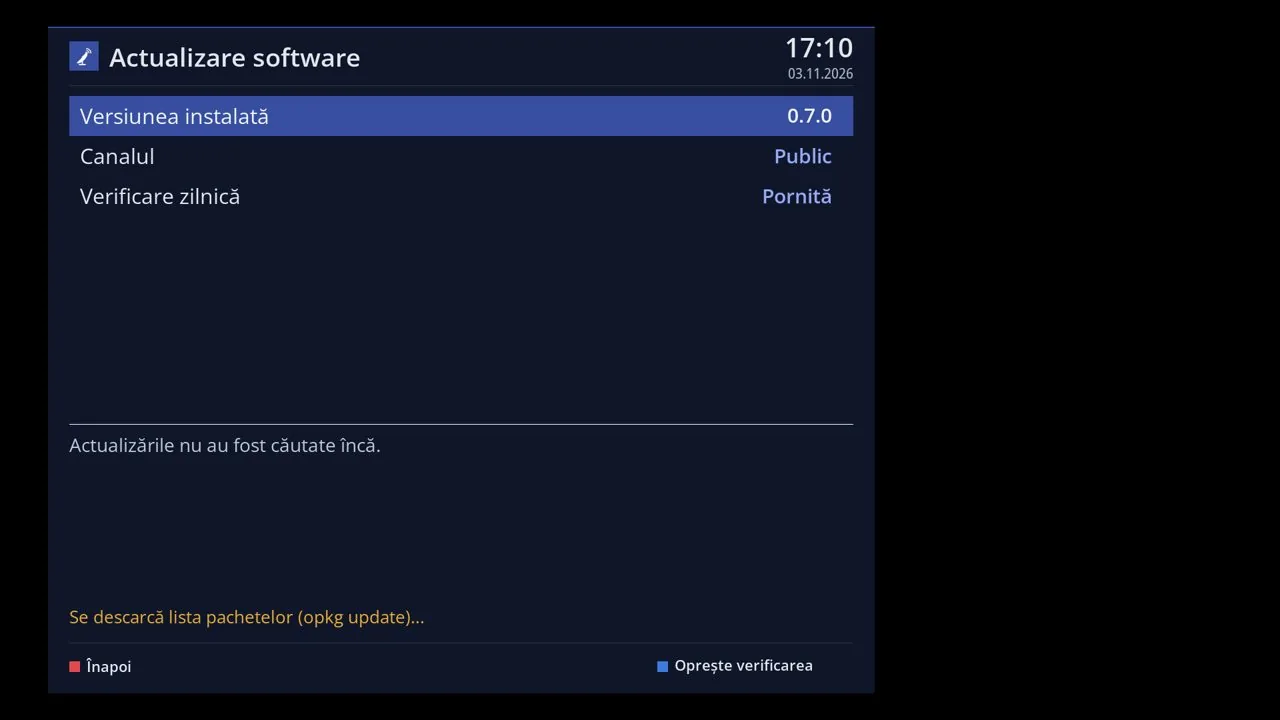
Version 0.7.7 comes as an update from Menu > Settings > Software & Firmware > Software update, on all receivers with HD Satelit 0.7.0 or newer. Channels, settings and plugins stay. On 0.7.0, 0.7.1 and 0.7.2, the receiver may ask on its own whether to do a fresh install from scratch. There is no need: choose "Not now", and the menu update brings the same version while keeping settings and plugins. The full 0.7.7 firmware packages are available on the website for 12 receivers: Amiko Viper 4K V10, Amiko Viper 4K V20, Amiko Viper 4K V30, Amiko Viper 4K V40, Octagon SF8008 4K UHD, Octagon SF8008 MINI 4K, GigaBlue UHD TRIO 4K, Uclan Ustym 4K PRO, Vu+ Solo4K, Vu+ Uno4K SE, Vu+ Duo4K, Vu+ Solo SE. As alpha releases for testers, the full 0.7.7 firmware packages are also on the website for these receivers: Dreambox DM920, Vu+ Duo², AX HD51, Mut@nt HD51, GigaBlue UHD QUAD 4K PRO, Vu+ Zero4K, Vu+ Duo4K SE, Vu+ Duo4K Lite, Vu+ Ultimo4K. Dreambox DM920 and Vu+ Duo² are new receivers.
On ARM receivers, YouTube in Applications plays videos with sound using the receiver's hardware; the player no longer closes on network videos provided by plugins. Web browser: on Vu+ Solo SE, install it from Applications with one OK or get it preinstalled in the USB stick firmware; Vu+ Duo2 gets alpha firmware with the browser. HbbTV: on Italian channels, including Rai 1, one press of RED is enough, and pressing coloured buttons while the app loads no longer opens menus over it. HbbTV: TVP and ServusTV On (Octagon) start videos, pages no longer cover the video on Vu+, and heavy pages and holding a button no longer freeze the browser. HD Satelit news in Applications, the browser and the screensaver comes from our server, in the menu language and without ads. GREEN opens Extensions and apps, BLUE the shortlist of firmware functions, and the mouse works in Applications, YouTube and the browser, and as a remote control. Menu: move entries with the arrows (MENU > Move); in tile view, each entry has a description and its position. The Pro theme has themed backgrounds from the firmware or our server, and Interface resolution has an Automatic option: 2K only when the board and TV support it. Transcoding to your phone on Vu+ receivers with an encoder: the stream for apps, only from your home network.
Network fallback tuner (Tuner settings, off by default) gets the channel from another HD Satelit receiver in your home, without taking over its TV viewing or recordings. Channel list: rename a bouquet in place, channel numbers stay correct, and Show IPTV and other lists in Bouquets (Yes by default) chooses what appears among bouquets. Download and install the Ciefp and Morpheus883 channel lists from your receiver (Channel scan > Default channel lists), with a restore option. Scanning starts on the tuner with the selected satellite, and an FBC tuner with its cable in socket B is found and set up automatically when A gets no signal. Blind scan uses the satellite selected on screen, also with a motorised dish (the dish turns first); on Vu+ Solo SE it fetches its program automatically. The satellite DVB-T2 and DAB+ relay waits for the motorised dish; after an error it automatically retries the channel after 1, 2, 5, 10, then 30 minutes. A deleted satellite stays deleted, even after an update, and Dish rotation only uses satellites the tuner can receive. Abertis 30W: channels no longer stay black on Vu+, 12599.76 V keeps its 5 programmes, and seven DVB-T2 transponders have the roll-off signalled by the broadcaster. DVB-I: a deleted list stays deleted, and unresponsive lists are retried less and less often; the online TV guide is now available for Russia, Ukraine, Belarus and Kazakhstan too.
IPTV app: OK on a source opens its page with TV channels, Movies and TV series; all the account's movies appear in Movies and TV series, not just the first 2000. IPTV: sources without HTTPS stay green, the internet channel guide no longer slows the interface, and Movies and TV series automatically retries a refused connection. The Web interface works over HTTPS again, the address and QR code are in Information > Network, and an internet page can no longer control the receiver. VPN: servers by country for NordVPN and IPVanish, and the VPN shortcut opens the VPN screen; USB Wi-Fi that loses contact with the router recovers automatically. Disk mounting is also in Settings > System & Devices and shows all disks; NeoBoot no longer closes the interface or stops the USB disk at startup. Network places (SMB and NFS mounting) are now also in Network & Internet and menu search; YELLOW adds a new place. You can also flash new firmware from multiboot on a USB stick or disk; on AX HD51, other slots are not formatted, and the full copy from another slot stays. Import channels and settings finds a copy of other firmware even without a USB stick; imports, external lists and settings backups preserve IPTV, bouquets and the None selection. Themes from other firmware work better: their components come in the firmware or from the feed, the video window is no longer black, and each theme keeps its own adjustments. Third-party plugins: VOD lists in GT IPTV Player no longer come up empty, AtileHD no longer closes the interface, and a plugin compiled for another version is flagged immediately.
The channel bar can show the weather, ECM and signal in dB or %, and the second bar the video and audio bitrates, now on encrypted channels too. Even volume across channels now on Vu+ and AX HD51 too, through the driver's automatic levelling (HDMI, optical or analogue), on TV and in the web interface. We fixed a few errors in the conditional access modules and made them easier to use. Support: the team can ask you a Yes or No question, and its replies to your reports appear automatically; stopping with RED asks for confirmation. Restarting and shutting down from the menu work even if a plugin blocks the interface; the TV shows The interface is restarting, The receiver is restarting or The receiver is switching off. Extensions no longer installs firmware packages separately (it sends you to Software update), and an unfinished update repairs itself. The interface no longer freezes after startup, in module screens, in Extensions or with large channel lists; a plugin no longer delays its restart by 45 s. SF8008: the first channel change after restarting the interface no longer shuts down the receiver; the equalizer no longer stops the picture, and without a picture a black background appears after 4 s. The clock is set even without NTP or satellite, community logos appear immediately after the QR code, and Thanks in the firmware information shows who sent code. Subtitle translation no longer starts when the audio or subtitles are already in your language and can be turned off per channel; HDMI Information is translated. CI and CI+: EXIT no longer closes allocation, CI works on single-slot boards and FBC tuners after D too, and with CI+ another form of the key is tried automatically.