

The HD Satelit 0.7.6 update
15 November 2026
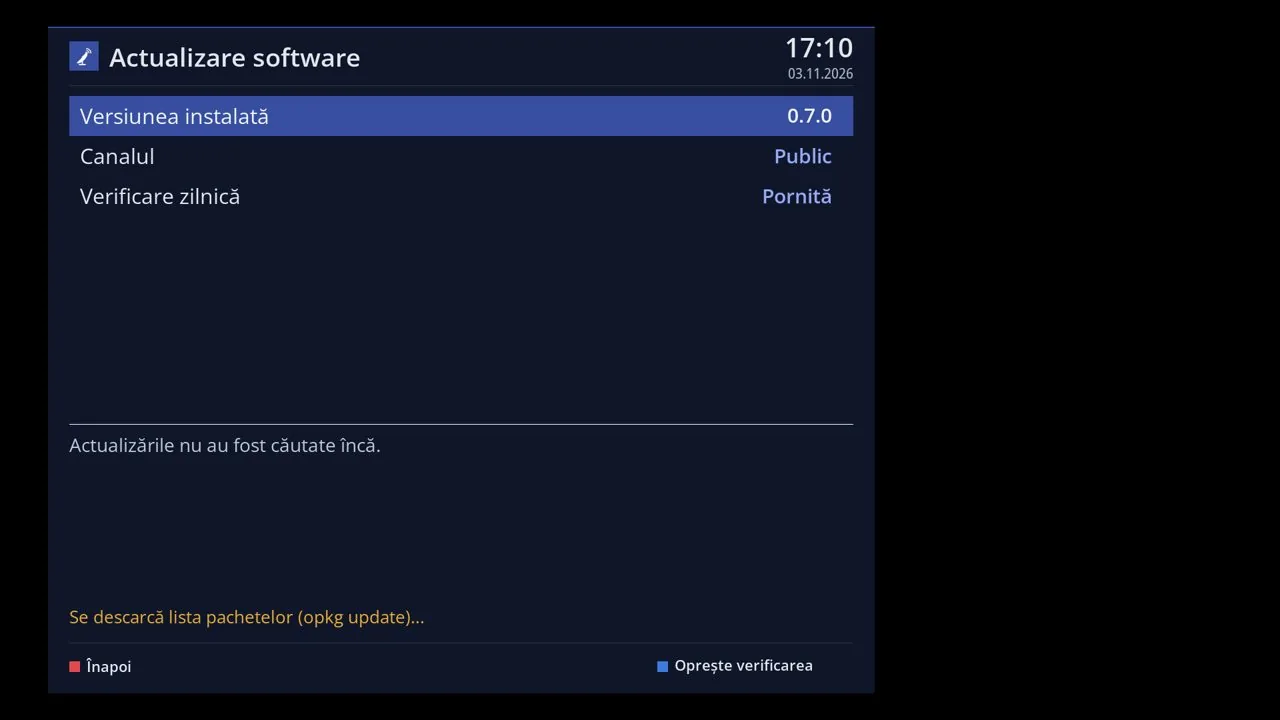
Version 0.7.6 comes as an update from Menu > Settings > Software & Firmware > Software update, on all receivers with HD Satelit 0.7.0 or newer. Channels, settings and plugins stay. On 0.7.0, 0.7.1 and 0.7.2, the receiver may ask on its own whether to do a fresh install from scratch. There is no need: choose "Not now", and the menu update brings the same version while keeping settings and plugins. The full 0.7.6 firmware packages are available on the website for 12 receivers: Amiko Viper 4K V10, Amiko Viper 4K V20, Amiko Viper 4K V30, Amiko Viper 4K V40, Octagon SF8008 4K UHD, Octagon SF8008 MINI 4K, GigaBlue UHD TRIO 4K, Uclan Ustym 4K PRO, Vu+ Solo4K, Vu+ Uno4K SE, Vu+ Duo4K, Vu+ Solo SE.
Extensions in folders, by type: plugins, media, system settings; other people's feeds have their own folder, and plugins can be sorted and hidden, also in the web interface. The channel list shows the frequency, polarization and symbol rate of the selected channel, the signal in dB on the bar, and Current Transponder is the first row. Channel list settings: the size of the name and of the bar, channel numbers, how much of the show has passed as a percentage, the SD, HD or UHD type and the startup channel. All settings are always visible, without the Simple, Intermediate and Expert levels, on the TV and in the web interface. Themes made for other receivers show the correct channel number and the encryption bar. Files in the web interface: two panels, the computer and the receiver, with copy, move, edit and mouse dragging; File Commander in two columns. Channel logos are installed without FTP, from a stick, from a disk or from an address, only for the channels in the list, on the TV and in the web interface. The Information, Serviceinfo and channel search result screens show the data in boxes, easier to read. The interface no longer restarts with some plugins: lists without a template work, and plugins made for another system show a message instead of crashing. If your channel lists are no longer visible, the receiver finds them at startup and puts them back with a single Yes, or from the channel editor.
USALS motor scanning only checks satellites that already have channels, no longer tries satellites below the horizon, and without the antenna location it asks you for it first. Dish coordinates are typed as on a calculator, 30 or 030 both give 30, and Tuner settings shows the factory universal LNB in plain view. Dish rotation starts immediately at your command, the drawing shows the entire visible arc from your location, and satellites added from the computer go into the settings. Multistream transponders from other people's lists work even on tuners without multistream, and the tuner list no longer crashes on receivers with more than four tuners. T2-MI channels from other receivers' lists work even on receivers whose driver does not know T2-MI, with nothing to do. GigaBlue UHD Quad 4K Pro: the satellite set on tuner B is no longer lost, the signal quality is shown in dB, and the front display no longer jumps around. DVB subtitles now appear on channels where they were not visible at all, for example on some channels from 9.0°E and 23.5°E. Channels with AC3 or DD+ sound of the ATSC type have sound, and the track you selected stays even when the channel announces no sound. HbbTV: Mediaset and Rai open the app by themselves, the sign in the bar has text, and an expired certificate from the channel is clearly stated. Mosaic: the transponder's channels in 2, 4 or 9 windows, with pages, the selected window with sound; it opens by holding down 0, also in the web interface. The 0 key switches between the PiP pictures, holding down the < key opens Recent channels, and the black screen tells you when the antenna seems to be on another satellite. On a radio station, including DAB+, the P+, P-, CH+, CH- buttons and the arrows stay in the radio list, and the bouquet list no longer has duplicates.
The equalizer no longer stops the sound when changing channels: on TV channels the sound starts together with the picture, without the 1 to 3 second delay. The guide in the info panel shows the long text of the show on several lines even when the channel does not send the long description, on the TV and in the web interface. With Left and right while watching set to volume, the arrows change the volume on live internet channels too, and the resolution on the bar is that of the open channel. The movie player shows the remaining time without a minus, for example 56:48, also on the front display, and subtitles in mkv movies no longer freeze. Movies and TV series also shows movies from disk, stick and network, and those from Emby and Jellyfin servers at home. A .m3u list copied via FTP or placed on a stick appears by itself in IPTV, and recordings move by themselves to the large disk when you connect it. VPN: all files from a provider are added at once, from a stick or from the web interface, with a single question. HDMI CEC: Samsung TVs turn off together with the receiver and no longer stay on in standby. Disks and sticks appear again during disk initialization and checking, and NTFS disks are mounted on all models. The full system backup also works on Vu+ 4K, ready to put on a stick, and the settings backup no longer crashes with plugins that have thousands of files. NeoBoot works on the receiver, and restarting into another installed system also works on AX HD51.
The Conditional access modules screen also shows the module started by another program and the CI module from each slot; in Common Interface, GREEN saves the settings. On first start the language and time zone are chosen based on your country, from our server; what you choose on the TV or in the web interface stays. Uzbek is the 31st menu language and is selected automatically on first start in Uzbekistan. Assistance shows when the team is working and when it has finished, long conclusions arrive in any language, and the IPTV account data is no longer seen by the team. In the feed: EPGSearch, MovieCut, SubsSupport, Enhanced Movie Center and AIO Panel without crashing on close; when deleting a plugin no files remain. About the movie shows the poster, ratings and actors of a movie from the guide, Sport Today gathers the day's matches, and the angle calculator tells you where to point the antenna.