

Update 0.6.20 of the HD Satelit image
2 November 2026
Amiko Viper 4K V20 and V30 receivers with HD Satelit image 0.6.0 or a later update, the first Amiko Viper 4K V10 with image 0.6.6, 0.6.8 or 0.6.11, the Octagon SF8008 with image 0.6.8, 0.6.11 or 0.6.13 and the SF8008 MINI with image 0.6.13 get version 0.6.20 from the menu, under Software update, without a USB stick. All six receivers with the complete 0.6.19 image from the site, the Amiko Viper 4K V40 included, now get it from the menu too: until now the complete 0.6.19 image had no updates.
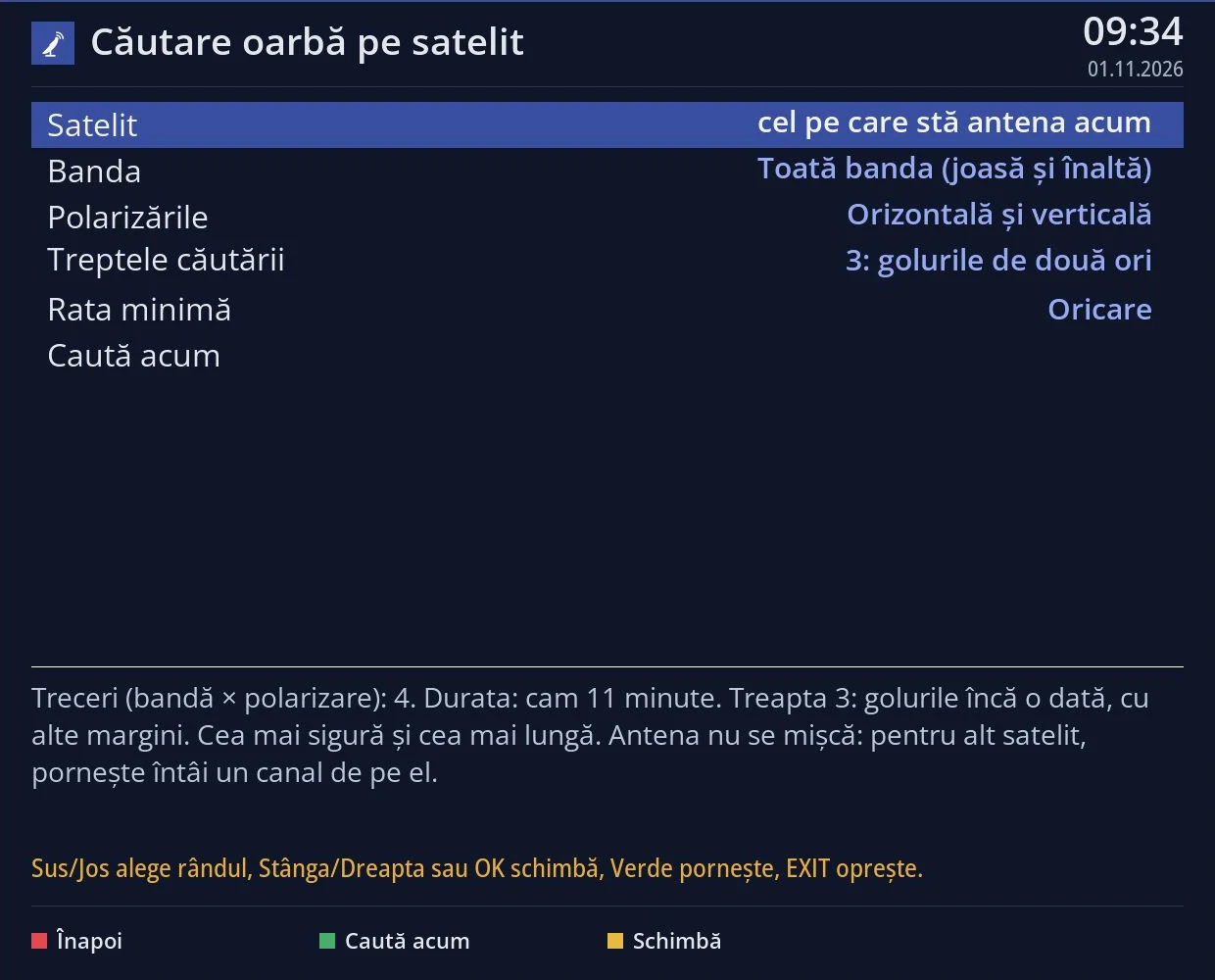
Satellite blind scan (Menu > Channel scan > Satellite > Blind scan) now also starts on the Octagon SF8008, SF8008 MINI and the first Viper 4K V10, which have other tuners than the V20. It is the first version and we have not been able to test it on these receivers yet: if you try it, tell us on the forum what it found. We have not tested it on the Amiko Viper 4K V30 and V40 yet: if the receiver does not know its tuner, it tells you so on the screen.
In the satellite search, the transponder list and the signal display you can now also choose the 16APSK and 32APSK modulations. We have not been able to test their reception: no APSK transponder has locked yet on the V20.
Remote assistance is complete: the team sees the screens, the settings and the channel picture, while passwords, PINs and keys appear as asterisks; only the access module screens stay closed. While you wait, the screen asks you to leave it on for at least 30 minutes if we do not connect right away.
The up and down arrows now both open the TV channel list. If you want the radio list on the up arrow, choose it in OSD Preferences, under “Up and down arrows while watching”.
The first Viper 4K V10 gets “Start other images”, as on the Octagon SF8008. On the Octagon SF8008, if the TV does not answer the HDMI-CEC commands, the receiver turns CEC off by itself and the interface no longer freezes. .ipk packages on a USB stick or disk install again from Extensions, the “From file” tab.
In subtitle translation you can add as many keys as you like for each service; when one runs out of quota, the receiver moves on to the next by itself. The steps for the DeepL key are rewritten for the current DeepL website. Beta testers send richer channel logs, and logs that only show a good state are no longer sent as errors.
The source code of version 0.6.20 is public.