
How to remove sats from sat list, as not everywere on the globe are available !
see pics:
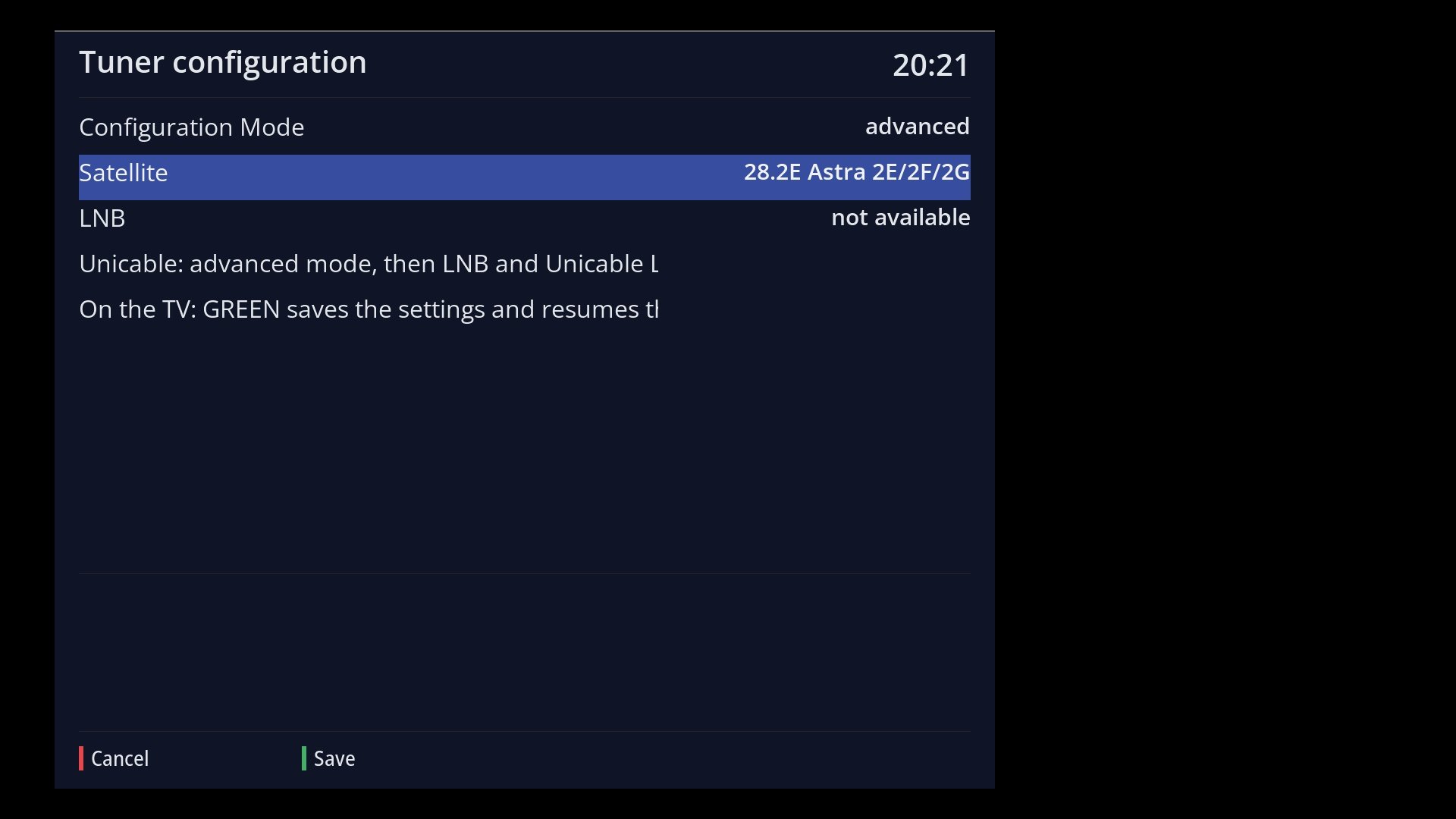
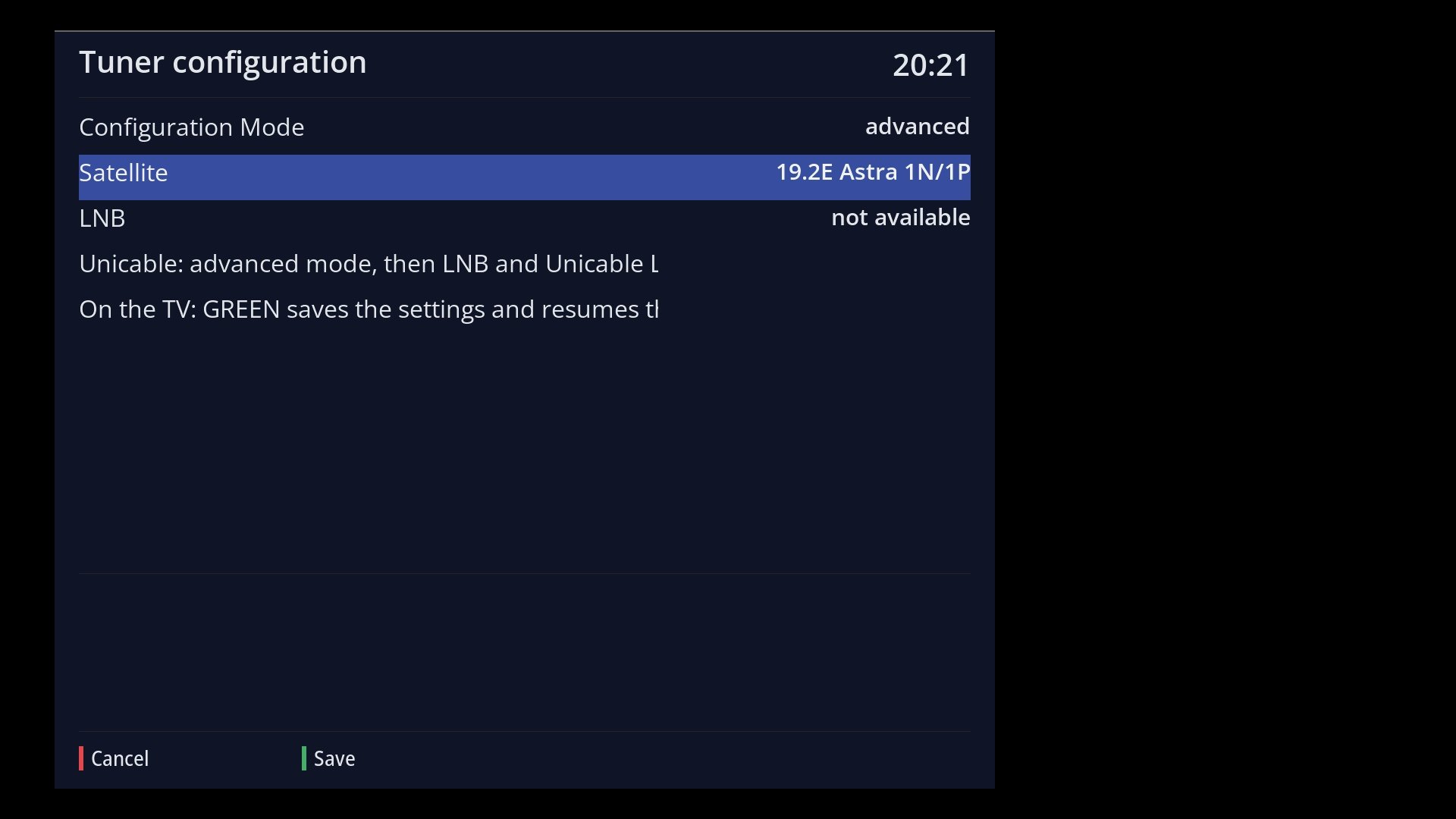


How to remove sats from sat list, as not everywere on the globe are available !
see pics:

Hello lme, thank you for the question!
The satellite list is kept in the satellites.xml file, and the image has an editor for it in the web interface: open http://hdsatelit.local/editor-canale in a browser on the same network, switch to the advanced mode, and there you can add, change and delete satellites (and their transponders). The editor keeps a dated backup copy before it writes, and it reloads the list in the receiver afterwards.
We have checked this in the code, not on a screen of our own receiver, so if the page does not look as described, tell us what you see and we will write the exact steps. We did not find a "delete satellite" entry on the receiver's own screens.
HD Satelit team
HD Satelit a scris:
Hello lme, thank you for the question!
The satellite list is kept in the satellites.xml file, and the image has an editor for it in the web interface: open http://hdsatelit.local/editor-canale in a browser on the same network, switch to the advanced mode, and there you can add, change and delete satellites (and their transponders). The editor keeps a dated backup copy before it writes, and it reloads the list in the receiver afterwards.
We have checked this in the code, not on a screen of our own receiver, so if the page does not look as described, tell us what you see and we will write the exact steps. We did not find a "delete satellite" entry on the receiver's own screens.
HD Satelit team
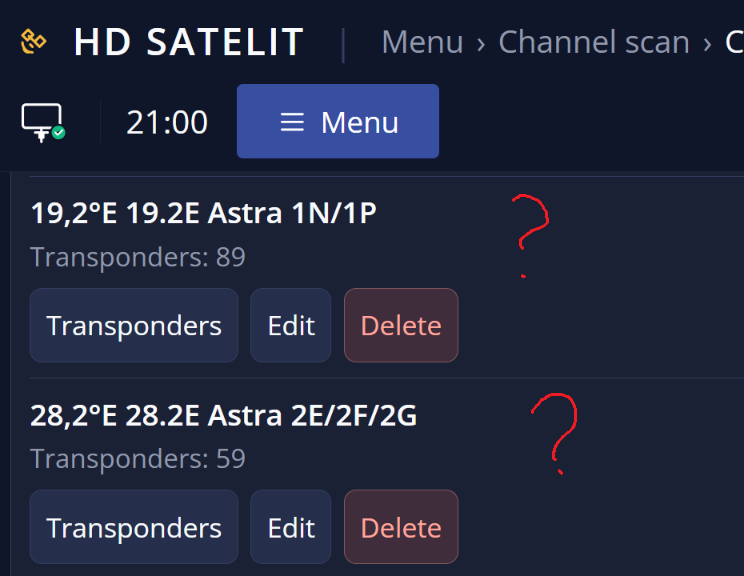
doesn't work. those 2 useless sats are still there.
I instaled my list (for my geo location), but no joy.
I edited /etc/tuxbox/satellites.xml file from inside the box: no joy !!!
Another issue I have with login and/or log off: I get this message !!!!
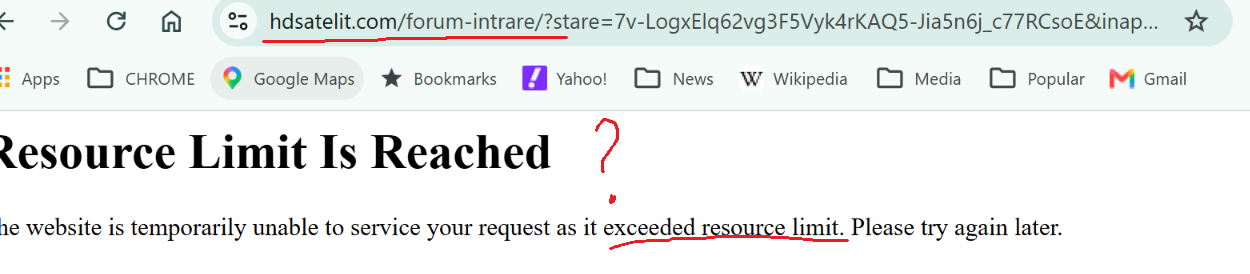
No joy:
Sorry, our mistake; see the message below.
Editat de autor pe 16.11.2026. Motiv: Replaced by our apology below
HD Satelit a scris:
Thank you for trying all that, lme, and for the screenshots. Here is what we can say from the code, in two parts.
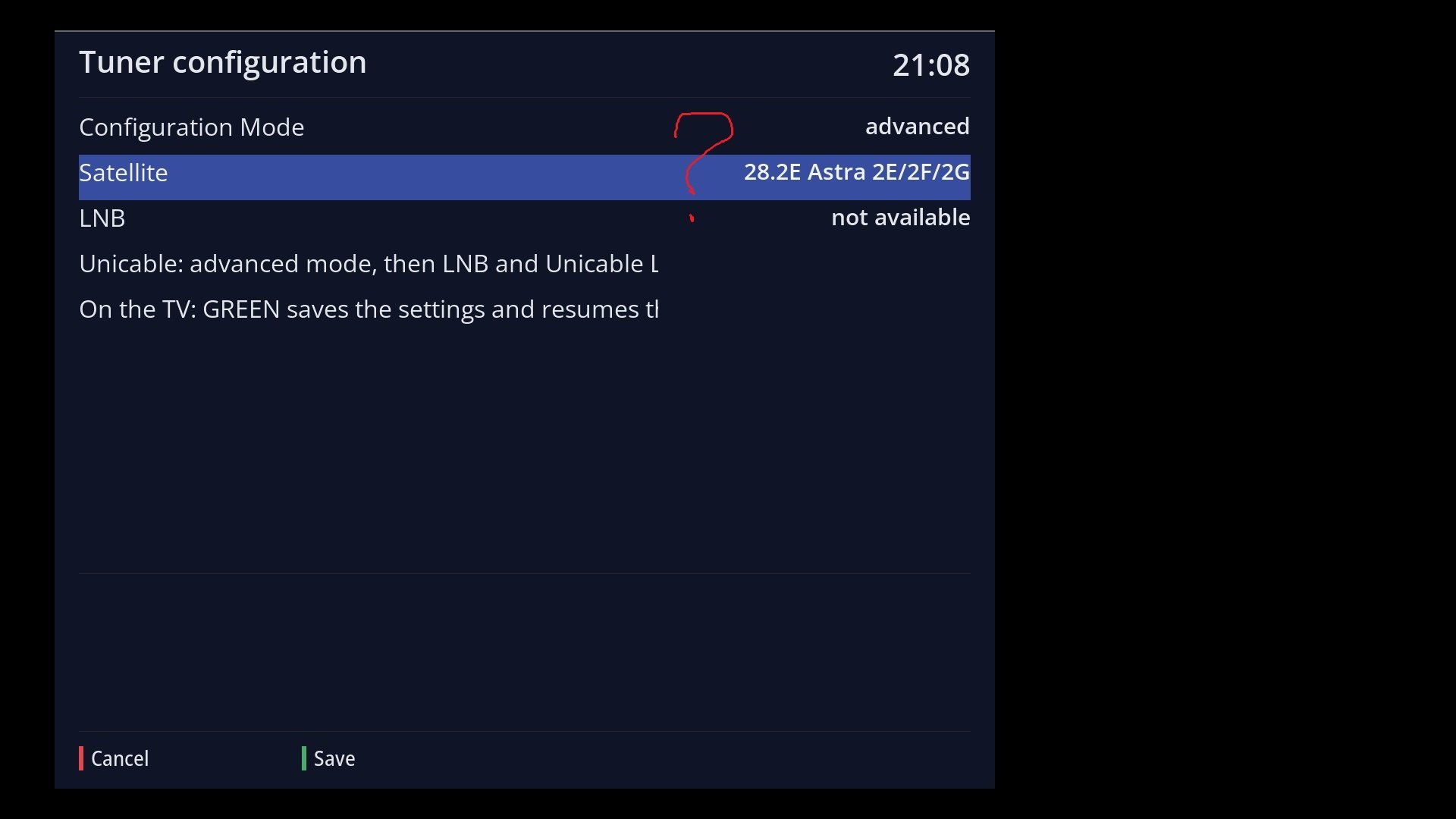
- The satellites that come back. Since 0.7.5 the image puts a satellite back into the list at startup when it is still in use: when channels of that satellite are in your channel list, or when it is saved in the tuner configuration (the satellite or LNB entries in advanced mode). It only adds, never removes. So a satellite you delete in the editor returns while one of those two things is still there. Satellites with no channels and no tuner use are not put back. To get rid of one: remove it from the tuner configuration first (set the LNB entry to not used and save), delete its channels, then delete the satellite in the editor.
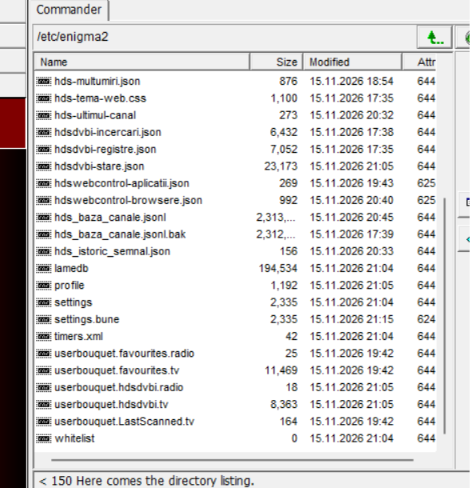
Editing /etc/tuxbox/satellites.xml by hand does nothing when /etc/enigma2/satellites.xml exists, because the receiver reads the second file first.
We cannot see which of the two applies to your two satellites. Please tell us their names (positions), and send a screenshot of the tuner configuration that lists them.
- The login message ("Resource Limit Is Reached") comes from the hosting of the main site, not from the forum or the receiver. It means the hosting limit was reached for a moment; trying again after a few minutes normally works. We pass it to the team.
HD Satelit team
There is no satellites.xml file in /etc/enigma2 folder ?!?!?
only in /etc/tuxbox folder.
Sorry, our mistake; see the message below.
Editat de autor pe 16.11.2026. Motiv: Replaced by our apology below
Sorry, lme, this is our mistake. A satellite you delete must stay deleted, as in other images, and it must be possible to delete it on the receiver too. We are fixing both in the next update; you don't need to do anything.
HD Satelit team
Sorry, lme, that "Resource Limit Is Reached" page was our mistake, not something on your side. We have fixed it, so signing in and out of your account should work normally now. You don't need to do anything.
HD Satelit team
lme, a short explanation of what went wrong: when channels in your channel list still used a satellite, the image put that satellite back into the list at every start, so the satellites you deleted kept coming back. From version 0.7.7 a satellite you delete stays deleted, and you can also delete it on the receiver itself, in the channel editor. You don't need to do anything.
HD Satelit team
@lme, 0.7.7 is out as an update from the menu and it fixes this: a satellite you delete now stays deleted, also after a restart or an update. You can also delete a satellite right on the receiver: in the channel editor, MENU > Advanced > "Delete a satellite from the list…". And on http://hdsatelit.local/editor-canale the Delete button works without advanced mode. You don't need to do anything else.
Intră cu contul HD Satelit ca să răspunzi.
Contul se face pe hdsatelit.com: același cont merge pe site, pe SatBase și pe forum.